Affiliate Disclosure: This article contains affiliate links. If you choose to sign up for WordPress.com through these links, I may earn a small commission at no additional cost to you.
Do you really need to spend more than $4 per month to start a serious blog on WordPress.com?
That was the question I kept coming back to after building my own site. The Personal plan sits right in the middle of WordPress.com’s lineup. It’s affordable, includes a custom domain, and now comes with features that were once reserved for more expensive plans.
But does that make it the best choice for bloggers in 2026?
I took a closer look at what the Personal plan offers, what has changed recently, and where it still falls short.
If you’re trying to decide whether it’s worth paying for—or if you should jump straight to Premium or Business—this guide will help you make the right choice.
Let’s get started.
Table of Contents:
The Short Answer
Yes. For most new bloggers, the WordPress.com Personal plan is worth the money.
If your goal is to launch a professional-looking blog without worrying about hosting, software updates, security, or other technical tasks, it offers excellent value for the price.
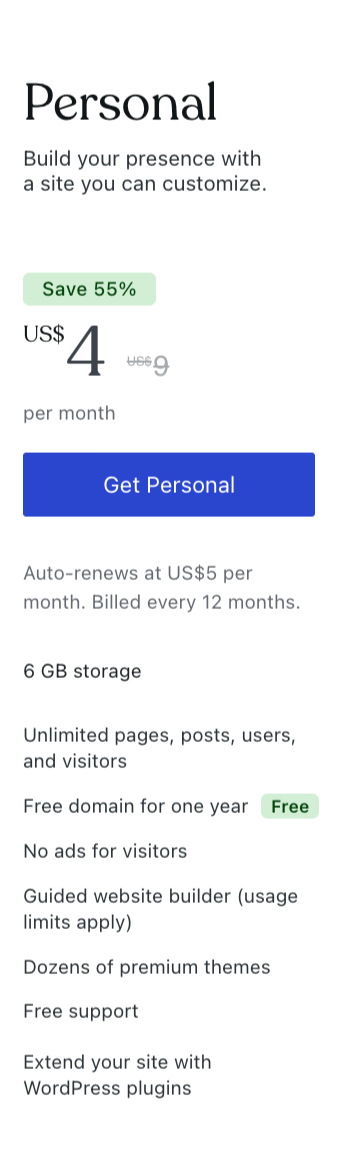
For $4 per month when billed annually (or $9 per month when billed monthly), you get a custom domain, managed hosting, automatic updates, SSL security, email support, and access to the core WordPress.com experience.
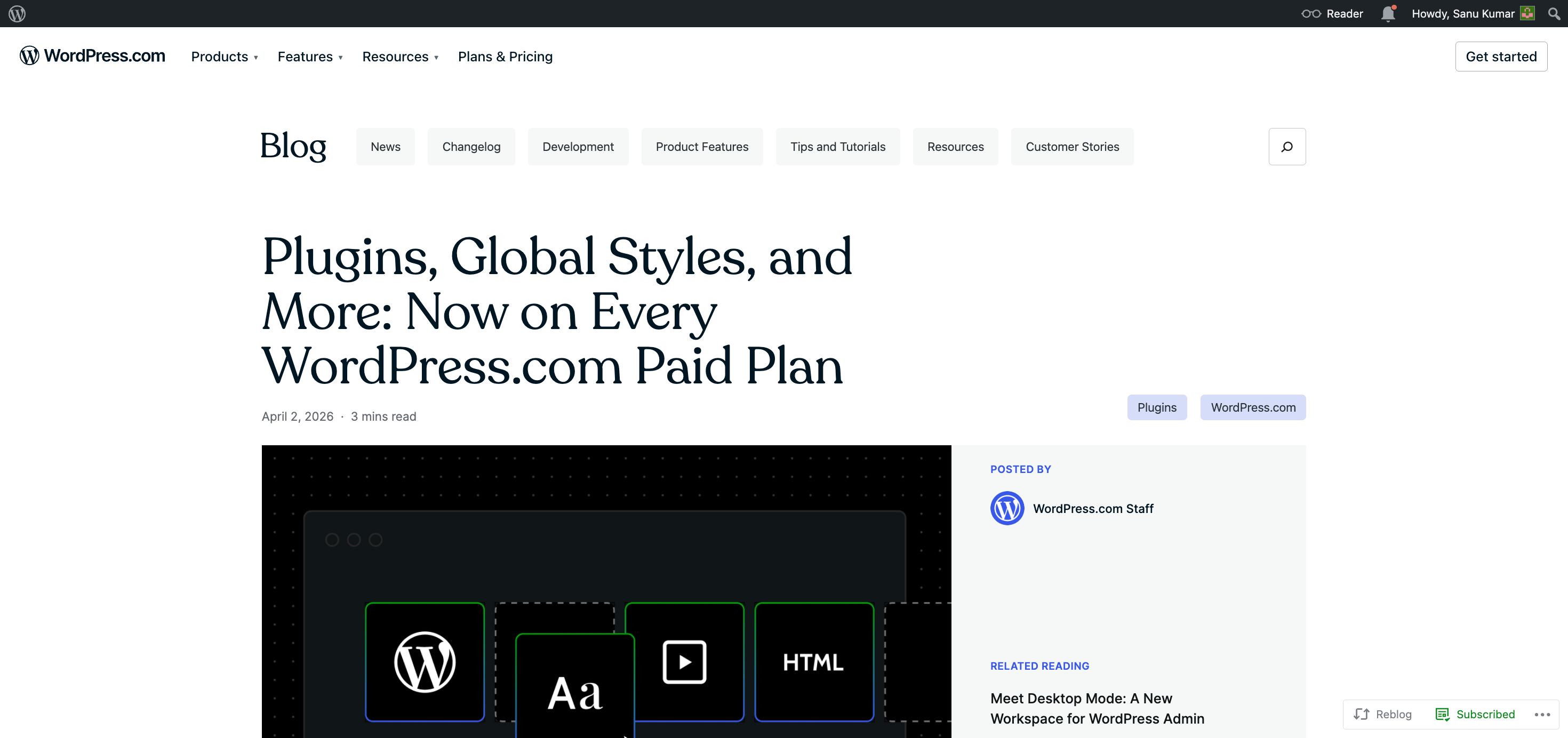
On top of that, WordPress.com now includes plugin and theme access on every paid plan, which makes the Personal plan much more capable than it was in the past.
That said, it’s not the right choice for everyone.
If you plan to run a large online store, need advanced marketing tools, expect to upload a lot of media, or require enterprise-level flexibility, you’ll probably outgrow the Personal plan and be better served by the Premium, Business, or Commerce plan.
Here’s my recommendation:
- Choose the Personal plan if you’re starting your first blog, building a personal brand, creating a portfolio, or launching a simple website where your priority is publishing content—not managing servers.
- Skip it if you already know you’ll need advanced ecommerce features, extensive storage, or specialized business tools from day one.
The biggest reason I recommend the Personal plan isn’t just the price.
It’s the time it saves.
You don’t have to compare hosting companies, install WordPress, secure your website, or keep everything updated. You can create your account, connect your domain, personalize your website, and publish your first post without dealing with technical setup.
For many bloggers, that simplicity is worth far more than the small monthly cost.
In the rest of this guide, I’ll walk through the Personal plan in detail so you can decide whether it matches your blogging goals.
What Is the WordPress.com Personal Plan?
The WordPress.com Personal plan is the first paid tier built for people who want to move beyond the limitations of a free website without paying for features they may never use.
At its core, it’s a managed WordPress hosting plan.
That means WordPress.com takes care of the technical work behind the scenes. Hosting, software updates, security patches, and routine maintenance are all handled for you, so you can focus on writing, publishing, and growing your audience.
The plan currently costs $9 per month if you pay monthly, or $4 per month when billed annually. For many new bloggers, the annual option offers one of the most affordable ways to launch a professional website with your own domain.
One of the biggest reasons the Personal plan has become more attractive is how much it has changed.
If you’ve read older reviews, you’ve probably seen people say that WordPress.com locks plugin access behind expensive plans. That used to be true.
Today, every paid WordPress.com plan—including Personal—includes access to plugins and themes. You can install from a library of more than 50,000 plugins, customize your site’s design with Global Styles, upload custom fonts, and even add your own CSS if you want more control over your site’s appearance.
That’s a huge improvement because it removes one of the biggest reasons many bloggers avoided WordPress.com in the past.
Along with those newer customization options, the Personal plan includes the essentials most bloggers need:
- Managed hosting with automatic updates
- A custom domain (with annual billing)
- SSL security
- 6 GB of storage
- No ads for visitors
- Access to dozens of premium themes and plugins
- Design customization with Global Styles, custom fonts, and CSS
- Built-in traffic statistics
- Free support
- Automated WordPress updates
For someone starting their first blog, that’s a complete package.
You don’t have to compare hosting companies, install WordPress manually, or worry about keeping your site secure. Everything is ready to go from the moment you sign up.
That’s really what you’re paying for.
Not just features, but convenience.
What You Get With the Personal Plan
On paper, the WordPress.com Personal plan includes a solid list of features.
What matters more is how those features actually help you as a blogger.
Let’s look at what you’re getting with the personal plan.
Managed Hosting
If you’ve never built a website before, hosting can feel confusing. You have to compare providers, choose a plan, install WordPress, and make sure everything is configured correctly.
With the Personal plan, you skip all of that.
Hosting is included, and WordPress.com manages the server infrastructure for you. You don’t have to think about uptime, performance, or maintenance because it’s handled in the background.
A Custom Domain
A custom domain makes your blog look more professional.
Rather than using an address like yourblog.wordpress.com, you can use your own domain name that matches your brand.
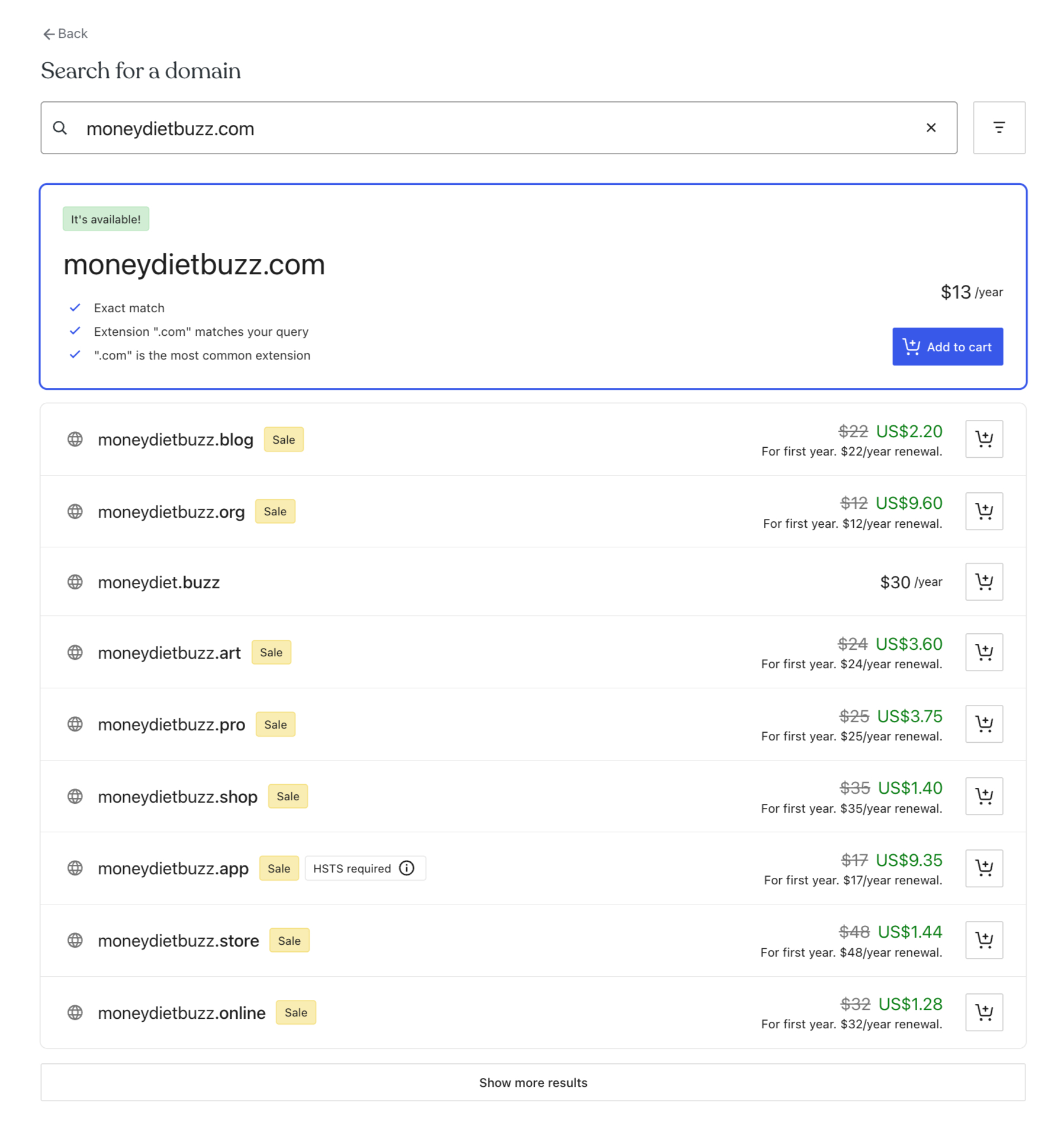
People are also more likely to remember and share a custom domain. If you pay annually, WordPress.com includes your domain name for the first year.
Automatic Updates and Security
Every website needs regular maintenance.
WordPress software receives updates, security fixes, and improvements throughout the year. If you manage your own hosting, those tasks become your responsibility.
With the Personal plan, WordPress.com handles them for you. Your site stays updated without extra work on your part.
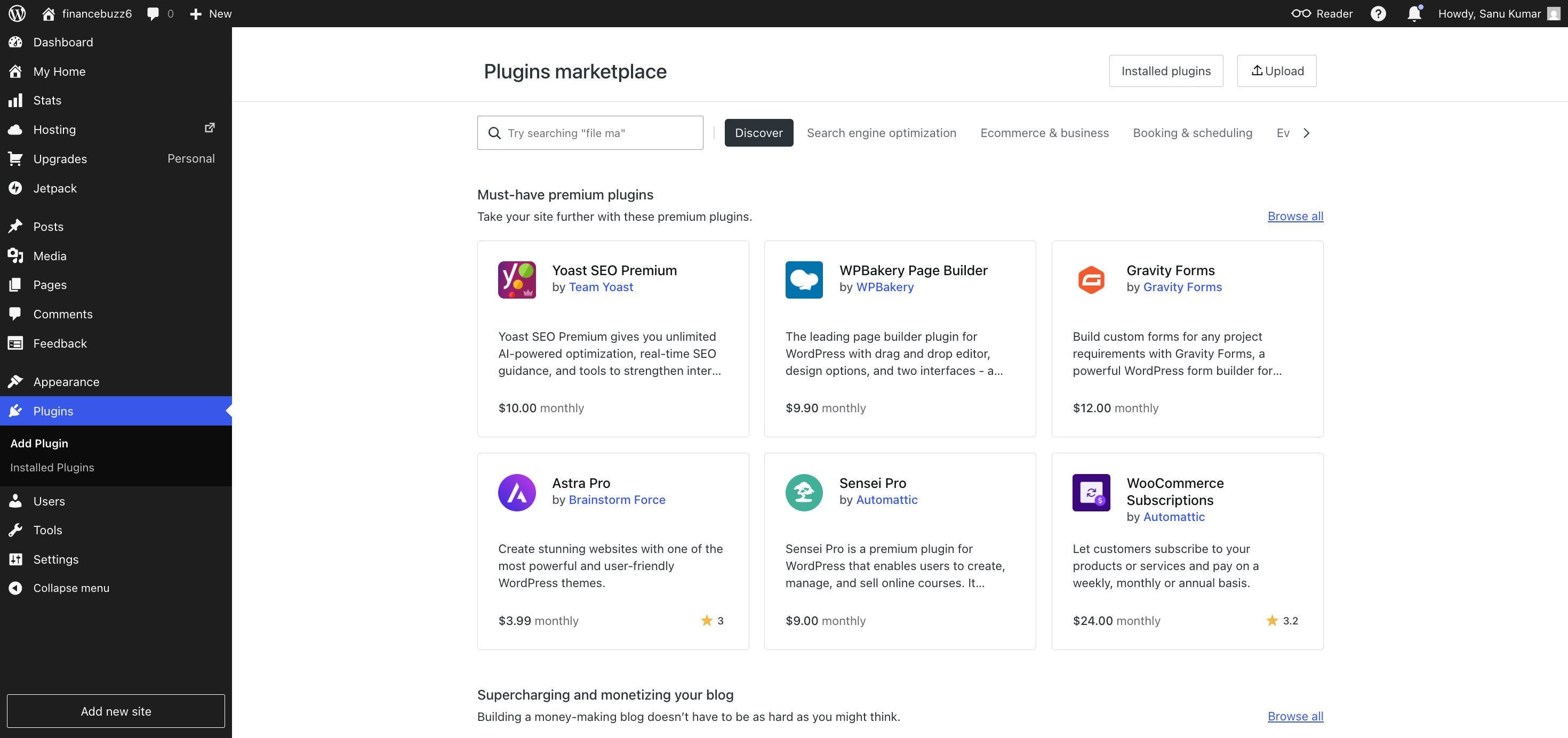
Access to Plugins and Themes
This is one of the biggest improvements to the Personal plan.
In the past, plugin access was reserved for higher-tier plans. Now, every paid plan includes access to the WordPress plugin ecosystem.
Need an SEO plugin?
Want a contact form?
Looking to improve site performance, add social sharing, or collect email subscribers?
You can choose from thousands of plugins to extend your site’s functionality as your blog grows.
The same goes for themes.
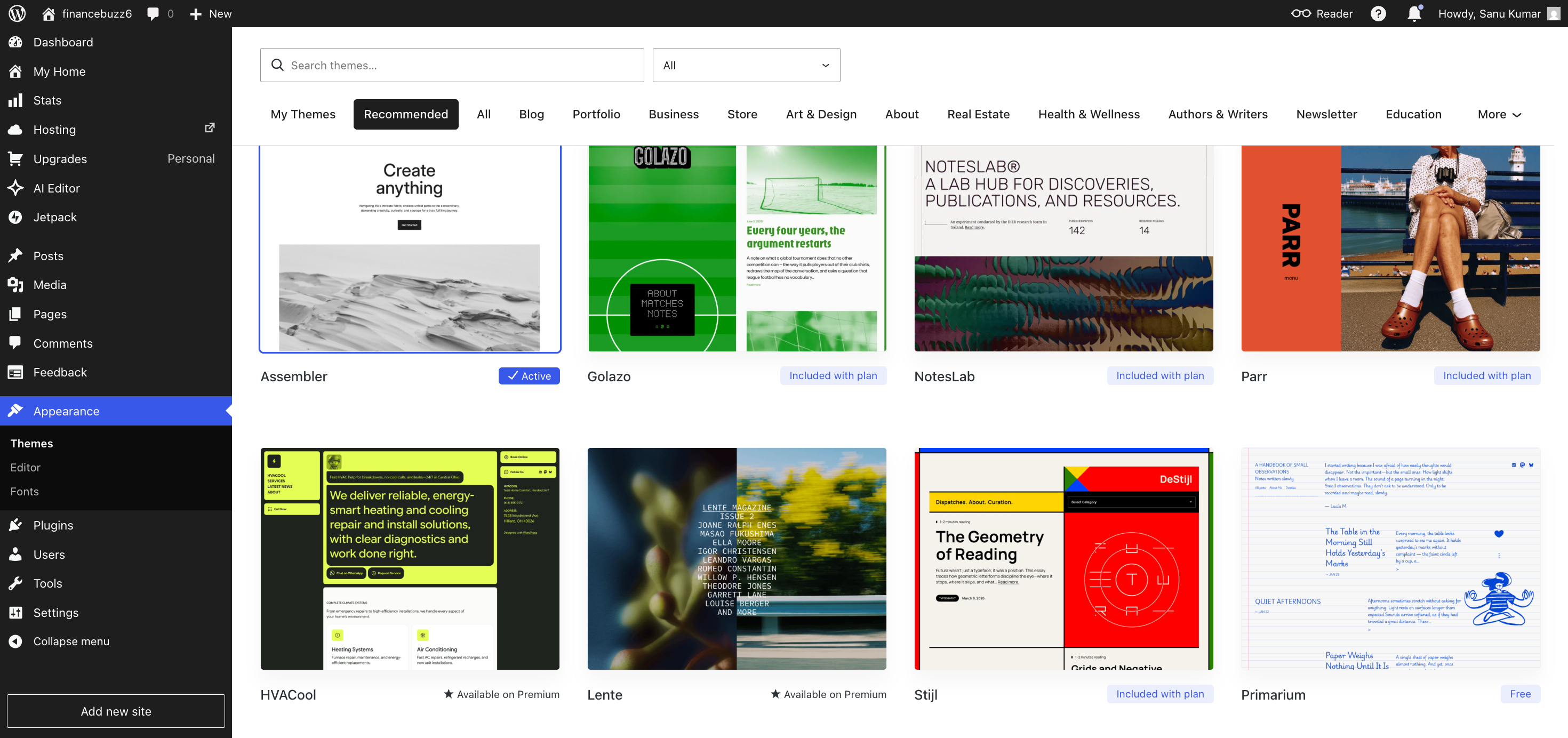
Whether you prefer a clean, minimalist design or something more colourful and creative, you have the flexibility to customize your site’s appearance without starting from scratch.
More Control Over Your Website
A good blog isn’t just about great writing.
It’s also about creating a site that’s easy to navigate and enjoyable to read.
The Personal plan includes features such as Global Styles, custom fonts, and custom CSS. These options let you personalize your website without touching the server or hiring a web designer.
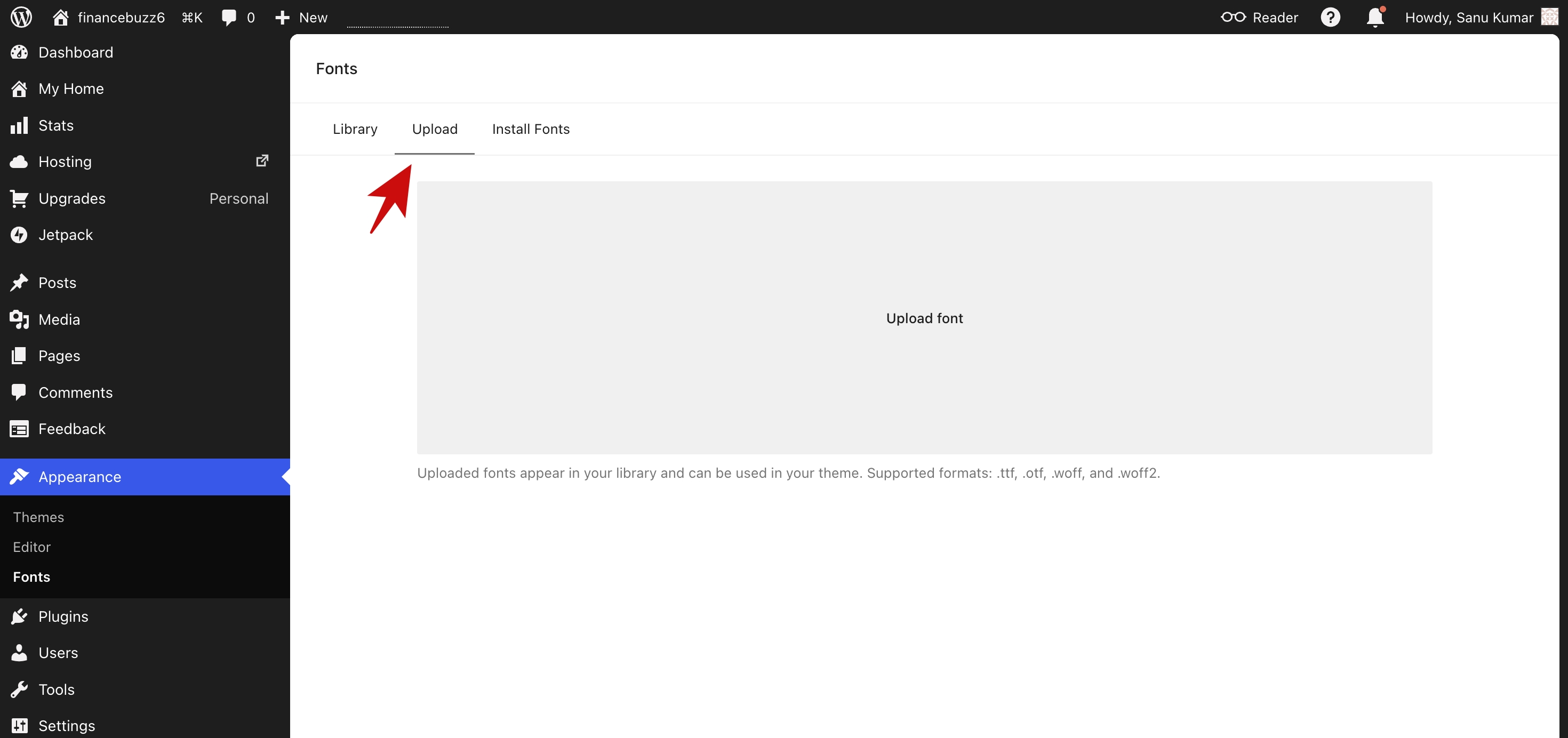
You can build a blog that feels like your own, even if you have little experience.
Built-In Analytics
If you want your blog to grow, you need to know what your visitors enjoy reading.
The Personal plan includes traffic statistics that let you see which posts attract visitors, where your audience is coming from, and how people interact with your content.
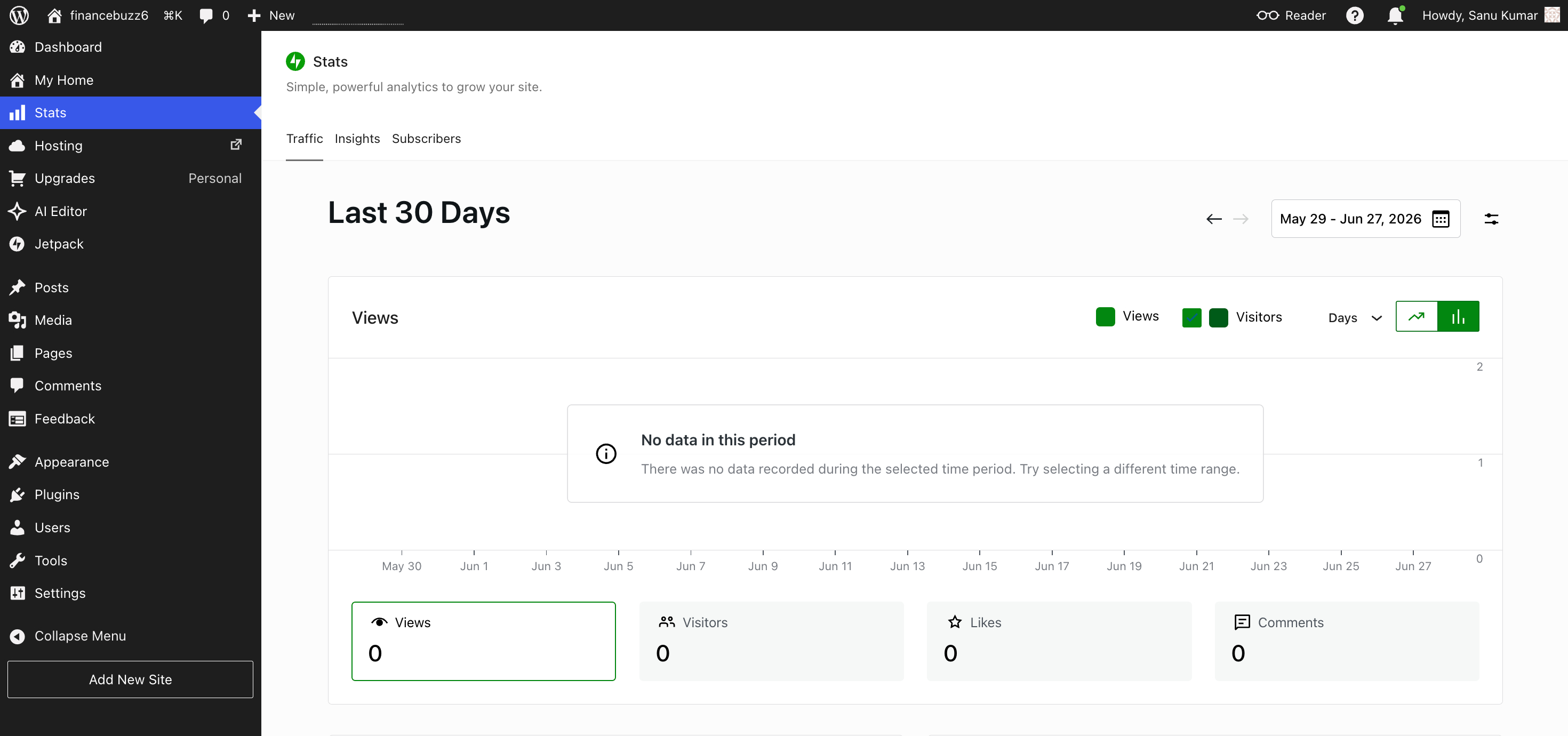
Even if you’re just starting out, these insights can help you make better decisions about what to write next.
Email Support
Every blogger runs into questions now and then.
Whether it’s changing a setting, connecting a domain, or figuring out a feature, it’s reassuring to know help is available when you need it.
Having access to email support is another benefit that makes the Personal plan feel like a step up from the free version.
The Bottom Line
What I like most about the Personal plan isn’t any one feature.
It’s how everything works together.
You get managed hosting, automatic maintenance, a professional domain, modern customization tools, and access to the WordPress ecosystem—all without having to piece together services from multiple providers.
For someone who wants to spend more time writing than managing a website, that’s a compelling combination.
The Biggest Benefits for Bloggers
Features tell you what’s included in a plan.
Benefits explain how those features help you as a blogger.
After looking at everything the WordPress.com Personal plan offers, I think its biggest advantage is that it removes many of the obstacles that stop people from blogging consistently.
You Can Focus on Writing Instead of Website Maintenance
When you’re starting a blog, your time is better spent researching topics, writing articles, and connecting with readers—not updating software or fixing technical issues.
That’s where the Personal plan comes in.
Because WordPress.com manages hosting, security, and updates, you can spend your energy creating content instead of maintaining your website.
If your goal is to publish consistently, that’s a huge advantage.
Build a More Professional Blog
First impressions matter.
A custom domain instantly makes your blog look more established than a free subdomain. It also helps build trust with readers and creates a brand that’s easier to remember.
If you plan to grow your blog over time, having your own domain is one of the best investments you can make.
More Freedom to Build Your Site
The Personal plan used to have fewer customization options, which kept many bloggers away.
That’s no longer the case.
You can now install plugins, use different themes, upload custom fonts, work with Global Styles, and add custom CSS on paid plans.
Whether you want to improve your site’s SEO, create contact forms, increase performance, or add new features, you can do it without paying for a higher plan just to access plugins.
It’s a Budget-Friendly Way to Start
Many new bloggers don’t want to spend a lot of money during their first year.
The Personal plan combines hosting, a free domain for the first year, security, backups, and website management in one subscription.
You don’t have to pay several companies or manage multiple services. Everything comes together in one place, which saves both time and money.
Start Small and Upgrade Later
No one knows exactly where their blog will be in a year.
Maybe you’ll publish a few posts each month.
Maybe you’ll build an audience, start an email newsletter, or turn your blog into a business.
The nice thing about WordPress.com is that you don’t have to make all those decisions on day one.
You can start with the Personal plan, build your website, publish content, and move to a higher plan only when you actually need more features.
Worry Less About Your Website
This isn’t a feature you’ll notice every day.
In fact, that’s the point.
When your website is running flawlessly, backups are handled, updates happen automatically, and security is managed behind the scenes, you spend less time worrying about things going wrong.
That peace of mind is difficult to measure, but it’s one of the reasons managed platforms remain popular with bloggers who simply want to write.
Is It the Best Value?
For many bloggers, yes.
If you’re looking for an affordable plan that lets you launch a professional website while avoiding most of the technical work, the Personal plan strikes a strong balance between price, convenience, and flexibility.
It doesn’t include every advanced feature, but it includes what most bloggers need to publish content, grow their audience, and build their website.
The Downsides You Should Know
No hosting plan is perfect, and the WordPress.com Personal plan is no exception.
While I think it offers excellent value for most bloggers, there are a few limitations you should understand before you subscribe.
The 6 GB Storage Limit
For a typical blog, 6 GB is more than enough to get started.
You can publish hundreds of text-based articles and a good number of optimized images without running into storage issues.
However, if you plan to upload lots of high-resolution photos, podcasts, videos, or downloadable files, you’ll fill that space much faster. In that case, a higher-tier plan may be a better long-term fit.
It’s Not Built for Serious Ecommerce
The Personal plan works well for blogs, portfolios, and simple websites.
But if your goal is to run a full online store with advanced ecommerce features, inventory management, or multiple payment options, you’ll eventually want the Commerce plan instead.
Simply put, Personal Plan is built for publishing content—not running a large online business.
Some Advanced Marketing Tools Are Reserved for Higher Plans
The Personal plan includes the essentials, but if you’re planning aggressive business growth, you may find yourself wanting features that come with Premium or Business.
For example, if you’re building a membership site, running complex marketing campaigns, or managing multiple client websites, upgrading may make sense as your needs evolve.
The good news is that you don’t have to make that decision today. You can always start small and upgrade later.
Not Every Blogger Needs Every Feature
This is something I think many reviews get wrong.
They compare every available feature without asking whether the average blogger will actually use them.
Do you really need enterprise-level tools on day one?
Probably not.
If your focus is writing helpful articles, growing an audience, and learning how blogging works, the Personal plan includes almost everything you’ll use during your first year.
Paying for features you won’t touch rarely makes sense.
Convenience Comes at the Cost of Complete Control
One of WordPress.com’s biggest strengths is that it manages your hosting, updates, and security.
The tradeoff is that you’re using a managed platform rather than configuring everything yourself.
For most bloggers, that’s actually a benefit.
But if you’re the kind of person who wants full control over your website, including your hosting provider, server setup, and every technical decision, WordPress.org will likely suit you better.
My Take
None of these downsides is a deal-breaker.
In fact, most of them only become relevant once your blog reaches a certain size or your goals become more ambitious.
If you’re just getting started, the Personal plan offers everything you need to launch a professional blog without overwhelming you with features you’ll rarely use.
As your blog grows, you can always move to a higher plan. Until then, I think it’s better to invest your time in writing great content than paying for capabilities you don’t yet need.
My Experience Using the Personal Plan
When I signed up for the WordPress.com Personal plan, I wasn’t searching for the most advanced blogging platform.
I simply wanted something that would let me launch a blog without spending days dealing with hosting, server settings, and other technical tasks.
That’s exactly what happened.
I connected my domain, picked a theme, and published my first posts without running into any major problems. I didn’t have to install WordPress, set up SSL, or spend hours comparing hosting providers. The site was ready from day one.
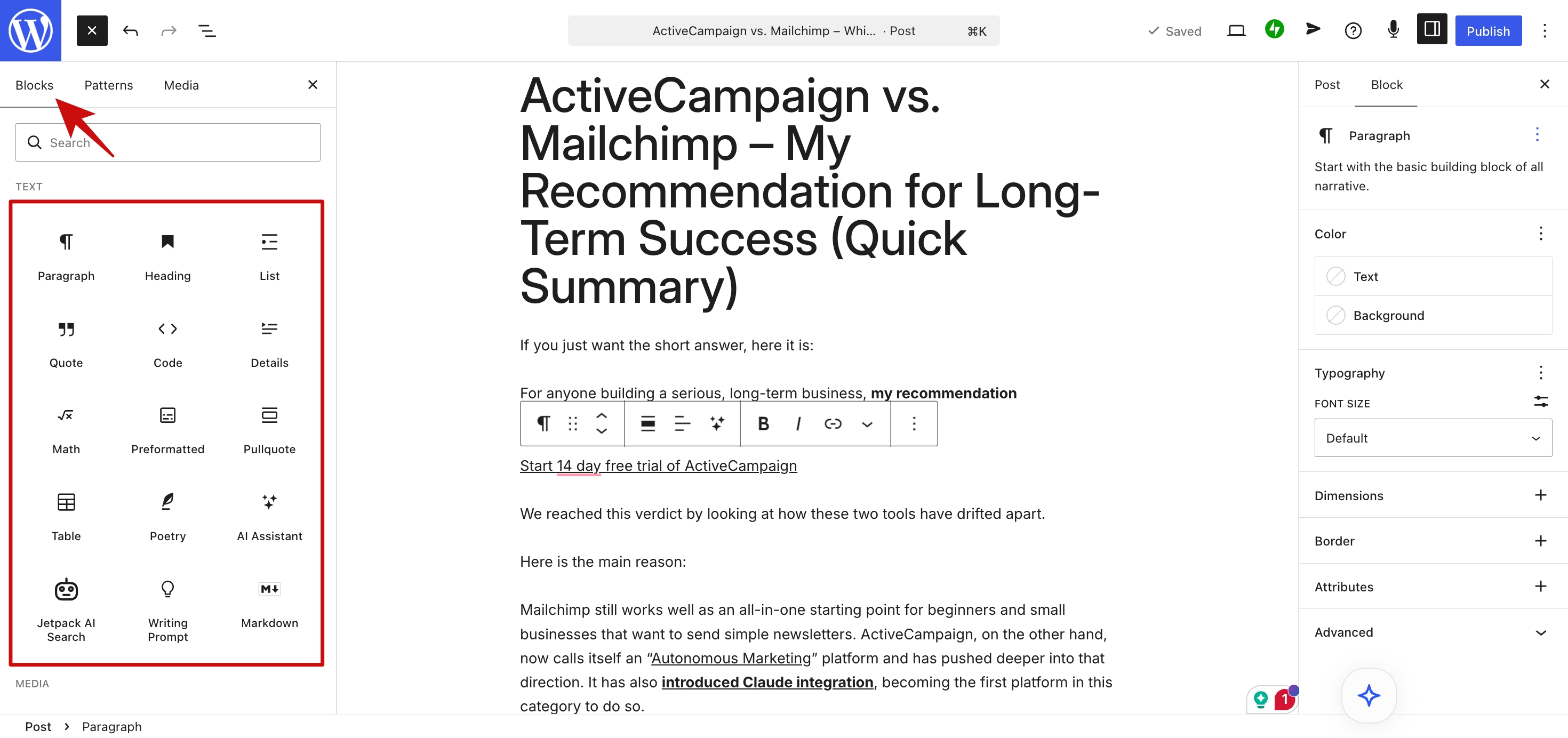
After my blog went live, I spent almost all of my time writing articles and planning new content. I wasn’t thinking about software updates, security, or website maintenance because WordPress.com handled those tasks for me.
That was one of the biggest benefits of the Personal plan.
It let me spend my time blogging instead of managing a website.
I also found more customization options than I expected. Many older reviews describe WordPress.com as very limited, but that wasn’t what I experienced. I could install plugins, try different themes, use Global Styles, upload custom fonts, and add custom CSS whenever I wanted. Those options made it possible to build a blog that looked professional without making the process complicated.
Would a higher plan have unlocked more features?
Yes.
But I never reached a point where I felt the Personal plan was holding my blog back.
It reminded me that publishing useful articles matters far more than collecting extra features that I might never use.
Looking back, I would only change two things.
First, I spent too much time comparing plans before I even published my first article.
Second, I worried about features that I didn’t actually need.
Many new bloggers believe they need the most expensive plan before they can build a successful website.
I don’t think that’s true.
Most successful blogs grow because their owners publish helpful content on a regular basis. The hosting plan matters, but consistent publishing matters much more.
If I were starting a new blog today, I’d still choose the Personal plan as my entry point.
It offers a strong balance of affordability, convenience, and flexibility, while leaving plenty of room to upgrade if my blog eventually outgrows it.
For anyone starting their first serious blog, I think that’s exactly how a hosting plan should work.
Personal vs Premium: Is the Upgrade Worth It?
For many bloggers, the biggest question isn’t whether to pay for WordPress.com—it’s which paid plan offers the best value.
If you’re deciding between Personal and Premium, the answer comes down to how you plan to use your website.
For someone who’s starting a blog, the Personal plan covers the essentials. You get managed hosting, a custom domain with annual billing, automatic updates, security, access to plugins and themes, and enough customization to build a professional-looking site.
For many people, that’s all they need.
The Premium plan builds on that foundation by adding more storage, additional design options, and features that are useful if your website is becoming a larger part of your business.
For example, if you regularly upload large image galleries, create video-heavy content, or want extra flexibility as your audience grows, Premium starts to make more sense.
The price difference is worth considering, too.
The Personal plan costs $4 per month when billed annually, while the Premium plan costs $8 per month when billed annually. That’s an additional $48 per year.
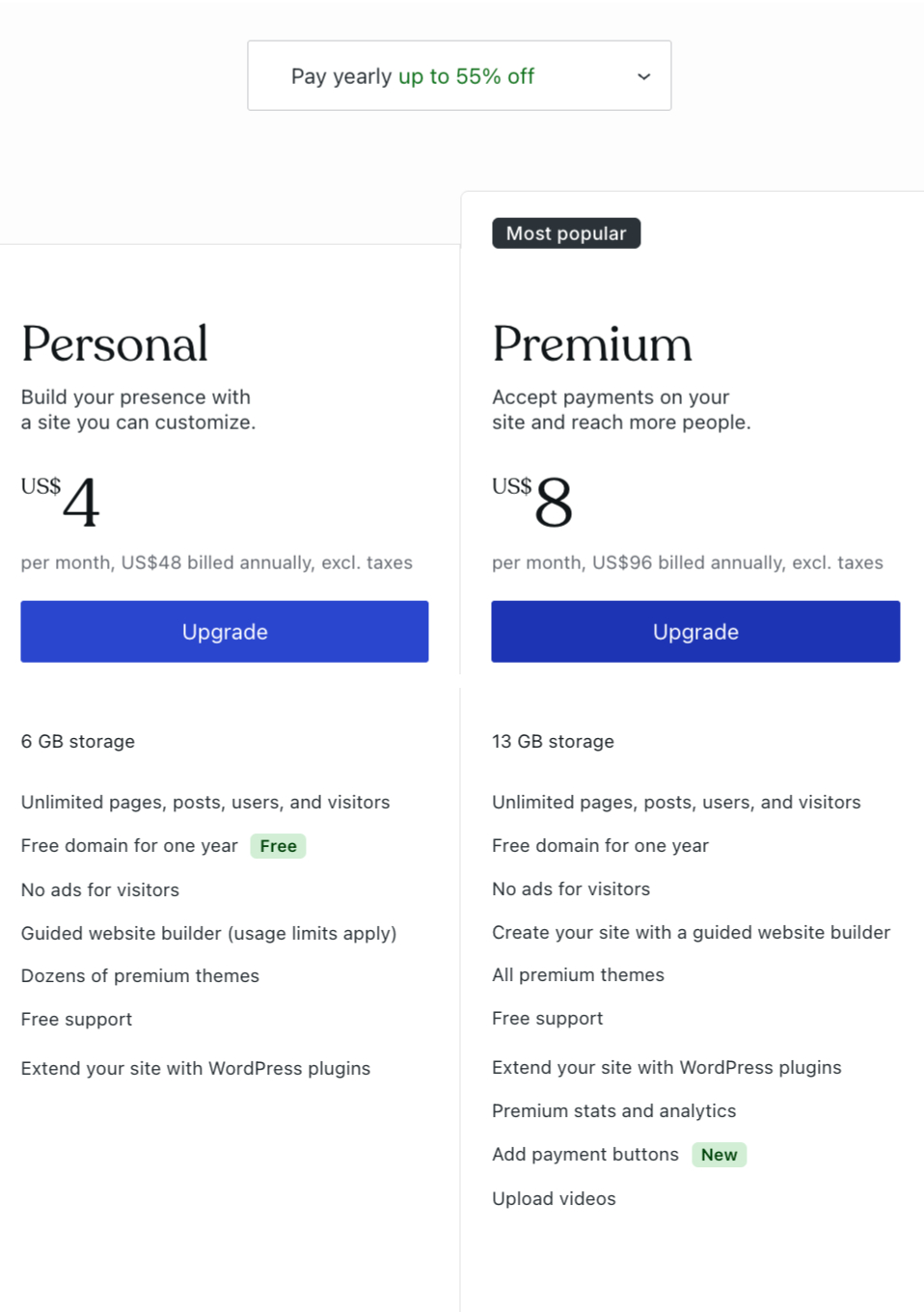
The question is whether you’ll actually use the extra features.
If your primary goal is publishing blog posts, building an audience, and establishing an online presence, I’d save the money and start with Personal.
If, after several months, you find yourself needing more storage or advanced tools, upgrading is straightforward. There’s no penalty for starting small.
That’s one of the things I like about WordPress.com’s pricing structure.
It allows your website to grow with you.
Too many bloggers assume they need the most expensive plan from day one, when in reality, they haven’t published their first article yet.
My advice is simple:
Start with the plan that matches your current needs—not the ones you might have a year from now.
For most new bloggers, that’s the Personal plan.
Once your blog begins attracting more visitors, generating income, or expanding into new areas, you can reassess whether Premium offers enough additional value to justify the higher price.
Until then, I’d rather invest that extra money in creating better content, buying a good writing tool, or promoting my blog than paying for features I may never use.
Personal vs Self-Hosted WordPress
If you’ve spent any time researching blogging platforms, you’ve probably come across the debate between WordPress.com and self-hosted WordPress.org.
The truth is, neither option is objectively better.
They simply serve different types of bloggers.
Choose WordPress.com Personal If You Want Simplicity
The Personal plan is built for people who want to spend their time creating content—not managing a website.
Hosting is included.
Security is handled for you.
Software updates happen automatically.
You don’t have to install WordPress, configure backups, or monitor your server. Everything is managed behind the scenes.
For a new blogger, that’s one less thing to worry about.
Choose Self-Hosted WordPress If You Want Complete Control
A self-hosted WordPress.org website gives you full ownership of your hosting environment.
You choose the hosting company.
You decide how your site is configured.
You control backups, performance optimization, security settings, and every other technical aspect of your website.
That level of freedom is appealing to experienced users, but it also comes with more responsibility.
If something breaks, you’re the one responsible for fixing it.
Which One Costs Less?
At first glance, self-hosted WordPress can appear cheaper.
Some hosting providers advertise plans starting at just a few dollars per month.
However, that’s only part of the picture.
You’ll also need to factor in the cost of a domain name, premium themes or plugins if you use them, backup solutions, security tools, and the time you’ll spend maintaining everything yourself.
With the WordPress.com Personal plan, most of those essentials are already included in one subscription.
For many beginners, that predictability is worth paying for.
Which Platform Would I Choose?
If I were building a blog from scratch today, I’d still start with the WordPress.com Personal plan.
Not because self-hosted WordPress isn’t powerful—it absolutely is.
I’d choose it because it lets me focus on the one thing that actually grows a blog: publishing great content consistently.
Once a blog reaches the point where it needs more advanced infrastructure, custom server configurations, or specialized business features, moving to a self-hosted setup becomes a much easier decision.
Until then, I don’t think most bloggers benefit from adding technical complexity before they’ve built an audience.
My Recommendation
If you’re a first-time blogger, freelancer, hobby writer, or small business owner, the WordPress.com Personal plan is likely the better choice.
If you’re a developer, agency, or someone who enjoys managing every aspect of a website, self-hosted WordPress may be a better fit.
Either way, remember this:
The platform doesn’t make a successful blog.
Your content does.
Choose the option that helps you publish consistently, because that’s what will have the biggest impact over the long run.
Is the Personal Plan Worth $48 Per Year?
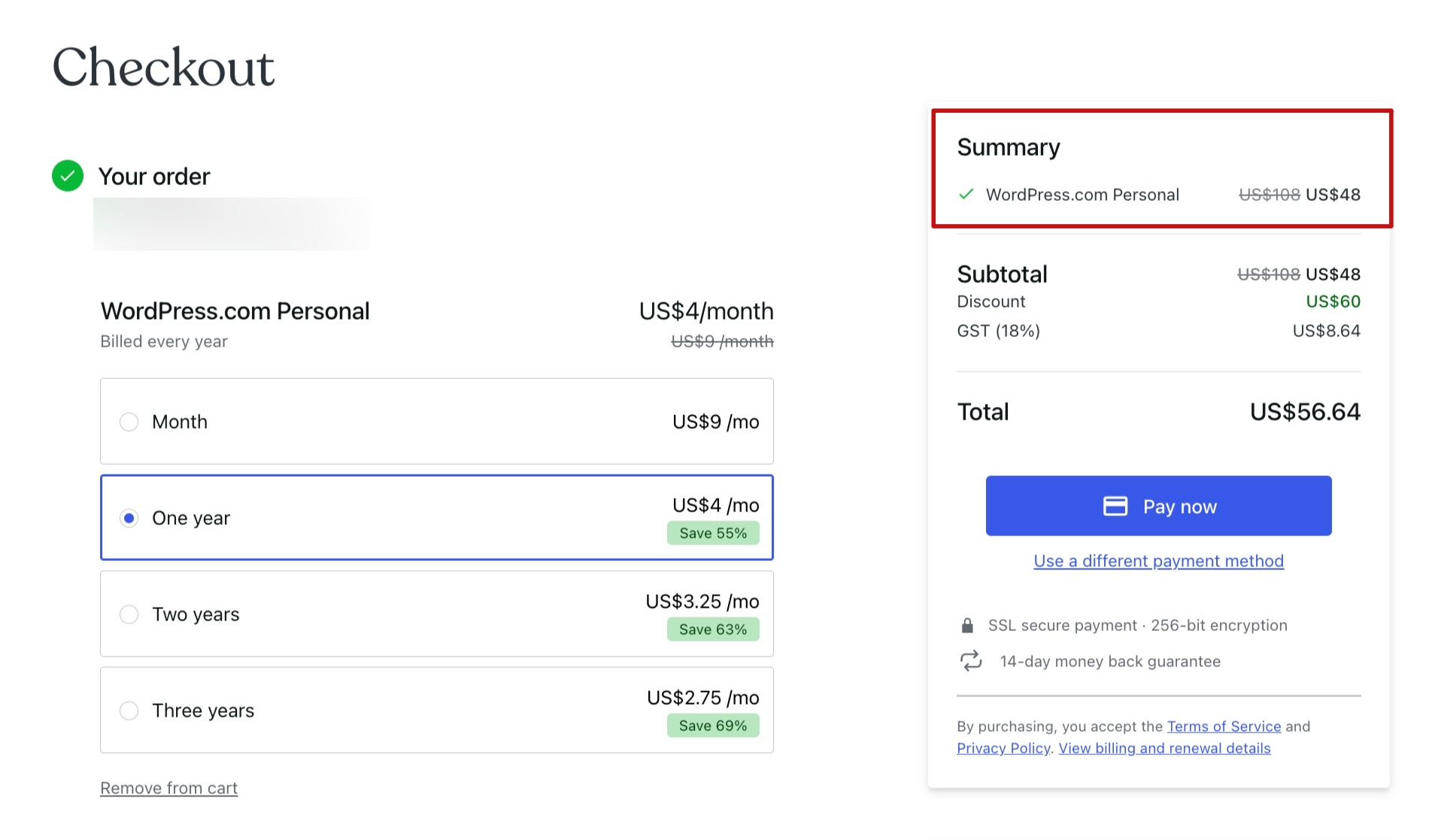
After looking at the features, pricing, and day-to-day experience, I think the answer is yes.
For $4 per month when billed annually (or $9 per month when billed monthly), the Personal plan offers a lot of value for anyone who wants to build a professional blog without dealing with the technical side of running a website.
What you’re really paying for isn’t just hosting or a custom domain.
You’re paying for convenience.
WordPress.com takes care of hosting, software updates, security, and routine maintenance, so you can spend your time researching topics, writing articles, and growing your audience instead of troubleshooting your website.
That’s especially valuable if you’re new to blogging.
The recent change that allows plugin and theme installation on all paid plans has also made the Personal plan much more attractive. In the past, you had to pay for a higher plan to use plugins. Now you can install many popular plugins without paying extra, which makes the entry-level paid plan a much better value.
Of course, the Personal plan won’t be the perfect fit for everyone.
If you expect your website to become a large online business from day one, need advanced ecommerce features, or require significantly more storage, it’s worth looking at Premium, Business, or Commerce instead.
For most bloggers, though, I think the Personal plan offers the best balance between price and features.
It includes everything you need to build a secure, professional website while keeping costs affordable and website management simple.
My Recommendation
I recommend the Personal plan if you want to:
- Start your first blog
- Build your personal brand
- Create an online portfolio
- Publish articles on a content-focused website
- Use WordPress without managing hosting or server maintenance
You can always move to a higher plan later if your website needs more features. Until then, there’s no reason to spend extra money on tools you may never use.
One thing I’ve learned after working on blogs is that your success doesn’t depend on choosing the most expensive plan.
It depends on publishing useful content, staying consistent, and improving your work over time.
The Personal plan offers you a solid foundation to do exactly that.
FAQs
1. What is the main difference between the WordPress.com Free plan and the Personal plan?
The biggest benefits come from your blog’s branding. On the Free plan, your site uses a yourname.wordpress.com address, and WordPress displays ads on your pages. When you upgrade to the Personal plan, you can use a custom domain name at no extra cost for the first year, and WordPress removes all third-party ads from your site. These changes make your blog look much more professional. The plan also increases your storage to 6 GB and includes email support if you need help.
2. What happens to my custom domain if I decide to cancel or move later?
Your custom domain is yours. If you get a free domain for the first year through the Personal plan, it is registered in your name. If you choose to move your blog to a self-hosted WordPress site later on, you can easily point or transfer that domain to your new hosting provider.
3. Who is the WordPress.com Personal plan actually best for?
The Personal plan is ideal for hobbyists, creative writers, personal journalists, and portfolio builders who want a clean, ad-free space under their own name without technical maintenance. If your primary goal is to write content rather than manage plugins, code, or complex SEO setups, the simplicity of this tier offers great value. However, if you view your blog as a growing business that needs marketing tools, the Premium or Business tiers are better fits.
4. How much media storage do you get, and is it enough for a growing blog?
The Personal tier provides 6 GB of storage space. For a text-heavy blog or a casual writer, 6 GB is more than enough to last for years. However, if your content relies heavily on high-resolution photography, large image galleries, or direct video uploads, this storage limit will fill up rapidly. If you plan to host visual portfolios or video content, you will need the 13 GB or more offered by higher tiers.
5. What is the WordPress.com money-back guarantee policy?
If you pay for the Personal plan on an annual, two-year, or three-year basis, you can get a full refund within 14 days of purchase or automatic renewal. If you pay month-to-month, the money-back guarantee window drops to 7 days from the purchase date.
Final Thoughts
If you’d asked me a few years ago whether the WordPress.com Personal plan was worth paying for, my answer probably would’ve been, “It depends.”
Today, my answer is much simpler.
Yes.
WordPress.com has improved the Personal plan in meaningful ways. The addition of plugin and theme support across all paid plans has removed one of its biggest weaknesses, which makes it a far more attractive option for bloggers who want flexibility without the hassle of managing their own hosting.
What I appreciate most isn’t a specific feature.
It’s the experience.
I can log in, write, publish, and leave the technical work to WordPress.com. That’s exactly what I want from a blogging platform.
Could I save a few dollars by piecing together my own hosting setup?
Maybe.
But I’d also spend more time managing a website instead of growing one.
For me, that’s not a worthwhile trade-off.
If you’re starting your first blog or moving beyond the free plan, I think the Personal plan hits the sweet spot. It’s affordable, capable, and offers plenty of room to grow before you ever need to think about upgrading.
My advice?
Don’t wait until everything feels perfect.
Pick the Personal plan, publish your first post, and start building the blog you’ve been thinking about.
Because in the end, readers won’t remember what hosting plan you chose.
They’ll remember the content you created.