Affiliate Disclosure: This article contains affiliate links. If you choose to sign up for WordPress.com through these links, I may earn a small commission at no additional cost to you.
For years, most developers didn’t take WordPress.com seriously.
It felt too limited. No real control, no plugins on basic plans, and not something you’d choose for a serious project.
And to be fair… that criticism wasn’t wrong.
But things have changed — and in a big way.
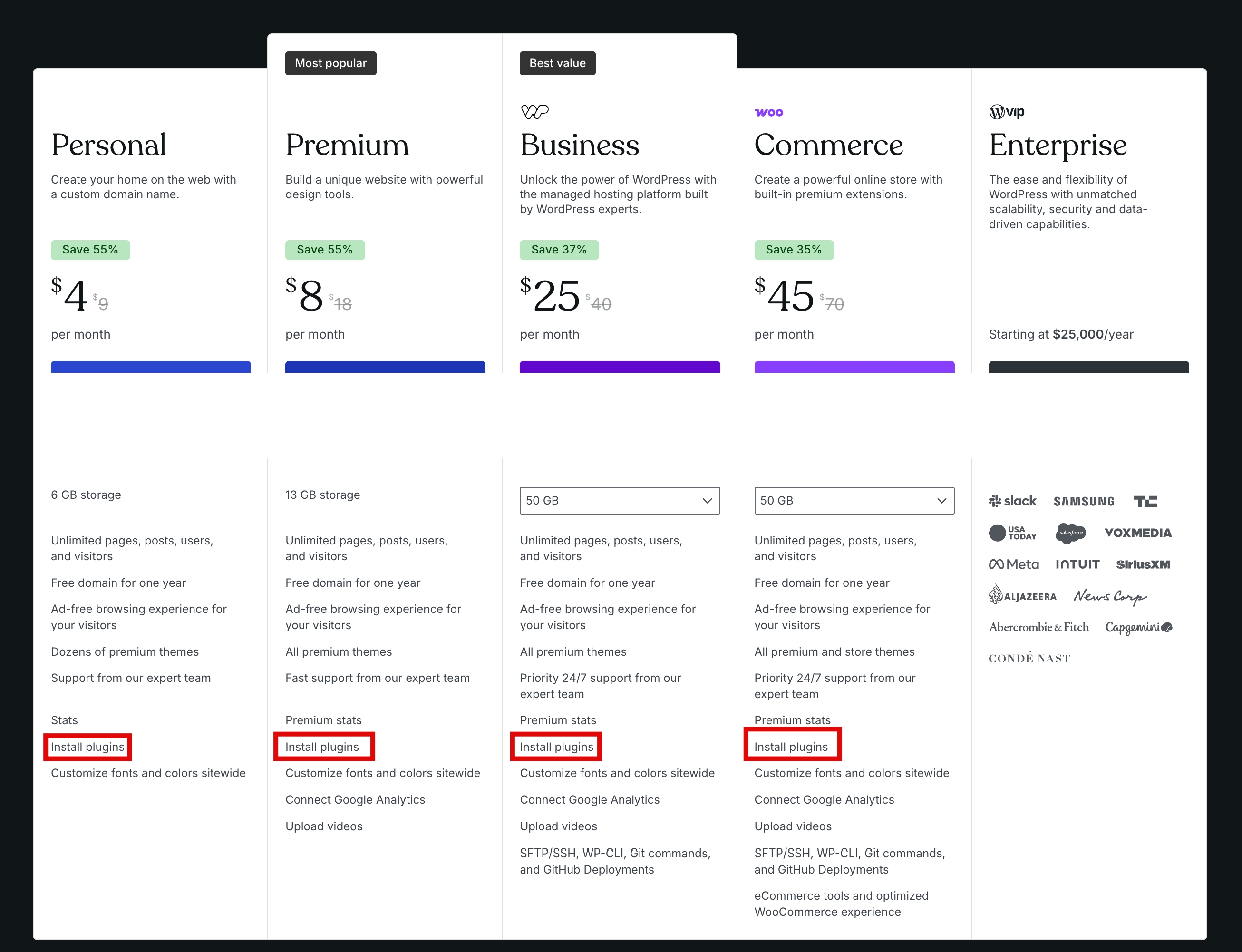
WordPress.com now allows access to plugins and themes on every paid plan. That means over 50,000 plugins, full design control with Global Styles, custom fonts, and even CSS customization — all without upgrading to higher tiers.
So the question is no longer “Is WordPress.com too limited?”
It’s this: Is it now a smarter, faster way to build without the usual headaches?
Let’s break it down.
Why Developers Avoided WordPress.com (Before This Update)

Let’s be honest.
Developers didn’t ignore WordPress.com for no reason.
It had real limitations — the kind that made it hard to justify for anything beyond a basic site.
1. No plugin access (on most plans)
This was the biggest dealbreaker.
Plugins are what make WordPress powerful. Without them, you’re stuck with whatever the platform gives you.
No advanced SEO tools.
No performance optimization.
No custom functionality.
For developers, that’s a non-starter.
2. Limited customization
You couldn’t fully control how your site looked or behaved.
Yes, you can make small changes here and there. But the moment you try to go beyond the basics with custom styling or deeper design control, you hit a hard limit.
That can feel frustrating when you’re trying to build something that actually feels like your own.
3. It felt locked down
Compared to self-hosted WordPress, WordPress.com felt restrictive.
You didn’t control the environment. You couldn’t extend things freely. And you always had to work within platform limits.
For developers used to flexibility, that’s a dealbreaker.
4. Not suitable for serious projects
Because of all this, WordPress.com got labelled as: “Good for beginners… not for developers.”
And honestly, that label stuck for years.
But here’s the important part:
All of these problems were tied to one thing — lack of access.
And that’s exactly what the recent update fixes.
The Turning Point: What Changed (And Why It Matters)
This is where things actually change.
WordPress.com didn’t just add a small feature — it removed the biggest limitation that held it back.
Now, every paid plan gives you access to plugins and themes.
That one change alone reshapes what you can build on the platform.
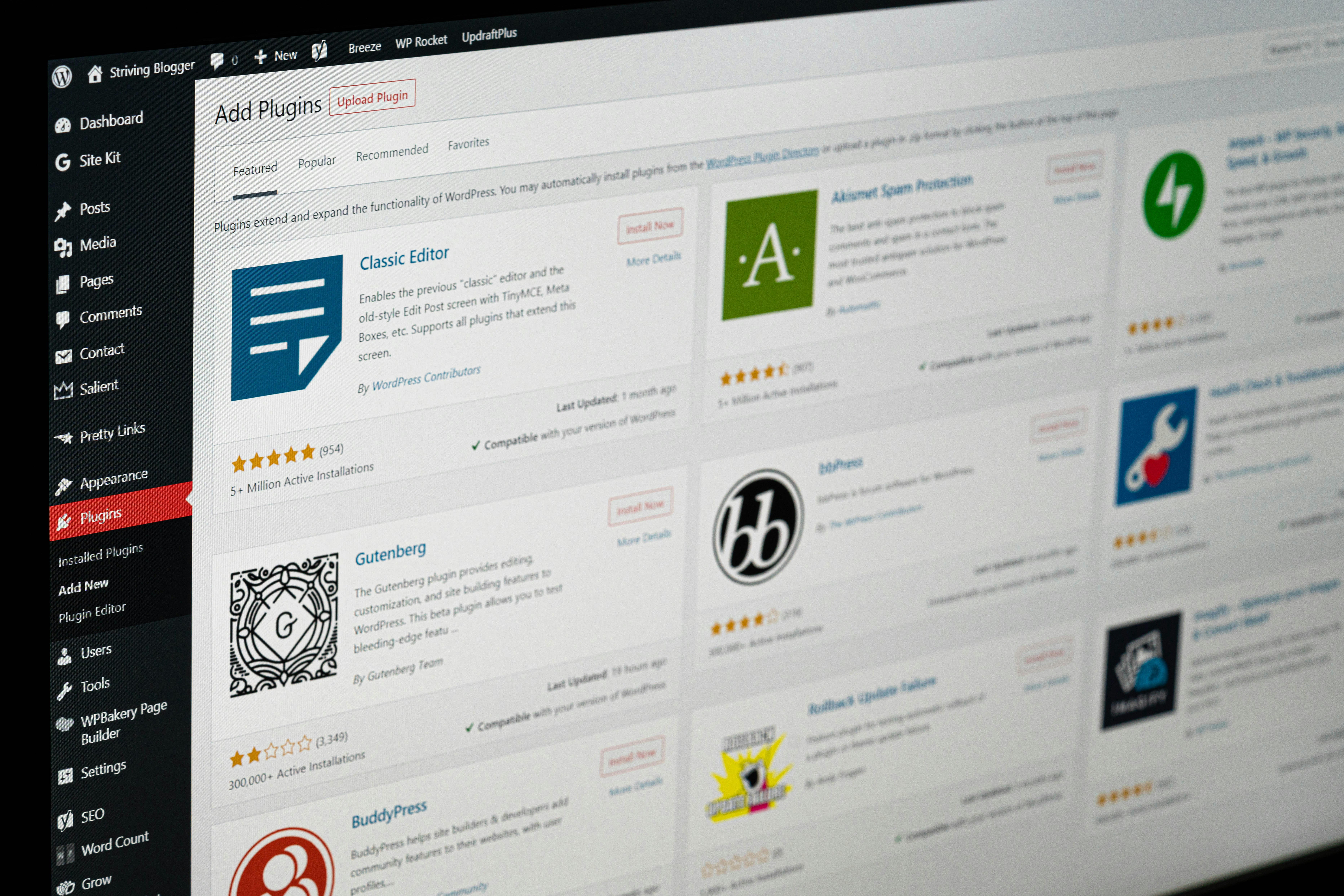
1. You now get access to 50,000+ plugins
This is the same plugin ecosystem that made WordPress powerful in the first place.
Need advanced SEO tools? You have them.
Want better performance or caching? Done.
Custom functionality? No problem.
You’re no longer working with a limited toolkit.
2. Full design control is finally unlocked
This is another big shift.
With Global Styles, font uploads, and CSS customization, you’re not boxed into default designs anymore.
You can:
- Control how your site looks across every page
- Use your own fonts
- Fine-tune styles with custom CSS
In other words, you can actually build something that feels custom.

3. No forced upgrades to unlock essentials
Before, you had to jump to higher-tier plans just to access basic developer tools.
Now, those barriers are gone.
You get the tools upfront — without having to justify another upgrade.
Why does this matter for developers?
This isn’t just about features.
It’s about freedom.
You can now build, customise, and extend your site without constantly encountering platform limits.
And when you remove that friction, the platform becomes a lot more serious.
This update doesn’t just improve WordPress.com.
It changes how developers should think about it.
Real Control Without the Usual Headaches
Here’s where things get interesting.
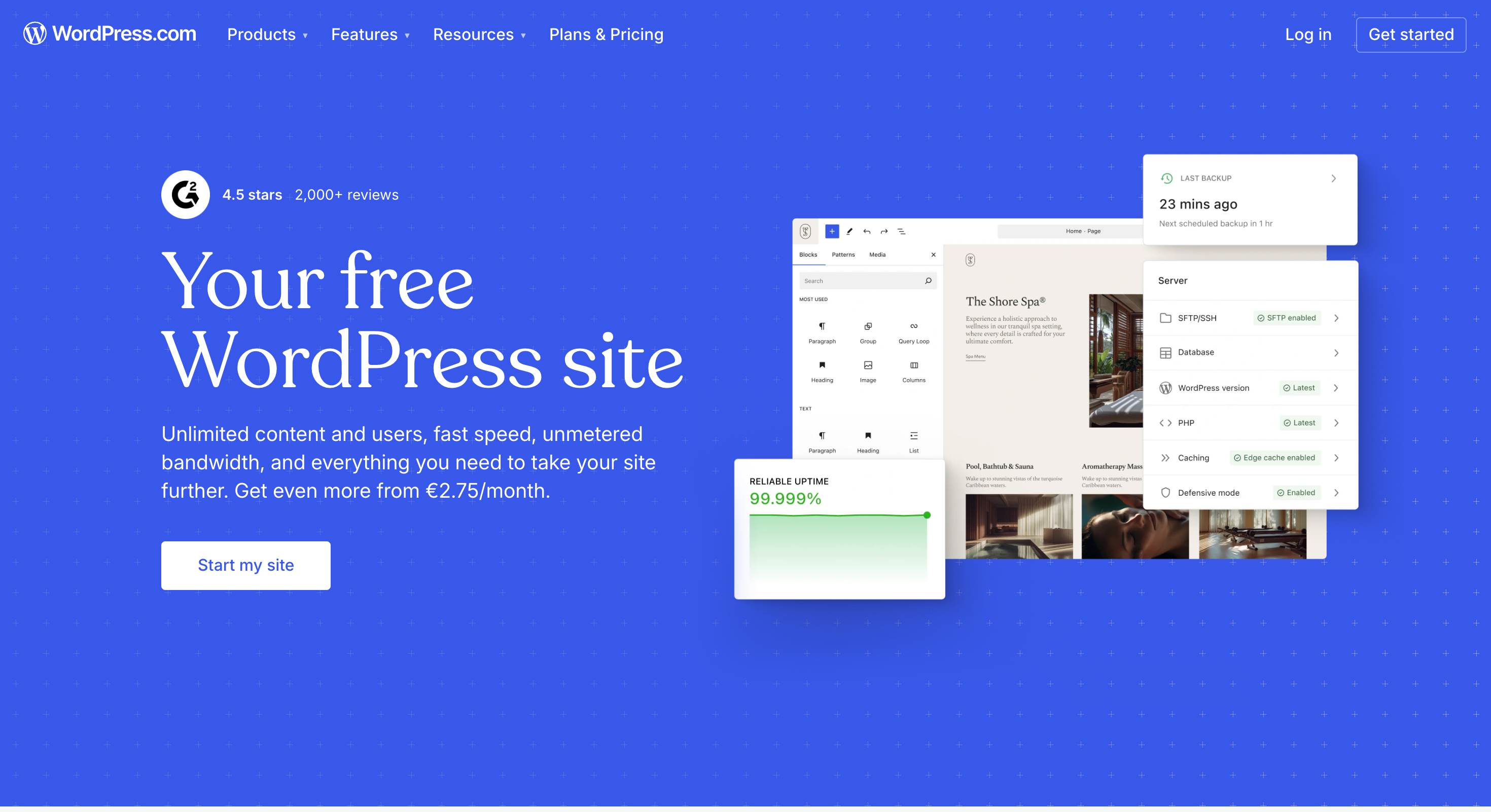
With WordPress.com now offering plugins and full design control, you’re getting something developers usually have to piece together themselves:
Control — without the maintenance burden.
1. No hosting setup
With WordPress.org, you have to choose hosting, configure it, and deal with performance issues when something goes wrong.
Here, it’s already handled.
You don’t think about servers. You just build.
2. No constant security management
On a self-hosted setup, security is your responsibility.
Updates, vulnerabilities, protection — it’s all on you.
WordPress.com takes care of that in the background.
So instead of worrying about your site breaking or getting attacked, you can stay focused on building.
3. No update headaches
Plugins, themes, core updates — they can break things if you’re not careful.
That’s part of the trade-off with full control.
With WordPress.com, a lot of that risk is reduced. The platform manages stability so you’re not constantly troubleshooting.
4. You focus on building, not maintaining
This is the real shift.
Before, you had to choose:
- Control (WordPress.org)
- Or simplicity (WordPress.com)
Now, that gap is much smaller.
You can build with real flexibility without spending time managing infrastructure.
For developers, that means:
- Faster project turnaround
- Less time debugging environment issues
- More time actually creating
It’s not about replacing WordPress.org.
It’s about having another option — one that removes a lot of the usual friction.
What Developers Can Now Do (That They Couldn’t Before)

This is where the update stops being “nice” and starts being useful.
Because now, you’re not just building simple sites anymore — you can actually ship real projects.
1. Build fully customized client websites
Before, WordPress.com felt too limited for client work.
Now, with plugins and full design control, you can create sites that don’t feel like templates.
You can shape the experience, adjust the design, and deliver something that actually matches what the client wants.
2. Use advanced plugins for real functionality
This is a big one.
You’re no longer restricted to basic features. You can install plugins that handle:
- SEO optimization
- Performance improvements
- Security layers
- Custom workflows
Which means you can build sites that perform, not just exist.
3. Prototype and launch faster
Setting up hosting, security, and caching — all of that takes time.
Here, it’s already handled.
So you can go from idea to live site much faster, especially for smaller projects or MVPs.
4. Take on projects without infrastructure overhead
Not every project needs full server control.
Sometimes, you just want to build and deliver without managing everything behind the scenes.
Now you can.
That opens the door to:
- Faster client work
- Leaner development process
- Less ongoing maintenance
5. Experiment without friction
Trying something new on a self-hosted setup can feel hard.
Here, it’s lighter.
You can test ideas, install tools, and build without worrying about breaking your entire setup.
This is the real shift:
WordPress.com is no longer just “easy to use.”
It’s actually capable.
Performance + Infrastructure (The Underrated Advantage)
This is the part most developers overlook.
When people compare platforms, they usually focus on features — plugins, themes, customization.
But performance and infrastructure matter just as much.
And this is where WordPress.com quietly does a lot of heavy work.
1. Built-in performance from the start
On a self-hosted setup, getting good performance takes work.
You have to:
- Choose the right hosting
- Set up caching
- Optimize speed manually
Here, a lot of that is already handled.
Your site starts on a solid foundation without needing extra setup.
2. Less time debugging server issues
If you’ve worked with hosting before, you know how much time can go into fixing things that have nothing to do with your actual project.
Server errors. Downtime. Configuration issues.
With WordPress.com, that layer is managed for you.
3. Security handled in the background
Security is one of those things you can’t ignore — but it’s also something most developers don’t enjoy managing.
WordPress.com takes care of a big part of that.
Which means fewer risks, fewer patches, and fewer things to worry about long-term.
4. More consistency across projects
When the environment is managed, you get fewer surprises.
What works on one project is more likely to work on another.
That consistency makes development smoother — especially if you’re working on multiple sites.
This is the trade-off shift:
You give up a bit of low-level control…
But you gain stability, speed, and time.
And for many projects, that’s a trade worth making.
Who Should Consider WordPress.com Now
This update won’t matter to everyone.
But for the right type of developer, it makes WordPress.com a much more practical choice than before.
1. Freelancers building client sites
If you’re building websites for clients, this can simplify your workflow a lot.
You don’t need to worry about hosting setups, security layers, or ongoing maintenance. You can focus on delivering the site — not managing everything behind it.
That means faster turnaround and fewer long-term headaches.
2. Developers who want less maintenance
Not every project needs full control over servers and infrastructure.
Sometimes, you just want to build and move on.
With WordPress.com handling updates, security, and performance, you can spend less time maintaining and more time creating.
3. Developers working on smaller or mid-sized projects
For blogs, business sites, portfolios, or content-driven platforms — this setup makes a lot of sense.
You get flexibility through plugins and design tools, without the overhead of managing everything yourself.
4. Beginners moving into development
If you’re starting to take development more seriously, this is an entry point.
You can learn how plugins, customization, and site-building work — without getting overwhelmed by hosting and server management.
5. Agencies looking for efficiency
If you’re managing multiple sites, consistency matters.
A managed environment reduces unexpected issues and speeds up delivery across projects.
This isn’t about saying WordPress.com is for everyone.
It’s about recognizing that for certain workflows, it now makes a lot more sense than it used to.
When WordPress.org Still Makes More Sense
Even with all these improvements, WordPress.com isn’t the right choice for every project.
There are still cases where WordPress.org is the better option.
1. When you need full server-level control
If your project depends on custom server configurations, advanced backend setups, or specific hosting environments, WordPress.com will feel limiting.
With WordPress.org, you control everything — from the server to the database.
2. When you’re building highly complex applications
For large-scale or highly customized platforms, you may need deeper flexibility.
For example:
- Custom backend logic
- Advanced integrations
- Unique workflows
These are easier to manage in a fully open environment.
3. When you want complete freedom (no platform boundaries)
Even though WordPress.com has opened up a lot, it’s still a managed platform.
There are guardrails.
With WordPress.org, there are none. You can modify anything, build anything, and structure your setup however you want.
4. When your workflow depends on specific tools or environments
Some developers rely on custom stacks, staging environments, or advanced deployment setups.
If that’s your workflow, self-hosted WordPress gives you more flexibility.
This is the honest takeaway:
WordPress.com has removed its biggest limitations — but it hasn’t replaced WordPress.org.
And it doesn’t need to.
WordPress.com Is No Longer “Limited”
For years, WordPress.com had a label that was hard to shake:
“Good for beginners… but not for serious work.”
And honestly, that came from real limitations.
No plugins on most plans.
Restricted customization.
Not enough control for developers.
But that version of WordPress.com doesn’t really exist anymore.
Now, you get plugin access on all paid plans.
You can work with thousands of tools.
You can control design with Global Styles, custom fonts, and CSS.
That changes how the platform fits into a developer’s toolkit.
It’s no longer just the “easy option.”
It’s a practical option.
Something you can actually consider when:
- You want to build faster
- You don’t want to manage infrastructure
- You still need flexibility
And that’s the real shift.
WordPress.com didn’t just improve — it removed the one thing that kept developers away.
Final Thoughts
You don’t have to switch everything to WordPress.com.
But it’s worth rethinking where it fits.
Because now, it sits somewhere in the middle:
More flexible than it used to be. Less demanding than self-hosted setups.
And for a lot of projects, that balance makes sense.
So instead of writing it off like before, try it.
Build something small. Test the workflow. See how it feels.
You might be surprised.
Also Read: How to Install Plugins on WordPress.com Paid Plans (New 2026 Update)
Frequently Asked Questions
Is WordPress.com a good choice for developers now?
Yes — much more than before. With plugin and theme access on all paid plans, developers can now build, customize, and extend sites without the old limitations.
Can developers use custom code on WordPress.com?
Yes. With features like CSS customization and support for plugins, you can add custom functionality and styling without being locked into default options.
Can you build client websites on WordPress.com?
Yes. With access to plugins, themes, and design tools, you can now build professional client sites without needing to manage hosting or infrastructure.
Does WordPress.com handle security and performance?
Yes. A big advantage is that hosting, security, and performance are managed for you, which reduces the need for manual setup and maintenance.