This post may contain affiliate links, and if you decide to buy any of the promoted products, I may receive a commission at no additional cost to you. By doing this, I might feel more inspired to continue writing on this blog. Read our editorial guidelines too.
In this Printify review, I’ll take a closer look at one of the most popular print-on-demand platforms, including its main pros and cons. But is Printify the right choice for your business, or would you be better off with another platform?
Let’s dive in.
<- Click here to get started with Printify for FREE ->
Printify Review 2026 – Quick Verdict
Printify is one of the strongest options for starting a print-on-demand business, especially if you want a large product selection and competitive prices. It offers more than 1,300 products, a global network of print providers, and integrations with platforms such as Shopify, Etsy, eBay, and Wix. You can also start for free, with no upfront inventory costs.
The main advantage is flexibility. You can compare different print providers, choose products based on price and location, create your designs with Printify’s Product Creator, set your own retail prices and profit margins, and have orders produced and shipped automatically after a customer makes a purchase.
The main drawback is that having so many products and print providers can make choosing the right option a little time-consuming. You may also need to order samples and test different providers before you find the best fit for your store. The Product Creator is simple enough for beginners, but its text-editing features are somewhat limited and could offer more customization options for creating designs.
Overall Value: 4.6/5
<- Click here to get started with Printify for FREE ->
Let’s start this review with one of the most important questions: What exactly is Printify?
What Is Printify?
Printify is a print-on-demand platform that lets you create and sell your own products without having to buy stock in advance or deal with the fulfillment yourself.
The basic idea is pretty simple. You choose a product, add your design, publish it to your store, and when someone places an order, Printify’s print provider produces the item and ships it directly to the customer.
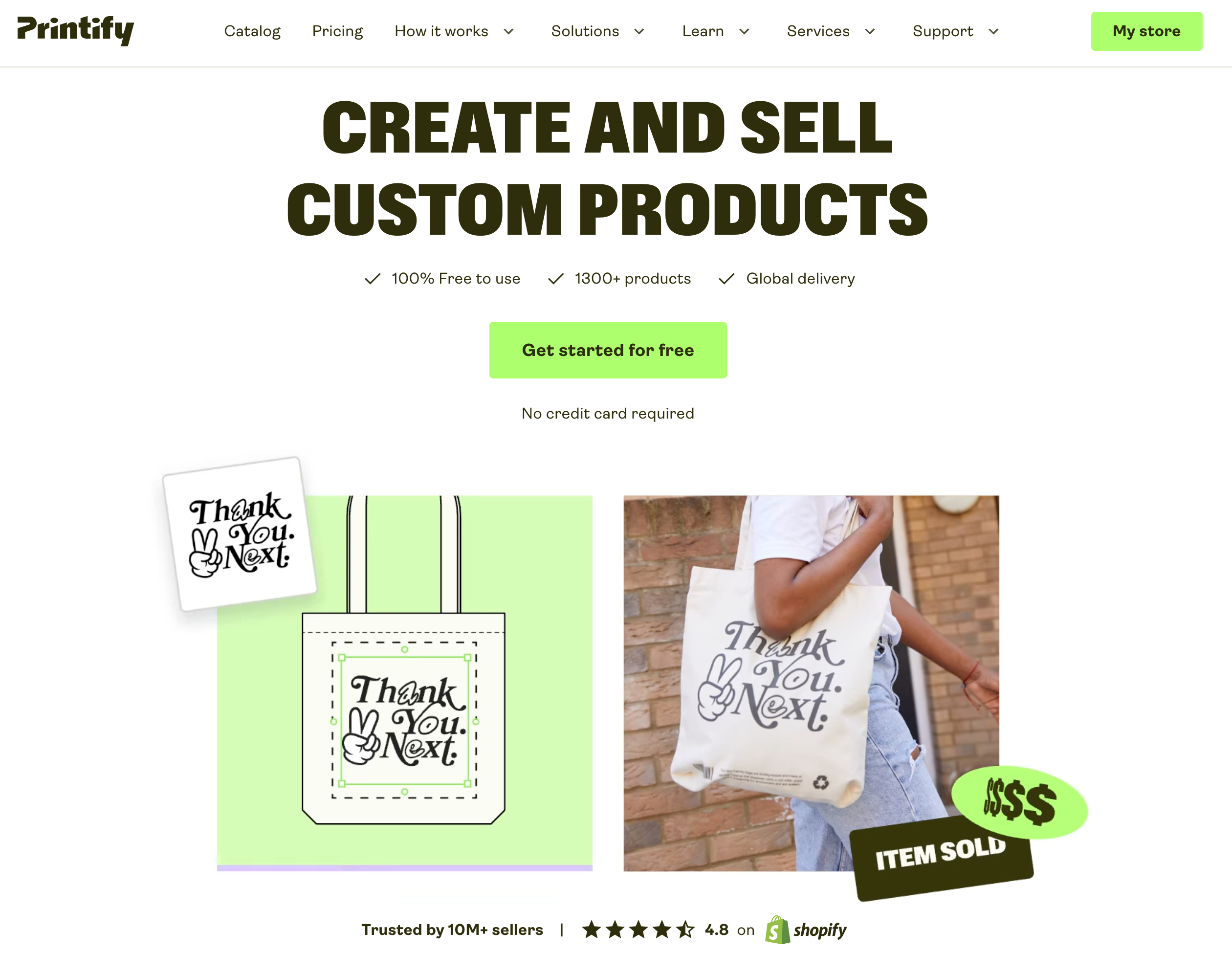
You can sell your products through your own ecommerce store or connect Printify with marketplaces such as Etsy, eBay, and Walmart.
One thing I noticed pretty quickly is just how much choice you get when it comes to products. Printify has more than 2,000 products in its catalog, so you’re not limited to the usual handful of T-shirts and mugs. You can find clothing, accessories, home and lifestyle products, and plenty of other items to customize.
You do all of this through Printify’s Product Creator, where you can upload your design, position it on the product, and make a few adjustments before adding it to your store.
Printify doesn’t handle all the printing itself…
This is probably the most important thing to understand about Printify.
Printify itself doesn’t work like a traditional POD company where everything is produced by one central printing operation. Instead, it connects you with a network of independent print providers.
There are more than 80 providers in the network, with production facilities spread across more than 100 locations on four continents.
That gives you something you don’t always get with other POD platforms: choice.
For example, if you want to sell a particular T-shirt, you may find several providers offering it. You can compare their prices, locations, production times, and shipping options before deciding which one you want to use.
Of course, having more choice isn’t always a bad thing, but it does mean you may need to spend some time comparing providers. The cheapest option isn’t necessarily going to be the best one if its shipping times are slow or the product quality isn’t what you’re looking for.
Once an order comes in, the provider you selected takes care of production, packaging, and shipping. So you don’t have to keep inventory, print products yourself, or spend your evenings packing orders.
How Popular Is Printify?
Printify was founded in 2015 by Latvian entrepreneurs Artis Kehris, Gatis Dukurs, and James Berdigans.
Since then, it has grown considerably. The company has around 650 employees and has been valued at roughly $300 million. It has also attracted investment from companies and investors including Index Ventures, H&M Group, Virgin Group, Squarespace, and Dreamers VC, the venture firm associated with Will Smith.
Another major development came in 2024, when Printify merged with Printful, another major name in the print-on-demand industry. That brought two of the biggest companies in the space together.
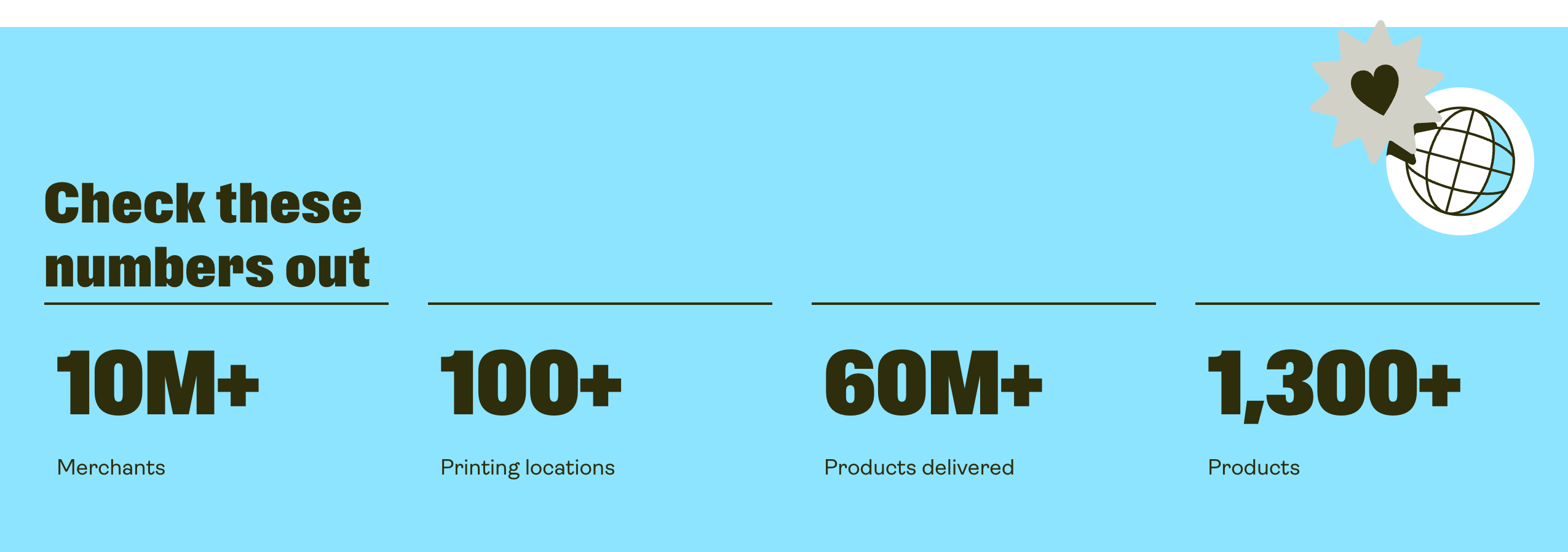
According to Printify’s own figures, more than 10 million merchants have used the platform since it launched, while products sold through Printify have generated more than $500 million in sales.
How Does Printify Actually Work?
The good thing about Printify is that you don’t need to figure out a complicated process before you can start selling.
At the most basic level, you need three things: a product to sell, a place to sell it, and a company that can produce and ship the product. Printify brings all of these pieces together in one place.
Here’s what the process looks like:
- Choose a product you want to sell.
- Pick a print provider based on factors like price, location, and production time.
- Add your design using Printify’s Product Creator.
- Set your selling price and choose the profit margin you want.
- Publish the product to your store or marketplace.
- Once someone places an order, the print provider takes care of production and shipping.
For example, you could pick a t-shirt, upload your design, choose a print provider, set your price, and publish the product on Etsy.
When a customer places an order, the provider prints the t-shirt, packs it, and ships it directly to the customer.
You don’t need to buy the shirt in advance, keep inventory at home, or handle shipping yourself.
And that’s really what makes Printify appealing. You can sell physical products without having to deal with inventory, packing, or fulfillment on your own.
Now, let’s take a closer look at the types of products you can actually sell through Printify.
Printify’s Product Catalog
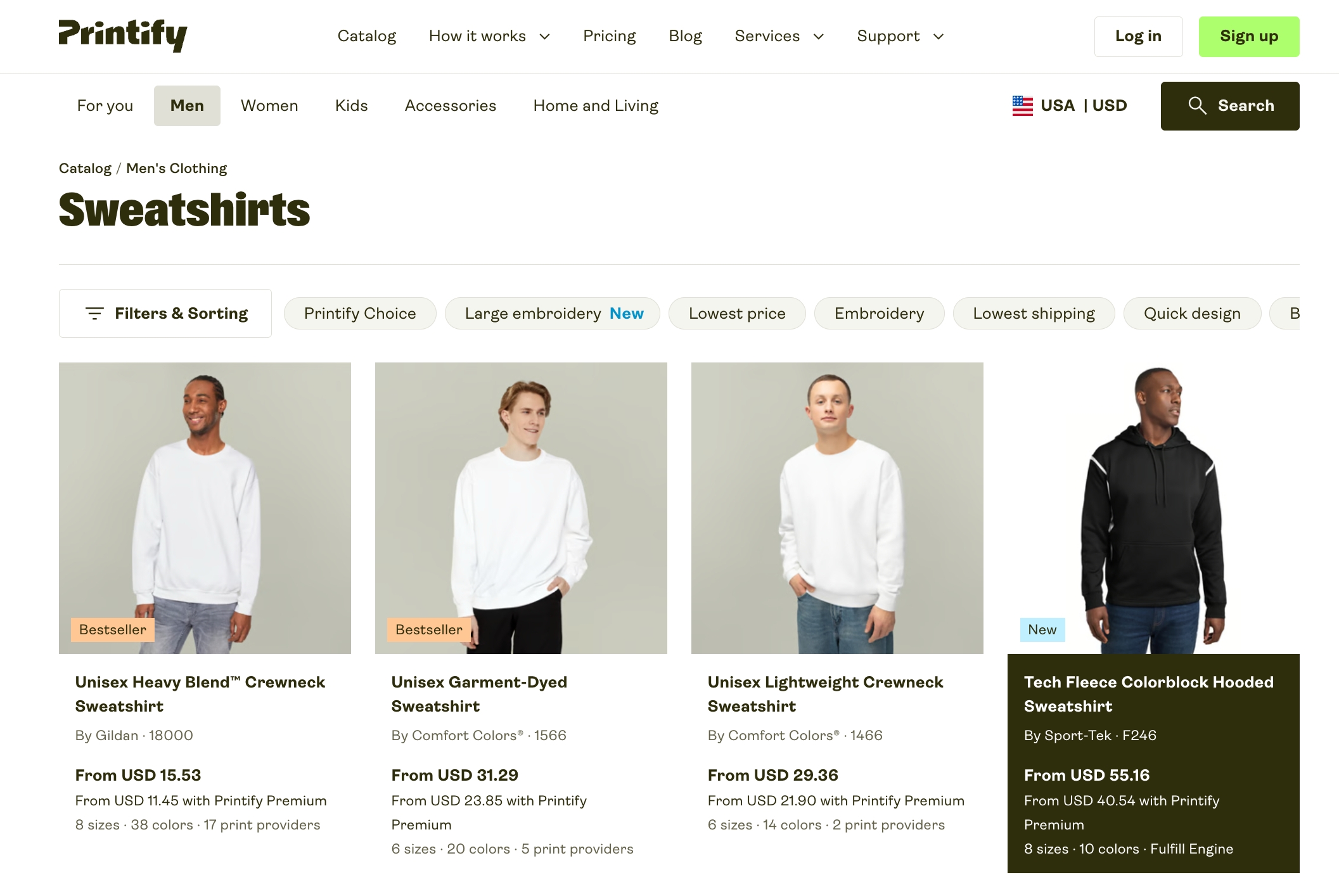
One of the biggest strengths of Printify, in my view, is the sheer size of its product catalog. With more than 2,000 products to choose from, it offers one of the broadest selections among the major print-on-demand platforms.
That puts Printify well ahead of many of its competitors. Its catalog is roughly four times larger than Printful’s and significantly bigger than what you’ll find on platforms such as Spring, Spreadshirt, and SPOD.
<- Browse Printify Products ->
A big reason for this variety comes from how Printify operates. Printify works with a large network of independent print providers, each offering different products, printing methods, and customization options. This setup allows the platform to offer products and customization choices that aren’t available on many competing print-on-demand platforms.
Printify organizes its catalog into some main categories, with hundreds of products available across each one:
- Men’s clothing: 400+ products, including T-shirts, hoodies, sweatshirts, tank tops, sportswear, pants, shorts, and shoes.
- Women’s clothing: 380+ products covering dresses, skirts, T-shirts, hoodies, sweatshirts, tank tops, sportswear, bottoms, and footwear.
- Kids’ clothing: 70+ products, including baby clothes, T-shirts, sweatshirts, and bottoms.
- Accessories: 250+ products ranging from phone cases and bags to jewellery, stationery, tech accessories, face masks, and kitchen items.
- Home & Living: 480+ products, including drinkware, posters, notebooks, towels, rugs, decorations, and ornaments.
Printify doesn’t just have a large catalog on paper. In many of the most popular POD categories, the selection is noticeably larger than competing platforms.
Take T-shirts, for example. Printify has more than 250 different options, so you can choose based on style, material, fit, brand, and price. That’s more than three times the selection you’ll find on platforms like SPOD and Printful.
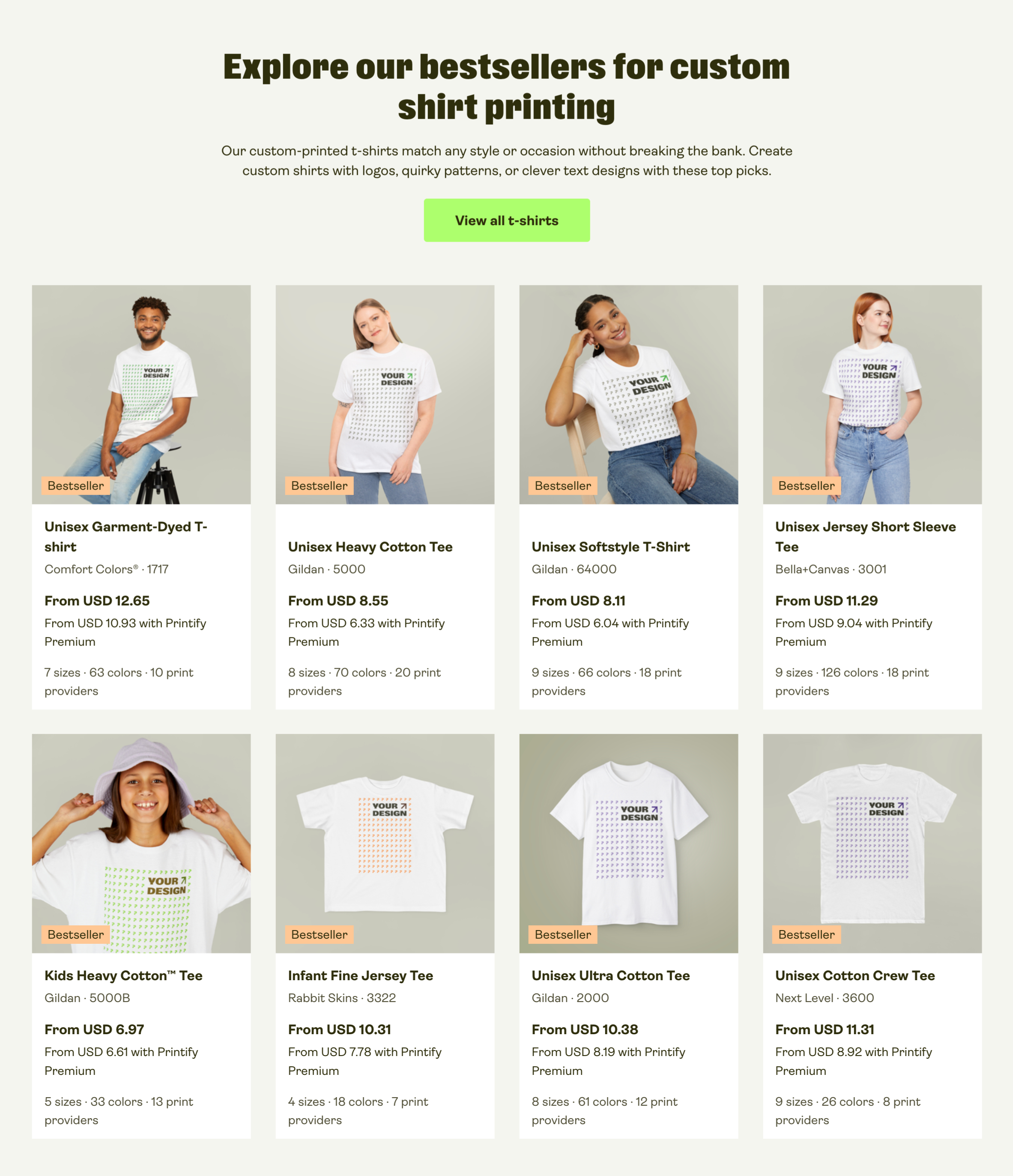
Hoodies are another good example. Printify has more than 120 options, which is around three times the selection offered by both SPOD and Printful.
The variety becomes even more interesting when you move beyond the usual T-shirts, hoodies, and mugs. Printify lets you put designs on products such as:
- Neck ties
- Car accessories, including floor mats and seat protectors
- Necklaces, bracelets, and customizable jewellery boxes
- Oven gloves
- Lunch bags and lunch boxes
For me, this is where Printify’s large catalog really becomes useful. If you’re building a store around a specific niche, you’re not limited to the usual POD products that everyone else is selling. You have a much better chance of finding something that fits your brand or lets you test a more unusual product.
<- Click here to get started with Printify for FREE ->
Printify Suppliers
Printify has built a large network of print providers, with around 80 suppliers operating from more than 100 locations worldwide. (About 50 of those providers are located in the United States.)
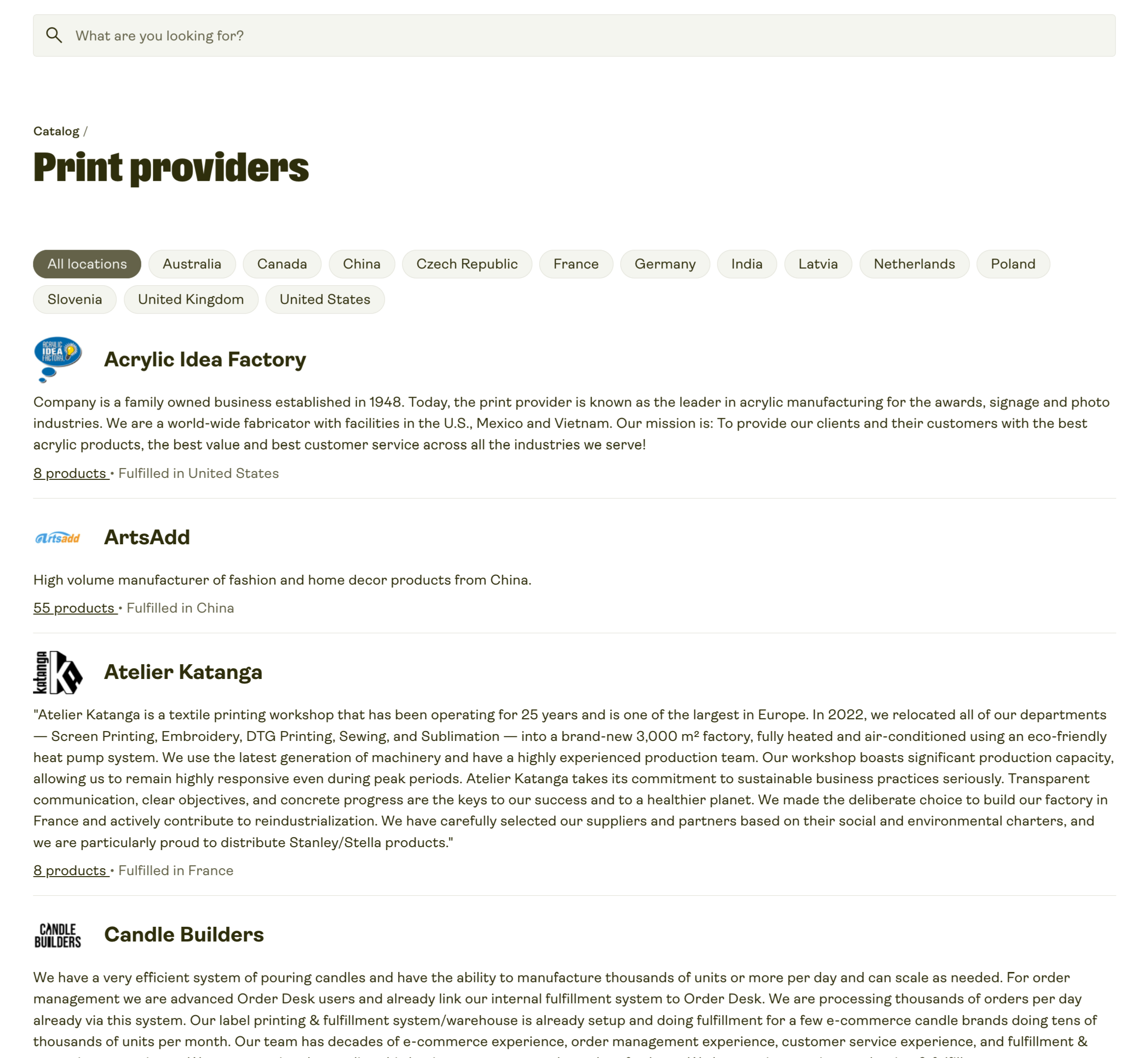
A major advantage of Printify is that you’re not tied to a single supplier for everything you sell. You choose your print provider on a product-by-product basis. For example, you might use one supplier for a particular t-shirt, another for hats, and a different one for bags or other products.
Printify also provides useful information to help you compare providers before making a choice. When you open a product listing, you can see details about how each provider handles production and fulfillment.
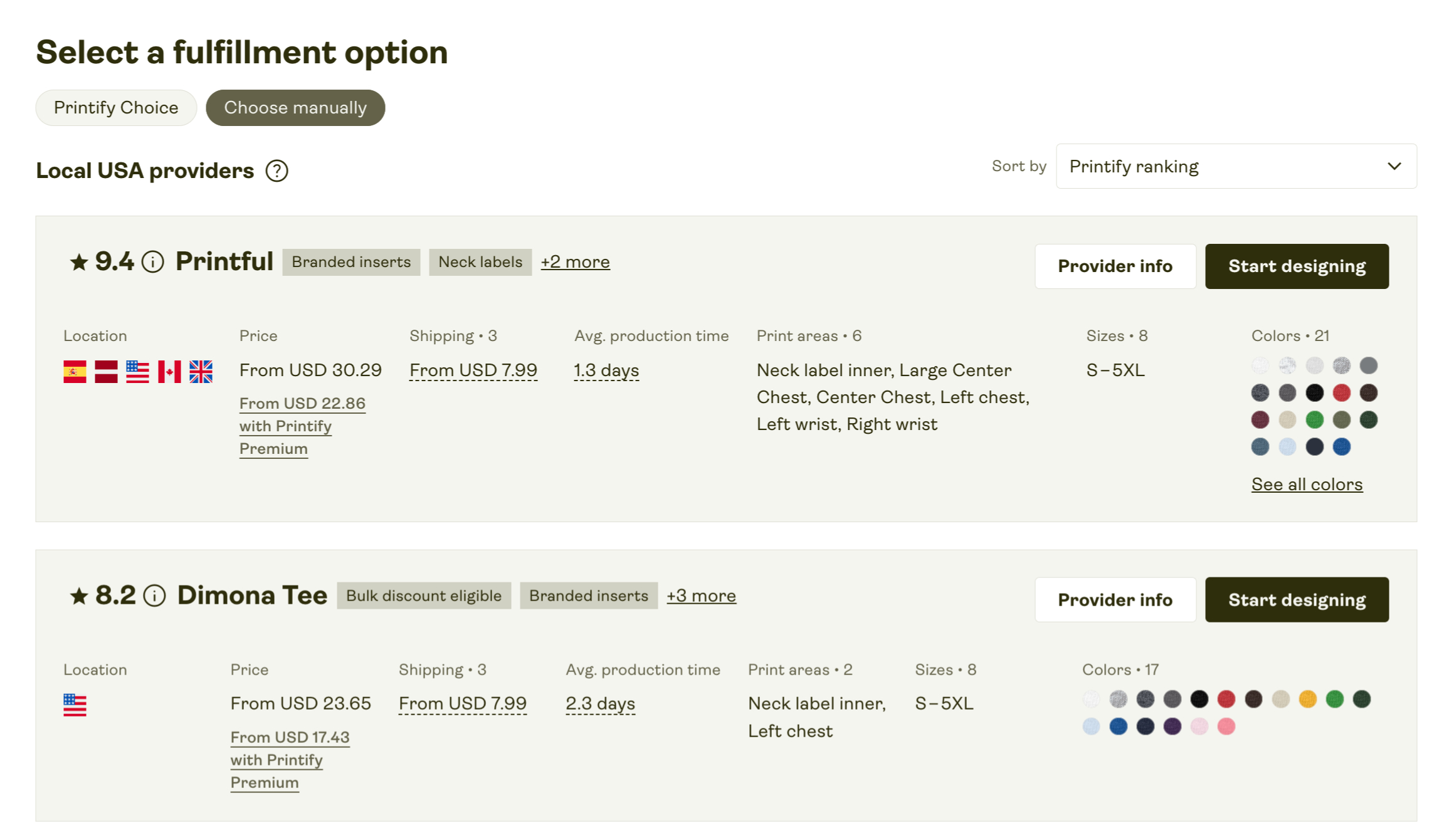
Depending on the product, you can compare suppliers using factors such as:
- Supplier rating
- Branding options
- Supplier location
- Product price
- Shipping cost
- Average production time
- Available print areas
- Product sizes
- Product colors
All of these factors can play a role in choosing a supplier, but I’d pay particular attention to the supplier rating.
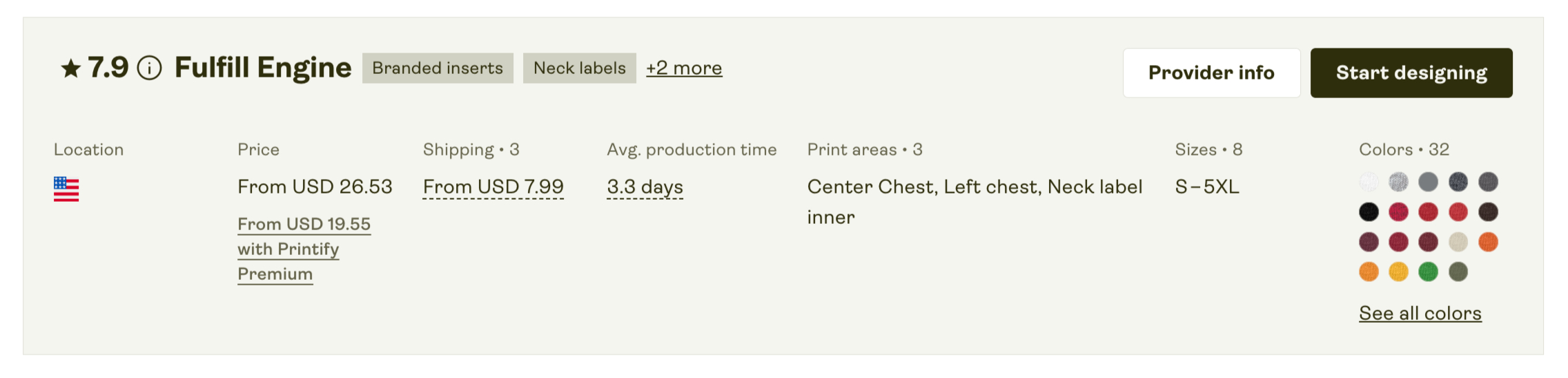
Printify assigns each supplier an internal rating that is updated regularly. The score takes into account things such as print quality, production speed, and the results of sample orders.
I find this rating useful when comparing providers. A higher score generally means the supplier has been performing well, which can reduce the risk of quality or fulfilment issues. As a general rule, I’d aim for suppliers with a rating of 9 or above when there’s a suitable option available.
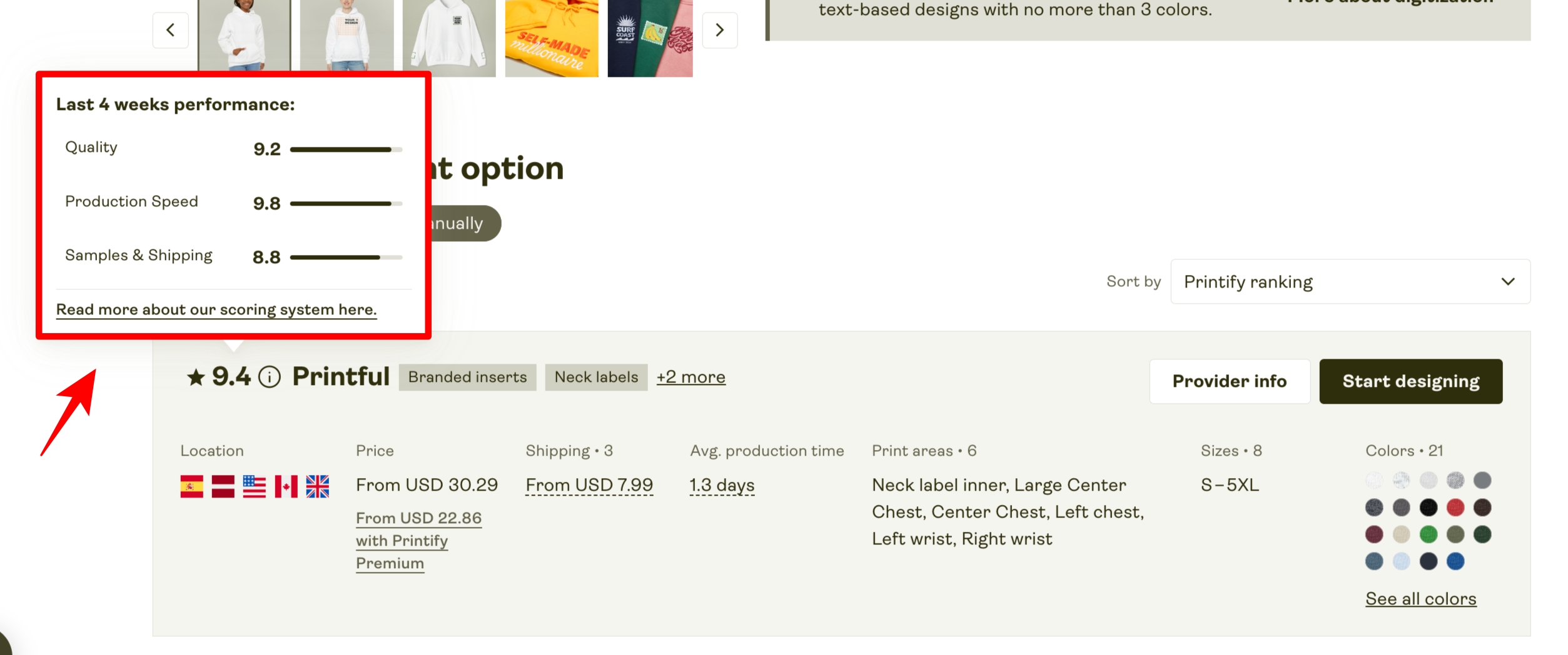
The rating also helps you see how a supplier has performed recently, particularly in areas like print quality, production speed, and stock reliability.
Another thing I’d pay attention to is the product’s available print areas.
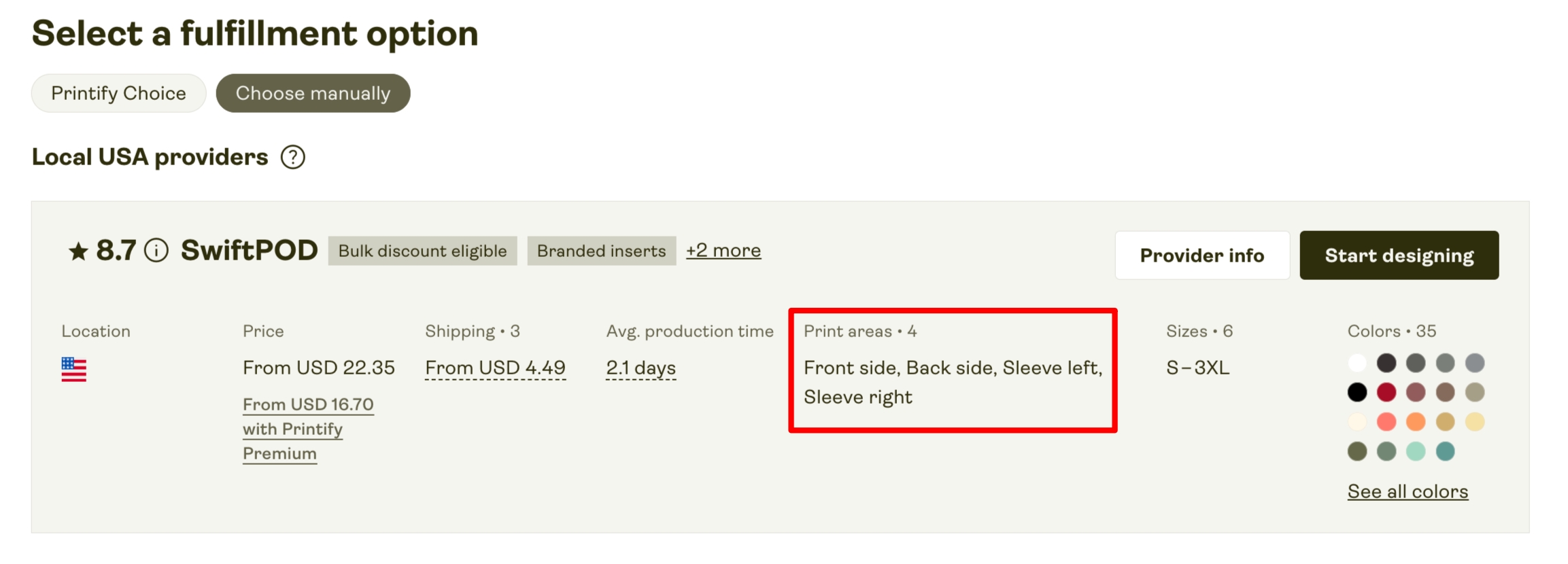
Printify suppliers don’t always offer the same printing options. For example, one supplier might only print on the front of a T-shirt, while another may also offer back, sleeve, or other print areas.
So, if your design needs to be printed in a specific location, check the supplier’s available print areas before adding the product to your store.
Printify has also been working on making print-area options more consistent across its supplier network, which should make comparing providers easier over time.
To make the supplier selection process a little easier, Printify has introduced Printify Choice. This is a hand-picked selection of print providers that meet higher standards for production speed, product quality, and reliability. It offers sellers a more dependable starting point, especially if they don’t want to spend hours comparing every supplier in the catalog.
You’ll find Printify Choice products clearly marked in the catalog. These products generally come with faster fulfillment, more dependable stock availability, and stronger branding options, which can make them an appealing choice if you’re looking for a more consistent fulfillment experience.
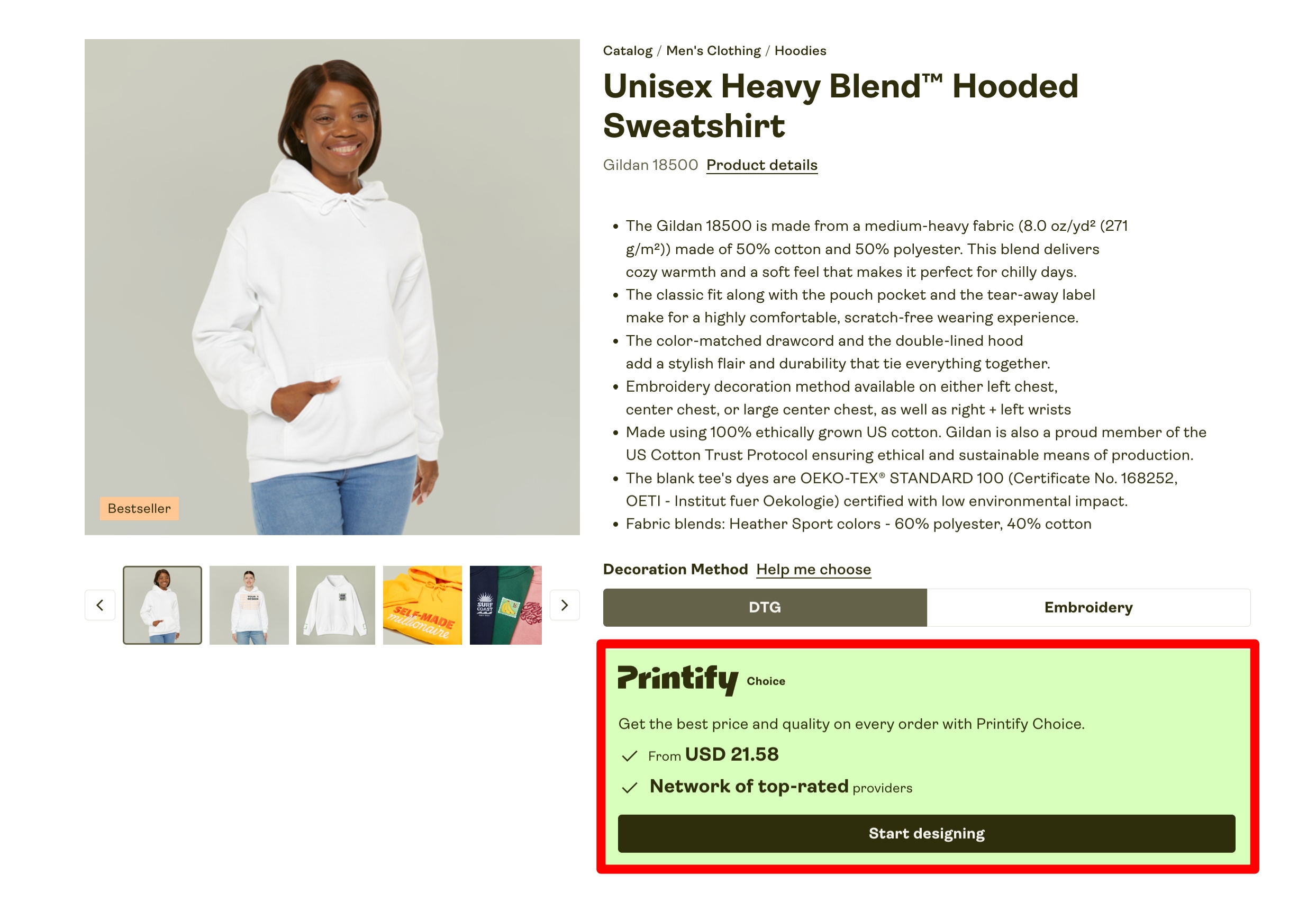
That said, I’m not sure Printify Choice completely solves the supplier-selection issue. It can make the process easier, but it doesn’t cover every product on Printify, so you may still end up using a combination of Choice and non-Choice suppliers. And just because a product has the Printify Choice label doesn’t mean it will have the best price or the printing options you need. You’ll still need to compare your options before deciding which supplier to use.
Ultimately, Printify’s huge supplier network is both a strength and a potential headache for POD sellers. The upside is obvious: you get a massive product selection and plenty of choice when it comes to pricing, locations, suppliers, and fulfillment options. For experienced sellers who are willing to compare their options carefully, this can be a major advantage.
The downside is that there are simply a lot of variables to think about. You need to choose the right supplier, check production times, compare prices, review the available print areas, and understand shipping options. If you’re new to print on demand, keeping track of all these factors can make the process feel more complicated than it needs to be.
Printify Choice certainly helps by pointing you toward suppliers that have met higher standards, but it doesn’t completely remove the need to do your own research. In many cases, you’ll still have to decide what matters most for each product, whether that’s price, available print areas, fulfillment speed, or the overall product selection.
Printify’s Order Routing Option
Printify’s order routing is a useful optional feature that can step in when your chosen print provider can’t fulfill an order. This might happen because the product is temporarily out of stock or the provider is dealing with production delays.
Once you turn on order routing in your Printify account, the platform can automatically send the order to another suitable print provider in its network. In other words, you don’t have to manually find another supplier every time your preferred provider runs into a problem.
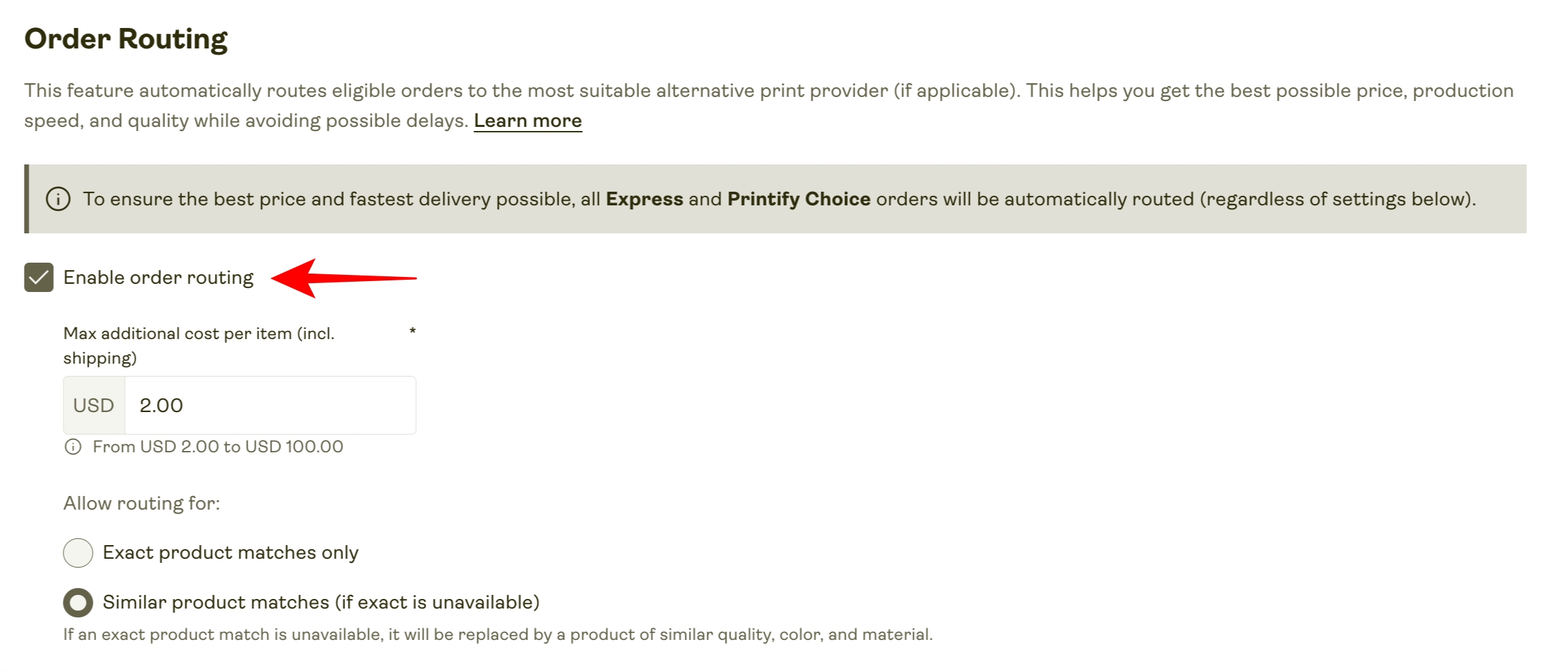
This feature can be particularly handy if you sell POD products internationally. Printify can route international orders to a print provider located closer to your customer. That can mean lower shipping costs and quicker delivery times, which is obviously a big advantage when you’re selling to customers in different countries.
There are, however, a couple of things to keep in mind.
The first is print quality. Since the order may be sent to a different provider, there can be some variation in the final product. The alternative provider may use different printing equipment or have a lower supplier rating than the provider you originally selected.
There’s also a limitation with international orders. Printify’s order routing only works for single-product international orders. So, if a customer overseas buys several different products in the same order, Printify won’t necessarily be able to reroute the entire order to the most convenient local providers.
Even with these limitations, I think order routing is a genuinely useful feature. It offers some extra protection against stock shortages and production delays, while also making Printify’s large network of print providers more valuable for international selling.
You can learn more about how Printify’s order routing works in the video below.
Print Quality
Printify says it puts every product through three quality checks before it reaches the customer. First, it checks the blank product when it arrives at a Printify print facility. It then monitors the quality of finished products across its print provider network and compares Printify products with similar items from other print-on-demand platforms.
Printify also maintains quality standards for areas such as image scaling, colour accuracy, product durability, and packaging.
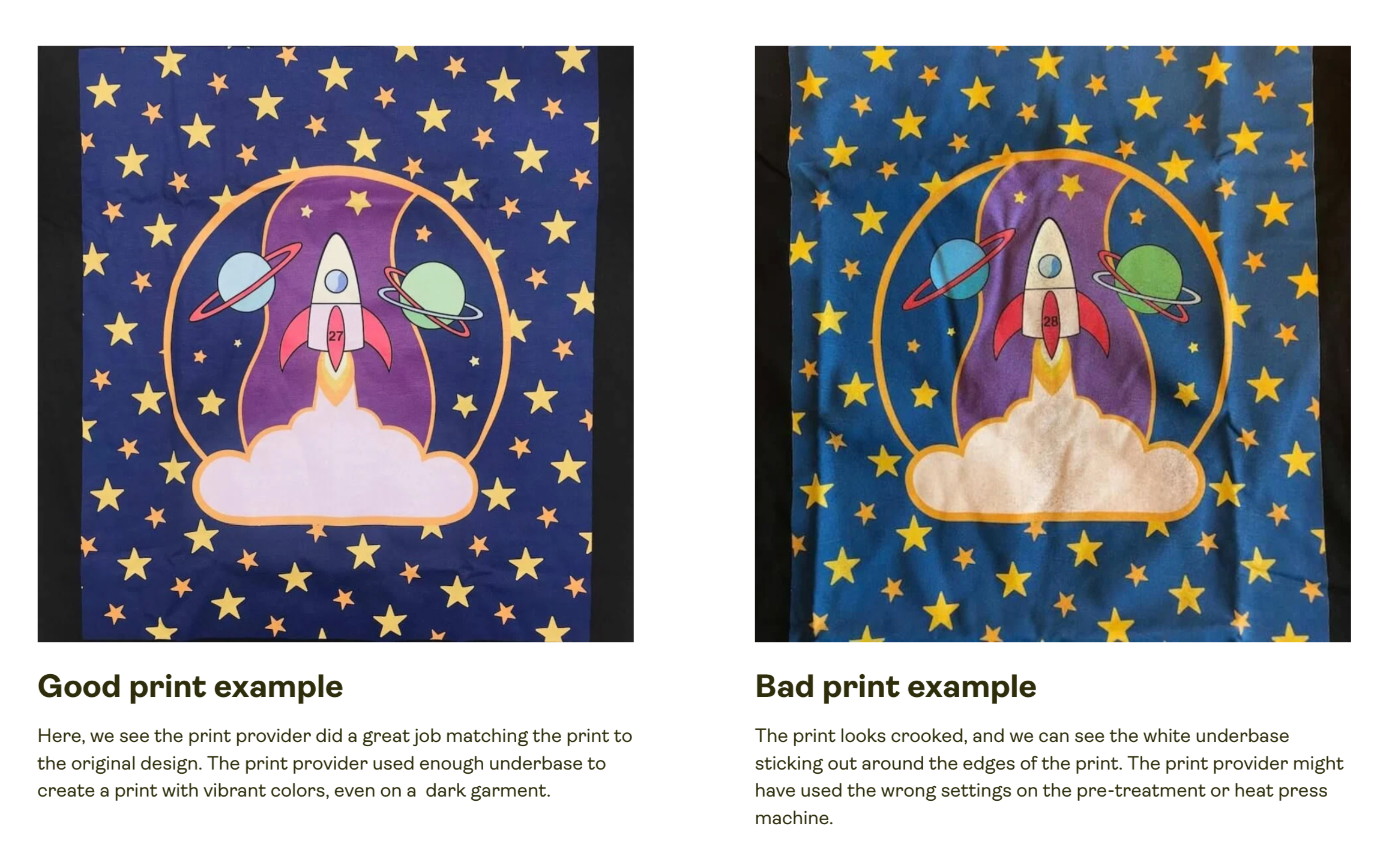
Looking at customer feedback, most users seem satisfied with the results. Printify has a 4.7 out of 5 rating on Shopify and 4.8 out of 5 on Wix, which is a strong indication that print quality is generally good.
That said, after looking through user reviews on both platforms, I found that complaints about print quality seem to crop up slightly more often with Printify than with some competing print-on-demand services. This isn’t particularly surprising, though, considering the sheer size of Printify’s worldwide network of print providers. With so many different suppliers involved, there’s naturally going to be some variation in quality.
If a customer receives a product and isn’t happy with the print quality, Printify offers you 30 days from the delivery date to report the problem. You’ll need to provide photo or video evidence, and Printify will investigate the issue. If it determines that the printer failed to meet its quality standards, it will arrange a free reprint.
Still, I’d suggest being a little more proactive. Before putting a product on sale, order a sample through your Printify dashboard and inspect the print quality yourself. This is the easiest way to see how your design actually looks on the finished product and whether it meets your expectations.
One downside is that Printify doesn’t offer discounts on sample orders, unlike competitors such as Printful, so this is one area where it could be a little more generous.
Designing Products
I found Printify’s product design process pretty easy to get to grips with. Its updated Product Creator uses a simple drag-and-drop interface, so you can upload your artwork, add text, and arrange your design directly on the product without having to deal with complicated design software. It’s not a replacement for a dedicated tool like Photoshop, but for creating print-on-demand products, it does the job well and is simple enough for beginners to use.
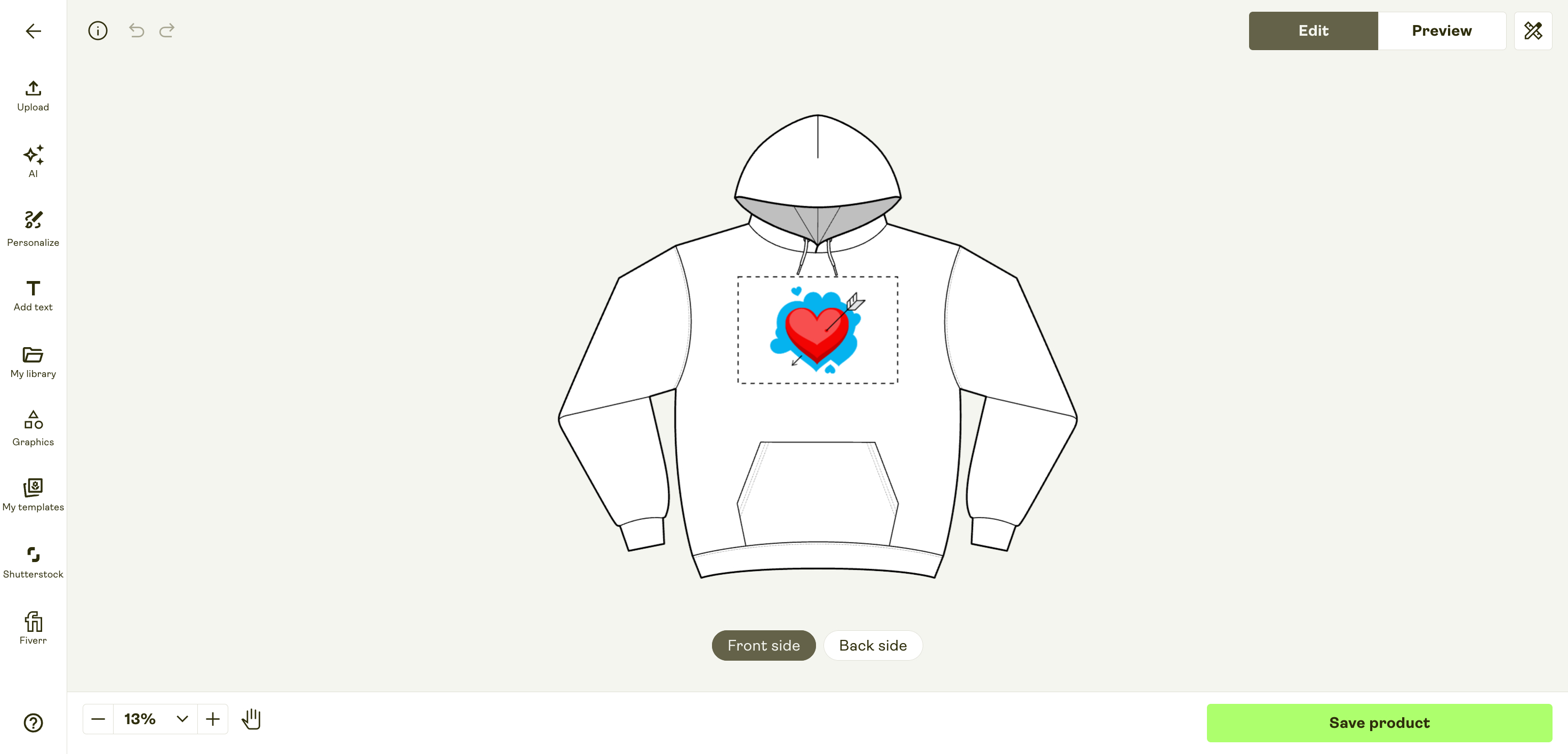
The design tool lets you add JPEG, PNG, and SVG files to your projects without much hassle. You can simply drag and drop files from your computer into the editor, or import them directly from cloud storage using its built-in Google Drive and Dropbox integrations.
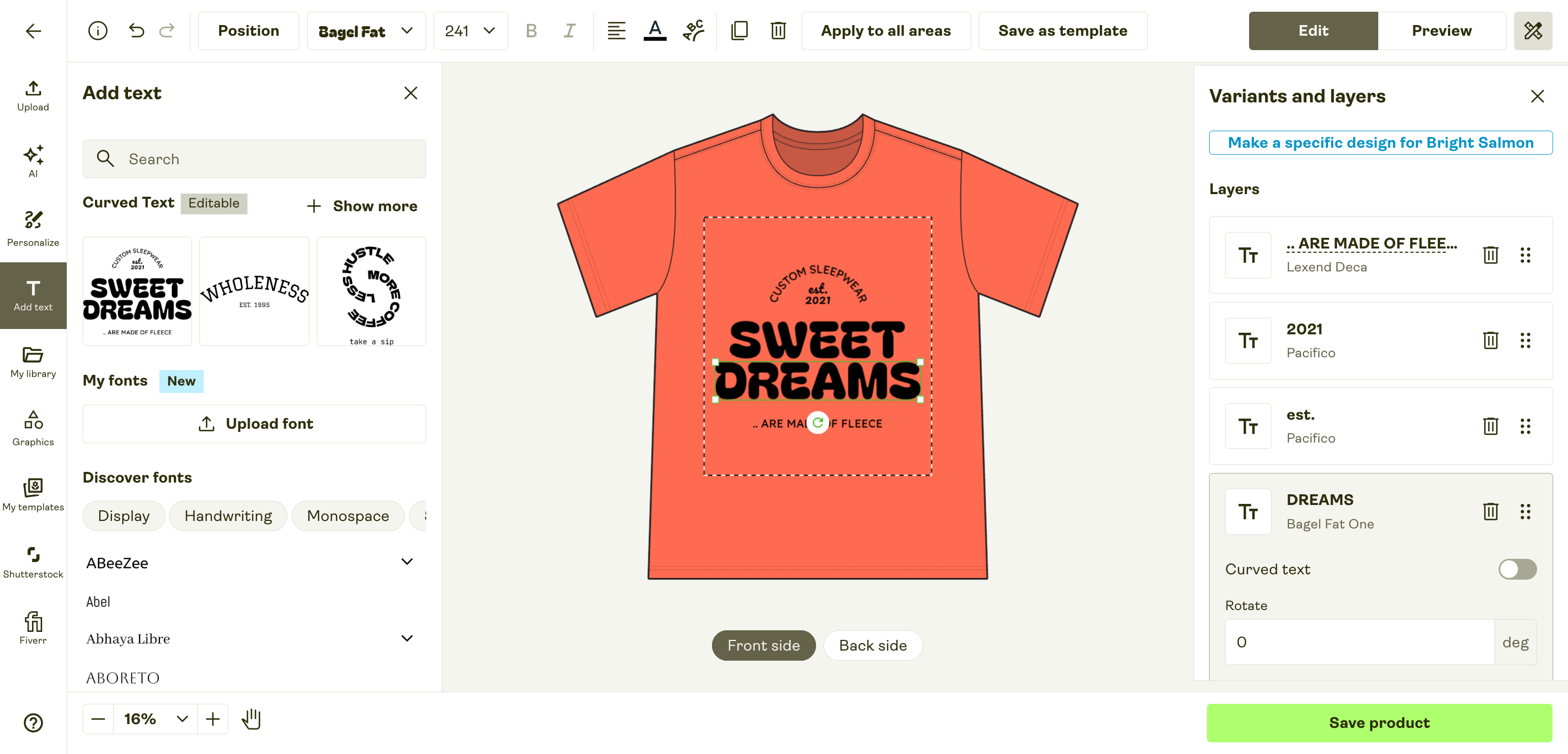
One area where Printify’s Product Creator still feels a little limited is text formatting. You get a good selection of fonts, and you can now even upload your own TTF or OTF fonts, which is useful if you want to keep your product designs consistent with your brand. Printify also supports basic bold and italic formatting, along with options such as text alignment and curved text.
That said, there are still some gaps. For example, there’s no standard underline option in the text editor, and the available formatting controls are fairly basic compared with a dedicated design tool.
So while the text editor is much more capable than it used to be, I’d still like to see Printify add a few more typography controls for people who want to create more detailed text-based designs directly within the platform.
When it comes to stock assets, the Product Creator includes a free graphics library, along with access to more than 300 million paid stock assets from Shutterstock. You don’t have to pay anything upfront to use these assets in your designs or publish products featuring them. Printify only charges you for a Shutterstock asset once a customer has successfully purchased the product. The fee is between $0.99 and $1.49 for each sale that uses a Shutterstock asset.
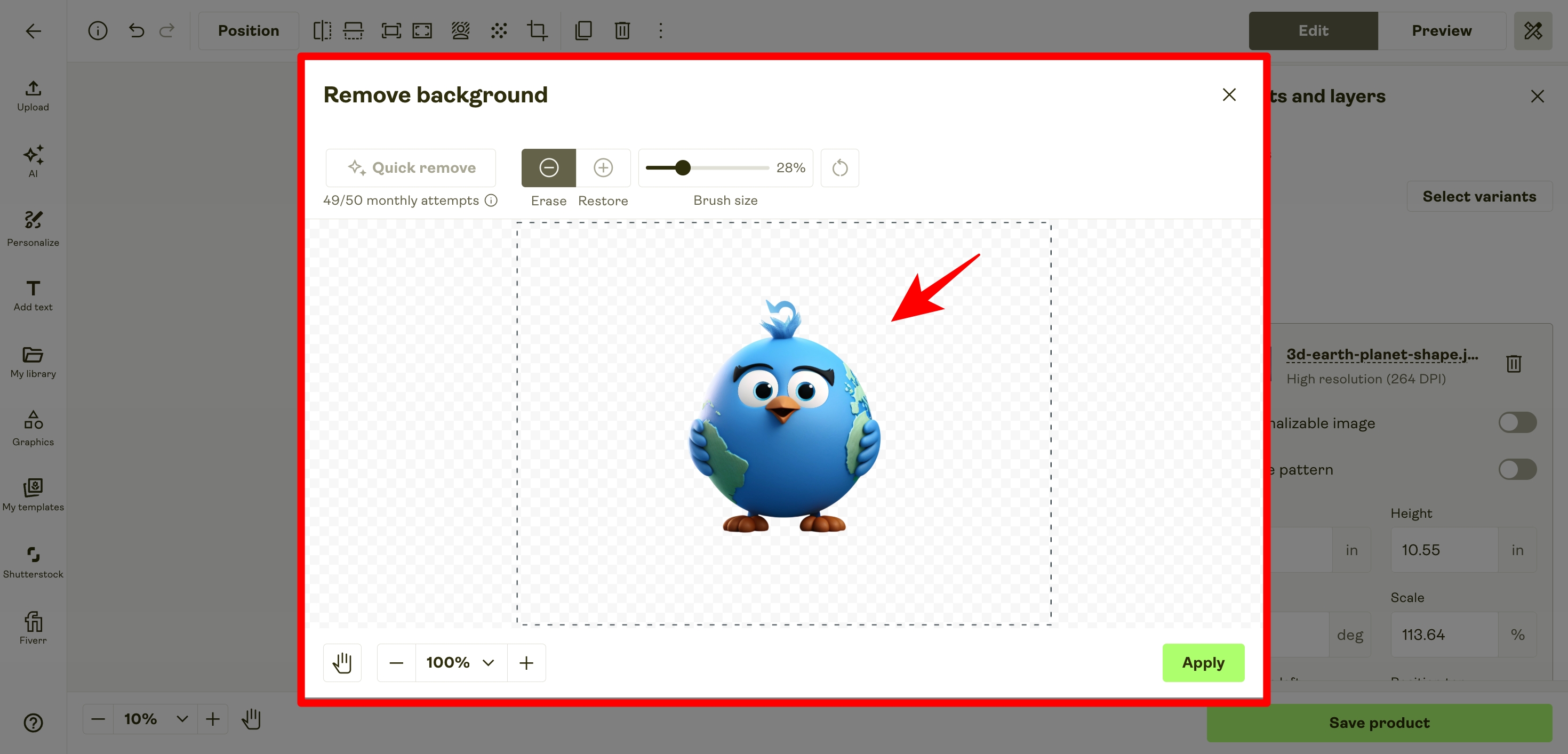
There’s also a background removal tool that lets you remove the background from a photo and keep the main subject for your design. In my experience, it works really well. The catch is that you’re limited to just 50 uses per month. If you regularly need to remove lots of backgrounds, you’ll probably need a separate tool such as Canva or Photoshop.
An interesting feature I found in Printify’s Product Creator, and one that isn’t as common on competing platforms, is its built-in AI image generator. The tool is powered by OpenAI rather than solely relying on Stable Diffusion and lets you create original images for your product designs based on a text prompt. You can generate artwork in different styles, including photos, digital art, anime, origami, 3D models, line art, and more.
When I tested the feature, I was quite impressed with the results. The images were good enough that I’d be happy to use some of them in product designs, especially if you need original artwork without creating everything from scratch. For example, I tested it with the prompt “a lone traveller holding a glowing lantern among dense bamboo stalks, midnight fog, fireflies, moody dark green tones,” and the results were surprisingly good.
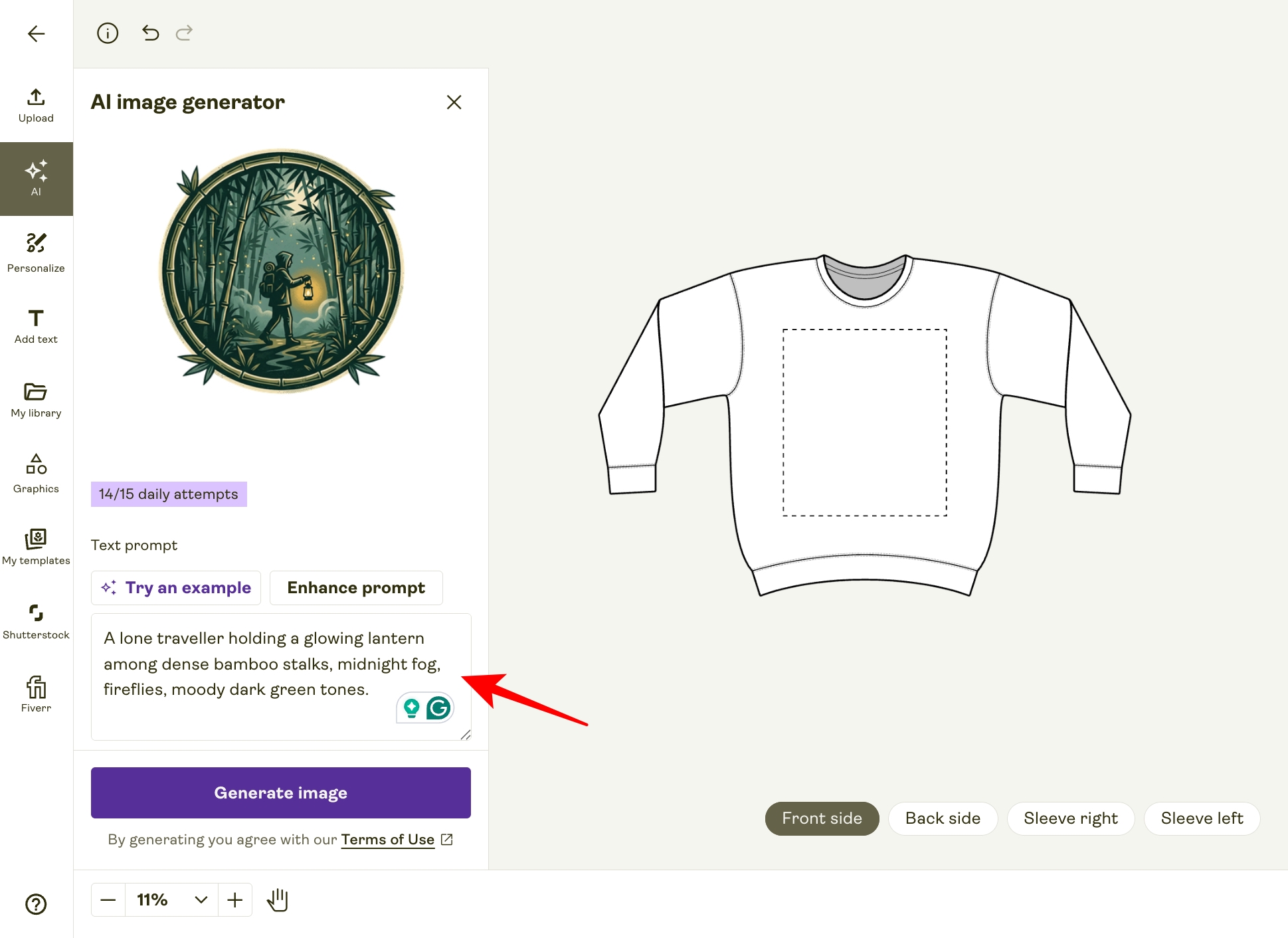
The AI image generator creates one image per prompt, and you can use it up to 15 times a day.
Overall, I think Printify’s product designer is a strong tool. The text formatting could offer more options, and I’d also like to see higher limits for the background removal feature. Still, it’s easy to use and offers a few useful features that you won’t find on some of the other major POD platforms.
Product Mockups
If you’re selling print-on-demand products online, product mockups are pretty important. They help customers get a better sense of what the finished product will look like and can make your store feel more professional. So, how does Printify handle mockups?
The short answer is that they’re useful enough, but they could still be better.
On the plus side, Printify offers a decent selection of mockups for most products in its catalog. You can preview your design in simple product shots as well as images featuring people using the products.
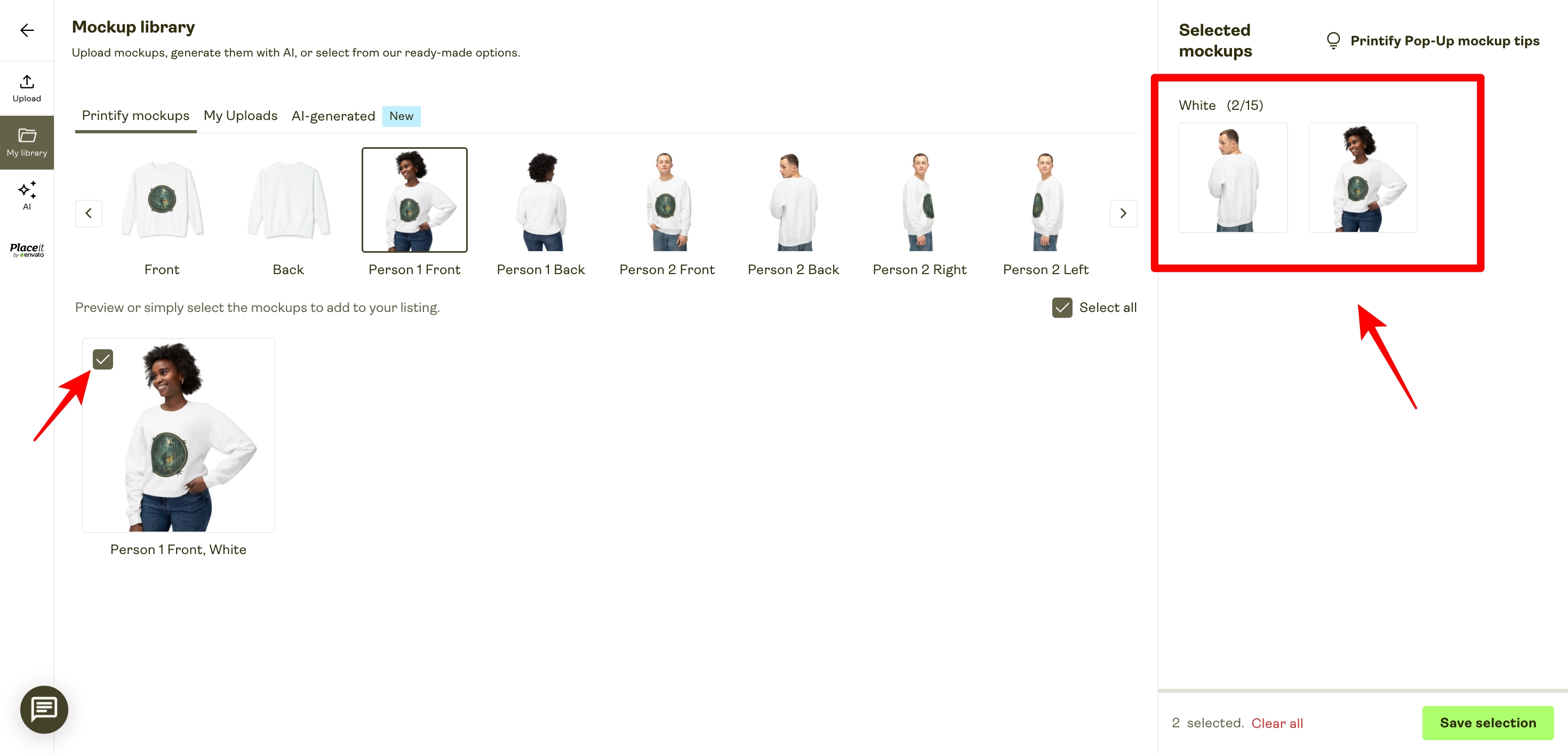
It’s also easy to pick the mockups you want for your store. When creating a product, you can open the Mockup Library and use the checkboxes to select the mockups you want to include in your store.
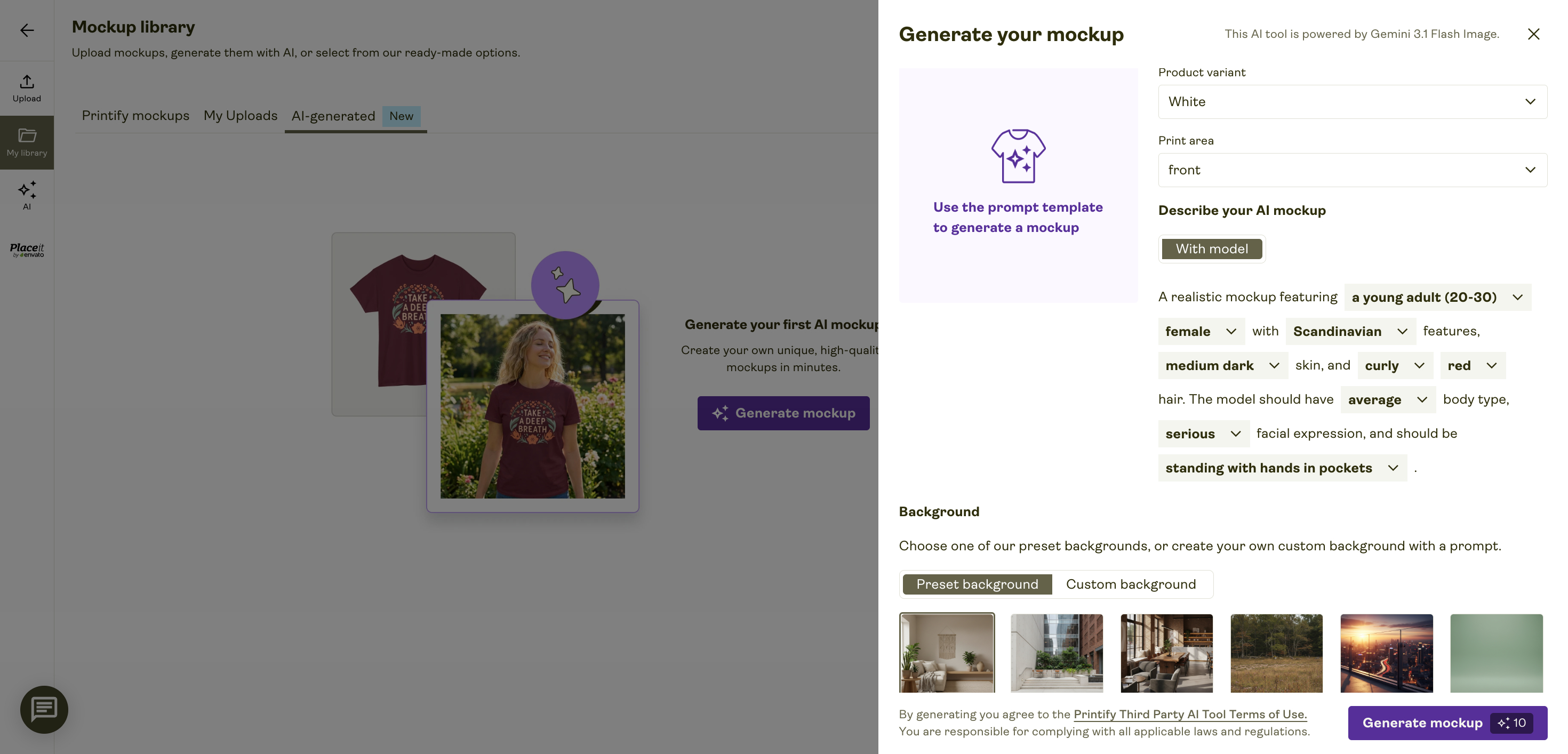
Printify has also expanded its mockup options with its built-in AI Mockup Generator, which is available to Premium users. It lets you create lifestyle scenes, choose from preset backgrounds such as cozy rooms, nature settings, and modern cafés, or generate a scene from a text prompt.
Printify also integrates with tools like Placeit by Envato for creating more varied product scenes and angles.
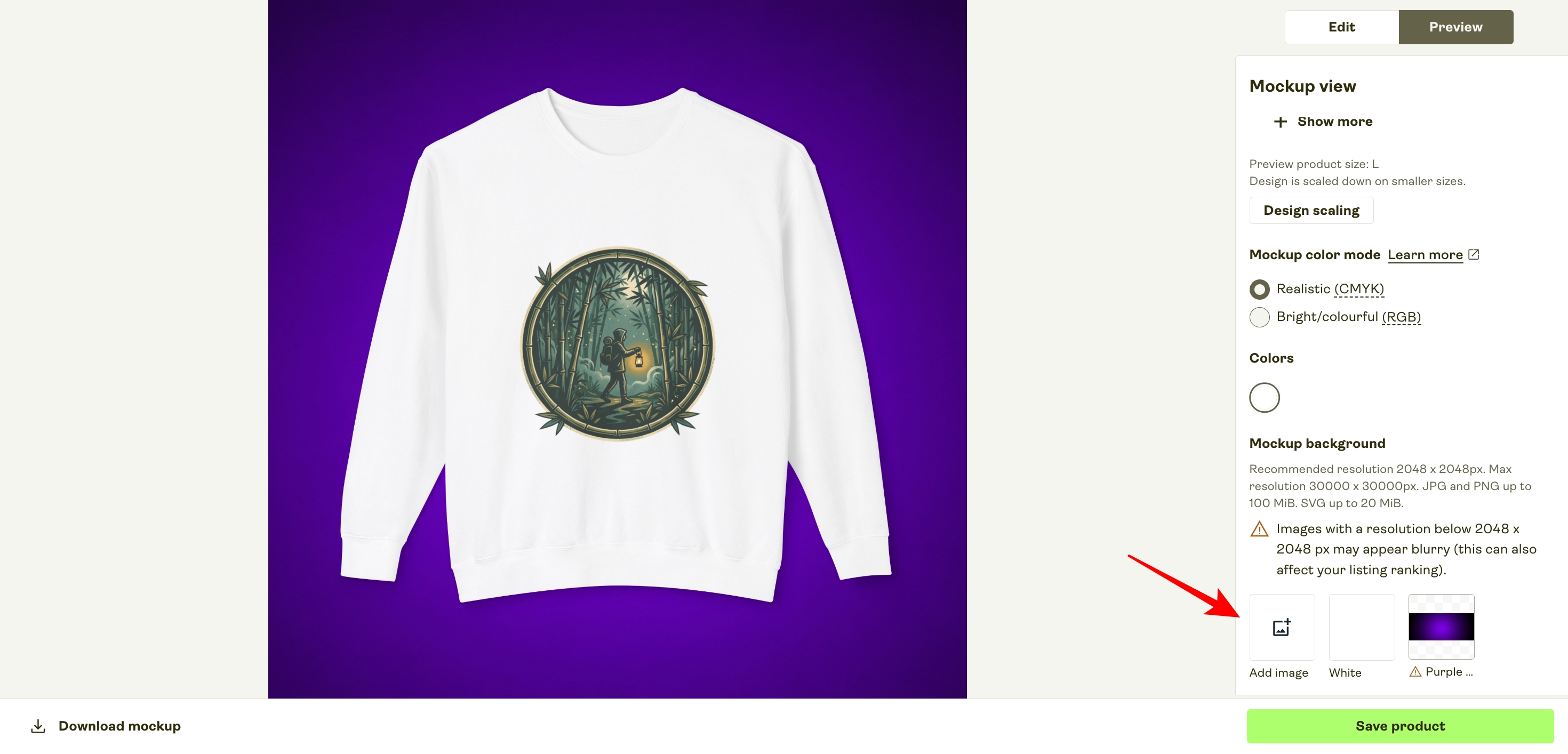
Currently, Printify’s mockups use a plain white background by default. If you want something more customized, though, you can create your own background outside Printify and upload it using the “Add image” option in Preview mode. The catch is that this option is currently available only for certain bestsellers, mugs, and major apparel products.
It would still be useful for Printify users to have a built-in library of editable mockup backgrounds. However, the gap with rival POD platform Printful is not as noticeable as it once was. Printful offers over 300 customizable backgrounds and layouts, along with more than 2,550 scene combinations and graphics through its Custom Mockup Maker. Printify, meanwhile, has added AI-powered mockup tools and additional background options of its own.
Branding Options and Packaging
If you want to put more of your own branding on Printify products, the options are better than they used to be. Printify now supports inner and outer neck labels, as well as sleeve prints, on selected apparel items. The catch is that these options aren’t available across the entire catalog, so you’ll still need to check which print providers and products support the type of branding you want.
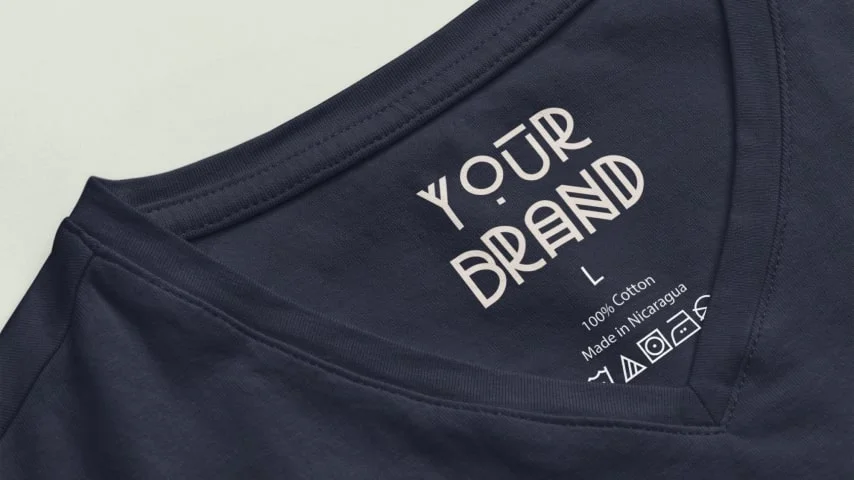
Pricing is one area where Printify can be quite competitive. For Printify Premium subscribers, custom neck labels can cost as little as $0.44 to $0.55 per item. The exact price depends on the print provider and the garment you choose, but in some cases, Printify can cost less than competing platforms for adding custom labels.
When it comes to adding your branding to Printify products, you can add custom neck labels to selected apparel items. Printify now supports both inside and outside neck labels, as well as sleeve prints on certain products, although these options aren’t available across its entire clothing catalog.
This puts Printify in a better position than it was previously, but Printful still offers more branding options across a larger selection of products. It supports inside and outside labels, sleeve labels, and other branding features across more of its apparel catalog.
One nice thing about Printify’s neck-label pricing is that it is cheaper than what some competitors charge. The cost starts at $0.44 per label and goes up to $2.39, based on the print provider you choose.
For comparison, Printful charges a flat $2.50 for a single neck print.
At the time of writing, these Printify print providers offer neck-label printing:
- Dimona Tee: from $0.44 per label
- SwiftPOD: from $0.57 per label
- Monster Digital: from $0.60 per label
- Print Clever: from $1.31 per label
- Stoked On Printing: from $1.47 per label
- Textildruck Europa: from $1.79 per label
- Ink Blot: from $2.30 per label
When it comes to packaging, Printify ships its products in high-quality white-label mailers, boxes, packing tubes, and similar packaging. Unfortunately, you can’t add your own branding to the outer packaging.
However, you can add a branded packaging insert to your Printify order. This option is available from six of its print providers, most of which have good ratings. The cost is $0.15 per insert, which is $0.35 cheaper than Printful’s price for a similar service.
If you want to add any of these branding options to your Printify products, you can use the filters in the Printify product catalog (shown below) to find products from suppliers that offer them.
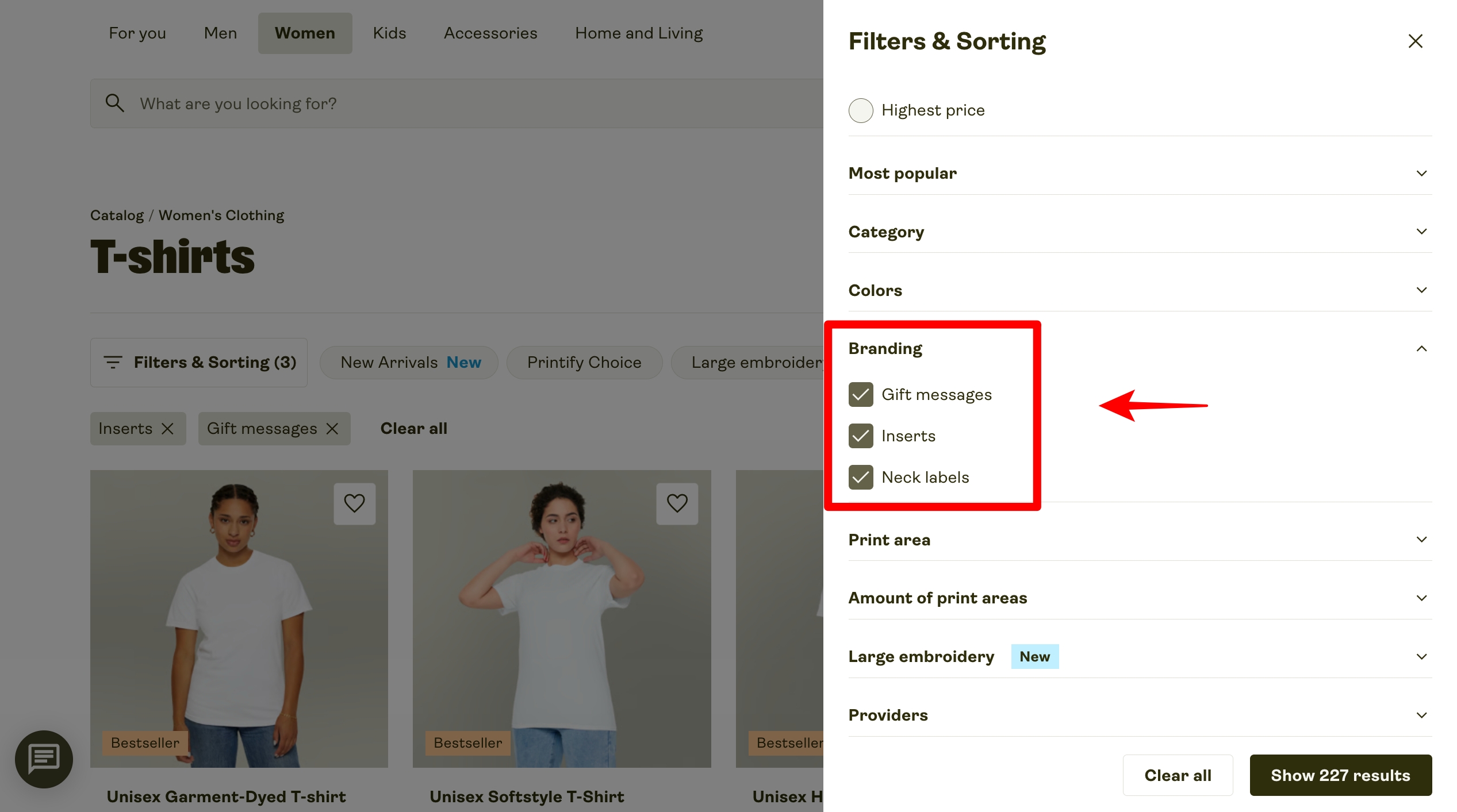
Overall, Printify’s branding options are a big plus, although it would be even better if they were available across the entire product catalog.
Printify’s Environmental Standards
Beyond its green-looking logo, how environmentally friendly is Printify really?
Well, as with other print-on-demand platforms, Printify only produces your products after an order is placed through your online store. This means it doesn’t need to manufacture large quantities of clothing and other items in advance, which helps cut down on overproduction and unsold stock that might otherwise end up in landfill.
When it comes to eco-friendly products, Printify has a decent selection of around 40 items in its catalog, and you can use a dedicated filter to find them more easily.
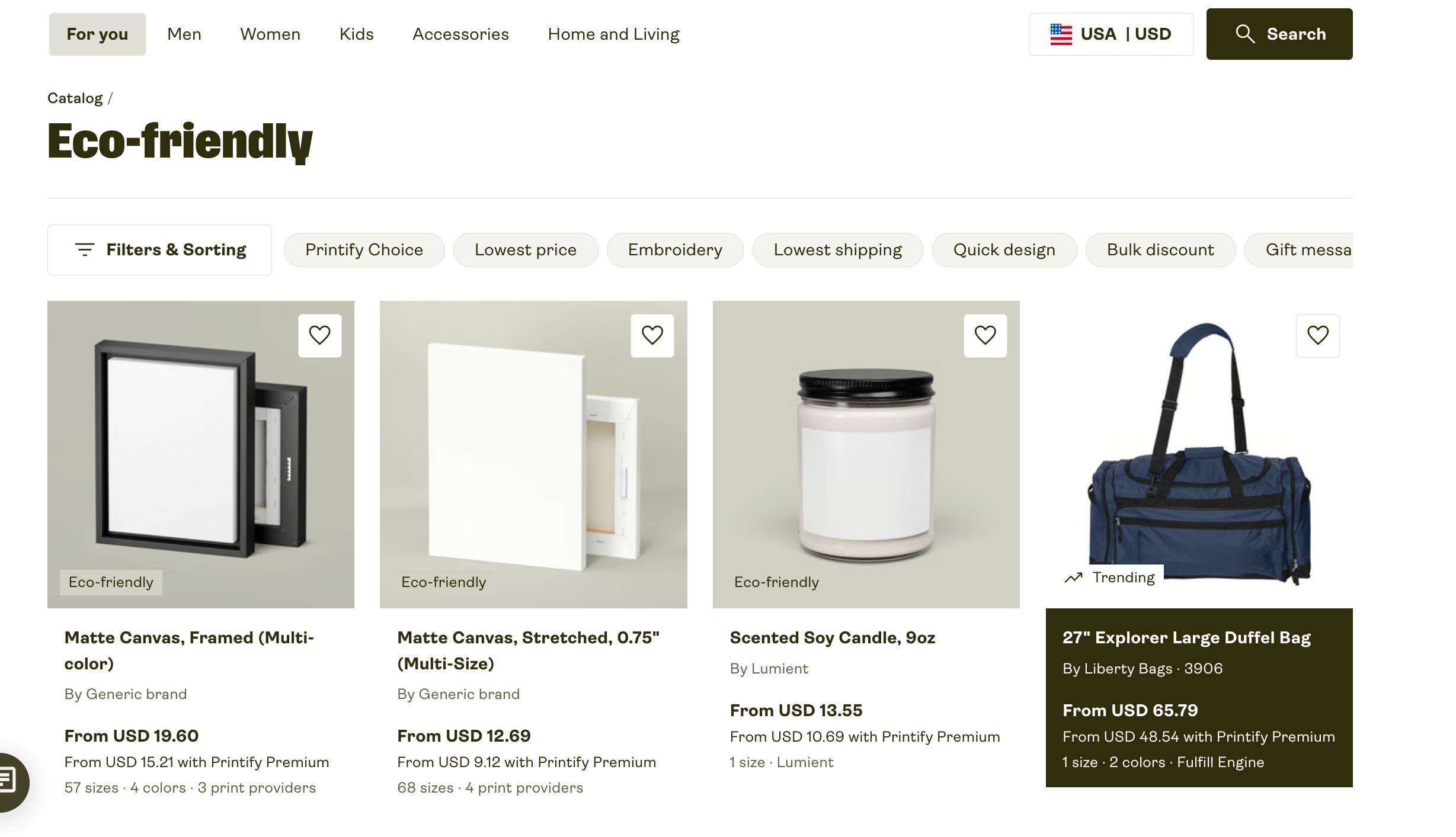
These include organic cotton products from PETA-certified manufacturer Stanley/Stella, biodegradable ornaments and phone cases, plus vegan-friendly candles and reusable travel mugs and water bottles.
Printify has also said it aims to become carbon neutral by 2030. As part of that goal, it has joined the Tech Green Pledge to show its commitment to reducing its environmental impact.
However, I’d like to see Printify follow Printful’s lead on sustainability by publishing annual figures on product recycling, fabric reuse, and the carbon savings achieved through local order fulfillment.
Shipping Products
Printify and its network of print providers offer a good selection of shipping options, so you can choose how your products are delivered to customers. The available shipping methods include:
- Economy shipping: Starts at $3.99 and typically delivers to the US within 4–8 days. It’s available only to merchants selling through Etsy, Shopify, or the Printify Pop-Up Store.
- Standard shipping: Starts at $4.75 and is available across all Printify products and sales channels.
- Priority shipping: US orders arrive within 2–3 days after production, while international orders usually take 3–5 days. This option is limited to Shopify, WooCommerce, and Printify API customers.
- Express shipping: Starts at $7.99, with production and delivery completed in around 2–3 days. It’s available for Etsy, Shopify, Printify Pop-Up Store, and Printify API stores.
Printify’s priority shipping rates differ from one print provider to another. The good news is that Printify lists the standard shipping costs for each provider on its shipping rates page, so you can compare them before choosing a supplier.
Now, it’s important to note that although Printify’s shipping rates are generally similar to those of other POD platforms, the cost of shipping the same product can still vary quite a bit from one print provider to another.
Here’s a quick look at how much it costs to ship one of the popular Bella + Canvas 3001 T-shirts from five of Printify’s top print providers:
| Printify print provider | Shipping cost for 1 T-shirt |
|---|---|
| Monster Digital (9.3*) | $4.29 |
| Marco Fine Arts (7.9*) | $4.29 |
| Underground Threads (8.5*) | $4.29 |
| Dimona Tee (8.7*) | $4.29 |
| Drive Fulfillment (7.0*) | $5.19 |
As you can see, a number of providers charge the same $4.29 shipping rate, but others, such as Drive Fulfillment, are noticeably more expensive.
This shows why it’s important to compare print providers carefully before choosing a supplier. You need one that can produce your products to the standard you expect and offer reasonable shipping costs for your customers.
When it comes to Printify’s ‘express shipping’ option, it’s currently available for just two t-shirts, although the company says it plans to add more products soon.
For merchants, you should also know that express orders are automatically routed to the print provider closest to the customer. This can be convenient for faster delivery, but print quality may vary slightly from one provider to another.
If you sell Printify products through Shopify, you can show customers real-time shipping rates by adding the Printify Shipping Calculator for Shopify to your store.
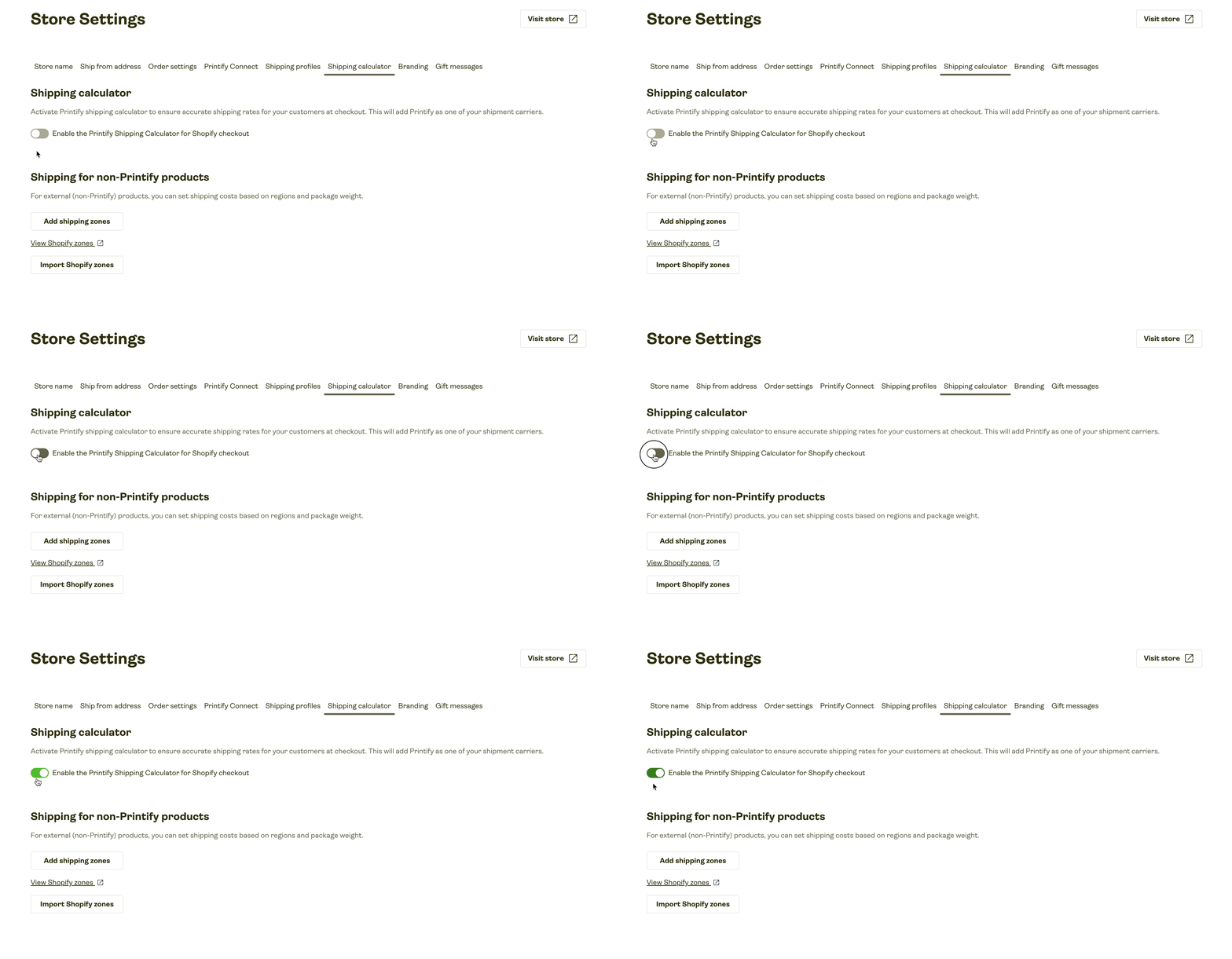
In short, Printify offers several shipping options, and it’s worth comparing different printing partners. Shipping costs can differ from one provider to another, so shopping around can help you find some good rates
The bottom line is that Printify offers plenty of shipping options, and if you compare different print providers, you can usually find shipping rates that fit your budget.
Integrations
Printify has a solid selection of integrations for ecommerce platforms and online marketplaces. It currently supports 11 direct integrations, including popular options such as Shopify, BigCommerce, Squarespace, Big Cartel, Wix, eBay, Amazon, and Etsy.
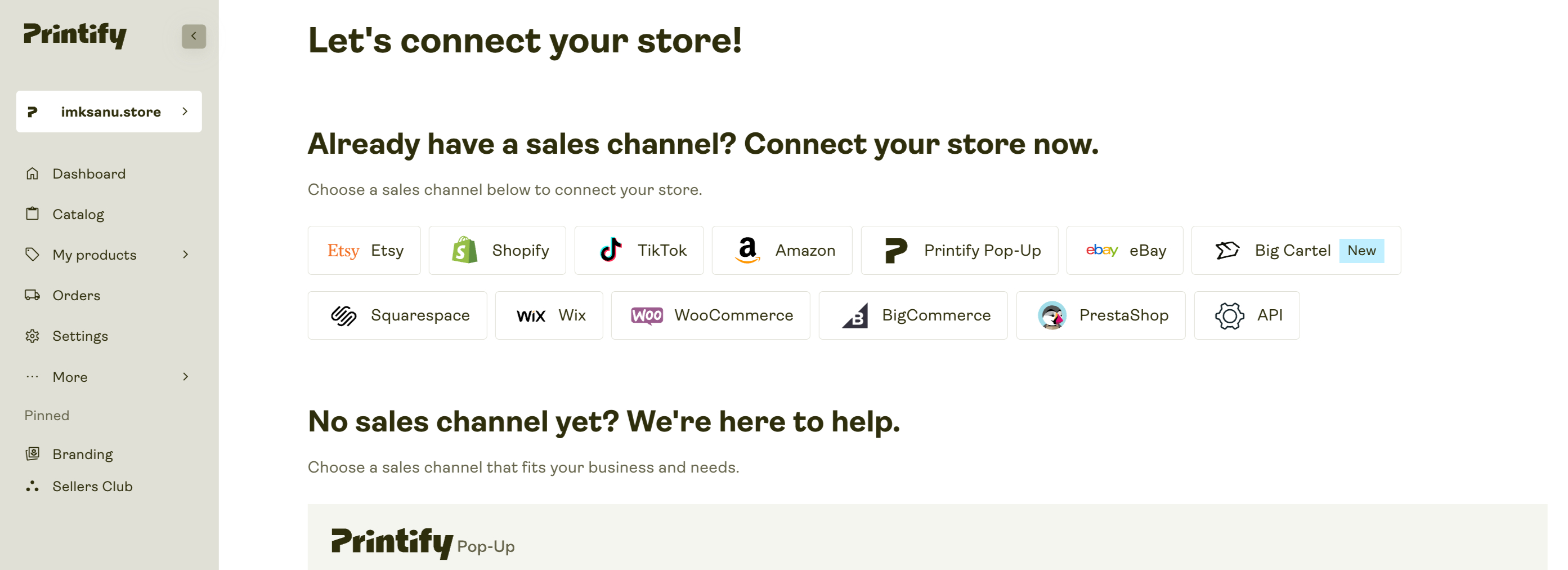
That’s more than quite a few competing print-on-demand platforms. For comparison, Gooten supports 4 integrations, SPOD supports 5, and Spring (formerly Teespring) supports 6. Printful is ahead here, though, with integrations for 21 platforms.
Here’s the full list of Printify’s integrations:
- PrestaShop
- Etsy
- Shopify
- TikTok
- Amazon
- eBay
- Squarespace
- Big Cartel
- Wix
- WooCommerce
- BigCommerce
WooCommerce users seem a little less impressed, with the Printify for WooCommerce integration scoring just 2.8 out of 5 in the WordPress plugin directory.
<- Click here to get started with Printify for FREE ->
If you sell Printify products on Etsy, its automated personalization feature lets customers add custom text, such as a name or date, to your designs. This means you can offer personalized products without having to manage each customization manually.
If you sell Printify products through Etsy, its automated personalization feature lets customers add custom text, such as a name or date, directly to their orders. So, you can sell personalized products without having to manage each customization manually.
There’s also an option to include a custom gift message, which Printify prints on a branded postcard and adds to the order. Both features add a more personal touch to your products without creating much extra work for you.
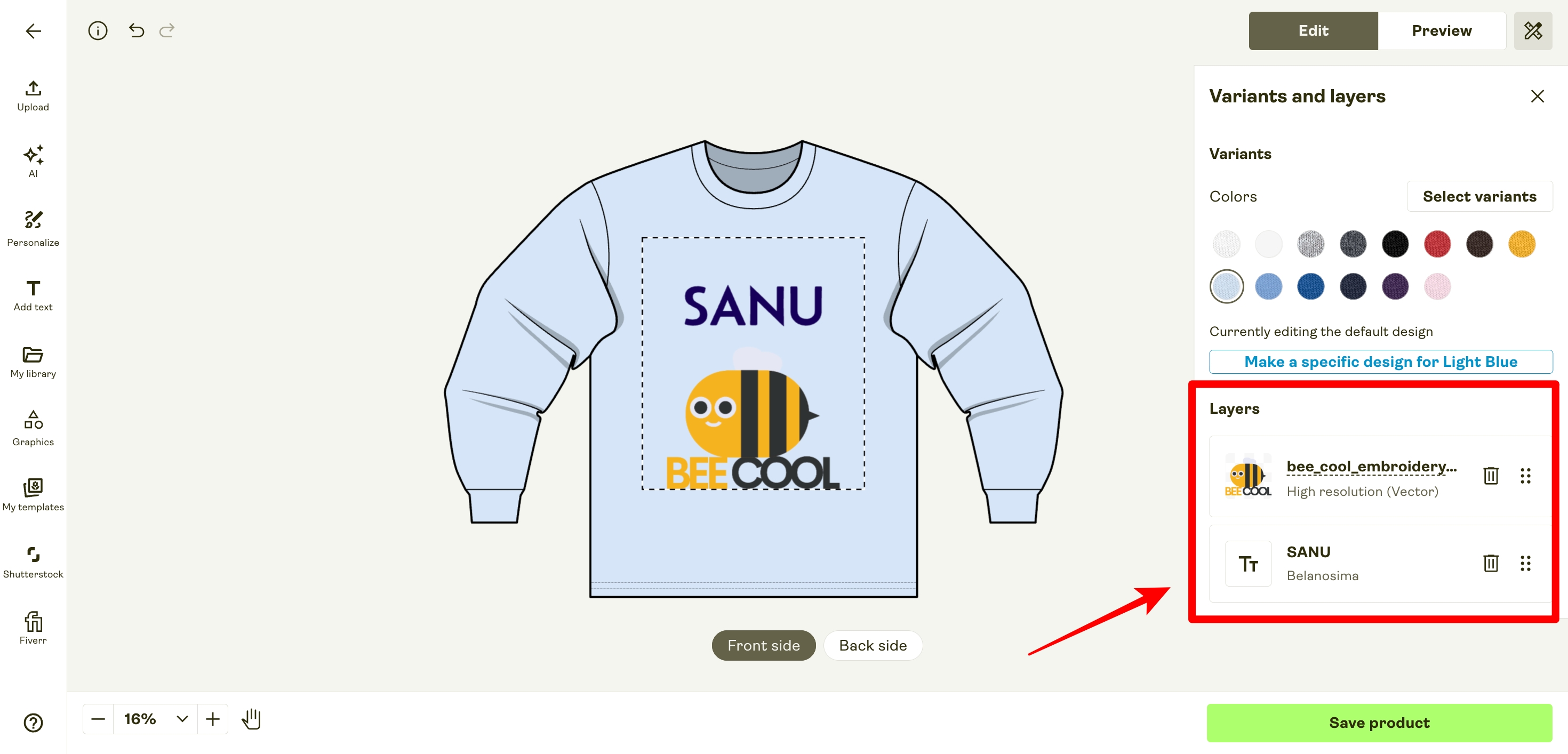
If Printify doesn’t integrate with your ecommerce platform, you can use its API to create your own integration. There’s no extra cost for this, but you’ll need some coding knowledge to set it up.
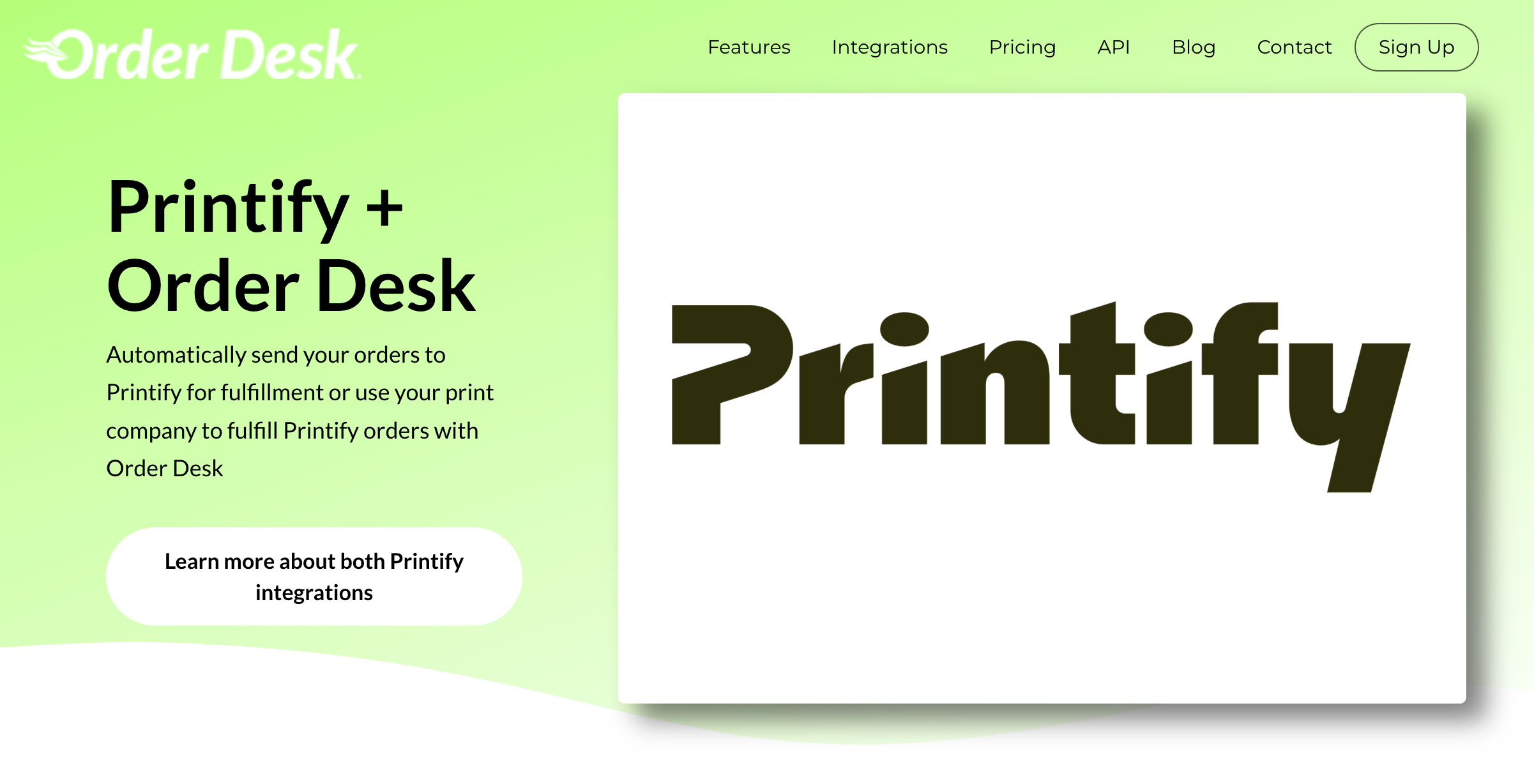
You can also use a third-party automation service like Order Desk to integrate Printify with other ecommerce platforms and marketplaces. It supports hundreds of services, including Amazon, Costco, Square, Webflow, and Wish. The downside is the extra cost: Order Desk charges a monthly subscription plus a transaction fee of $0.05 to $0.25 per order.
Printify Pop-up Store Builder
One feature you get with Printify that isn’t available on many competing print-on-demand platforms is its Pop-Up Store builder.
It lets you set up a basic online storefront directly within Printify, so you don’t have to sign up for a separate ecommerce platform or build a store from scratch.
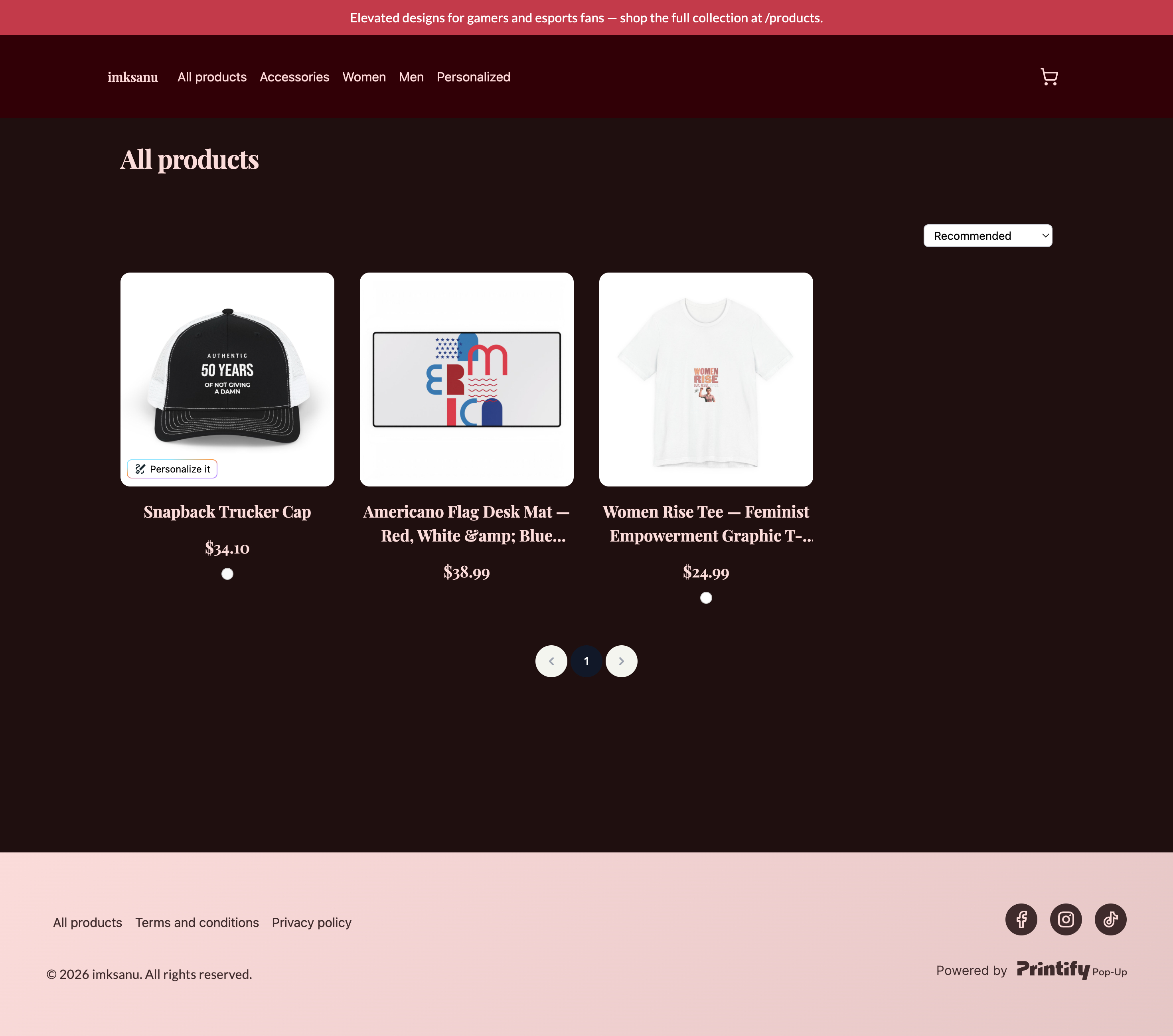
That said, Printify’s Pop-Up Stores are quite basic compared with what you can build using platforms like Shopify or Wix. You can add your logo, social media links and make a few basic design changes, but your customization options are limited.
You won’t find built-in blogging tools, advanced SEO controls or extensive customization options you’d get from a full ecommerce platform. There’s also one important limitation: you can only sell products that you create through Printify.
Because of these limitations, I wouldn’t consider the Pop-Up Store a replacement for a full ecommerce website if you’re building a serious online business. Its main advantage is speed and simplicity. You can get a POD store online without paying for or managing another ecommerce platform.
It’s particularly handy for creators on a budget, sellers who promote mainly through social media, or anyone who wants to start selling custom products without spending much time setting up a website. It could also work great for clubs, events and community groups that want to sell branded merchandise without having to build and manage a complete ecommerce site.
Printify Interface and Ease of Use
Printify has an easy-to-use interface that makes managing a print-on-demand store fairly simple, even if you are new to the platform. From the main dashboard, you can quickly get to your products, catalog, orders, stores, and settings, so finding the tools you need for everyday tasks doesn’t take much effort.
The product catalog is also simple to navigate. You can browse products and narrow your options using filters such as product type, colors, pricing, and Print Provider. This is useful when you are comparing different products before deciding what to sell.
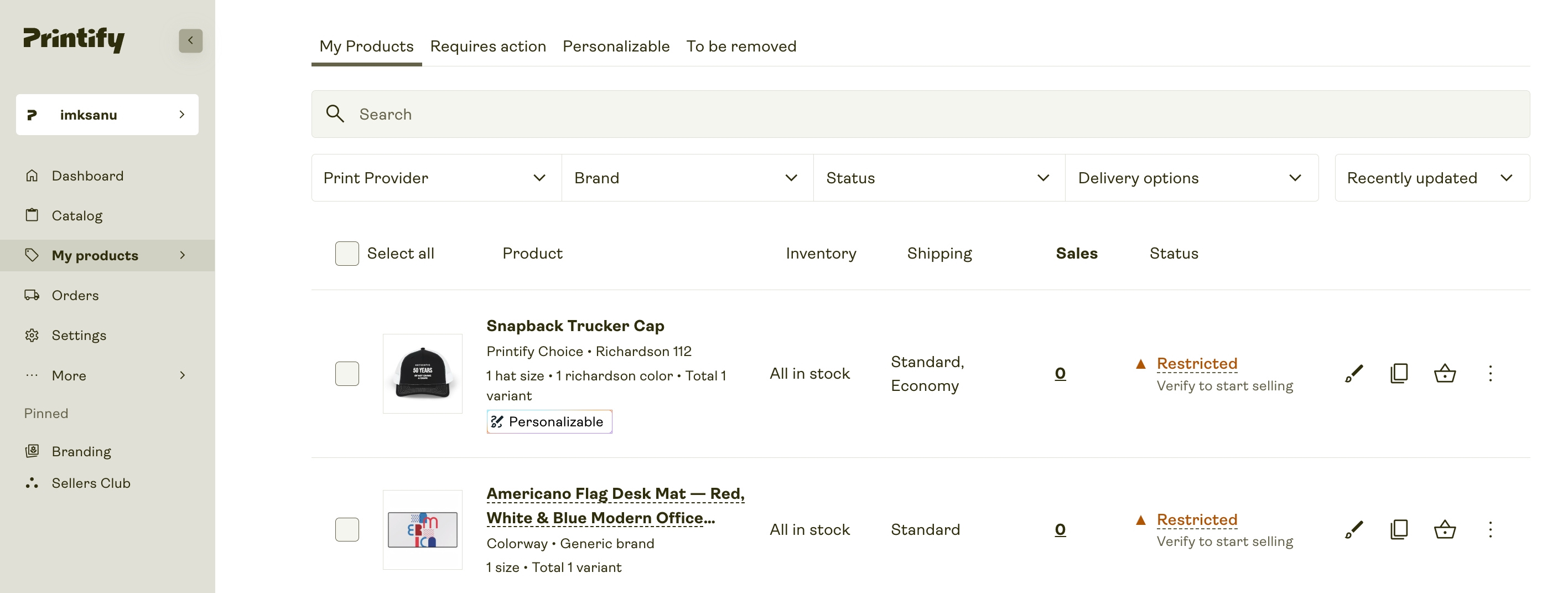
The Product Creator is probably the best part of the interface. Once you choose a product, you can upload your artwork, add text, adjust the size and position, choose colors and variants, and preview the final product without leaving the editor. Printify also supports tools such as free graphics, Shutterstock images, custom fonts, and an AI Image Generator, which gives you more options when creating product designs.
Printify also displays useful product details during the creation process. You can see the available print areas, recommended image specifications, product variants, and pricing while working on your design. The preview lets you check how the final product will look before you publish it to your store.
Another feature I think deserves a mention is Printify’s order routing system. When an order comes in, Printify can automatically route it to a suitable print provider based on factors such as the customer’s location. This can save you from manually moving orders between suppliers and makes the fulfillment process much easier, especially when you start selling to customers in different countries.
For beginners, Printify is relatively easy to understand. You do not need professional design software to create a basic product, and the platform includes tutorials and guided help if you need assistance.
That said, the platform can feel a little more complicated once you start managing lots of products, variants, and Print Providers. There are also quite a few settings available, so new users may need some time to understand how everything fits together.
Overall, though, Printify is one of the easier print-on-demand platforms to get started with. The interface is logical, the product creation process is simple, and the built-in Product Creator removes much of the technical work. If you are starting your first POD store, you should be able to get comfortable with the basic workflow fairly quickly.
<- Click here to get started with Printify for FREE ->
Handling Customer Queries with Printify Connect
If you’re on a paid Printify plan, Printify Connect can take some of the customer support work off your hands. It allows your customers to report order-related problems directly to Printify’s support team, so you don’t have to deal with every question about damaged products, delivery issues, reprints, or refunds yourself.
Once you enable Printify Connect, customers receive an email after their order is delivered with a link to their Printify Connect page. From there, they can check their order, leave feedback, or report a problem. If something went wrong, they can explain the issue and upload photos or other evidence. Printify then reviews the case and decides whether a reprint or refund is appropriate.
The nice part is that the customer-facing emails and pages use your store name rather than Printify branding. If a customer contacts you directly about an order problem, you can also send them their unique Printify Connect link from the order page.
That said, Printify Connect isn’t completely hands-off. If a customer reports a problem and Printify approves a reprint or refund, you may still need to communicate that decision to the customer. So, while Printify takes care of investigating the issue, you’re not entirely removed from the support process.
There are also some limitations. Printify Connect is available for eligible standalone stores, including stores using platforms such as Shopify, Wix, and WooCommerce. It isn’t available for marketplaces such as Etsy, eBay US, or TikTok Shop US. If you run multiple stores, you also need to enable Printify Connect separately for each one.
Printify Connect can be so useful if your store receives a steady flow of order-related questions. It can take much of the investigation work off your plate, but you should still expect to step in when you need to communicate Printify’s decision to the customer.
Printify Mobile Apps
Printify has made its mobile experience much better over the years. It now offers dedicated apps for both Android and iPhone, so sellers can manage many parts of their print-on-demand business from their phones.
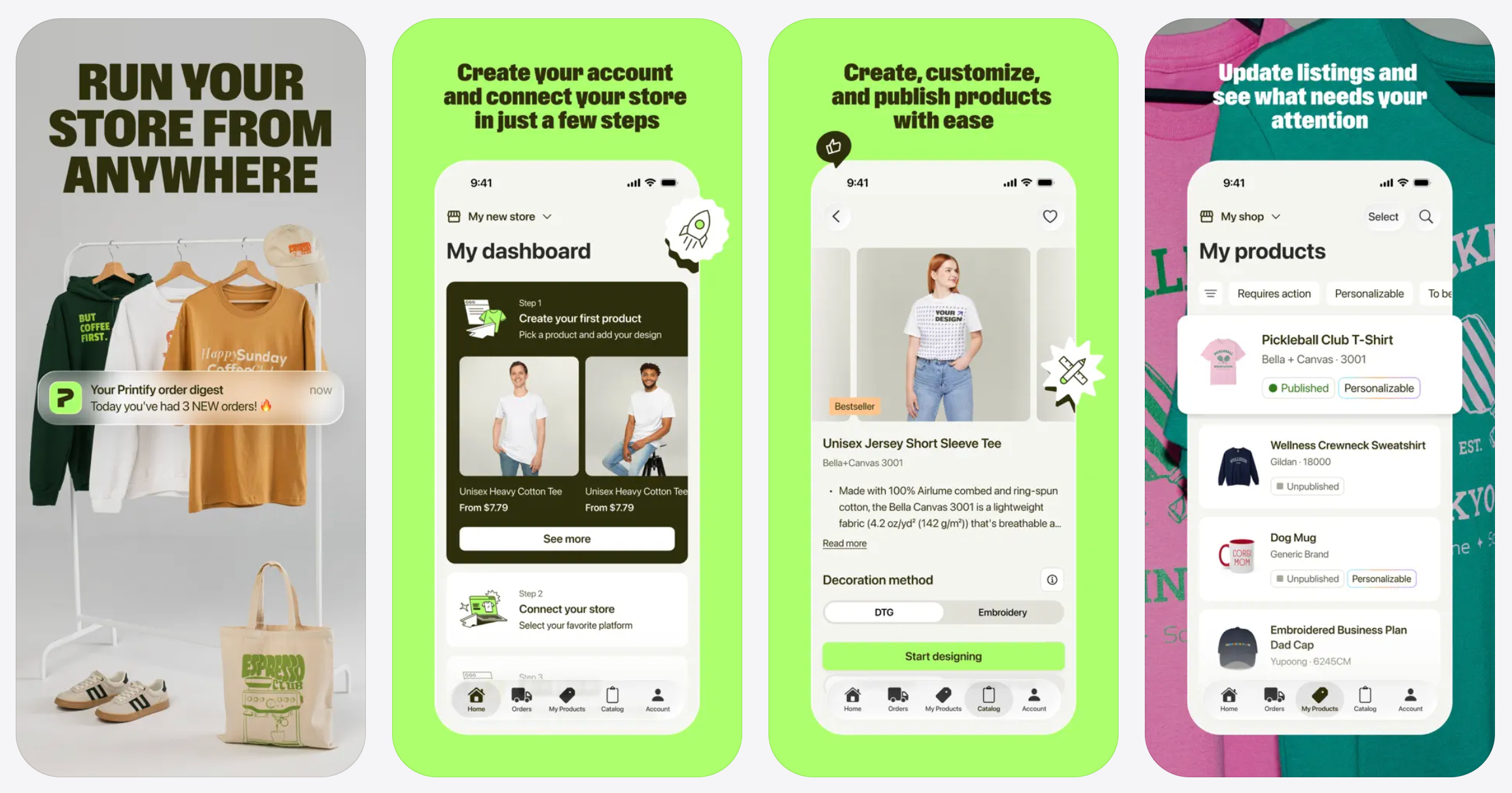
Previously, Printify’s mobile options were quite limited, particularly for iPhone and iPad users because there was no dedicated iOS app. That has changed, and sellers can now handle everyday tasks without always having to log in from a desktop.
The apps are mainly useful for orders and fulfillment. You can check new orders, follow production progress, make changes before an order is sent to production, track shipments, and receive updates about your orders.
You can also use the apps to browse products, create and publish products, manage stores, check your Printify Balance, and handle some other basic account tasks. However, some advanced features and settings still require the web version of Printify.
The Android app currently has a much larger user base, with more than 1 million downloads on Google Play. The iOS app is newer and has fewer ratings, with a current score of around 3.7 out of 5 on the App Store.
Printify Pricing and Value for Money
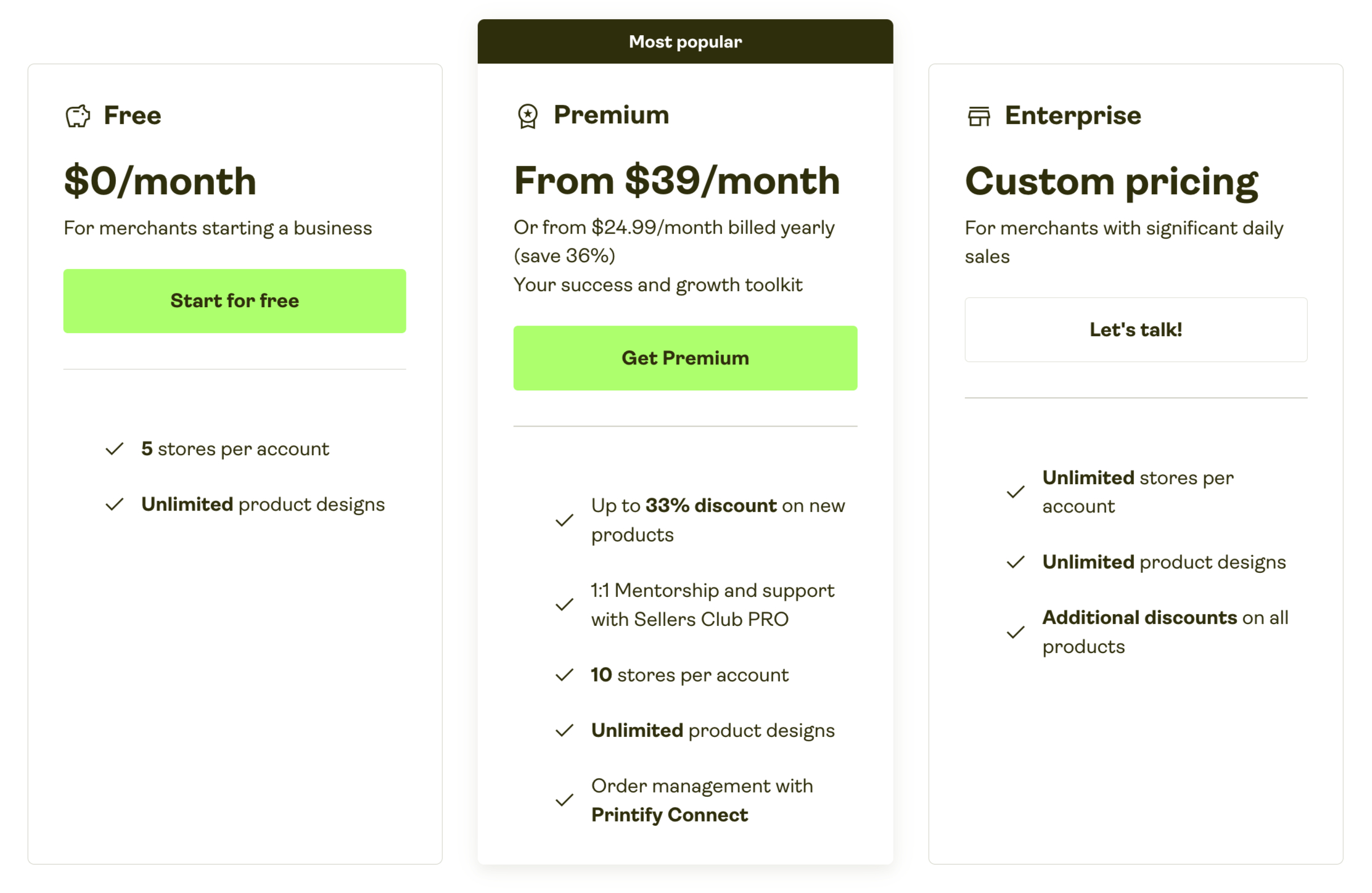
Printify offers three pricing options: Free, Premium, and Enterprise. The Free plan costs nothing, while Premium starts at $39 per month or $299 per year. Enterprise uses custom pricing and is aimed at high-volume businesses.
Printify Pricing Plans
| Plan | Price | Best for |
|---|---|---|
| Free | $0/month | Beginners and low-volume sellers |
| Premium | $39/month or $299/year | Growing stores and regular sellers |
| Enterprise | Custom pricing | High-volume businesses |
The Free plan is a good starting point because you can create unlimited product designs, connect up to five stores, and use Printify’s main selling and product-creation tools without paying a monthly subscription. You simply pay the product and shipping costs when you receive an order.
The Premium plan is where Printify becomes more attractive for sellers with consistent sales. It offers up to 20% off products, discounts of up to 33% on selected new products, support for up to 10 stores, Printify Connect, AI mockups, and access to Sellers Club Pro.
At $39 per month, Premium may not make sense for someone who is still testing products and getting only a few orders. However, the discount can quickly offset the subscription cost as sales increase. Printify estimates that, using a $12 average product cost, Premium can break even at roughly 17 orders per month on the monthly plan.
The annual Premium plan at $299 offers better value for sellers who already know they will use Printify regularly. It works out to about $24.99 per month, compared with $39 when paying monthly.
Is Printify Good Value for Money?
Overall, Printify offers good value for money, especially for sellers who are starting out or already have regular order volume. The Free plan keeps the initial cost low, while Premium can improve profit margins by reducing product costs.
The main thing to remember is that Printify’s subscription is not your only business expense. You still need to account for product costs, shipping, marketplace or ecommerce platform fees, taxes, advertising, and other selling expenses.
<- Click here to get started with Printify for FREE ->
For beginners, I would start with the Free plan and upgrade to Premium once the product discounts are likely to save more than the subscription costs. For established sellers with steady order volume, the annual Premium plan offers the strongest value.
Next, let’s look at Printify’s product pricing and how much you can expect to pay for the products you sell.
Printify Product Pricing
Printify does not have one fixed price for every product. The price depends on the print provider you choose. This means the same T-shirt or hoodie can cost different amounts from different suppliers.
Here’s a look at the standard prices for some popular Printify products:
| Product | Lowest Price | Highest Price |
|---|---|---|
| Bella + Canvas 3001 T-shirt | $10.98 | $14.96 |
| Gildan 18500 Hoodie | $22.24 | $29.78 |
| Gildan 18000 Sweatshirt | $18.34 | $22.54 |
| Bella + Canvas 3200 Baseball Tee | $19.15 | $20.13 |
As you can see, prices can vary quite a lot between print providers.
For example, the Bella + Canvas 3001 T-shirt costs $10.98 from the cheapest supplier, Drive Fulfillment. The same shirt costs $14.96 from JAMS Designs, the more expensive supplier. That is a $3.98 difference for the exact same product.
The Gildan 18500 Hoodie shows an even bigger gap. There is a $7.54 difference between Printify’s cheapest and most expensive supplier, which means you could pay about 34% more for the same hoodie depending on the supplier you choose. This can have a big effect on your profit margin and the price you need to charge your customers.
If you’re a Printify Premium user, you should know this: providers don’t all offer the same Premium discounts.
For example, Print Clever charges Premium users $10.33 for the Bella + Canvas 3001 T-shirt, which is around 13% less than its standard price. Drive Fulfillment, on the other hand, offers a discount of about 20% on the same product.
This can make Printify’s pricing a little more complicated than it first appears. You need to compare not only the standard prices but also the Premium discounts offered by individual providers.
That extra research can be one of Printify’s biggest drawbacks. If you want the best combination of price, print quality, and shipping speed, you’ll need to spend some time comparing different suppliers.
However, that complexity can also work in your favour. If you’re willing to do the research, you can find popular POD products on Printify at prices that are lower than those offered by competing platforms.
Printify vs. Printful Product Pricing
Here is how some of Printify’s lowest standard prices compare with Printful:
| Product | Printify Lowest Price | Printful Price |
|---|---|---|
| Bella + Canvas 3001 T-shirt | $10.98 | $11.69 |
| Gildan 18500 Hoodie | $22.24 | $22.19 |
| Lane Seven Hoodie | $28.39 | $38.95 |
| AS Colour Staple T-shirt | $15.30 | $19.50 |
The prices are fairly close for some products, but Printify can be cheaper for others. For example, the $0.71 difference on the Bella + Canvas 3001 T-shirt may seem small, but it can add up if you sell hundreds of shirts.
Printful can be more competitive when you compare its prices with Printify’s higher-priced suppliers. Still, if your main goal is to keep product costs low and increase your profit margin, Printify offers you more opportunities to find cheaper suppliers.
Overall, Printify offers some very competitive POD product prices, but getting the best value requires some research.
The cheapest provider isn’t always the best choice. Before deciding, you should look at product quality, customer reviews, shipping times, shipping costs, and the provider’s overall reliability.
In other words, Printify can help you achieve strong profit margins, but you’ll need to spend some time comparing suppliers to find the right balance between price, quality, and delivery speed.
<- Click here to get started with Printify for FREE ->
Printify Customer Service and Support
Printify offers 24/7 customer support through live chat and email, which is helpful when you run into an issue with an order or need help with the platform.
When you start a live chat, Printify’s AI chatbot will first try to answer your question and help you fix the issue. If it can’t resolve the problem, it can connect you with a human support agent who can take a closer look and help you find a solution.
As you can see in the screenshot below, I asked the AI chatbot a question, and it gave me the correct answer almost instantly.
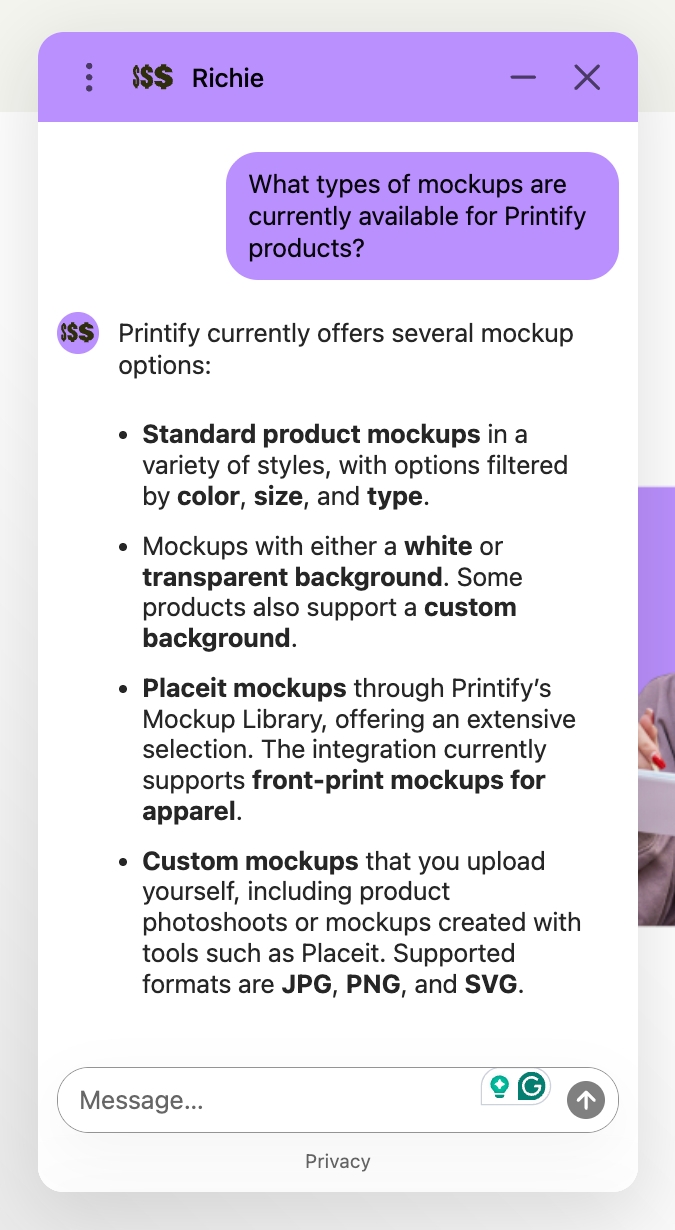
In my experience, Printify’s live chat support has generally been good. However, if you need to speak with a human agent, the support queue can get busy at times, so you may have to wait a little longer than expected for a response.
Printify also has a detailed Help Center that covers almost everything you need to know about running a print-on-demand store. The articles are fairly easy to understand, and many of them include video tutorials and GIFs that show you how different features work.
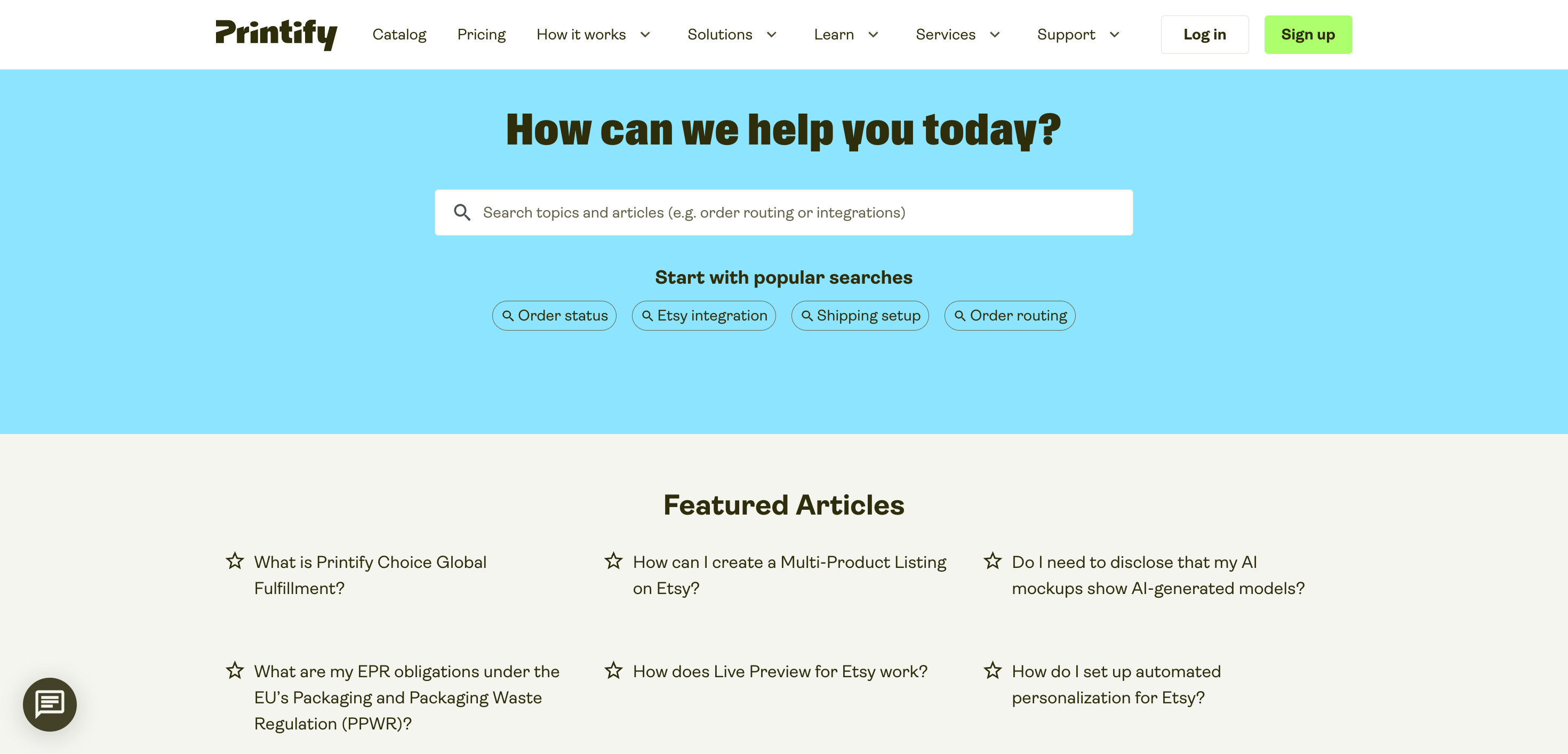
The main downside is that the Help Center is only available in English, which may be inconvenient for sellers who aren’t comfortable with the language.
If you want more guidance beyond the Help Center, Printify also offers group mentoring sessions and training courses through its Sellers Club. These sessions are led by experienced Printify sellers and cover practical tips for growing a POD business. Some resources are free, while the full membership, which includes exclusive workshops, Q&As, and advanced courses, costs $24.99 per month.
Overall, I’d say Printify does a pretty good job when it comes to customer support. The live chat and Help Center are especially useful when you’re getting started. That said, multilingual support and a phone support option would make the experience even better.
User Reviews
I’ve shared my own view of Printify based on detailed research and hands-on use of the platform. However, it’s also useful to see how other customers rate the service on popular review platforms. These ratings provide a broader view of the customer experience.
| Review site | User rating |
|---|---|
| Trustpilot | 4.5/5 |
| G2 | 4.6/5 |
| SourceForge | 3/5 |
| Shopify App Store | 4.7/5 |
| Average | 4.2/5 |
Across Trustpilot, G2, SourceForge, and the Shopify App Store, Printify has an average rating of 4.2 out of 5. These results show that most users have a positive experience with the platform, with Shopify App Store reviewers rating it particularly highly.
Printify Pros and Cons
Pros:
- Printify offers 2,000+ customizable products, including apparel, accessories, home décor, pet products, and more. This is one of its biggest advantages because you can build a broader product range without working with multiple POD platforms.
- Printify partners with 90+ print providers and 140+ print facilities across different regions. You can compare providers based on pricing, location, shipping, products, and other factors.
- Because you can compare multiple providers for many products, Printify can offer attractive base prices and potentially higher profit margins. Premium members can also receive product discounts.
- You can start using Printify without paying a monthly subscription. The free plan includes up to five stores per account and unlimited product designs.
- Printify integrates with major platforms and marketplaces including Shopify, Etsy, WooCommerce, eBay, Wix, BigCommerce, Squarespace, Amazon US, and TikTok Shop US.
- Its Product Creator lets you upload designs, add text and graphics, create mockups, and publish products to connected stores. You can also order samples before selling.
- You don’t need to purchase products in advance or maintain a warehouse. Products are made after customers place orders, while the selected Print Provider handles printing and shipping.
- Printify offers sellers different shipping options, along with features such as Printify Choice and Express Delivery for eligible products.
<- Click here to get started with Printify for FREE ->
Cons:
- Printify doesn’t manufacture products itself. It works with different print providers, and each provider may use different equipment, printing methods, materials, and processes. This means product quality may not be the same across all providers.
- If a customer buys two items printed by two different providers (e.g., a mug from Provider A and a hoodie from Provider B), they will ship in separate packages with separate shipping charges, which can cut into your profit margin if you offer flat-rate or free shipping.
- Unlike platforms that handle fulfillment in-house and offer extensive custom packaging, custom pack-ins, and printed neck labels across all items, Printify’s custom branding options (like neck labels or branded inserts) are only supported by select print providers.
- There are no standard sample discounts on the free plan—sellers pay full product and shipping costs when ordering test items.
- Although Printify has a free plan, sellers who want product discounts and additional features may need the Premium plan, which currently starts at $39/month when billed monthly or $24.99/month when billed annually.
<- Click here to get started with Printify for FREE ->
Top Alternatives to Printify
If you want to launch a print-on-demand store, you have strong options beyond Printify. Here is how the top competitors compare.
Printful
Printful is probably the best alternative to Printify. The biggest difference is that Printful handles printing and order fulfillment through its own network of in-house facilities, rather than relying on a network of third-party print providers. This means it has more control over print quality, which can lead to more consistent results.
You can try the platform out here.
Printful also supports more ecommerce platforms and marketplaces than Printify. Its product designer is more advanced too, and you get more options for creating mockups and adding branding to your products.
Gelato
Like Printful, Gelato doesn’t make you choose your own print fulfillment partner. It works with a network of preferred suppliers around the world and automatically sends each order to the supplier that best suits your customer’s location. It’s very easy to use and puts more emphasis on sustainability than many competing platforms.
Spring (formerly Teespring)
Spring, which was previously known as Teespring, is a print-on-demand platform aimed mainly at social media creators. It integrates directly with platforms such as TikTok, Beacons, YouTube, Twitch, Linktree, and OnlyFans, which makes it a good option for influencers and creators who want to sell merchandise through their social channels.
SPOD
SPOD is a print-on-demand company known for its fast production times. According to SPOD, about 95% of orders are printed and ready to ship within 48 hours.
Printify in Numbers
| Printify at a Glance | Details |
|---|---|
| Founded | 2015 in Latvia |
| Products | 2,000+ |
| Print locations | 100+ |
| Products sold | $500+ million worth |
| Users | 10+ million |
| Integrations | 11 |
| Standalone online store | Yes |
| Pricing | $0–$39 per month |
| Stores per plan | Up to 5 stores on the free plan; up to 10 stores on the premium plan |
| Branding options | Neck labels and packaging inserts |
| Shopify App Store rating | 4.7 stars |
| Trustpilot rating | 4.5 stars |
| iOS app | Yes |
| Android app | Yes |
| Merchant support | 24/7 email and live chat |
| Custom API integration | Yes |
Frequently Asked Questions About Printify
Is Printify free to use?
Yes, Printify is completely free to start and use. You only pay for the base cost of the product and shipping after a customer buys from you. They also offer a Printify Premium subscription for high-volume sellers, which provides up to a 20% discount on all products for a monthly fee.
Which eCommerce platforms does Printify integrate with?
Printify offers seamless, native integrations with major eCommerce platforms and marketplaces, including Shopify, Etsy, WooCommerce, Wix, Squarespace, BigCommerce, TikTok Shop, Walmart, and eBay. They also offer a custom API for developers.
How does Printify handle printing and fulfillment?
Printify acts as a print-on-demand network rather than printing items directly. They connect merchants to dozens of third-party print providers worldwide (e.g., Monster Digital, SwiftPOD, Awkward Styles). When an order comes in, the selected provider prints, packages, and ships the product directly to your end customer.
How do returns and refunds work?
Because items are custom printed on demand, Printify does not accept returns for buyer’s remorse or sizing issues. However, if an item arrives damaged or has a clear manufacturing error, Printify’s merchant support team will offer a free replacement or a refund once you provide photographic evidence of the issue.
Can I order product samples before selling?
Yes, ordering samples is highly recommended to check print quality, colours, and fabric feel. You pay the standard base cost and shipping for the sample. If you are subscribed to Printify Premium, you get a one-time sample budget to use when you sign up.
How do I make a profit with Printify?
Your profit is the difference between your retail price and Printify’s production and shipping costs. For example, if Printify charges you $10 to print a T-shirt and $5 to ship it, your total cost is $15. If you sell that shirt to a customer for $25, you keep $10 in pure profit. You have complete control over your retail pricing.
Is Printify better than Printful?
Printify generally offers lower base product prices and a larger variety of third-party suppliers, which translates to higher profit margins. Printful fulfils everything in-house with higher consistency and offers broader custom branding features (such as branded tear-away labels), but at a higher base cost.
Printify Review – The Verdict
After testing Printify, I found it has all the tools you need to build a POD business. Its free plan lets you create as many products as you want from a large product catalog, while the reasonably priced Premium plan adds even more value with product discounts and additional store management features.
The platform is also easy to use. Its interface is well organized and responsive, whether you’re designing products, connecting your store to an ecommerce platform, setting profit margins, or managing orders.
Pricing is another area where Printify does a solid job. Its product prices are generally quite reasonable, especially when you look at what other POD platforms charge. In many cases, you’ll find lower prices than on SPOD and Spring, while Printify still stays competitive with its main rival, Printful.
That said, there are still a few areas where I think Printify could improve, particularly when it comes to product branding. I’d like to see a larger selection of products that support branding, as well as an option for branded outer packaging.
You’ll also need to do some research when choosing a print provider. Printify works with multiple suppliers, so comparing prices, shipping costs, locations, and product quality can take some time. The upside is that you have more options and can find better pricing. However, some sellers may find this extra research a little time-consuming and prefer a POD platform that handles more of the supplier selection for them.
Ultimately, the best way to decide whether Printify is right for you is to try it yourself. You can get started for free using the link below. Hope this review helped. Thanks for reading.