

2026 has arrived, and if you want managed WordPress hosting with high-end performance and expert support, Pressable is likely on your radar.
Owned by Automattic—the same team that runs WordPress.com and WooCommerce—this host claims to offer a platform built specifically for the WordPress community.
The big question is: Does it actually deliver on those promises? More to the point, should you trust it with your website?
In this in-depth review, you’ll find everything you need to know about Pressable. We’ll walk through its features, pricing, performance, support quality, and how it works in real use. Here’s what we’ll cover:
- What Pressable is
- Features and pricing
- Ease of use
- Performance and load times
- Customer support
- Pros and cons
- Final verdict
By the time you finish reading, you will see whether Pressable earns a place as your site’s new home.
Let’s look at the details.
Pressable Review 2026 Summary
If you are short on time and want the key takeaway right away, check out the Pressable hosting review summary and conclusion below.
| Pressable Hosting Review (Score Card) | |
|---|---|
| Overall Ratings | 4.9 out of 5 |
| Types of Hosting | Managed WordPress and WooCommerce |
| Data Centers | USA and Europe |
| Support | Ticket / Live Chat / Knowledge Base |
| Uptime | Excellent (100% past 30 days) |
| Best For | Developers, Agencies & Businesses |
| Refund Policy | 30 Day Guarantee |
| Free Domain | ⨉ |
| FREE Migration | ✓ |
| Strengths | High performance & great customer service |
| Weaknesses | Little Pricey |
| Promotion | 15% off Monthly Plans (Use Coupon 2025PRESS15AFF) |
| Click Here to Get Started With Pressable Today -> | |
Verdict: The pricing may feel high if you are just starting out, but Pressable earns strong recommendations for its speed, uptime, and support quality.
Now, let’s move straight into the full Pressable hosting review.
Who is Pressable?
Pressable handles the technical side of WordPress so you don’t have to. Launched in 2010 as ZippyKid, the team started with a simple goal: remove the headaches of running a website. By 2013, they rebranded to Pressable to match their growth and focus.
Today, Pressable belongs to the Automattic family—the same group responsible for WordPress.com, WooCommerce, and Jetpack. This relationship means their servers run on the same expertise used by the people who actually build WordPress.
Whether you run a solo blog or manage dozens of client sites for an agency, Pressable provides the infrastructure to keep your pages fast and secure.
Why People Choose Them
Pressable offers more than just a place to store your files. Here is what makes their service different:
- The Automattic Edge: Since they are part of the core WordPress family, their systems work perfectly with WooCommerce and Jetpack. You get help from the experts who know the software best.
- No Hidden Fees: You won’t see surprise charges for security. Every plan comes with SSL certificates, a global CDN, and automatic backups.
- Room to Grow: The platform handles traffic spikes easily. You can start small and expand your plan as your audience grows or as you take on more clients.
- Built for Developers: They provide tools that professionals need, such as staging environments and SFTP access, to help you work faster.
- Real Support: You can talk to a WordPress expert 24/7. They help you get started with personalized onboarding and stay available whenever you hit a snag.
By combining top-tier performance with actual human support, Pressable has built a reputation as a reliable home for WordPress sites.
Pressable Review: Plans, Features, and Pricing
Choosing a managed WordPress host requires a close look at what you actually get for your money. Pressable provides several hosting options built to help solo creators and large agencies run their websites without the typical technical headaches.
What Do Pressable’s Hosting Plans Offer?
Pressable focuses only on WordPress. You cannot host other types of sites here, but this specialization allows them to optimize their servers specifically for WordPress performance.
When you compare their plans, look at these four main factors:
- Site count: Options start at a single site and go up to over 100 installs.
- Monthly traffic: Plans support anywhere from 30,000 to over 2 million monthly visits.
- Storage: You start with 20 GB of space, which grows as you move to higher tiers.
- Multisite tools: Agency plans include white-label branding and tools to manage a large portfolio from one dashboard.
- Traffic spikes: Every plan scales automatically to keep your site online during unexpected popularity.
Small blogs and basic business sites will find plenty of value in the entry-level plans, which include SSL certificates, a CDN, and daily backups. High-traffic eCommerce stores or developers managing many clients can opt for higher tiers to get the extra resources they need.
Standard Features On Every Plan
Pressable includes a massive list of tools with every account to help you stay secure and keep your site running fast.
You get these benefits regardless of which plan you pick:
- Free SSL certificates: Encrypt your data and build trust with visitors.
- 30-day money-back guarantee: Test the service for a month without a long-term commitment.
- Free migrations: Their team helps move your existing sites over to their platform.
- Staging environments: Test new themes or code on a private copy of your site before going live.
- WordPress cloud platform: Benefit from a server environment built just for WordPress.
- Jetpack Security: Use malware scanning and threat monitoring at no extra cost.
- 100% uptime guarantee: Their infrastructure keeps your site accessible around the clock.
- Malware recovery: Get expert help to clean your site if it ever gets hacked.
- Web application firewall (WAF): Block malicious traffic before it reaches your site.
- Simple dashboard: Control your sites through an intuitive interface.
- 24/7 Expert support: Talk to WordPress specialists whenever you have a question.
- Collaborator permissions: Grant specific access levels to your team members or clients.
- Performance monitoring: Track how your site performs and find ways to speed it up.
- Titan Professional Email: Send professional emails using your own domain.
- Automatic updates: Pressable handles WordPress core updates for you.
- Automated backups: Save your data daily so you can restore it if something goes wrong.
- Global CDN: Load your images and files faster for visitors across the world.
The Cost of Pressable WordPress Hosting
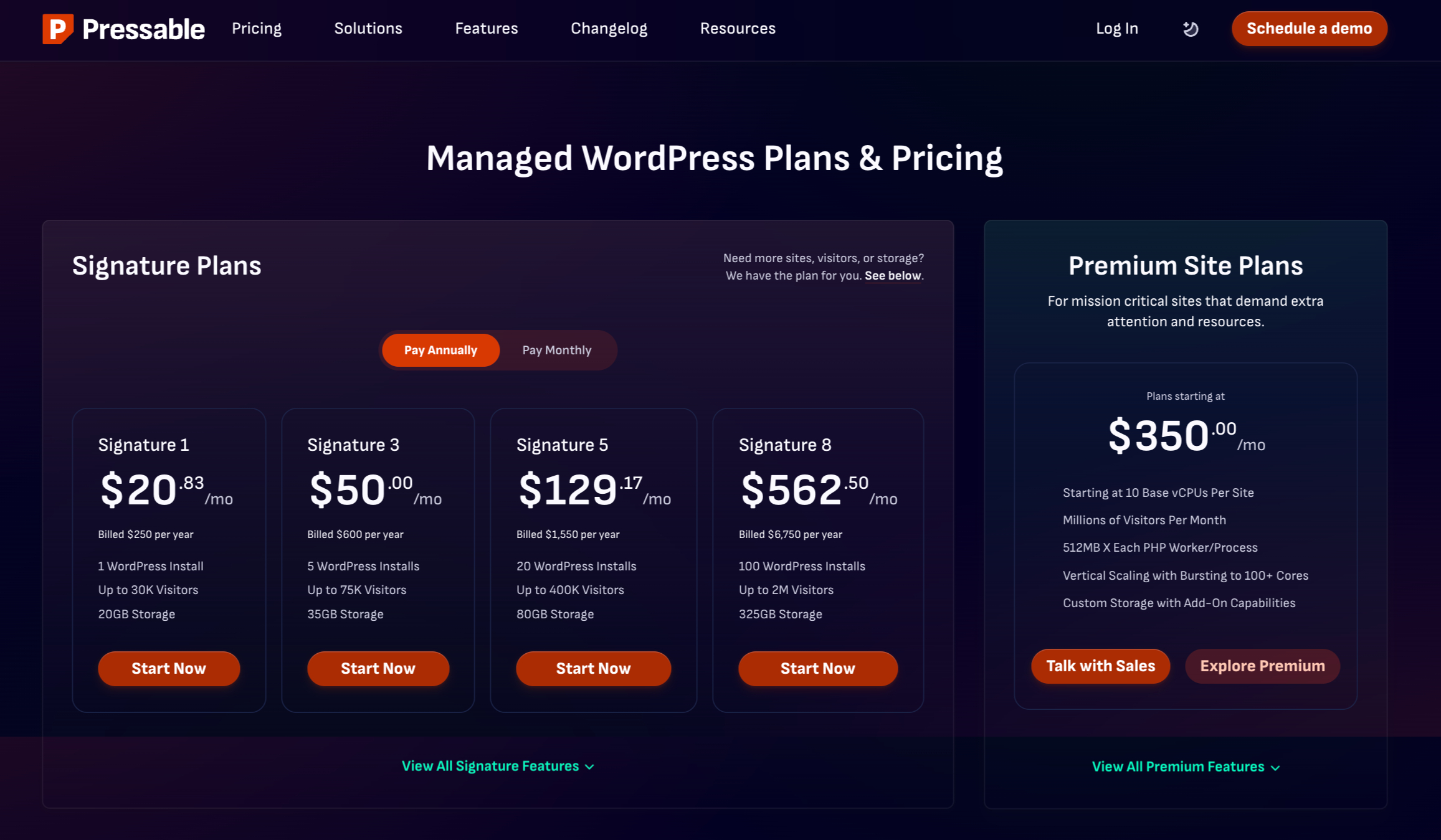
Pressable prices its plans based on how many sites you have and how much traffic you receive. All of these options fall under “managed hosting,” meaning the company handles the server maintenance for you. Paying annually brings the monthly cost down.
Below is a summary of the standard plans:
| Plan | WordPress Installs | Visits / Month | Storage | Monthly Price | Annual Price (Monthly Avg) |
| 1 Site | 1 | 30,000 | 20 GB | $25 | $20.83 |
| 3 Sites | 3 | 50,000 | 30 GB | $45 | $37.50 |
| 5 Sites | 5 | 75,000 | 35 GB | $60 | $50.00 |
| 10 Sites | 10 | 150,000 | 50 GB | $90 | $75.00 |
| 20 Sites | 20 | 400,000 | 80 GB | $155 | $129.17 |
| 50 Sites | 50 | 1,000,000 | 200 GB | $350 | $291.67 |
| 80 Sites | 80 | 1,600,000 | 275 GB | $545 | $454.17 |
| 100+ Sites | 100 | 2,000,000 | 325 GB | $675 | $562.50 |
If your needs fall outside these standard tiers, you can contact them for a custom quote.
DEAL ALERT: Use our Pressable coupon code: 2025PRESS15AFF to get 15% off all monthly plans.
Pressable Performance: Real-World Test Results
Visitors expect your website to load instantly, and search engines reward you when it does. To see if Pressable lives up to the hype, we ran several tests to measure how their servers handle normal traffic and sudden visitor spikes.
Page Load Speed
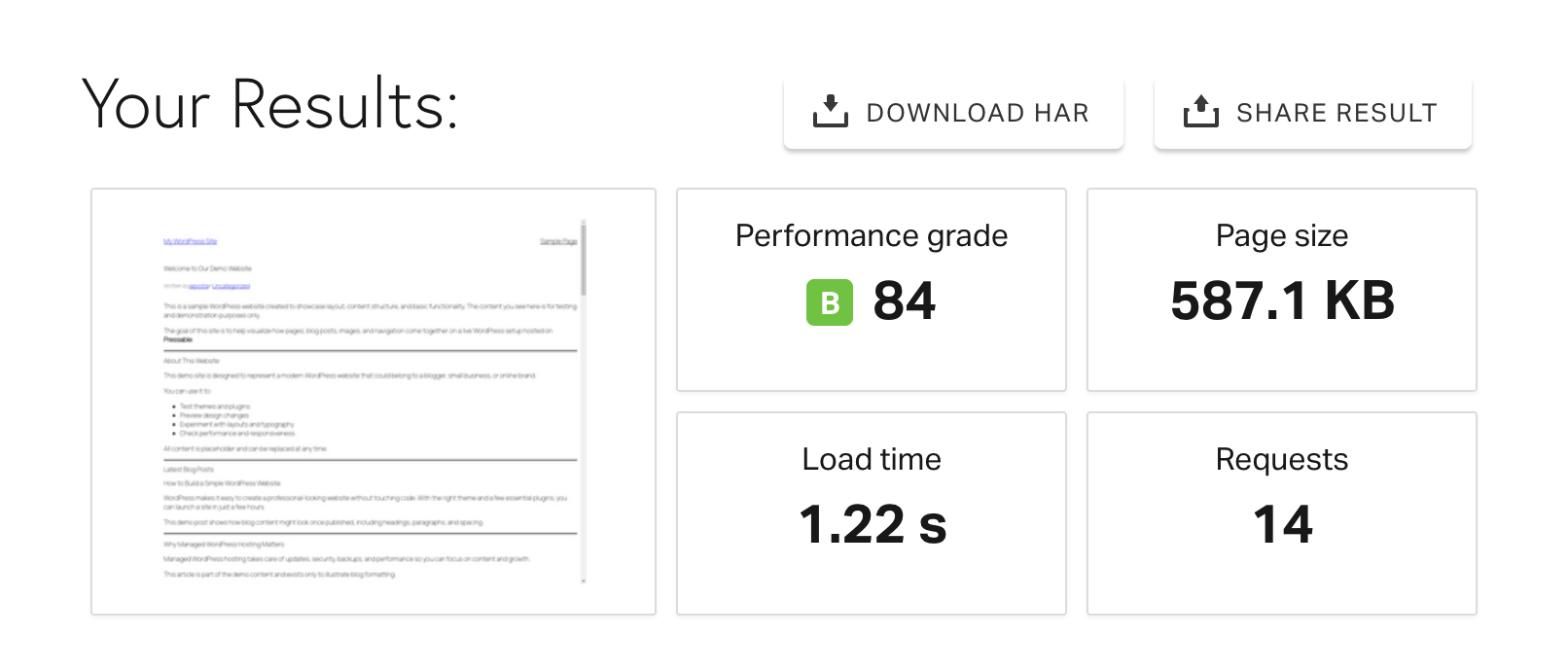
We built a standard WordPress site using the default theme and basic content to keep the test fair. Using Pingdom, we clocked the load times from a nearby server.
The results were excellent: the site loaded in 1.22 seconds. Since experts suggest keeping load times under two seconds for the best user experience, Pressable ensures your pages feel instantaneous for anyone clicking through your site.
Global Server Response
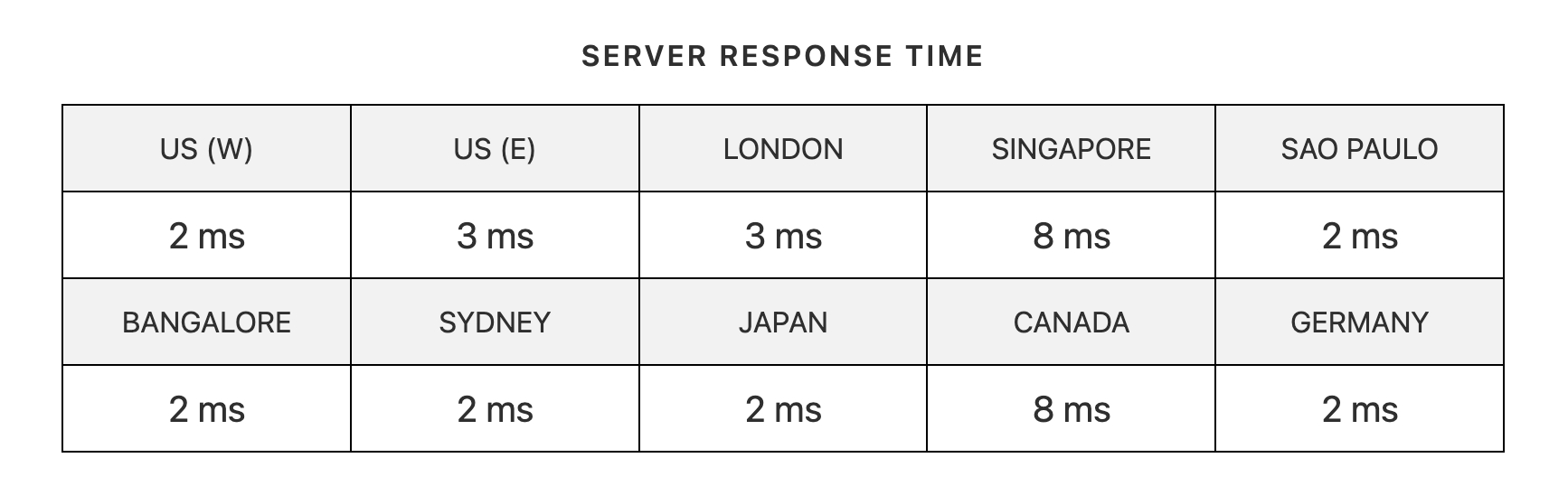
Using Bitcatcha, we tested how fast the server reacts to requests from different countries. Pressable maintained low latency across every region, proving their infrastructure is solid regardless of where your audience lives.
Stress Test Performance
High traffic can crash a weak host, so we used K6 to send 30+ virtual users to the site simultaneously.
The platform never wavered. The site remained stable throughout the test, showing that Pressable manages traffic spikes without any lag or downtime.
Uptime Monitoring
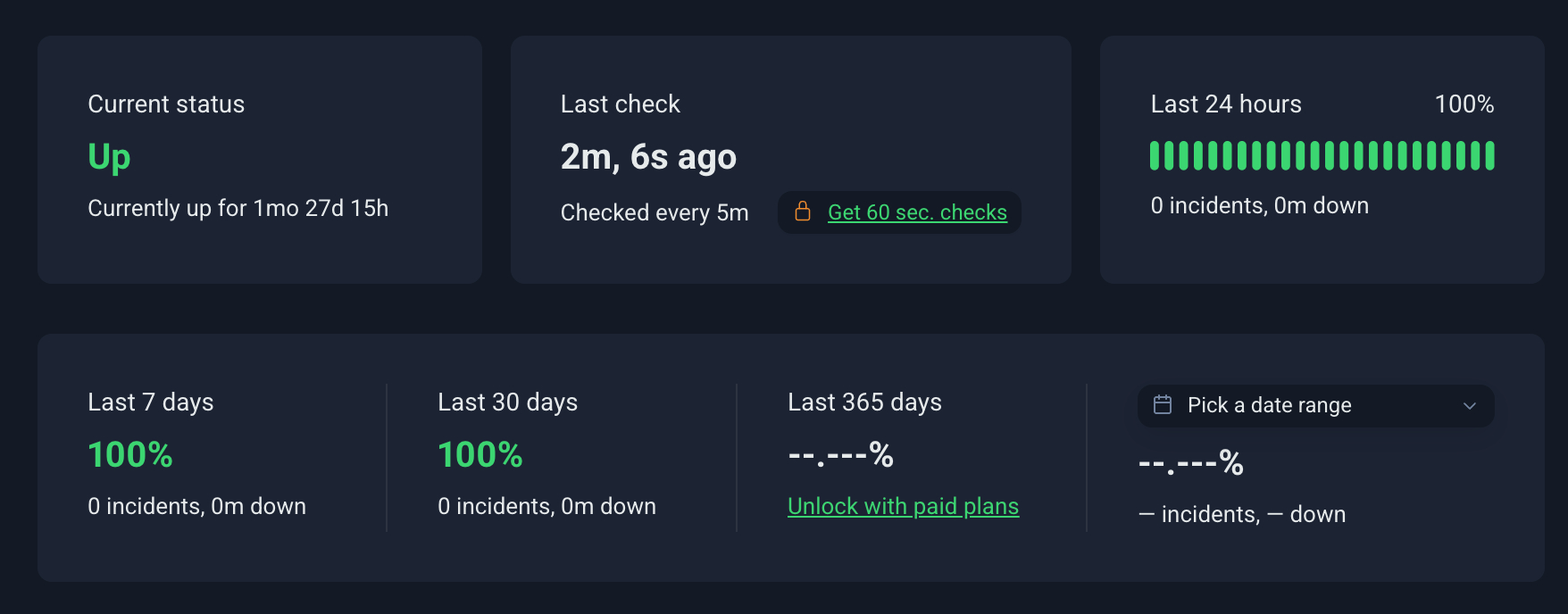
Reliability is just as important as speed. We used Uptime Robot to watch the test site for 30 days, and it maintained a 100% uptime score.
Our Thoughts
Pressable proves itself as a dependable managed WordPress host.
In our testing, pages loaded in under a second, and uptime stayed flawless the entire time.
If you are running a serious website and want hosting you can trust day after day, Pressable delivers exactly that.
Pressable Review: User Experience
Pressable keeps your workflow simple so you can run WordPress sites without needing a developer. The platform pairs an easy interface with high-end performance, so you get speed and power without the usual complexity.
Launching Your Website
Starting with Pressable is simple. After signing up, the platform walks you through onboarding right away, so you are never left wondering what to do next.
To launch a new site, click Create New Site and spin up a fresh WordPress installation in just a few steps.
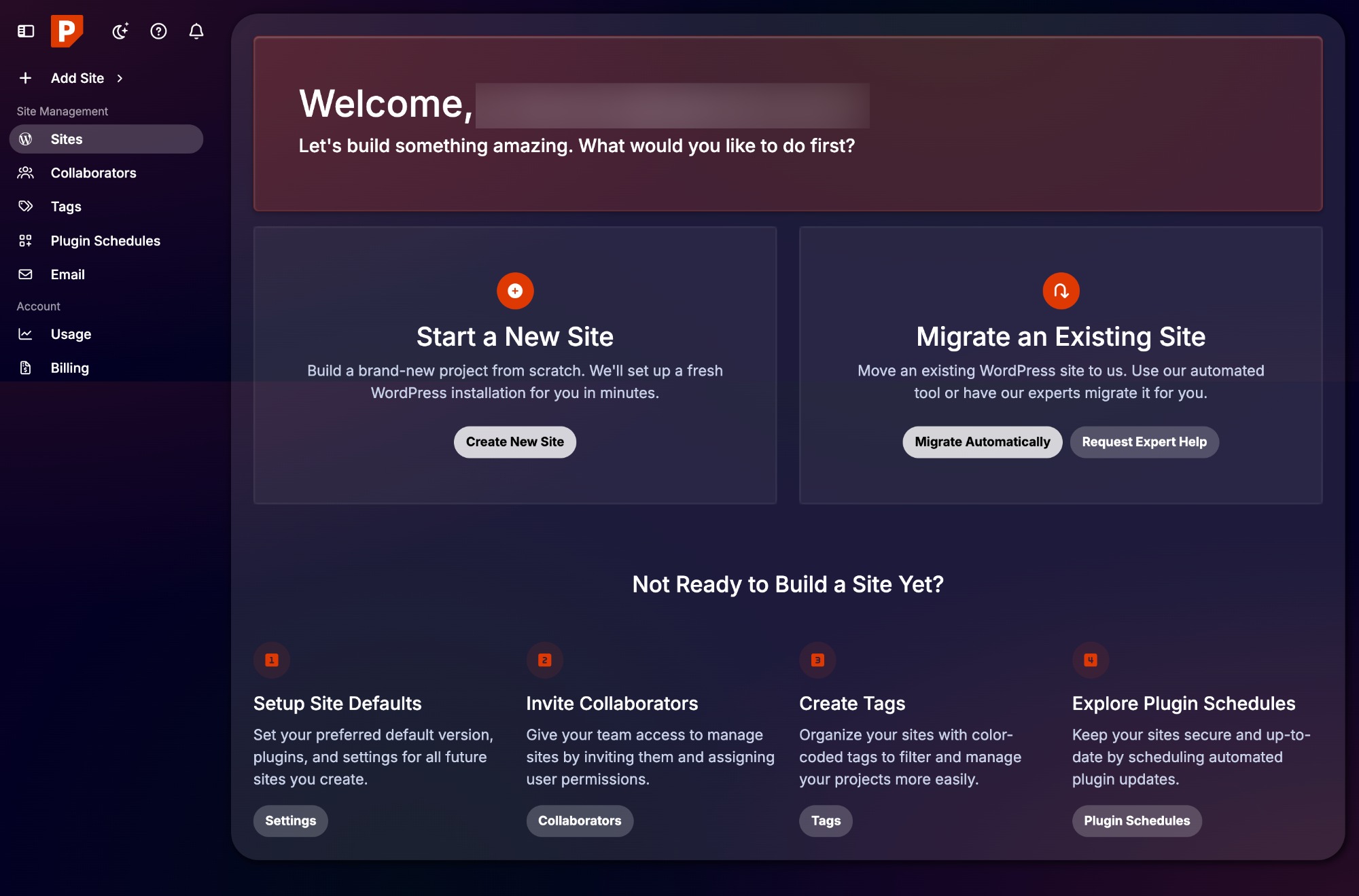
During setup, you choose your site name, domain, and PHP version. You can also decide whether the site should act as a staging environment or serve as a placeholder for a future migration.
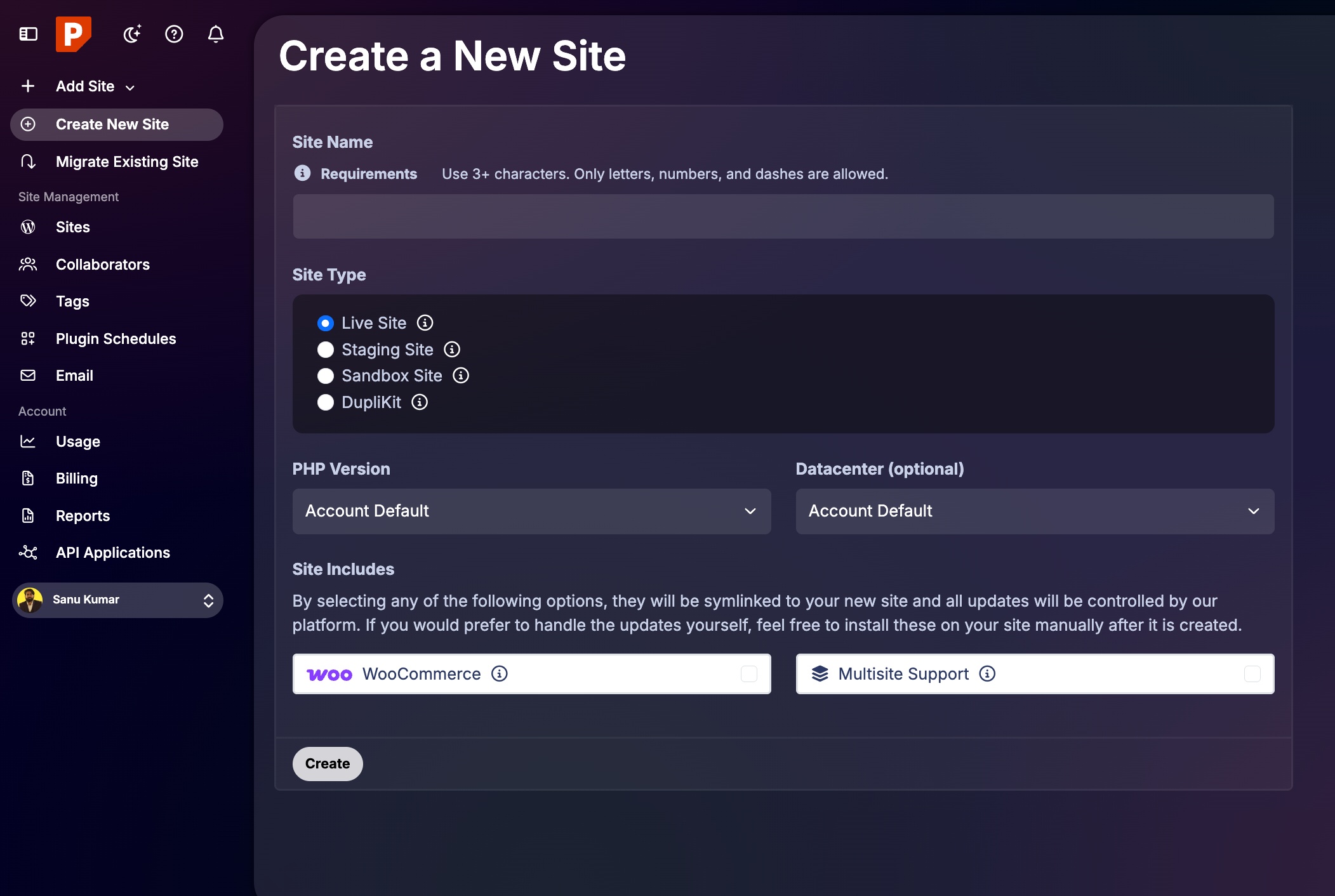
Pressable lets you pick your data center location during this process as well.
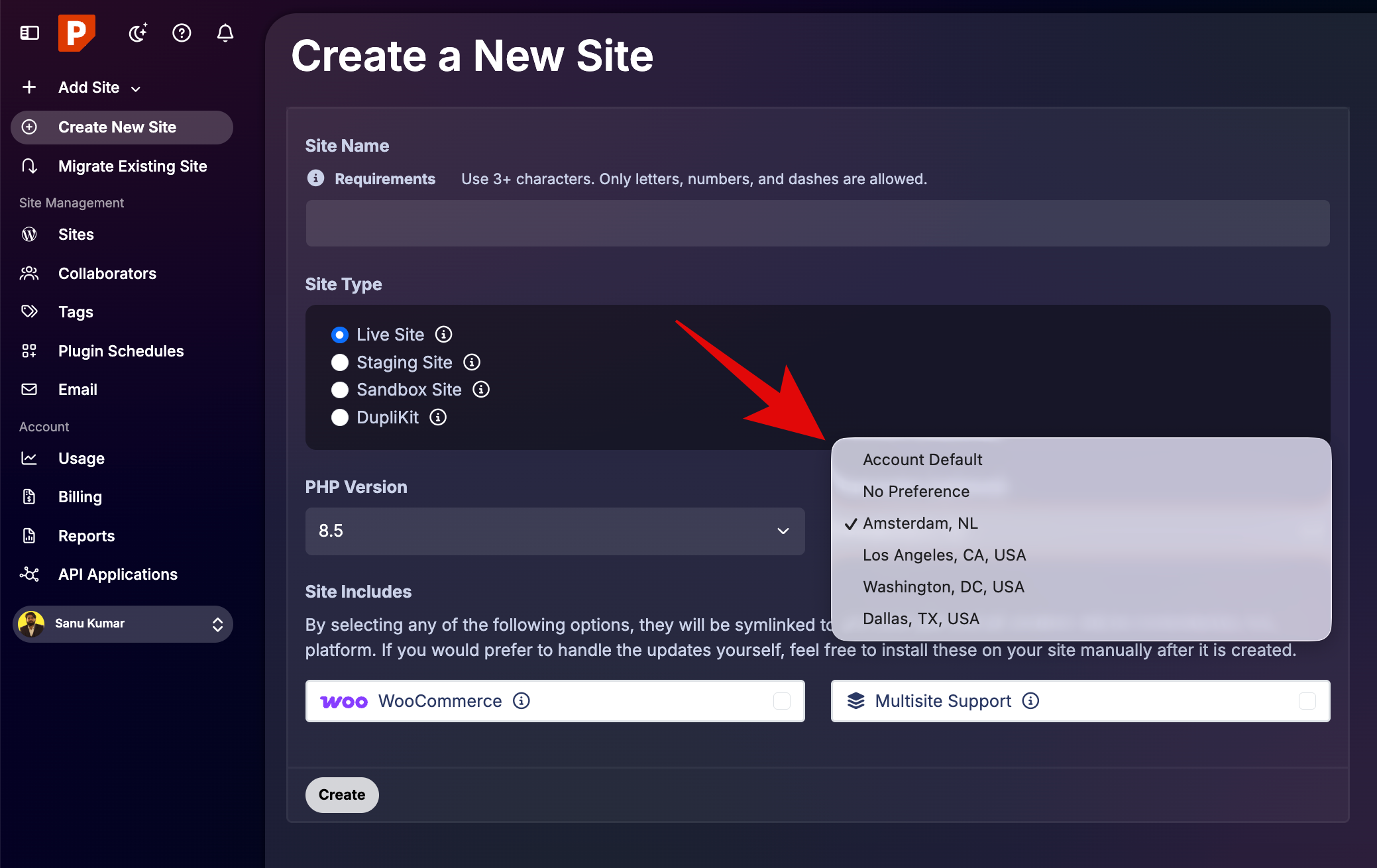
If needed, you can install WooCommerce right away or set up the site as a multisite network. Once the process finishes, one click takes you straight into the WordPress admin area, where you can begin building your site immediately.
If you already have a website elsewhere, Pressable offers white-glove migration. Their team handles the move, so you do not have to worry about downtime or technical errors.
Our Dashboard Experience
Pressable uses a custom dashboard rather than a standard cPanel interface. It looks modern and stays organized. Key sections include:
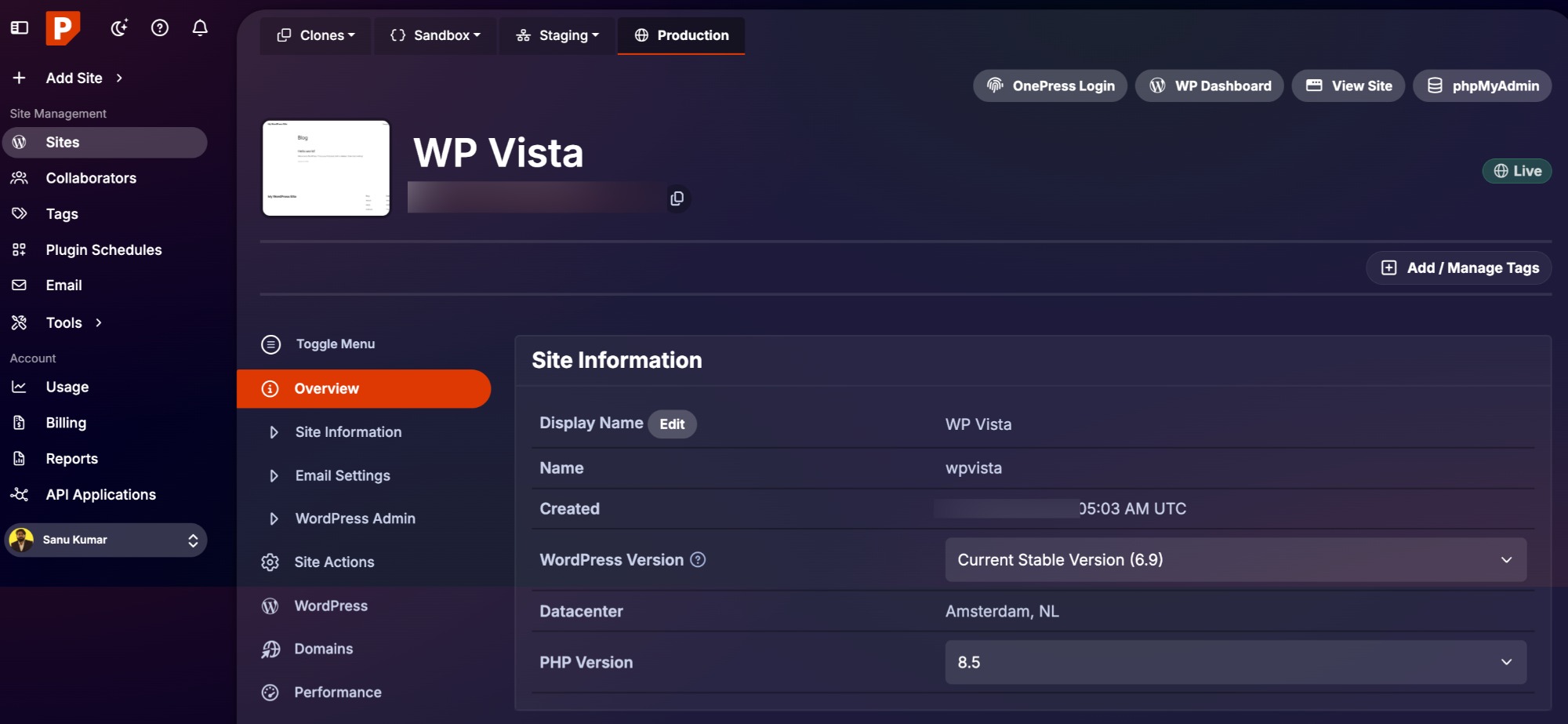
Site Overview
This area displays your site details, visitor numbers, and storage levels. The Settings menu allows you to see more granular information and change your site configurations.
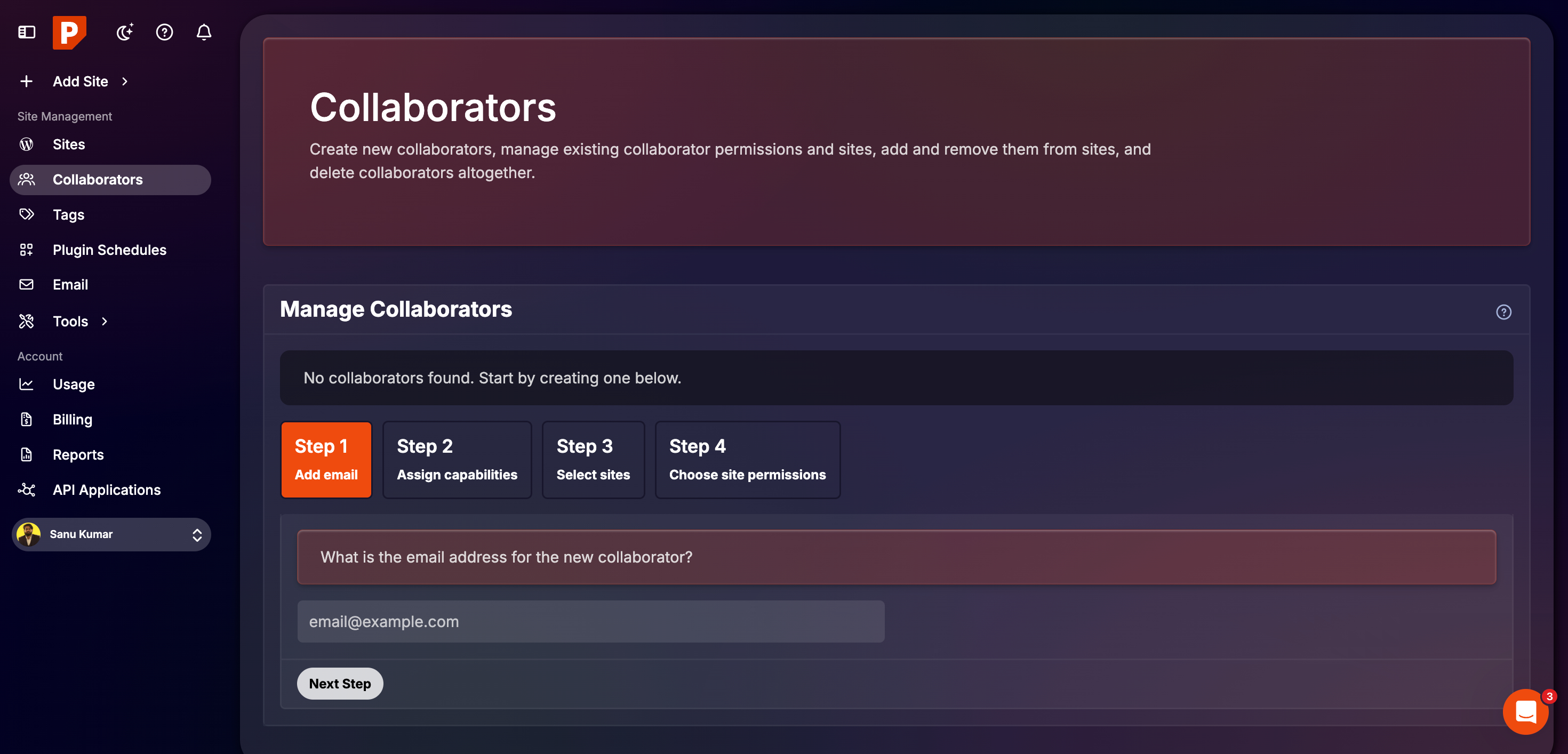
Collaborators
You can grant access to developers or clients and set specific permissions for what they can see or change.
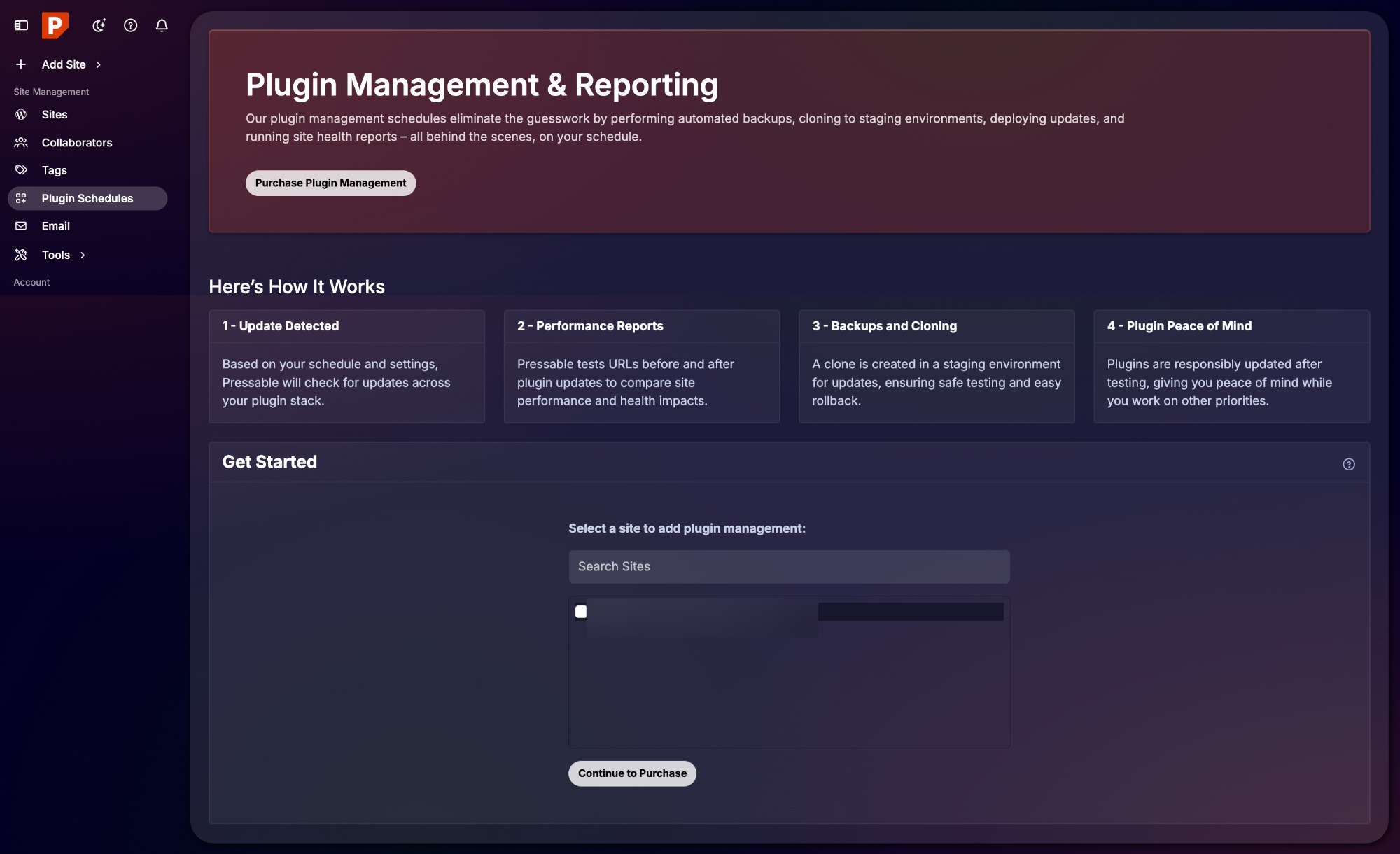
Plugin Management
You can monitor, update, and schedule updates for your plugins and themes directly from the hosting panel.
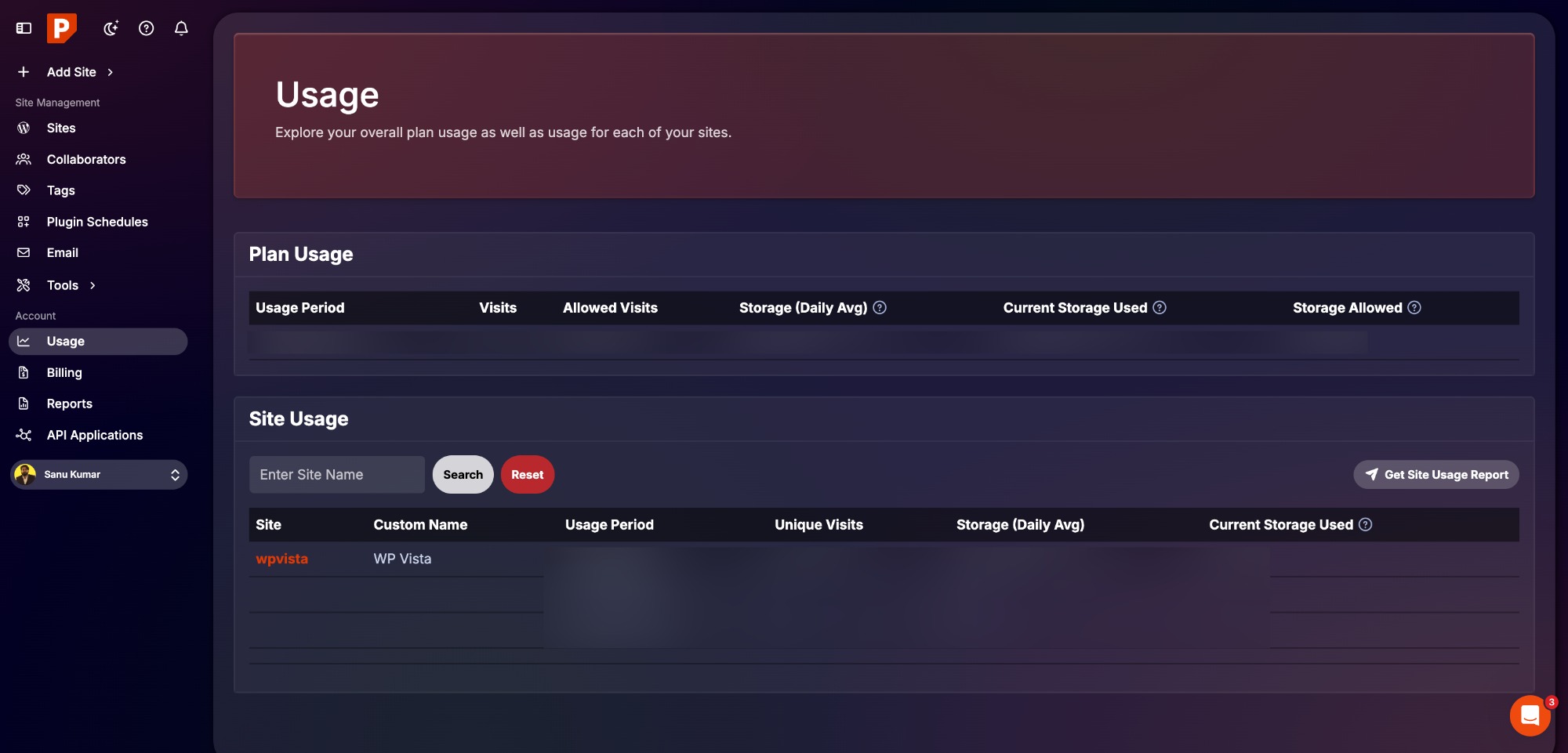
Usage
The Usage page shows exactly how your plan resources are holding up. You can monitor:
- Storage: Track how much disk space your files occupy.
- Traffic: See how many people visit your sites each month, so you stay within your plan limits.
- Bandwidth: Monitor the data transfer volume across your account.
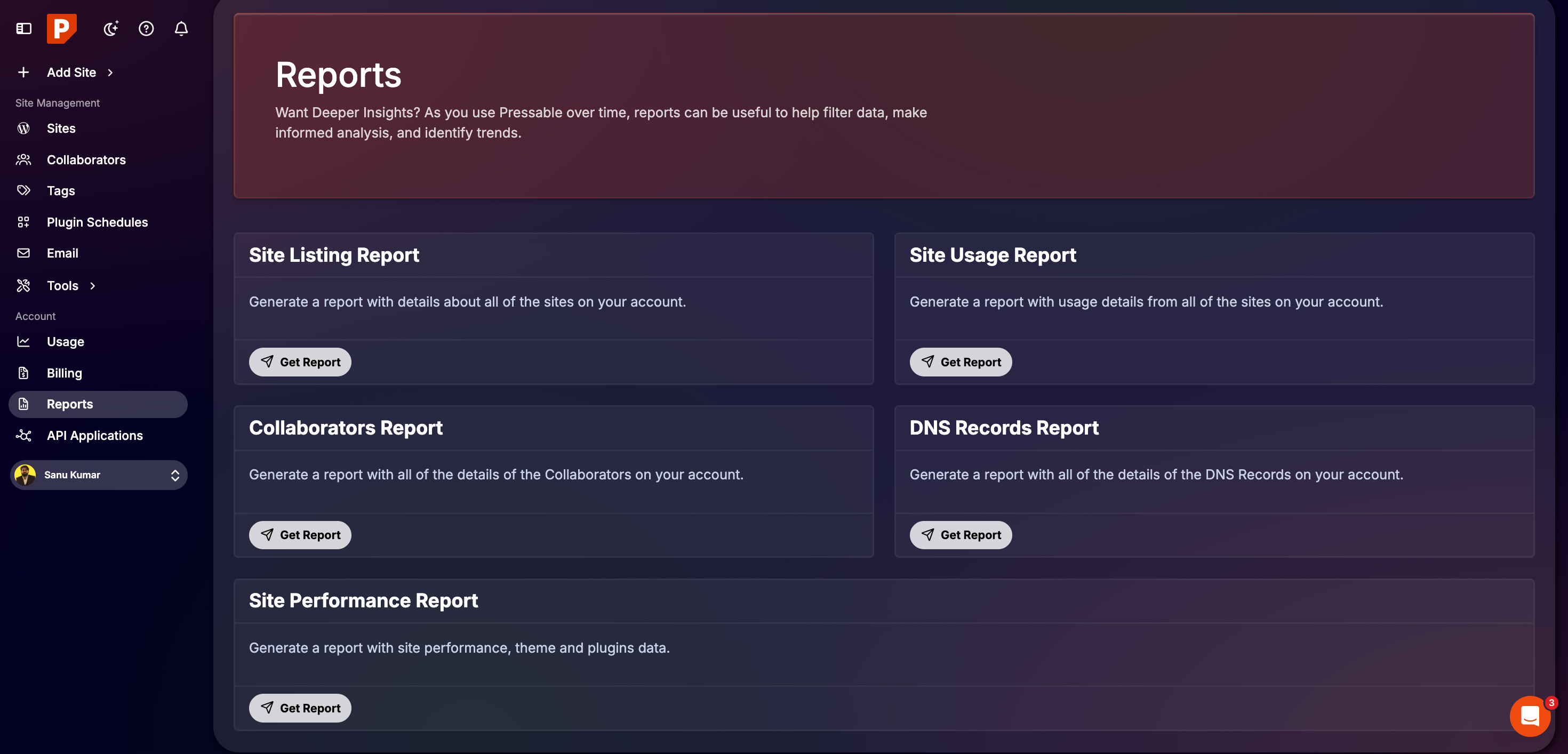
Reports
The Reports page offers a deeper look into your account activity. You can pull data for specific sites, overall resource use, collaborator actions, DNS records, and speed metrics.
Pressable Customer Support
Choosing a host is about more than just servers; it’s about who answers the phone when things go wrong. Pressable focuses entirely on WordPress support that actually works. Their team lives and breathes this platform, so you aren’t talking to generalists who read from a script.
How You Can Reach Them
Pressable provides a few ways to get help depending on your preference:
- 24/7 Live Chat: You can talk to a WordPress expert at 3:00 AM or mid-afternoon. Most people get a reply in under sixty seconds.
- Email Tickets: If your issue takes more investigation, their email team usually wraps things up in a couple of hours.
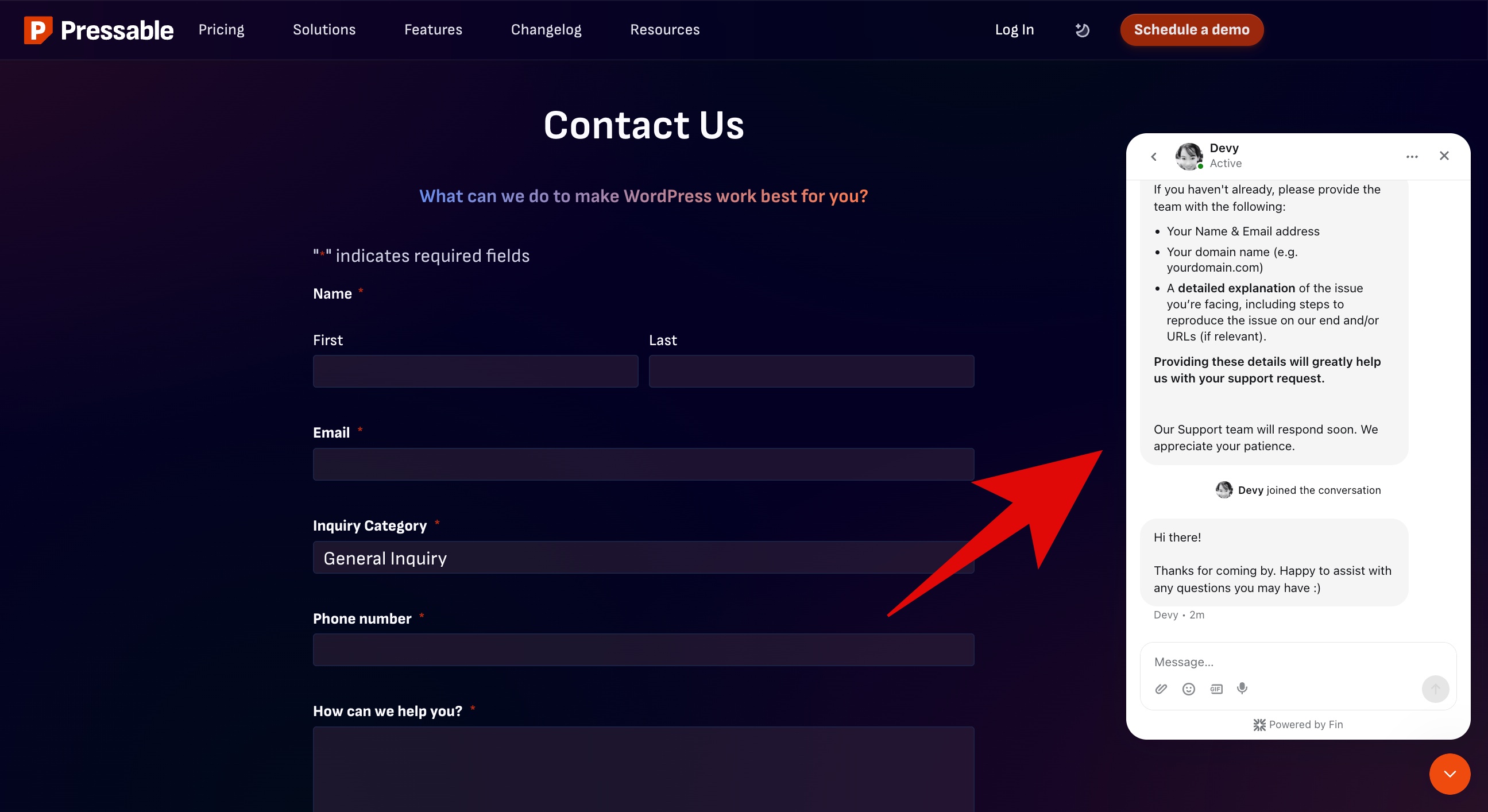
Because these agents focus only on WordPress, they already know the common bugs and conflicts that plague most sites. They often look ahead to prevent future crashes rather than just fixing the immediate error.
Seamless White Glove Migrations
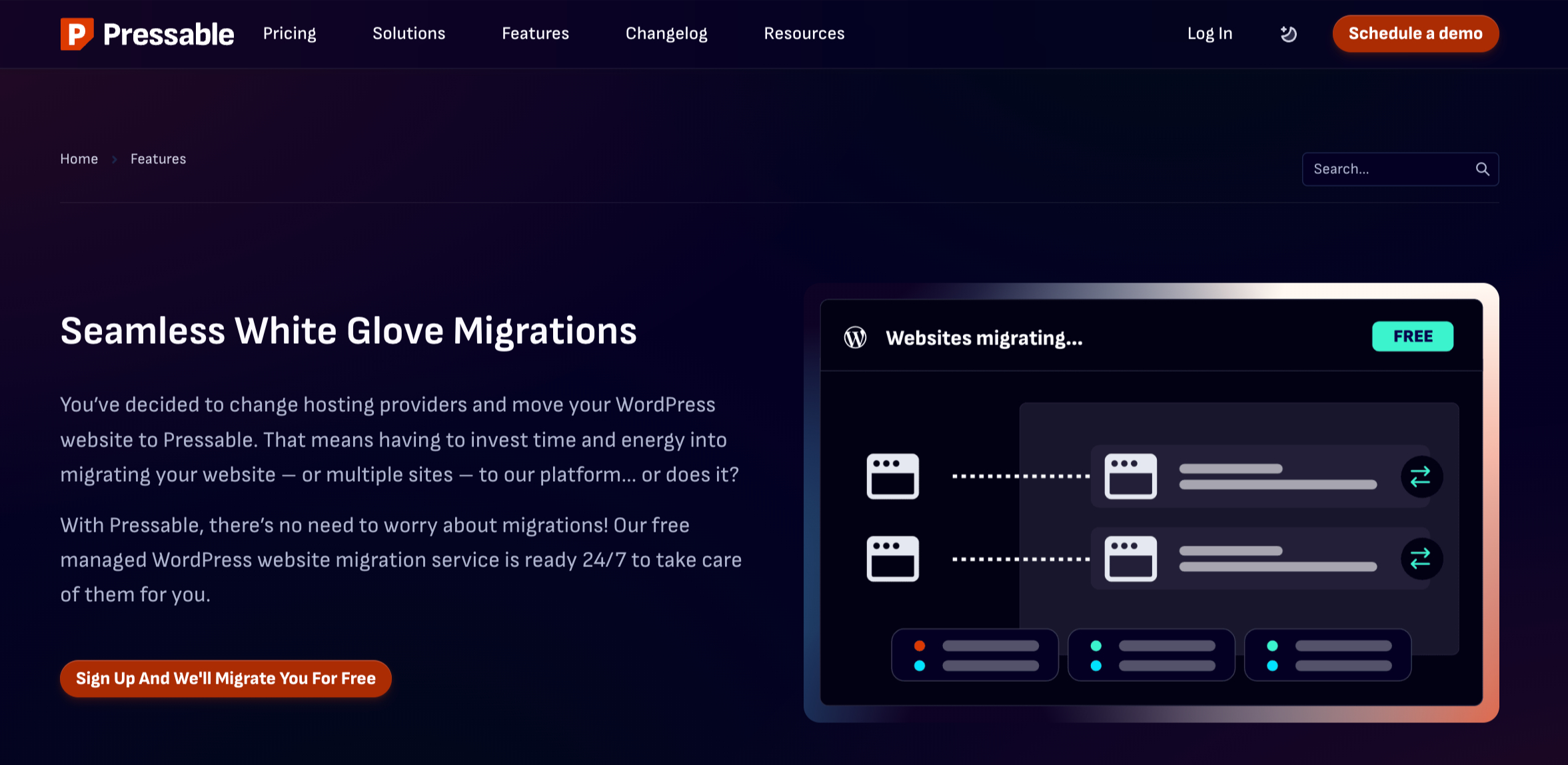
If you are joining Pressable for the first time, you don’t have to handle the heavy lifting alone.
The team offers one-on-one sessions to show you around the dashboard. They also move your existing website over for you at no cost. This “white-glove” service handles the technical migration details so you avoid the risk of broken pages or site crashes.
Documentation
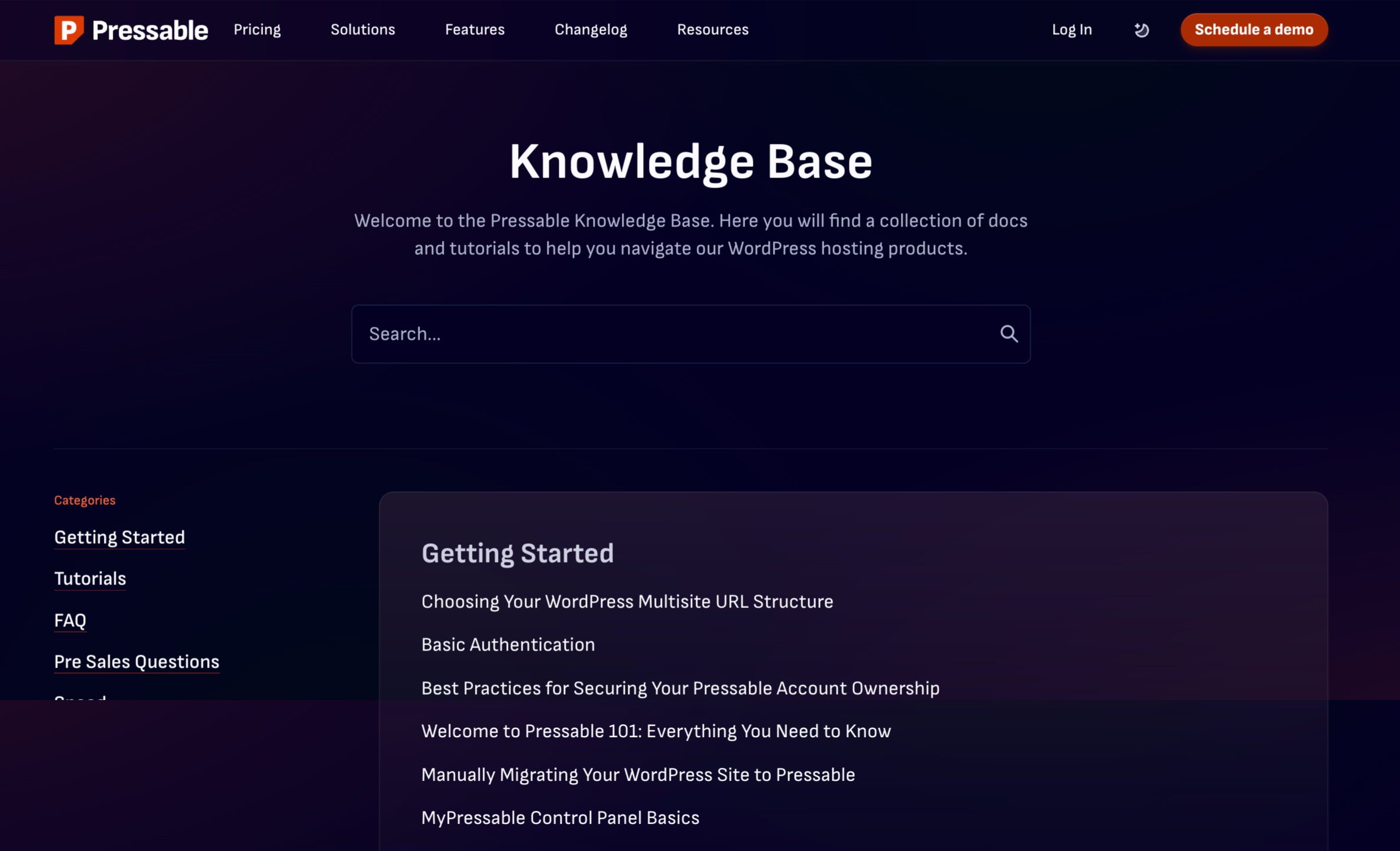
For those who like to fix things themselves, the Knowledge Base contains a deep library of articles and guides. These resources cover everything from your first login to advanced site speed improvements.
Pressable Pros and Cons
After spending some time with the platform, here are the main pros and cons we found for this Pressable review:
Pressable Pros
- Managed WordPress Focus: They build their infrastructure solely for WordPress. This results in fast load times and consistent uptime.
- Rapid Site Creation: You can launch a new site in minutes.
- Safe Testing: The staging tool lets you trial new themes or plugins before you push them to your live site.
- Global Content Delivery: Every plan includes a free CDN to help your images and files load fast for visitors everywhere.
- Hands-off Maintenance: Pressable manages WordPress core updates and saves daily backups for 30 days.
- Simple Migrations: Their team moves your existing site for you, which prevents downtime and technical errors.
- Expert Support: You get 24/7 access to specialized WordPress technicians and a personal onboarding session.
- Flexible Scaling: You can increase your resources as your traffic grows, whether you run a personal blog or a large agency.
Pressable Cons
- No Free Domain: You have to buy your web address elsewhere, as they don’t bundle one with your subscription.
- WordPress Only: If you want to use a different platform like Joomla or a static HTML site, you can’t host it here.
- No Built-in Email: They focus strictly on web hosting; you will need a separate service like Google Workspace or Outlook for your inbox.
Pressable Review – Final Verdict
Pressable delivers exactly what a high-end managed WordPress host should. If you run a business, manage an agency, or work as a freelancer, this service provides the speed and professional support you need to keep your site running without constant babysitting.
It carries a higher price tag than basic shared hosting, but you aren’t just paying for server space. You’re paying for the stability and security that come with a platform built specifically for WordPress. For any serious project, that trade-off makes sense.
If you want to see how Pressable handles your traffic, you can look through their plans and sign up here.
