


Trying to decide if Jetpack is worth the investment?
Jetpack bundles essential tools into a single WordPress plugin to help you manage your site. It focuses on blocking hackers and spam, speeding up your pages, and attracting more visitors.
In this Jetpack review, I’ll break down how these security, performance, and marketing tools actually work so you can decide if it belongs on your website.
Let’s dive in.
Table of Contents
Understanding Jetpack for WordPress
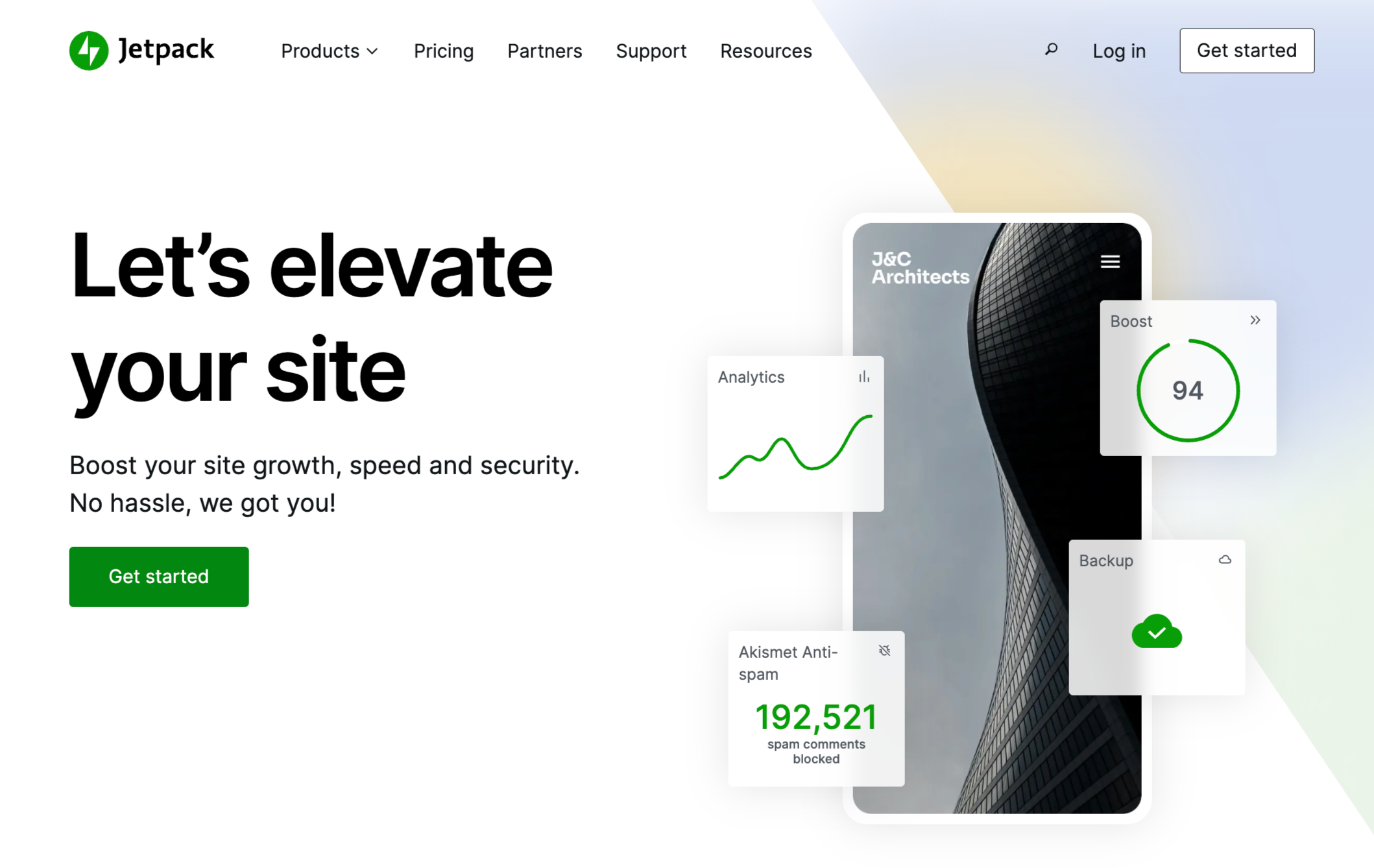
Jetpack is a powerful toolkit for WordPress that bundles security, speed, and marketing tools into one place.
Managing dozens of individual plugins often leads to technical headaches. Jetpack solves this by providing a suite of features built to run under one roof.
Once you activate Jetpack, it immediately goes to work. It monitors your site for downtime, blocks brute-force attacks, and scans for vulnerabilities.
To help your pages load faster, it uses a global CDN (Content Delivery Network) and optimizes your images automatically. This keeps your visitors happy and helps your search engine rankings.
You can also add interactive elements to your posts, like “Like” buttons that let people engage with your writing. It also includes specific blocks for the WordPress editor so you can build:
- Professional image galleries
- Smooth slideshows
- Functional contact forms
If you are on a tight budget, you can find the free version in the WordPress repository. It covers the basics like SEO tools and basic site stats.
For those who need higher levels of protection, the premium version adds automated backups and more frequent security scans.
This ensures that if anything goes wrong, you can restore your entire site with one click.
What Features Does Jetpack Offer?
Let’s now look at the features of Jetpack so you can decide whether this plugin is right for you.
Here are 31 ways Jetpack helps you manage and grow your WordPress site.
1. Automated Backups
Regular backups act as a safety net for your website. If your site crashes or gets hacked, you can use a backup to restore everything to exactly how it was.
Jetpack automates this process by saving your data to the cloud, and the VaultPress Backup feature lets you restore your site with one click.
2. Brute Force Protection
Hackers often use “brute force” attacks, where software tries thousands of password combinations to break into your site. Jetpack tracks failed login attempts across millions of websites. It uses that data to identify malicious IP addresses and block them before they can guess your password.
3. Site Performance
Site speed affects user experience, SEO, and conversions. Jetpack helps improve performance in several ways, starting with image optimization. This works well for sites that use large or high-resolution images.
Jetpack also includes a built-in CDN. A CDN delivers your site’s content from servers closest to the visitor’s location, which can reduce load times significantly.
4. Spam Filtering
Spam in comments or contact forms looks unprofessional and can damage your reputation with search engines.
Jetpack filters out these messages automatically. Because it catches form spam, you can often remove annoying CAPTCHAs, which makes it easier for real people to message you.
5. Security Scanning
Jetpack constantly scans your site for malware and vulnerabilities. If it finds a threat, it alerts you immediately so you can fix the problem before it affects your visitors. It also keeps a log of past threats so you can see if certain issues keep coming back.
6. Improve SEO
To help people find your site on Google, Jetpack provides tools like XML sitemaps and social media previews. These features help search engines understand your content and present it correctly in search results.
7. Site Stats and Google Analytics
You need to know how many people visit your site and what they read. Jetpack shows simple traffic stats right in your WordPress dashboard. If you need deeper data, it includes a setup wizard that helps you connect your site to Google Analytics without touching any code.
8. Payment Collection
You don’t need a complex storefront to sell products. Jetpack lets you add a payment button to any page. You can accept one-time payments, recurring subscriptions, or donations through Stripe and PayPal.
9. Site Verification
Services like Google Search Console and Pinterest require you to prove you own your site. Usually, this involves editing hidden code or DNS settings. Jetpack handles this through a simple menu where you just paste your verification keys.
10. Automatic Social Sharing
Jetpack Social shares your new blog posts to Facebook, LinkedIn, and other platforms the moment you publish. You can also create a schedule to share old posts, which keeps your social media profiles active even when you aren’t writing new content.
11. Engagement Buttons
By adding a “Like” button to your posts, you let readers interact with your work without needing to write a comment. Jetpack also adds sharing buttons so visitors can post your articles to their own social media profiles with one click.
12. Pinterest Integration
If you use Pinterest for marketing, Jetpack includes a specific block to embed pins, boards, or your entire profile into your posts. This helps you gain followers and keeps your website visually interesting.
13. Social Logins for Comments
Writing a comment is easier when you don’t have to fill out a form. Jetpack allows visitors to log in using their WordPress.com or Facebook accounts to leave a reply, which usually leads to more conversations on your site.
14. URL Shortener
Long links are hard to read and share. Jetpack includes a tool called WP.me that creates short, branded links for every post you write. You can copy these links directly from the editor to use on social media.
15. Related Posts
You can keep visitors on your site longer by showing them similar articles at the end of every post. Jetpack analyzes your content and automatically picks the most relevant articles to show your readers.
16. Repeat Visitor Content
You might want to show a special discount to someone who has visited your page five times, or hide an intro video for returning users. The Repeat Visitor block lets you show or hide specific content based on how many times a person has viewed a page.
17. Advanced Search
The standard WordPress search feature is often basic.
Jetpack replaces it with a more powerful system that searches through everything, including WooCommerce products and file data in your media library, to help users find exactly what they need.
18. Infinite Scroll
Instead of making users click “Next Page,” Jetpack can automatically load more posts as the reader reaches the bottom of the screen. This creates a seamless experience for people browsing your blog.
Note: Jetpack supports this feature on themes that allow infinite scrolling.
19. Custom Content Types
Sometimes you need more than just “Posts” and “Pages.” Jetpack adds options for “Testimonials” and “Portfolios,” which help you organize business-specific content in a professional way.
20. Advanced Sidebar Widgets
Jetpack expands your widget library with options to show your author bio, upcoming events, or even your recent books from Goodreads. It also lets you choose which pages these widgets appear on.
21. Gravatar Hovercards
When a reader hovers their mouse over a commenter’s photo, Jetpack shows a small pop-up with their bio and profile information. This makes your community feel more personal and helps readers learn about your authors.
22. List Business Hours
If you run a local business, you can use the Business Hours block to show when you are open. It’s a simple, great way to help customers plan their visit or know when your support team is available.
23. Contact Forms and Info
Jetpack includes a builder for contact forms, plus ready-made templates for appointments and feedback. You can also use the Contact Info block to display your phone number, email, and physical address in a consistent format.
24. Find Giphy GIFs
Adding a GIF to your post usually involves downloading a file and uploading it to your site. With Jetpack’s GIF block, you can search the Giphy library and insert an animation directly from the WordPress editor.
25. Interactive Maps
The Map block lets you embed a map from Mapbox into any page. You can add markers to show your office location or point out local landmarks, which is great for travel blogs or local service providers.
26. Slideshows and Galleries
Jetpack upgrades the standard WordPress gallery. You can convert your photos into a full-screen carousel, a tiled mosaic, or a sliding presentation without needing a separate gallery plugin.
27. Markdown Support
If you prefer writing in Markdown, Jetpack allows you to use plain-text shortcuts for headers, lists, and links. The plugin then converts your text into proper HTML automatically.
28. Downtime Alerts
If your website goes offline, you need to know immediately. Jetpack monitors your site 24/7 and sends you an email the moment it stops responding. This helps you get back online before you lose too much traffic.
29. Post by Email
If you are on the move and don’t want to log into your dashboard, you can write your blog post as an email and send it to a private address provided by Jetpack. It will then publish that email as a new post on your site.
The subject line becomes the title, and the email body becomes the content.
30. Single Sign-On
If you have a membership site or a team of writers, you can let them log in using their WordPress.com credentials. This reduces the number of passwords people need to remember and makes the login process faster.
31. Support and Resources
Jetpack maintains a massive library of guides and a blog full of tips on how to run a better website. If you pay for a premium version, you also get access to direct support from their technical team whenever you run into a problem.
Jetpack Pricing and Plans
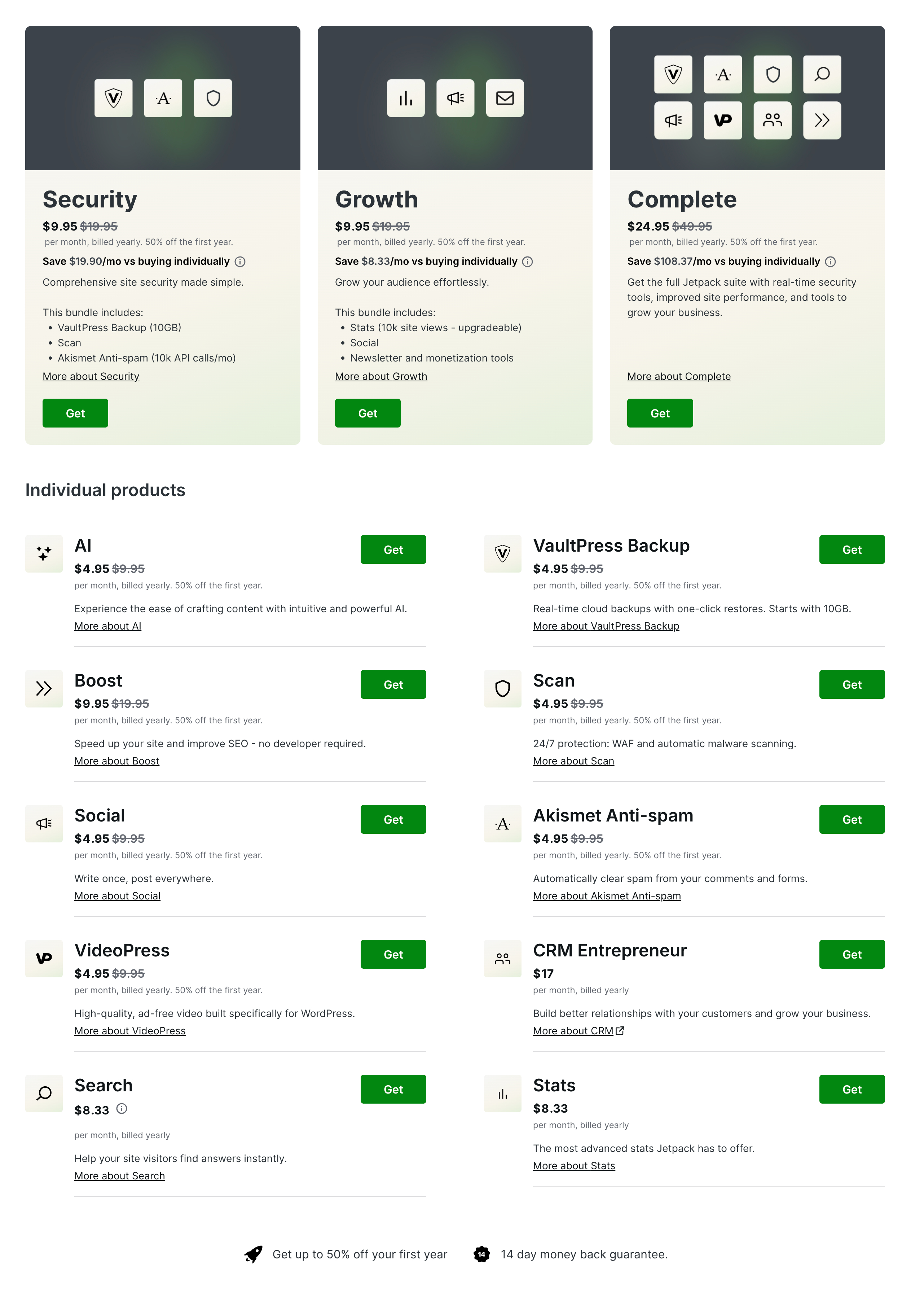
Jetpack uses a modular pricing setup, so you can pick a full bundle or pay only for the features you actually want. It also offers a variety of core features for free.
Free Features
You can use the basic Jetpack plugin at no cost for:
- Security: Brute force protection and downtime monitoring.
- Performance: Image CDN (Content Delivery Network) and basic site speed tools (Jetpack Boost).
- Growth: Basic Jetpack Stats for non-commercial sites and manual social sharing.
Jetpack Subscription Plans
You have three primary options for full-service plans:
- Security: Starts at $9.95 per month (billed yearly). It includes real-time backups (10GB), automated malware scanning, a Web Application Firewall (WAF), and Akismet anti-spam.
- Growth: Starts at $9.95 per month (billed yearly). This is focused on audience building and includes advanced stats, social media automation, and enhanced newsletter tools.
- Complete: Starts at $24.95 per month (billed yearly). This includes everything in the Security and Growth plans, plus site search, ad-free video hosting, and higher storage limits.
2. Individual Tool Pricing
If you only need one specific feature, Jetpack allows you to purchase them individually (prices listed are for the first year, billed annually):
- VaultPress Backup: Starting at $4.95/month for 10GB.
- Akismet Anti-Spam: Starting at $4.95/month for personal/small business use.
- Jetpack Scan: Starting at $4.95/month.
- Jetpack Search: Starting at $5.00/month (varies based on the number of records).
- VideoPress: Starting at $4.95/month for high-quality, ad-free video hosting.
- Jetpack AI: Available for roughly $8.33/month.
- Jetpack Stats (Commercial): Commercial sites with over 1,000 monthly views require a paid plan, which varies based on traffic volume.
3. Jetpack CRM
For those looking for customer management tools, Jetpack CRM has separate tiers:
- Freelancer: $11/month (billed yearly).
- Entrepreneur: $17/month (billed yearly).
All Jetpack plans come with a 14-day money-back guarantee.
Important Note on Pricing
Jetpack frequently offers 50% introductory discounts for the first year of any new subscription. Additionally, if you are a WordPress.com user, many of these features are already included in the higher-tier hosting plans (Business and Commerce).
Jetpack Pros and Cons
Here is a breakdown of the pros and cons of using Jetpack.com for a WordPress site:
The Pros
- All-in-One Convenience: Instead of installing 10 to 20 separate plugins for things like contact forms, social sharing, security, and image optimization, Jetpack provides them all in one package. This simplifies site management and reduces the number of developers you have to trust.
- Top-Tier Security: Even the free version includes basic brute-force attack protection and downtime monitoring (which alerts you via email if your site goes offline). The paid tiers offer automated real-time backups and easy one-click restores.
- Performance Optimization: Jetpack includes a free Content Delivery Network (CDN) for images and static files. By serving these files from WordPress.com’s global servers instead of your own host, your site can load significantly faster for visitors.
- Automated Social Sharing: The “Jetpack Social” feature allows you to automatically share new blog posts to social media platforms the moment you hit publish, saving time on manual distribution.
- Simplified Stats: While not as deep as Google Analytics, Jetpack’s “Site Stats” provides a very user-friendly, high-level overview of traffic, top posts, and search terms directly inside your WordPress dashboard.
The Cons
- WordPress.com Account Required: To use Jetpack, you must link your self-hosted site to a WordPress.com account.
- Subscription Costs: While there is a free version, many of the most valuable features—like real-time backups, automated malware scanning, and high-end video hosting—require a monthly subscription. These costs can add up if you only need one specific feature.
- Interference with Other Plugins: Because Jetpack does so much, it often overlaps with other popular plugins (like Yoast SEO, MonsterInsights, or UpdraftPlus). This can lead to redundancy or technical conflicts if you aren’t careful about which features are enabled.
- Privacy Concerns: Because your site data (like visitor stats and security logs) is synced with WordPress.com servers, users who are strictly focused on data privacy may prefer standalone, local solutions.
Final Verdict: Should You Use Jetpack?
We analyzed the features, support, and costs, and it’s evident that Jetpack offers a solid collection of tools for any WordPress site.
Most plugins handle one specific task, but Jetpack attempts to manage everything from site speed to safety in a single package.
If you need a free tool for a basic business site, the Jetpack Lite version works well. But if you want to automate your backups and check for malware, you should move to the paid version.
The Security plan runs your backups automatically and monitors your site for threats. It also provides a log of site actions so you can identify any odd behavior.
Keep in mind that this entry-level plan only keeps records for 30 days and provides 10GB of storage space. To get a full year of history and 1TB of storage, you should choose Jetpack Complete.
Hopefully, this review helped you determine if Jetpack fits your current goals.

You might also like…
