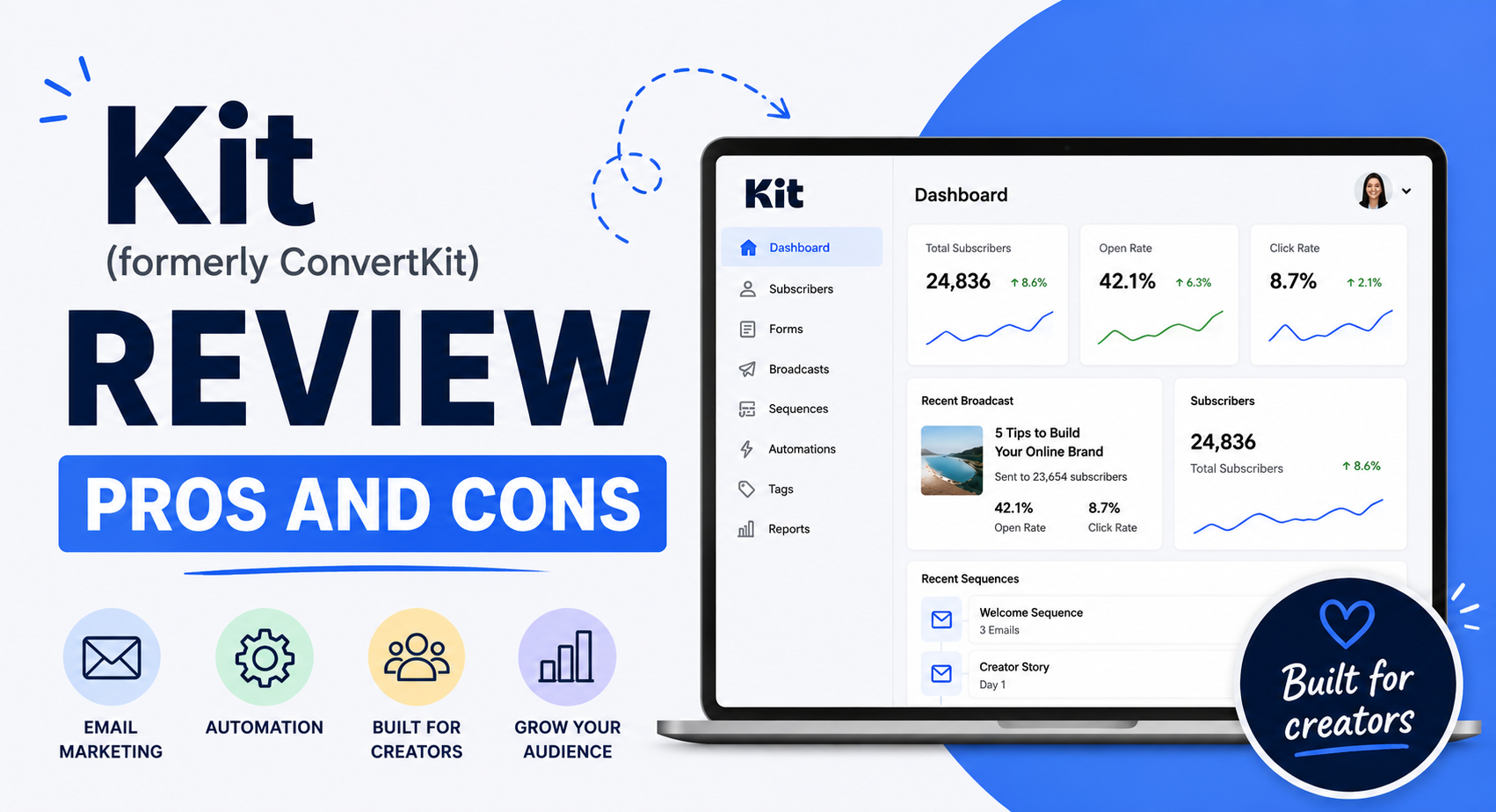
Welcome to our honest Kit (formerly ConvertKit) review.
Kit is a powerful creator marketing platform that helps you grow your audience and build a regular income. We highly recommend it as the top email marketing option for bloggers and content creators.
But does it actually live up to the hype?
In this review, we’ll analyze everything Kit brings to the table—looking closely at its core tools and pricing—so you can decide if it matches your specific goals.
Best of all, you don’t have to risk any money to try it. You can test all the premium features yourself with a 14-day free trial.
Let’s look at how it works.
Affiliate Disclosure: This article contains affiliate links. If you choose to sign up for Kit through these links, I may earn a small commission at no additional cost to you.
What Is Kit?
Kit is an email marketing tool built specifically for independent creators.
It covers all the essential email basics you expect—like form creators, newsletter editors, automated workflows, and audience segmentation. However, it also includes extra tools that most standard platforms leave out.
For instance, you get built-in digital commerce tools, a simple landing page builder, and a dedicated sponsor network. These features make it an excellent choice if you want to make a living directly from your online work.
Now that you know what Kit does, let’s explore its features in detail. Best of all, you can test everything yourself with their 14-day free trial.
The Kit MCP is Live – May 2026 (New Update)
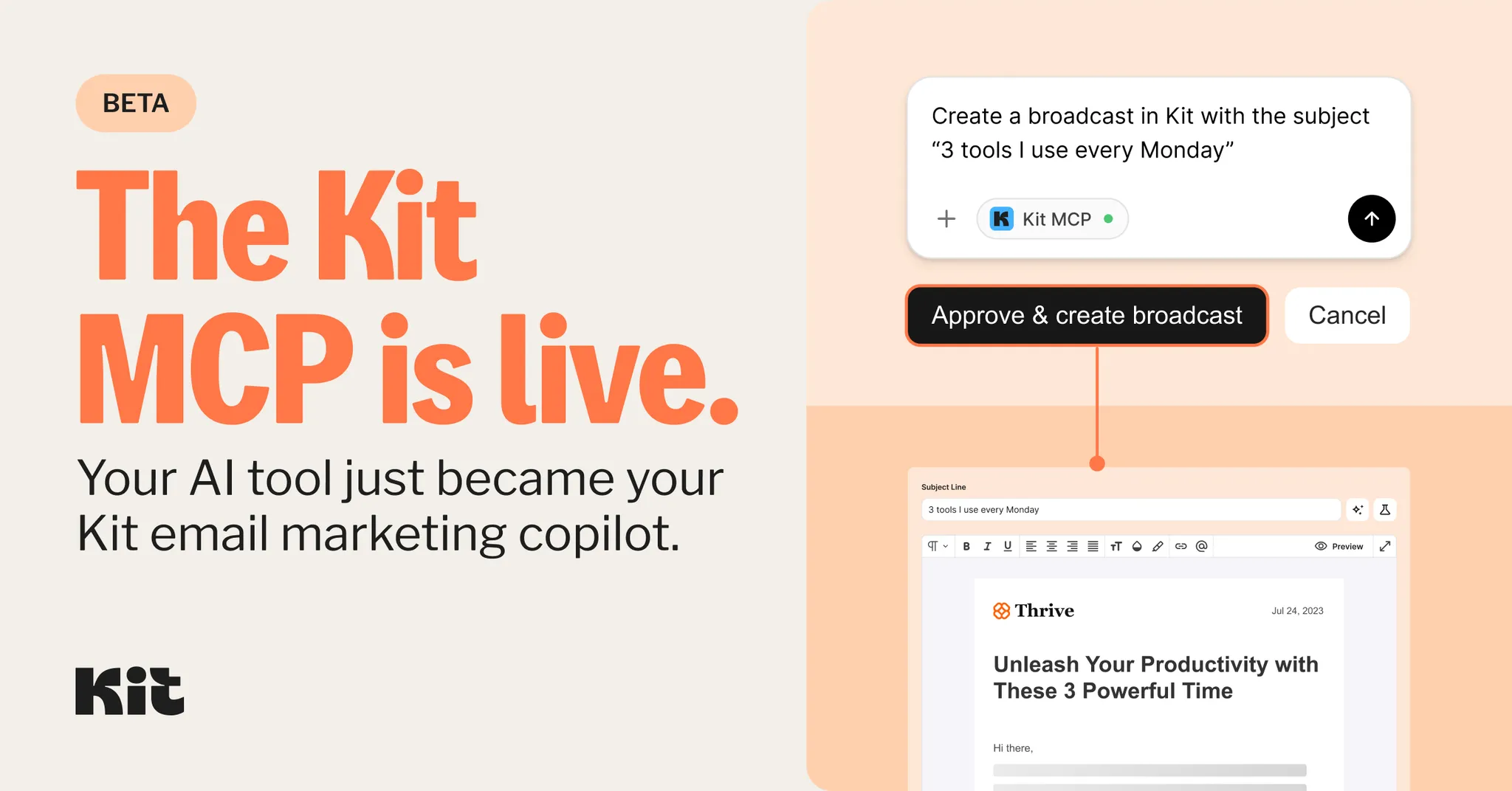
Before we get into this review and explore its features, Kit has just launched MCP (beta version), and here’s what you should know about it.
What is the Kit MCP?
The Kit MCP (Model Context Protocol) acts as a secure, direct bridge that allows leading AI models—like Claude, ChatGPT, Cursor, and Microsoft Copilot—to seamlessly interact with a Kit account.
Essentially, it serves as the missing link that enables a user’s AI assistant to communicate directly with their email marketing engine.
Instead of constantly toggling back and forth between Kit and an AI interface, creators can manage tasks entirely within their active AI chat.
You can query your data, receive real-time insights extracted straight from your account, and execute tasks instantly without shifting contexts.
Watch this video tutorial to set up the Kit MCP:
How does the Kit MCP benefit creators?
This integration solves major friction points for creators by delivering three primary advantages:
- Native Workflow Integration: There is no need to adopt a new software platform or take on an extra subscription. If you are already utilizing an MCP-compatible AI client like Claude or ChatGPT, Kit plugs right into your existing routine.
- Accurate, Data-Driven Answers: Instead of getting generic marketing advice, you get precise answers pulled directly from your live account metrics. You can instantly find out your top-performing broadcast of the month or identify subscribers who haven’t opened an email in the last 90 days.
- Frictionless Execution: You can transition from a strategic insight to actual execution in seconds. Within a single chat window, you can instruct the AI to tag specific subscriber segments, trigger automated email sequences, or draft your next broadcast.
Do users pay more for the Kit MCP?
No, Kit isn’t charging extra for this feature. The Kit MCP is included entirely for free for anyone on the Creator or Creator Pro paid tiers. For free users who already rely heavily on AI in their workflows, this is a massive incentive to upgrade.
Note: To leverage this integration, users do need to be on a paid subscription plan of Claude, ChatGPT, or whichever MCP-compatible AI client they prefer.
What can a creator’s AI tool actually do with Kit MCP?
Once the secure connection is established, the AI tool can handle a variety of tasks directly:
- Retrieve Data: Pull subscriber information, tags, custom segments, and core performance metrics.
- Analyze Performance: Review broadcast open rates and click-through data without hunting through dashboards.
- Content Creation: Take a raw idea, draft a broadcast, and queue it up for delivery—all without opening the Kit app.
- Database Management: Instantly tag subscriber segments or enrol users in email sequences the moment an insight is uncovered.
While many platforms restrict AI integrations to “read-only” access (meaning the AI can analyze data but can’t change anything), Kit offers full read and write capabilities. This means creators can actually execute tasks and move from strategy to execution in real time.
Is it hard to set up?
Not at all. The setup process takes just a few minutes and requires zero coding or technical background. Creators simply point their chosen AI client to Kit’s secure MCP server URL to connect. Kit also provides straightforward, step-by-step documentation for popular tools like Claude and ChatGPT to ensure a smooth configuration.
Is it safe?
Absolutely. Creators retain absolute control over the connection and can revoke access instantly at any time. The AI cannot perform any automated actions inside a Kit account without explicit user approval—it only executes tasks when directly instructed to do so.
What Can You Do With Kit?
Kit packs all the tools you need to build your subscriber list, send engaging emails, and make money from your audience. Here is what you can do:
- Build pages and forms: Create high-converting landing pages and sign-up forms to capture emails.
- Design emails: Write beautiful messages using pre-built templates or your own layout.
- Run email campaigns: Send broadcasts and regular updates to your subscribers.
- Automate your marketing: Set up automated funnels that send the right email at the right time.
- Manage your subscribers: Organize your audience with tags and segments, so you always know who you are talking to.
- Sell your products: Use built-in commerce tools to sell digital products, subscriptions, or paid newsletters.
Below, we’ll show you how these features work and how you can use them to grow your business. Plus, you can try everything out yourself with a 14-day free trial.
Navigating the Dashboard
When you sign up for Kit, it starts with a short setup wizard that walks you through the basics. After that, you land on the main dashboard, which acts as the control center for everything inside your account.
To start building your audience, go to the Grow menu and click on Landing Pages & Forms.
Landing Page Builder
This section lets you create hosted landing pages and opt-in forms to collect subscribers.
Kit includes a large collection of ready-made templates built for different use cases, such as:
- Event pages
- Newsletter sign-up forms
- Webinar registrations
- Waitlists
Some templates look better than others, but most feel polished and ready to use. They all work great on mobile, and you can edit them to match your branding.
Once you pick a template, click Choose to open the editor.
Editing Your Pages
The editor follows a standard WYSIWYG format with drag-and-drop support. That said, the layout stays fairly structured. You work with predefined blocks like headings, text, images, videos, lists, and countdown timers.
You can’t move elements freely across the page. Everything stays inside fixed sections, so your control comes down to adding, removing, or editing blocks and changing styles.
That structure helps avoid layout issues. If you prefer a simple and predictable editing experience, this setup works nice.
When your page is ready, click Publish. You can share the hosted link or embed the page on your site using the Kit WordPress plugin.
Form Builder
If you already run a website, you can create standalone opt-in forms without building a full page. Navigate to Grow → Landing Pages & Forms → + Create new → Form to get started.
Kit offers four types of forms:
- Inline: Appears inside your content
- Modal: Pops up over the screen
- Slide-in: Enters from a corner
- Sticky bar: Stays fixed at the top or bottom
These forms also use templates, and you edit them with the same drag-and-drop interface.
Email Marketing
Once you start building your list, you can send emails directly from Kit. Go to the Send menu and choose what type of email you want to create.
You can send Broadcasts, which are one-time emails, or set up Sequences, which run automatically based on user actions like signups.
You can also save custom email layouts and reuse specific text blocks (Snippets) across multiple campaigns. Kit’s newsletter templates look excellent—even better than their landing page options—and you can edit them easily.
The email creator includes helpful options, such as one-click A/B testing for your subject lines. While the system feels simple and somewhat rigid, beginners will appreciate the straightforward interface. Before sending a broadcast, you can apply filters to target specific groups within your audience.
Automations
Kit features an exceptionally logical and accessible automation toolkit. Clicking the Automate menu allows you to link RSS feeds, generate automation rules, or sketch out full visual communication funnels.
Rules
Rules follow a basic “if this, then that” logic. You pair a specific trigger with an automatic action. For instance, you can create a rule that says: When a reader clicks this link, apply a tag to their profile. This helps you categorize your audience automatically.
Visual Automations
The Visual Automations area requires a bit more practice, but it grants you far more control. You can map out complex paths that branch off based on specific reader actions, events, or conditions. Kit includes pre-built automation blueprints to help you structure these paths without starting from scratch.
Commerce Features
Kit includes built-in commerce tools specifically for creators who want to sell digital products. From the Earn menu, you can add your items, set up payment processing, and sell directly through your landing pages and emails.
If you do not have digital products to sell, you can still generate revenue by collecting donations through the Tip Jars feature. This takes only a few minutes to configure. Once active, your subscribers and visitors can financially support your work.
The platform also includes advanced sales tools. You can embed “Buy Now” buttons directly into your emails and automatically exclude past buyers from receiving specific promotional campaigns.
Finally, Kit supports multiple payment structures. You can process one-time purchases, instalment plans, ongoing subscriptions, or let customers choose their own price. These options make Kit an excellent platform for creators who want to earn a living from their email list.
Seamless Integrations
Kit syncs with almost all major marketing and e-commerce tools.
If you are a creator, you will find excellent options for capturing leads, running memberships and courses, hosting webinars, and managing Facebook ads. Here are a few of the top platforms you can plug into:
- E-Commerce & Payments: Shopify, WooCommerce, Stripe, SamCart, Payhip
- Websites & Courses: Teachable, Squarespace, MemberPress
- Growth: Gleam
If you need to connect an application that isn’t on the native list, you can use Zapier to link to hundreds of additional tools. Ultimately, Kit gives you all the software compatibility you need to build a powerful email marketing engine.
Earn More with the Kit Sponsor Network
Kit’s sponsor network helps you earn more from your newsletter by sourcing and managing premium sponsorships for you. Once you’re in, Kit automatically inserts the ads directly into your emails. While the network is a core feature of the platform, you do need to apply and get accepted to participate.
Even though Kit keeps 23.5% of your sponsorship revenue, the program maximizes your email marketing returns and builds a reliable income stream.
Resources and Support
Kit offers an impressive library of materials to help you maximize the platform. You can read the Help Centre guides to learn new ways to earn an income online, or watch video case studies and interviews through I Am A Creator and Creator Sessions. They also publish specialized training modules and podcasts that explain how the platform’s features work.
If you run into issues, you have several ways to get help:
- The Community Forum: Talk to other creators directly by clicking “Community” under the resources menu.
- Certified Kit Experts: Hire a vetted professional from the website directory to handle your setup or platform migration.
- Direct Support: Creator plan users can message the team via email or live chat. Pro users get priority access to the same channels.
As a bonus, every paid plan includes free migration services to move your data from your old email tool.
Kit Pricing and Plans
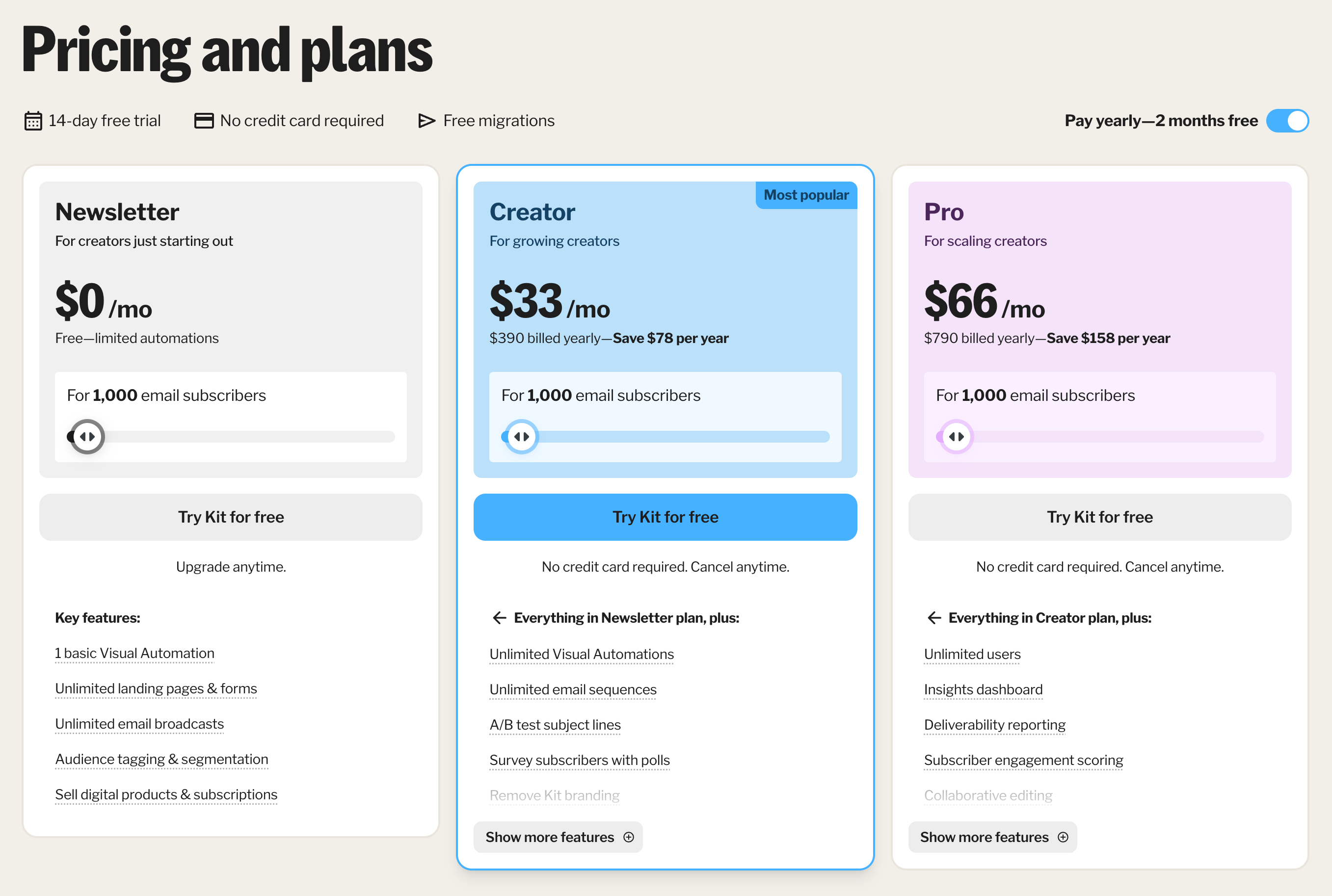
Kit offers three main pricing plans tailored to the needs and scale of a creator’s business, with pricing for each tier shifting upward based on the total number of unique and active email subscribers.
For creators who are just starting out with up to 1,000 subscribers, the entry-level Newsletter plan is available at no cost. This free tier provides fundamental marketing tools, including unlimited landing pages and forms, unlimited email broadcasts, audience tagging and segmentation, the ability to sell digital products and subscriptions, and one basic Visual Automation. However, it does not include advanced automation paths or sequences, and it retains the standard Kit branding on public-facing content.
For growing businesses, the Creator plan costs $33 per month when billed monthly, or $390 per year ($32.50 per month) when billed annually, which saves users the equivalent of two months’ fees. Designed for up to 1,000 subscribers with options to scale, this tier unlocks unlimited Visual Automations and automated email sequences, subject line A/B testing, subscriber surveys, and RSS-driven email campaigns.
Additionally, it allows creators to remove all Kit branding from their assets, grants access to over 100 direct app integrations, and upgrades support to 24/7 email and chat assistance.
For scaling businesses requiring advanced marketing analytics and team capabilities, the Pro plan is positioned at $66 per month on a monthly billing cycle, or $790 when billed annually ($65.83 per month).
Alongside everything included in the Creator plan for 1,000 subscribers, the Pro tier supports unlimited team users and introduces advanced tools such as an integrated insights dashboard, deliverability reporting, subscriber engagement scoring, and collaborative live editing. It also features a built-in newsletter referral system powered by SparkLoop, advanced A/B testing for both subject lines and email content, custom Facebook audience syncing, and the ability to edit links even after a broadcast has been sent.
All paid plans include a 14-day free trial that requires no credit card upfront, and all tiers charge a standard 3.5% plus 30 cents transaction fee for selling digital products or recurring subscriptions.
Note: One thing worth noting is that Kit’s pricing scales entirely based on subscriber count, not email sends. So you can send unlimited emails without worrying about hitting sending limits. Annual billing typically saves around 16%, which is roughly equivalent to getting two months free.
Kit Pros and Cons
Now that we have explored the tool, its features, and pricing, let’s look at Kit’s strengths and weaknesses.
Pros
- Built for Independent Content Creators: Most email marketing platforms target large corporations. Kit breaks that mold. Every pricing plan and feature—including the Kit sponsor network—serves creators perfectly.
- Simple Automation Builder: Building automated workflows often feels overwhelming, but Kit keeps it simple. You can build new sequences or modify existing ones in just a few clicks.
- Perfect for Beginners: The platform feels intuitive from the moment you log in. Even if you have never sent a marketing email before, you will navigate the dashboard and use the features without confusion. Plus, you can test everything yourself during their 14-day free trial.
- Seamless Integrations: Kit connects with a massive list of third-party applications. Whether you need to sync your ad management platforms or your e-commerce store, the setup takes very little effort.
- Reliable Email Deliverability: A marketing platform matters only if your messages reach the inbox. Kit ensures your emails actually arrive where they belong rather than the spam folder.
Cons
- Poor Fit for Large Corporations: Because Kit focuses so heavily on individual creators, it lacks the infrastructure for massive enterprises. The features and pricing tiers do not accommodate complex, large-scale corporate operations.
- Basic Email Editor: While the email editor is easy to navigate, it feels restrictive. It needs more advanced layout options and deeper customization features for users who want to create highly visual layouts.
Kit Alternatives
Looking for other email marketing platforms? Consider these Kit alternatives:
MailerLite
MailerLite serves as an all-in-one email marketing solution with a feature set that closely matches Kit. It provides a landing page builder, deep automation, segmentation choices, and A/B testing tools.
The biggest draw is the budget-friendly pricing structure. MailerLite offers a free plan, and the paid tiers begin at just $19 per month, making it lighter on your wallet than Kit. It also comes with a 14-day free trial so you can test the premium features risk-free. If Kit falls short of your needs and you want to save money, start here.
GetResponse
GetResponse provides a robust, all-in-one email marketing platform that competes directly with Kit. You can build forms, design landing pages, and launch email campaigns. It even includes built-in webinar hosting, which Kit lacks.
The platform excels at automation. The visual workflow creator lets you build and launch automated sequences with just a few clicks.
GetResponse costs more than Kit, especially if you need advanced automation and e-commerce tools. However, you can explore the platform yourself by signing up for their 14-day free trial.
Kit Review – Final Thoughts
That wraps up our review of Kit.
So, what is the bottom line?
We rate Kit as the premier email marketing platform for bloggers and content creators, and a top-tier choice for anyone looking to build an email list.
The platform offers excellent tools built specifically for independent creators. Plus, the pricing scales fairly as your subscriber count grows.
Kit truly excels at automation. You can set up powerful automated workflows in minutes, even if you have zero marketing experience. Whether you run a blog or a small e-commerce shop, this platform delivers exactly what you need.
You do not have to take our word for it, though. Kit offers a 14-day free trial so you can test every feature yourself. Click the button below to start your trial.