
TL;DR
- AI can now build a website in minutes. The real test starts after you hit publish.
- Most AI website builders focus on pages and design. Once you need memberships, payments, courses, email, or a community, you often have to add more tools.
- Circle takes a different route. Your website, checkout, email, courses, and community all run from one platform and share the same member record.
Tom Ross built Learn Community on Circle in a weekend and turned it into a paid membership business. His website, members, content, payments, and community all live in the same system.
That is where the gap between AI website builders starts to show.
Nearly every major builder now makes the same pitch: describe your business, let AI build the pages, and publish. And yes, they can create a good-looking site.
But a website is only the starting point.
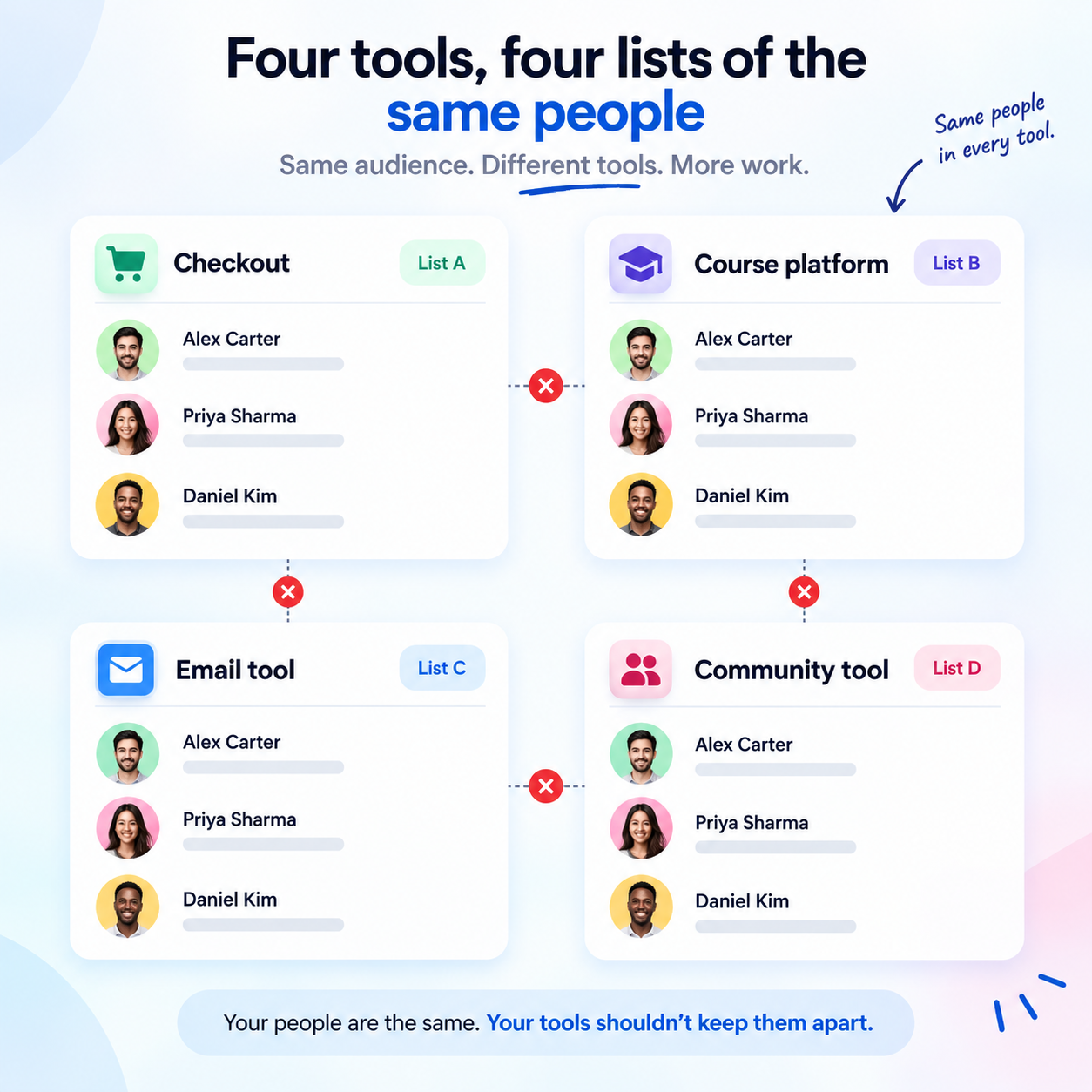
What happens when someone wants to become a member? Where does their payment go? How does the site know they’re a paying customer? Where does their course live? How do you send them emails or bring them into your community?
With many AI website builders, the answer is another tool.
You add one service for payments, another for courses, another for email, and another for community. Before long, your business runs across several platforms, each with its own member data, login system, billing setup, and monthly bill.
For creators selling courses, coaching, or memberships, that setup can become a real headache.
Circle starts from the other end. It puts the website, checkout, email, courses, and community on the same platform, with one member record across them. You can also use Circle AI to work with these parts from within the platform.
That difference matters more than who can generate a homepage in 30 seconds.
So below, we’re looking at all six AI website builders through a more useful question: what can you actually run after the website is built?
Quick Comparison – The 6 AI Website Builders at a Glance
| Platform | AI capabilities | Native membership | Courses + community | Membership transaction fee | Starting price* |
|---|---|---|---|---|---|
| Circle | Circle AI builds and edits pages using your brand context, plus AI Agents for members | Yes: paywalls, tiers, trials, installments | Yes: both built in | 2% to 0.5%, depending on plan | $89/mo |
| Squarespace | Blueprint AI generates sites; AI tools can write and edit page copy | Yes, with some limits | Courses: yes; community forum: no | 7% to 0%, depending on plan | $19/mo |
| Wix | AI site generation, section creation, and GPT-4-powered content tools | Partial: member pages and password protection | Courses via third-party apps | No platform fee on paid plans; payment processing still applies | $17/mo |
| Framer | Wireframer for site generation, Workshop for custom components, AI Translate | No: third-party plugins required | No native courses or community | N/A | $10/mo + ~$20/seat |
| Webflow | AI Site Builder and AI-powered multi-page generation | No: User Accounts are being sunset in 2026 | No native customer-facing courses or community | N/A; ecommerce fees may apply | $15/mo |
| Durable | Fast AI-powered full-site generation | No native memberships | No native course or community tools | N/A; no shopping cart | Free; paid from $22/mo |
1. Circle
The AI Website Builder That Knows Who Your Paying Members Are
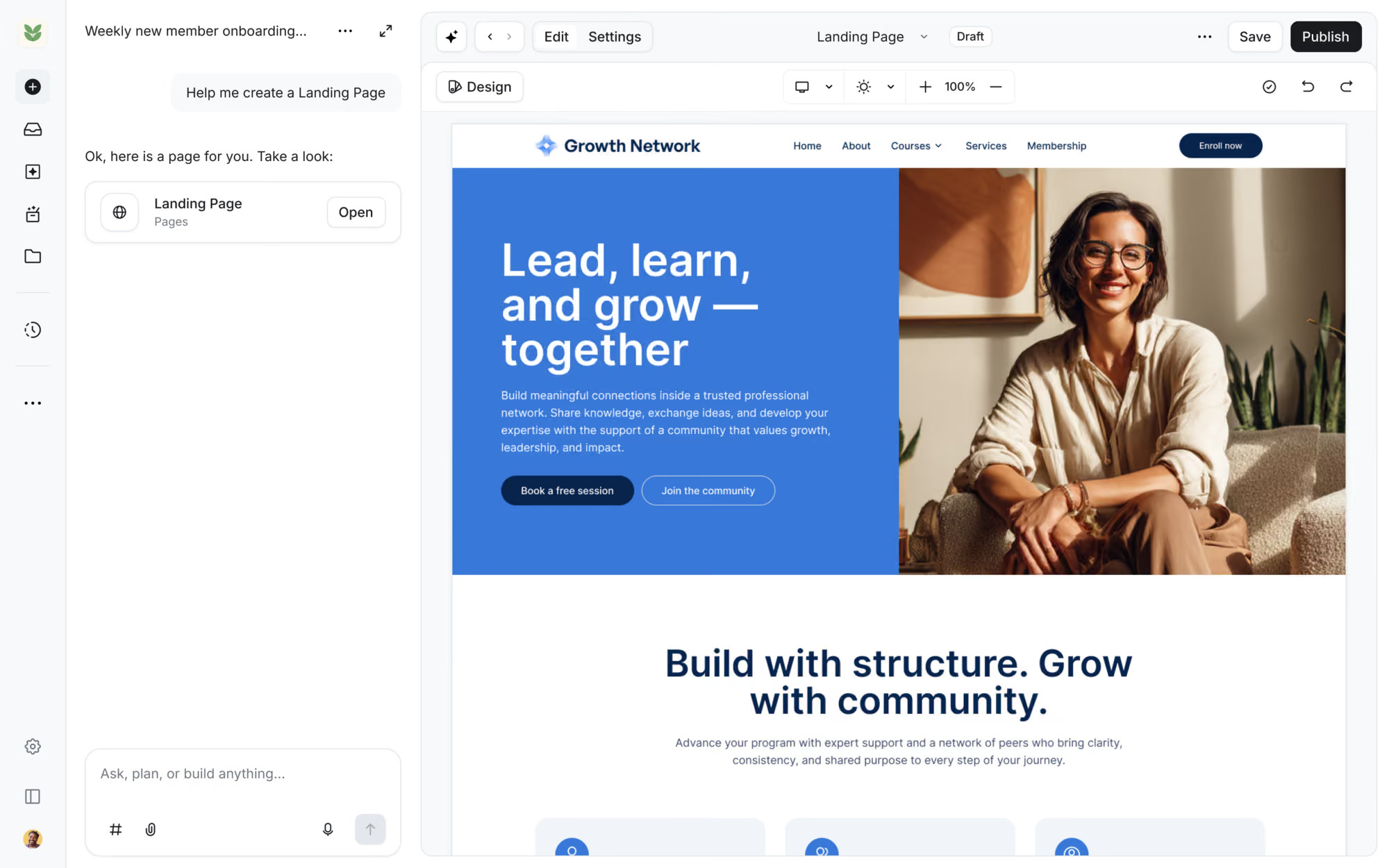
Circle is an all-in-one community platform for creators, coaches, and educators who want to run their businesses from one place. Its website builder, checkout, courses, events, email marketing, and CRM share the same member records.
When someone buys a membership, Circle can grant access automatically. When an existing member logs in, they can see content based on their access, while new visitors see the public-facing site.
Best for
Coaches, creators, and educators who want AI to build a functional membership website, complete with courses, paid access, and community spaces, not just a landing page that needs several other tools to work.
Key features
- Circle AI: Circle puts AI right where you build your community. Describe the community you want, and it can draft your structure, Spaces, access groups, paywalls, and branding. You review the work before anything goes live. The live canvas makes the process easy to follow. You can watch Circle AI build the workspace as you work. In one internal test, a team went from an empty workspace to a structured community with course and event Spaces, branded images, and cover art in less than 30 minutes.
- AI course builder: You don’t need to build every lesson from scratch. Start with a course outline, and Circle AI can turn it into a full course with individual lessons, content, and images. One creator used a 30-day YouTube challenge outline to create 30 built-out lessons in seconds.
- AI Agents (Circle Plus): Circle also lets you build AI assistants for your members. Train each Agent on your Spaces, courses, posts, and files, then assign it a specific job. You can run multiple Agents in the same community and manage their conversations from one AI Inbox. If a member needs human help, you can step into the conversation.
What makes Circle different from a typical AI website builder is its access to live member data. The AI supports an ongoing membership business, not just the initial website setup. It also keeps the admin in control by waiting for approval before creating anything.
Want to see how it all comes together? Follow Circle’s guide to building a membership website.
Pricing
Circle’s annual billing options include Professional at $89/month with a 2% transaction fee, Business at $199/month with a 1% fee, and Circle Plus with custom pricing and a 0.5% fee.
All three plans include unlimited members, the Website Builder, courses, events, paid memberships, and a custom domain. Professional and Business offer a 14-day free trial without requiring a credit card.
Read my full Circle.so review.
2. Squarespace
Beautiful Websites, Basic Membership Features
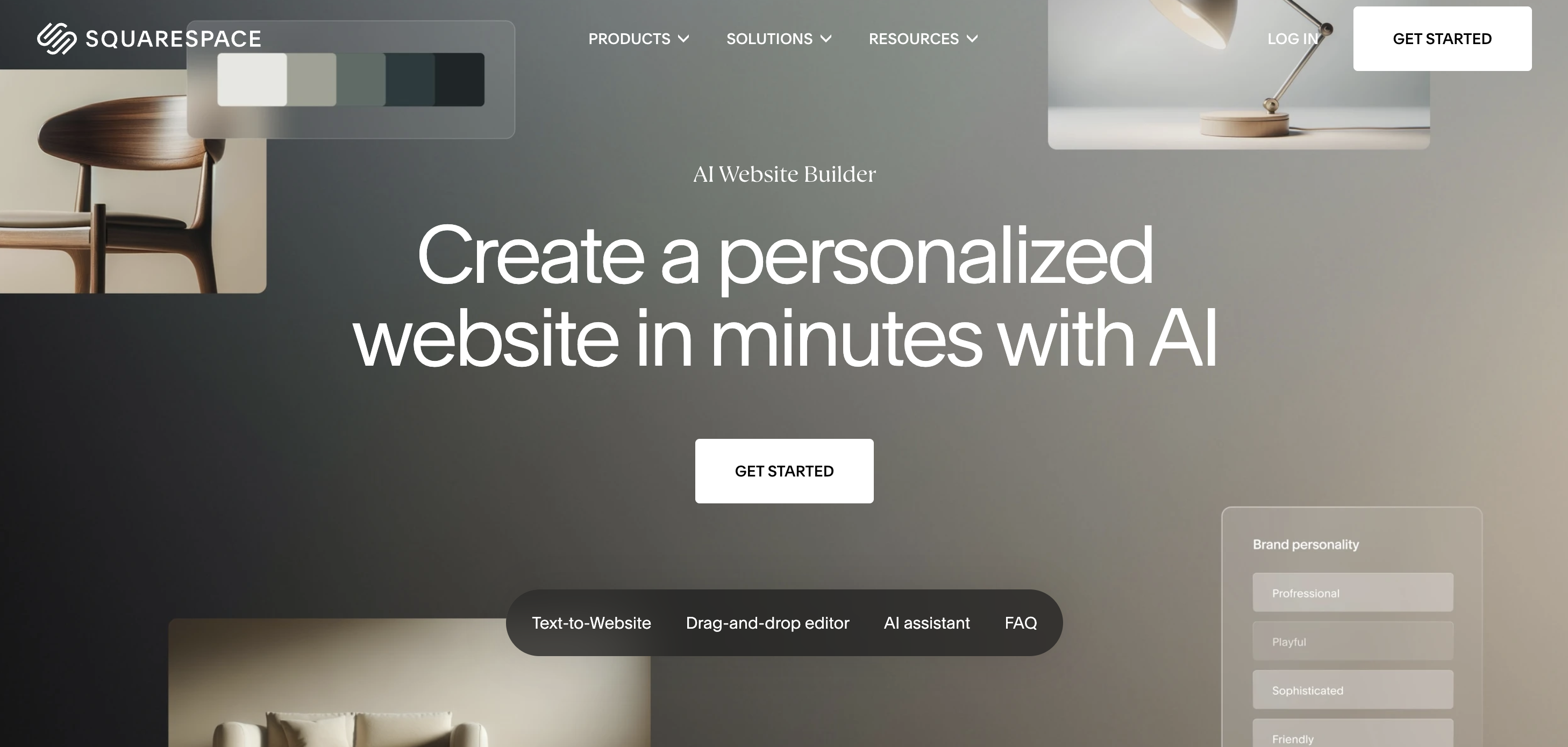
Squarespace Blueprint AI helps creators build attractive websites, but its membership tools may fall short as their business grows.
Best for
Service providers, portfolio owners, and creators selling simple, single-tier memberships or paid content. It’s a good fit for anyone who wants a professional-looking website without spending hours on design or adding extra plugins.
Key features
Blueprint AI builds a personalized website framework in minutes. It asks about your business, goals, and brand personality before suggesting layouts and design elements. However, it relies on existing Squarespace design patterns, so you’ll still need to make changes to match your brand.
The built-in AI writing tools help you create and improve copy block by block within the editor. Available AI features depend on your plan.
For memberships, Squarespace offers Member Sites for subscription-based content and a separate Courses product for structured lessons. You can restrict access to selected pages and content, then charge members a one-time fee or recurring subscription.
Pricing
Squarespace offers four plans with annual billing:
- Basic: $19/month
- Core: $29/month
- Plus: $49/month
- Advanced: $99/month
Digital content transaction fees are another cost to consider. Squarespace charges 7% on Basic, 5% on Core, 1% on Plus, and 0% on Advanced. These fees can eat into your earnings, especially as sales increase.
Limitations
- Limited membership controls: Member Sites handles basic subscriptions and gated content, but it lacks some features that growing membership businesses may need, such as drip content, free trials, tiered or household access, manual member approvals, and built-in discussion forums. Check the current feature list before committing if your business relies on these options.
- Extra checkout steps: Buyers must create an account before starting checkout for member areas or courses. That extra step may discourage some customers from completing their purchase.
- No built-in community: Squarespace can restrict access to paid content, but it doesn’t offer the tools needed to build an active member community. You won’t find built-in member discussions, profiles, or dedicated spaces where paying customers can interact.
Squarespace AI vs. Circle AI
Blueprint AI focuses on website design. It can help you build an attractive site, but it doesn’t offer the same community-focused guidance as Circle AI.
Circle AI draws on anonymized patterns from more than 20,000 communities on its platform. This gives it a community-specific perspective on membership pricing, engagement, programming, and retention.
For example, you could ask how to structure a coaching membership, set up membership tiers, or plan activities that encourage members to stay engaged. Circle AI can offer guidance based on patterns from communities on the platform, while Blueprint AI focuses on your website’s design and content.
The bottom line: Squarespace is a good choice for creating an attractive website and selling paid content. But if your business relies on member engagement, multiple membership tiers, and a growing online community, Circle provides tools built specifically for those needs.
3. Wix
Great for Selling Products, Limited for Building Member Relationships

Wix is a solid all-purpose website builder, especially for creators who sell physical products. But if your business depends on selling memberships, courses, and access to your expertise, its limitations become more noticeable.
Best for
Creators who earn money from physical products, merchandise, digital downloads, or an online store that supports their content business.
Key features
Wix AI builds a website draft based on your description, including its layout, copy, images, and logo. Unlike the older Wix ADI, the current AI website builder works with Wix’s standard editor, so you can customize the site after the initial build.
You also get GPT-4-powered content tools, an AI logo maker, password-protected pages, member registration, member profiles, and Wix Forum. These features cover basic membership needs, but they don’t provide the same unified experience as a platform built around online communities.
Pricing
Wix offers a free plan and four paid plans with annual billing:
- Light: $17/month
- Core: $29/month
- Business: $39/month
- Business Elite: $159/month
You need at least the Core plan to accept payments and sell products or memberships. Wix doesn’t charge an additional platform transaction fee on its paid plans, but payment processing fees, typically around 2.9% plus $0.30 per transaction in the US, still apply. Paid apps for courses and advanced membership features can also increase your total costs.
Limitations
- Courses often require extra apps: Wix creators typically rely on third-party tools for course delivery and advanced community features. This can leave you managing several tools to run one business.
- Costs can add up: Payment processing fees and paid apps increase your expenses. Wix’s own pricing and payment terms should be checked for your location and setup.
- Changing your design takes work: Once you choose a Wix template, you can’t simply switch to another template. A major redesign may require rebuilding your site.
Wix vs. Circle AI: What’s the difference?
Wix lets you build a website with built-in e-commerce features. However, building a business around courses, memberships, and an active community may require several separate tools.
Circle AI focuses on helping you build and manage an online community. You can describe your business idea in plain English. For example:
Build a mindfulness community with an eight-week course, weekly live events, a space for member reflections, and a free trial.
Circle AI can then help build the structure around that idea, including community spaces, access groups, paywall settings, and landing pages. Its live canvas lets you see the build as it takes shape.
As your business grows, you can continue working with Circle AI to develop your setup without rebuilding everything from scratch.
The bottom line: Wix is a strong choice if selling products through your website is your main priority. But if you earn money through memberships, online courses, live events, and ongoing relationships with your audience, Circle offers a more focused platform for building that type of business.
4. Framer AI
Beautiful Websites, But No Built-In Courses or Community
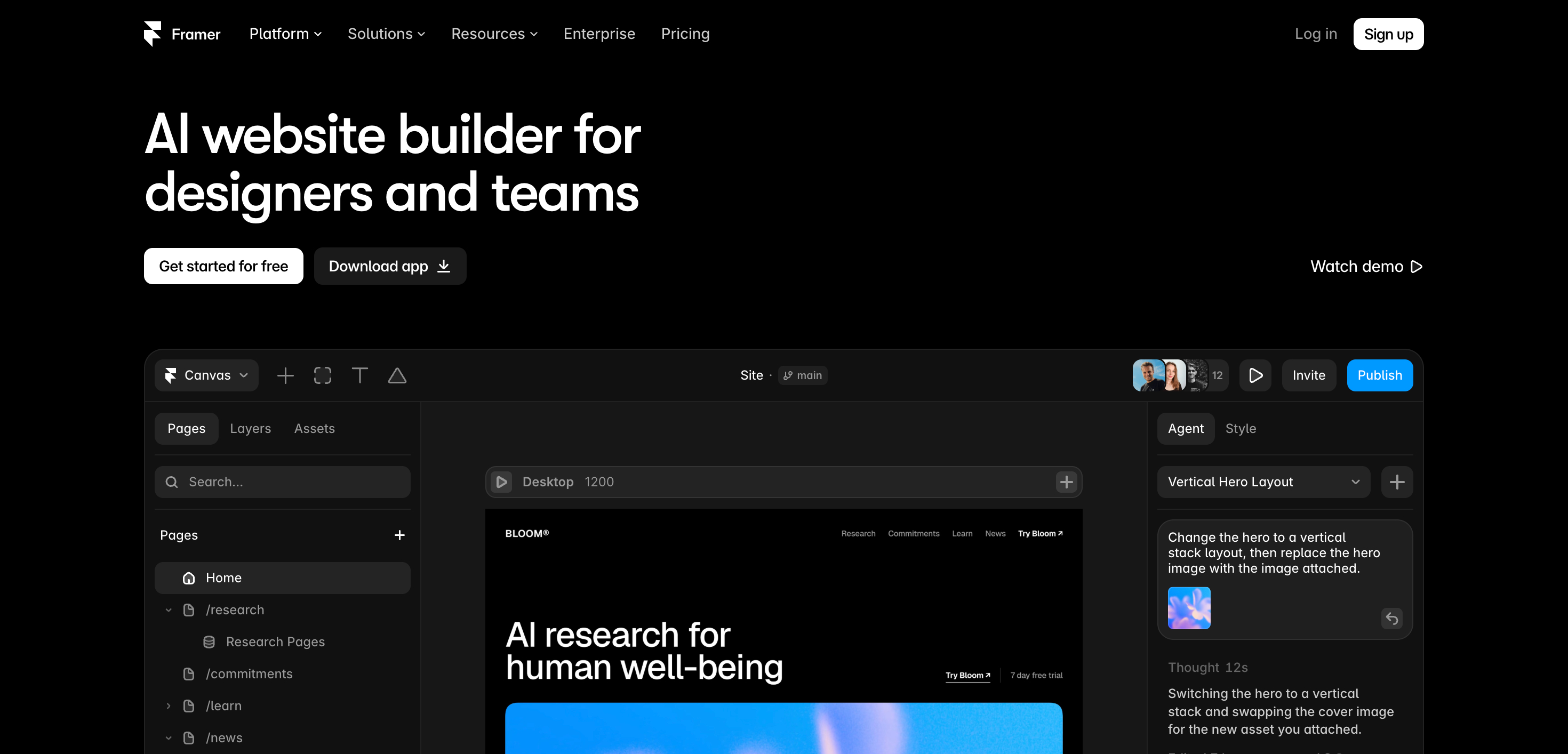
Framer is a design-focused website builder that uses AI to create attractive marketing websites. It’s a strong choice for landing pages and brand websites where visual design matters most. However, creators who want to sell memberships, host courses, or build a paid community will need additional tools.
Best for
Framer works best for designers, agencies, and startups that want visually appealing marketing websites. It’s a good fit for teams that enjoy working with design tools, but less suitable for creators who want to manage their website, paid memberships, and member experience from one platform.
Key features
Framer offers several AI-powered tools to help users build and improve websites. Wireframer generates page layouts through chat-based instructions, while Workshop helps create custom components. AI Translate supports website localization, and AI plugins connect users with major AI model providers.
These features make Framer useful for creating landing pages, refining layouts, and producing marketing websites. Designers also get a visual editor where they can control the final look and feel of each page.
Pricing
Framer charges for both website hosting and editor seats, so your total cost depends on how many sites and team members you need.
With annual billing, its site plans include Basic at $10/month, Pro at $30/month, and Scale at $100/month. A free plan is available for testing, while an editor seat costs roughly $20/month extra.
Keep in mind that Framer doesn’t include native membership, course, or community features. If you want to offer paid access or deliver courses, you’ll also need to budget for third-party tools.
Limitations
- No built-in membership, course, or community tools: Framer doesn’t provide native features for charging membership fees, hosting courses, or managing a paid community. You’ll need third-party services such as FramerAuth or Outseta to add gated content and membership features.
- Multiple tools mean more work: Framer handles the website, but other tasks, such as managing member approvals, customer records, contracts, and paid access, require separate apps. This can leave you juggling several tools and keeping member information in different places.
Framer AI helps you create a great-looking website, but it doesn’t provide the tools to run your entire creator business.
Circle AI goes beyond website creation. You can describe what you want in plain English, such as a three-tier membership with a free onboarding space and two paid tiers. Circle AI can then help create the spaces, configure access groups, set up paywalls, and update the canvas in real time.
Framer helps you build a website. Circle helps you build the business around it. If your goal is to sell memberships, deliver courses, and grow a community from one platform, Circle is the more suitable choice.
5. Webflow AI Site Builder
Brilliant for building websites, awkward for membership businesses

Webflow is the tool you pick when website design is the priority.
Its visual editor lets designers control layouts, typography, interactions, animations, and CMS content. Its AI Site Builder can also create a multi-page site from a prompt, providing a solid starting point that you can edit inside Webflow.
For agencies, designers, and brands that care deeply about how a website looks and behaves, Webflow remains a strong option.
But there is one problem if you’re building a membership business: Webflow no longer has native memberships.
Best for
Agencies, designers, and teams that need deep control over a marketing website, portfolio, publication, or CMS-heavy site.
Key features
Webflow’s AI Site Builder can generate the structure, styling, and animations for a multi-page website from a prompt. It can also help create CMS Collection items and provide SEO guidance.
And because the AI output remains editable inside Webflow, you aren’t locked into whatever the AI creates.
That’s the good part.
The problem starts when your website needs to do more than present information.
Want member accounts? Paid access? A community? Courses? Member content?
Webflow isn’t built to handle that anymore.
Pricing
After Webflow’s May 2026 pricing restructure, annual self-serve plans include Starter at $0, Basic at $15/month, and Premium at $25/month. Team and Enterprise plans sit above these options.
There is another cost to consider: Workspace seats and add-ons can add to your bill. So the headline site-plan price isn’t necessarily your total cost once you build a larger operation.
The biggest problem: memberships are gone
Webflow disabled User Accounts across existing sites on January 29, 2026, completing its move away from native membership functionality.
That changes the calculation for creators.
You can still build a beautiful Webflow site. But if you want to turn that site into a membership business, you have to bring other tools into the stack.
One tool handles your website.
Another handles member accounts.
Another may handle courses.
Another may handle your community.
Another may handle parts of your payments or email setup.
Suddenly, the $15 or $25 monthly website plan isn’t the whole story.
How Circle Does Things Differently
Circle starts with the member, not just the website.
Your website, community, courses, memberships, payments, and member data can live inside the same platform. That means you aren’t building a membership business by stitching together a collection of unrelated tools.
And Circle is pushing this even further with Circle AI.
Circle AI offers more than 50 specialized skills across 12 areas, covering things such as community setup, member management, content, monetization, and growth. You can ask it to handle specific tasks through natural-language prompts rather than manually working through every step yourself.
That’s a meaningful difference for a solo creator or small team.
Webflow helps you build the site. Circle helps you run the business around the site.
If your priority is pixel-level website control, Webflow has the edge.
But if you’re selling memberships, courses, or community access, Webflow can leave you assembling the missing pieces yourself.
That’s why I wouldn’t choose Webflow simply because its AI can build a beautiful website. For a creator business, the website is only one part of the job. Circle brings the rest of the member experience into the same system, which can mean fewer tools, fewer moving parts, and less work to manage.
6. Durable
Fast Websites, Few Creator Tools
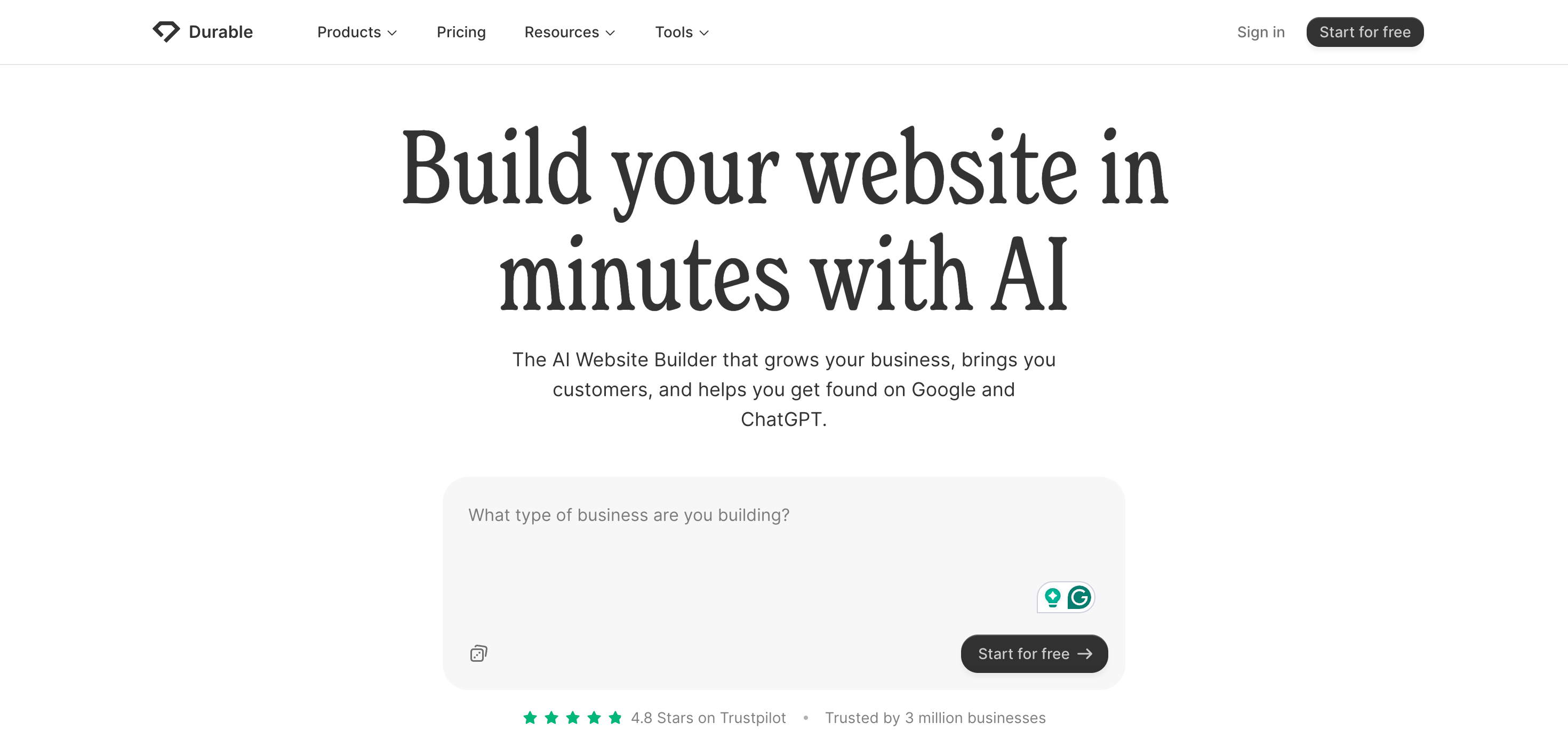
Durable has one big selling point: speed. Answer a few questions, let its AI build the site, and you can have a basic business website ready without spending hours on setup.
That works well for a local service business. But if you’re a creator building a course, membership, or paid community, Durable starts running out of road.
Best for
Durable makes the most sense for freelancers and local service businesses that need a website, booking system, CRM, and basic SEO tools in one package.
Think consultants, contractors, cleaners, coaches, and other appointment-based businesses.
For creators selling digital products or memberships, the feature gap becomes much more important.
Key features
Durable combines an AI website builder with hosting, booking, CRM, SEO, and AI-powered business tools. You can use those features to get a simple business site up and running with little setup.
The problem is what comes after that.
Want to sell a course? You need another platform.
Want to run a paid membership? You need another platform.
Want a proper checkout experience? You need another tool.
That can turn a simple website project into a collection of separate services.
Pricing
Durable has a free plan with a subdomain. Its paid plans start at $22/month for Launch and $41/month for Grow when billed annually.
Both paid plans include the website, booking, CRM, and SEO features. But courses, memberships, and a built-in shopping cart aren’t part of the package.
For a local business, that may not matter. For a creator building a paid business, it can.
Where Durable falls short
- No built-in courses or memberships: Durable focuses on business websites and service bookings, not creator businesses built around paid content or communities.
- No shopping cart: Tooltester notes that Durable lacks shopping cart functionality and has limitations around connecting services such as email marketing and live chat.
- More tools mean more bills: Once you add separate software for courses, memberships, payments, email, and community features, the total cost can climb beyond what you expected from a simple website builder.
Durable vs. Circle for creators
This is where the difference gets interesting.
Durable helps you build the website.
Circle aims to help you build the business around the website.
Circle brings websites, courses, memberships, communities, payments, and email into one platform. Its AI tools also work across the platform, while Daily Brief helps admins keep track of recent activity and suggested next actions. Circle Discover 2.0 adds another potential source of discovery by helping people find communities based on their interests and goals.
So if you only need a basic website for a local service business, Durable can make sense.
If your plan is to turn your website into a business around courses, memberships, or a paid community, Durable leaves you looking for additional tools. That’s where Circle becomes much more relevant for creators.
Why AI-Generated Websites Are No Longer Enough
Don’t pick a website builder just because it can create a homepage with AI. Every platform in this comparison offers that now. The real differences come after launch: pricing, audience growth, and the tools you need to run your business. AI website generation is now a basic feature. That’s also why a community-first builder can offer more value over time.
The bigger question is: What does the AI know about your business once your site is live?
- A typical website builder’s AI relies on your prompt to generate a page during setup.
- A community platform’s AI can work with your existing content, courses, and member records to support your business over time.
Circle takes this further with AI Agents, which can draw on your Spaces, course materials, and files to answer member questions around the clock. They can also use member-specific context to provide more relevant responses. Meanwhile, Circle AI helps with everyday admin tasks. You can duplicate a paywall in seconds, find duplicate member tags across your community, and analyze hundreds of comments to discover the event topics your members want to discuss.
This trend is also reflected in Circle’s creator economy research. More creators are building paid communities and connecting directly with their members. This helps them build stronger relationships and have more control over their audience than relying on social media alone.
An AI-generated webpage can help you launch a website, but it doesn’t automatically build lasting member relationships. A platform that combines AI, content, courses, and community management can help you maintain those relationships long after launch.
What to Check Before Using AI to Build Your Website
Before choosing an AI website builder, run these five checks in order.
- Membership Access and Pricing Tiers. If you plan to sell different membership levels, check whether the platform supports them natively. You shouldn’t have to rely on extra plugins just to offer different access levels. Check this before making your decision.
- Transaction Fees at Your Expected Revenue. Don’t compare platforms based on subscription prices alone. Look at how much you’ll pay in transaction fees as your revenue grows. For example, a 7% fee on $2,000 in monthly membership sales costs $140 per month. That can wipe out the savings from a cheaper plan. Compare the fees at your expected sales volume. Squarespace charges between 7% and 0% depending on the plan, Wix fees vary by plan, and Circle’s transaction fees range from 2% to 0.5%.
- The Checkout Experience. A good membership website needs more than a sales page. Check whether the platform supports payment processing through Stripe, account creation, and access to members-only pages. Test the entire checkout process yourself to make sure customers can buy and access your content without unnecessary steps.
- What the AI Can Do After Launch. Some AI website builders help you create a site but offer little support once it’s live. Circle AI helps you manage content, community activities, and other tasks after launch. Before choosing a builder, check what its AI can do once your site is live and how much time it could save you each week.
- The Total Cost of Your Website Setup. Look beyond the website builder’s monthly price. Add the cost of any extra tools you need for user accounts, payments, email marketing, online courses, and community features. Then compare that total with Circle. Using five separate tools can also split member data across different platforms, which makes it harder to maintain a complete view of each member.
If a platform passes all five checks, it may be a good fit for a growing online business, not just a website launch. If it falls short, you could end up paying for extra tools and integrations later.
Why Circle is a Strong Choice for Creators
If your website needs to sell and deliver memberships, courses, or coaching, the differences between these platforms become much easier to see.
Framer and Durable don’t offer native membership features. Webflow also lost its User Accounts feature after it was sunset. Wix and Squarespace let you restrict certain content to members, but they don’t manage the full member experience behind it. Their transaction fees can also take a noticeable cut from the recurring revenue your membership business depends on.
Circle brings your website, checkout, courses, events, and community together on one platform. More importantly, they all work from the same member record. A person who joins your community can also access their courses, attend events, manage their membership, and interact with your content without you having to stitch together separate systems.
That matters because your members don’t experience your business as a collection of tools. They see one brand. Circle lets you build that experience in one place while keeping the website, payments, courses, events, and community under the same roof.
Circle also puts AI to work with your members and content, not just the initial website setup. That opens up more useful ways to create, manage, and deliver content as your membership grows.
This is where Circle makes a strong case for creators. You aren’t just building a site that looks good. You are building the website, membership, courses, community, events, and checkout that support the business behind it, all from one platform.
You can also check out these membership site examples to see how other creators are using Circle.
AI Website Builders FAQs
What is the best AI website builder for membership sites?
Circle is a strong choice because it includes paywalls, membership tiers, courses, and community features in one platform. You don’t need to rely on extra plugins to build a membership business. Its website builder is available on every plan, starting at $89/month. Squarespace is another good option, especially if you want to sell paid content without building a full community business.
Can Framer or Webflow handle paid memberships?
Neither platform offers a complete native membership solution today. Framer requires third-party tools like FramerAuth or Outseta to restrict content to paying members. Webflow also discontinued its User Accounts feature on January 29, 2026, as reported by Summit Digital. You’ll need other tools to manage memberships on either platform.
How much do transaction fees matter when choosing a builder?
Transaction fees can take a noticeable cut of your revenue as your membership business grows. According to Site Builder Report, Squarespace charges a 7% fee on digital content sales on its Basic plan. Other platforms may also charge transaction fees or require paid apps. Circle charges 2% on its Professional plan, with fees dropping to 0.5% on Circle Plus. Compare these costs before choosing a platform, especially if you expect to sell a lot of subscriptions.
Is Durable a good choice for coaches or course creators?
Durable is a good option if you want to build a website for a local service business without much effort. However, it doesn’t include a shopping cart, membership features, or course creation tools. Coaches and course creators will usually need separate platforms to sell courses, manage members, and deliver paid content.
Is AI site generation still a reason to choose one builder over another?
Not on its own. Most AI website builders can now create a website for you, so the bigger question is what happens after launch. Circle, for example, uses AI to work with your content and member data, create course curricula from outlines, and clean up member data when you ask. Many general-purpose builders focus more on helping you create the initial website. If you want AI to support your business after launch, look beyond website generation and compare the tools each platform offers.
<- Click here to sign up for a free 14-day trial of Circle ->