This post may contain affiliate links, and if you decide to buy any of the promoted products, I may receive a commission at no additional cost to you. By doing this, I might feel more inspired to continue writing on this blog. Read our editorial guidelines too.
Welcome to my Cloro.dev review.
AI search is no longer a future trend.
It is already changing how people find information, research products, and choose which brands to trust.
Platforms such as ChatGPT, Perplexity, Google AI Overviews, and Gemini now influence which companies appear in AI-generated answers and which ones get left out.
For SEO teams, failing to track these results can make it difficult to know how visible a brand really is across AI search.
One obvious solution is to connect directly to each platform’s LLM API. However, an API response may not always match what a real user sees. This matters when you want to accurately track AI search results, brand mentions, and citations.
Cloro.dev solves this problem. Its scraping API uses real browser sessions to interact with the live versions of AI search platforms. This means it can capture results that are closer to what users actually see. It also collects the complete response, including citations, sources, and formatting.
In this Cloro.dev review, we’ll look at how the platform works, its pricing, main features, pros and cons, and who can benefit from using it.
Let’s start with a key question.
What Is Cloro.dev?
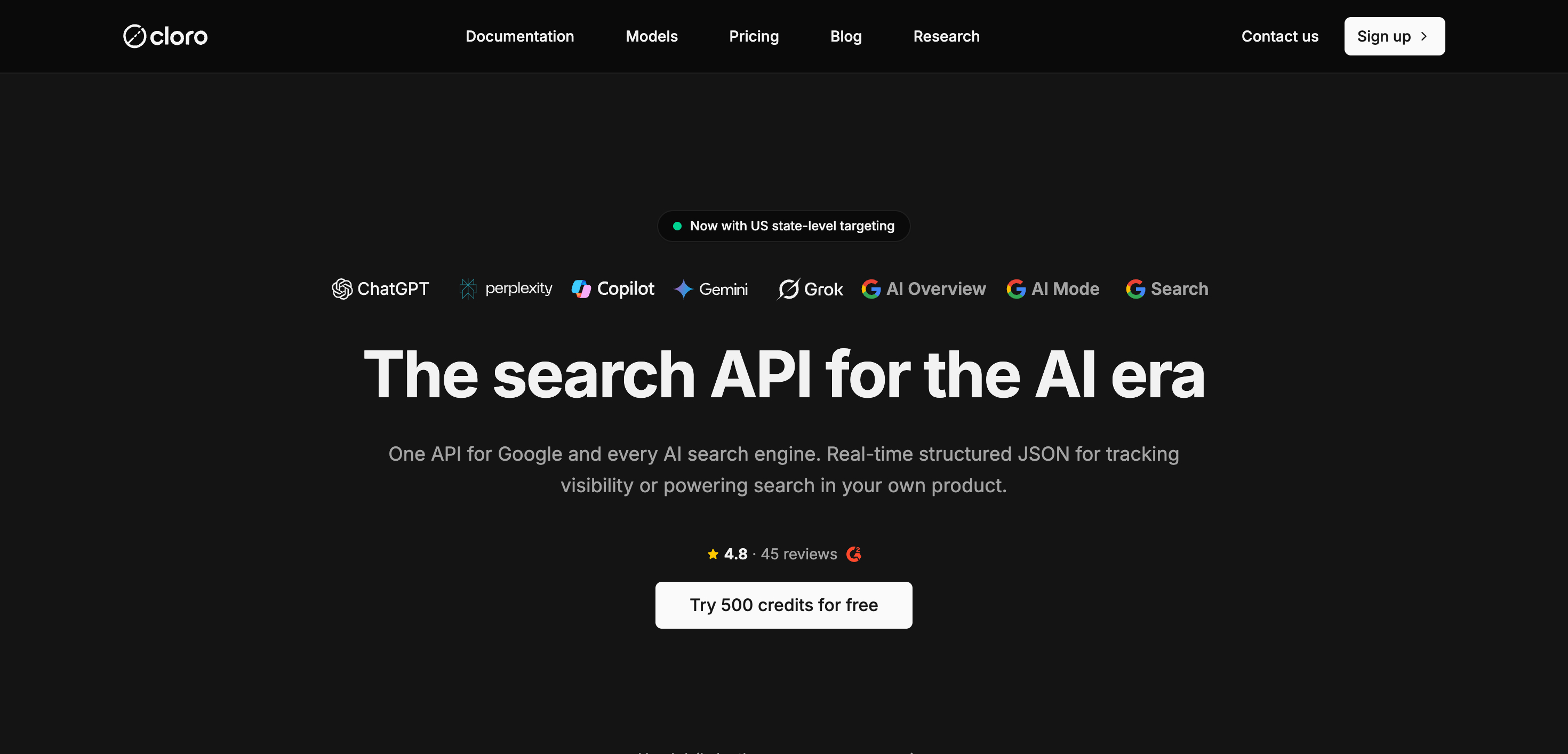
Cloro.dev is a scraping API built specifically for AI platforms and search engines.
It uses real browser sessions to interact with the live interfaces of platforms such as ChatGPT, Perplexity, Microsoft Copilot, Google Gemini, Google AI Mode, Google AI Overview, Google Search, Google News, and Grok.
This method lets Cloro.dev return the same results a user sees on the platform. A single API response can include the complete AI-generated answer, cited sources with their URLs and labels, search queries generated from the original prompt through query fan-out, shopping sections, and structured JSON.
Cloro.dev reports 99.99% uptime and more than 500 million API calls each month.
It also has a 4.7 rating on G2.
You can start with 500 free credits, and you don’t need to add a credit card.
UI vs. API – What SEO Teams Need to Know
This is the main reason Cloro exists, and it is important to understand before looking at its pricing.
When you call the OpenAI API directly, you get a language model responding to your prompt.
But when someone searches ChatGPT with web search turned on, the process looks very different.
ChatGPT searches live websites, chooses sources, adds citations to its answer, and displays source cards that can influence which brands users visit.
The API does not reproduce that process.
Surfer SEO has tested this difference and found that API responses can vary significantly from what ChatGPT returns in its live interface for the same query. This is a major issue for SEO teams.
If you want to know whether your brand appears in AI search results, relying on raw API responses can lead to inaccurate data.
Two more issues make this harder:
Direct API calls do not include citations. The raw API does not return the source URLs the AI relied on when generating its response. Those sources matter to SEO teams because they reveal which websites the AI trusts and recommends. Cloro captures those citations.
Each AI platform has its own API. ChatGPT, Perplexity, Gemini, and Grok use different APIs, authentication methods, and response formats. Cloro brings these platforms together through a consistent endpoint structure, so you can build one integration rather than creating a separate system for each platform.
For teams tracking AI search results and monitoring brand visibility, this difference is fundamental. The data from the live AI search experience can look very different from what you get through a raw API call.
Cloro Supported Platforms
Cloro.dev supports several search engines and AI platforms through one API.
According to its current documentation, you can use it to collect data from the following platforms:
| Platform | What Cloro.dev can retrieve |
|---|---|
| ChatGPT | AI responses, web-search results, sources, citations, and shopping data |
| Perplexity | AI answers, sources, and citations |
| Google Gemini | AI-generated responses and sources |
| Microsoft Copilot | AI responses and citations |
| Grok | AI responses and web sources |
| Google Search | Organic results, snippets, PAA, related searches, and other SERP data |
| Google AI Overview | AI-generated search summaries and cited sources |
| Google AI Mode | Conversational search results, sources, places, and shopping cards |
| Google News | News search results and related page data |
Cloro.dev also provides integrations with Python, JavaScript/Node.js, n8n, Zapier, LangChain, OpenClaw, and MCP clients such as Claude and Cursor.
For AI SEO and visibility tracking, the most important platforms are ChatGPT, Perplexity, Gemini, Copilot, Grok, Google AI Overview, and Google AI Mode. For traditional SEO and SERP monitoring, Cloro.dev supports Google Search and Google News as well.
This makes Cloro.dev useful if you want to monitor how a brand appears across both traditional Google search and AI-generated search results without maintaining separate integrations for each platform.
How Does the API Work in Cloro.dev?
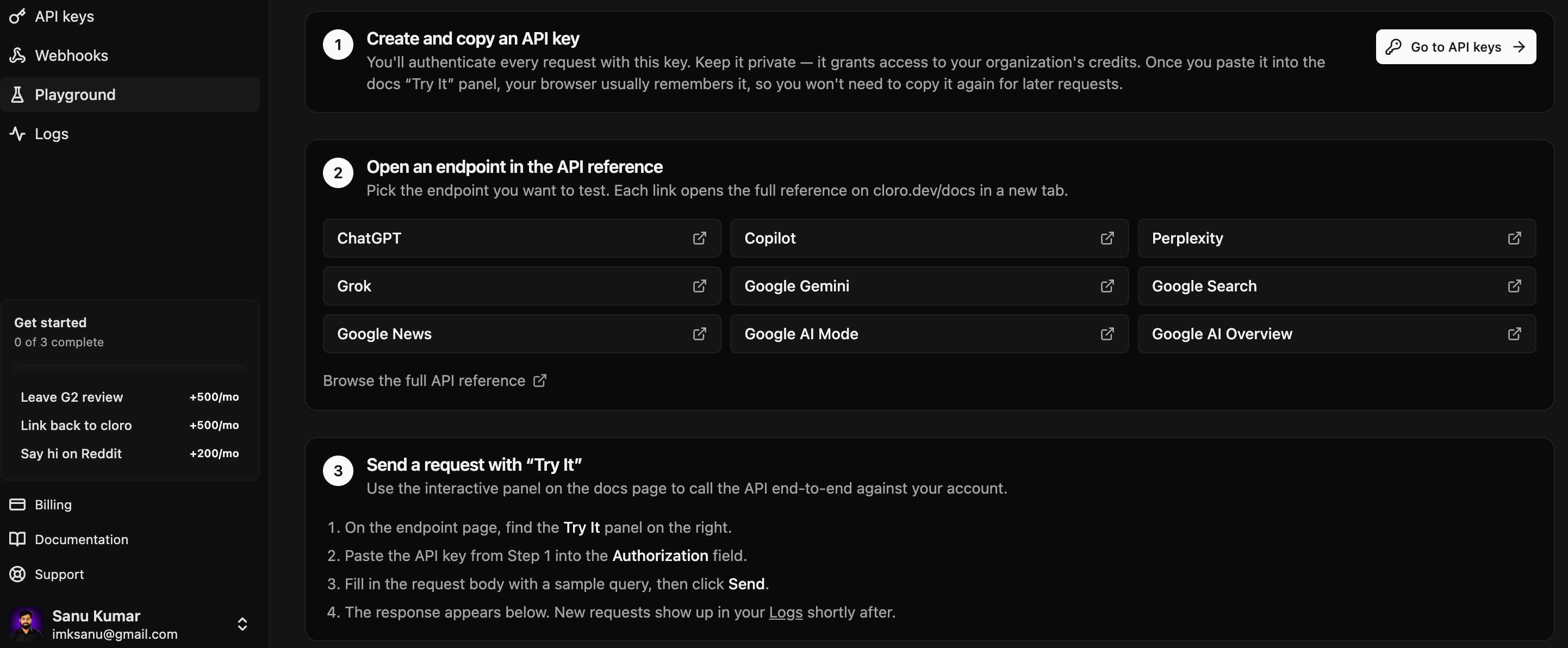
Cloro.dev provides a REST API that lets you query multiple search and AI platforms through a consistent interface. You can connect to platforms such as ChatGPT, Perplexity, Gemini, Google Search, Copilot, and others through Cloro’s API and receive structured JSON responses.
The basic process works like this:
- Authenticate your request: Add your Cloro API key as a Bearer token.
- Choose the platform: Send your request to the endpoint for the platform you want to query, such as
/v1/monitor/chatgptor/v1/monitor/google. - Submit your query: For AI platforms, you typically provide a
promptalong with parameters such as the target country. Google Search uses aqueryparameter. - Cloro processes the request: Cloro handles the browser sessions, platform interaction, proxies, and data collection on its infrastructure.
- Receive structured data: The API returns information such as AI responses, citations, sources, search queries, entities, shopping results, and other available data.
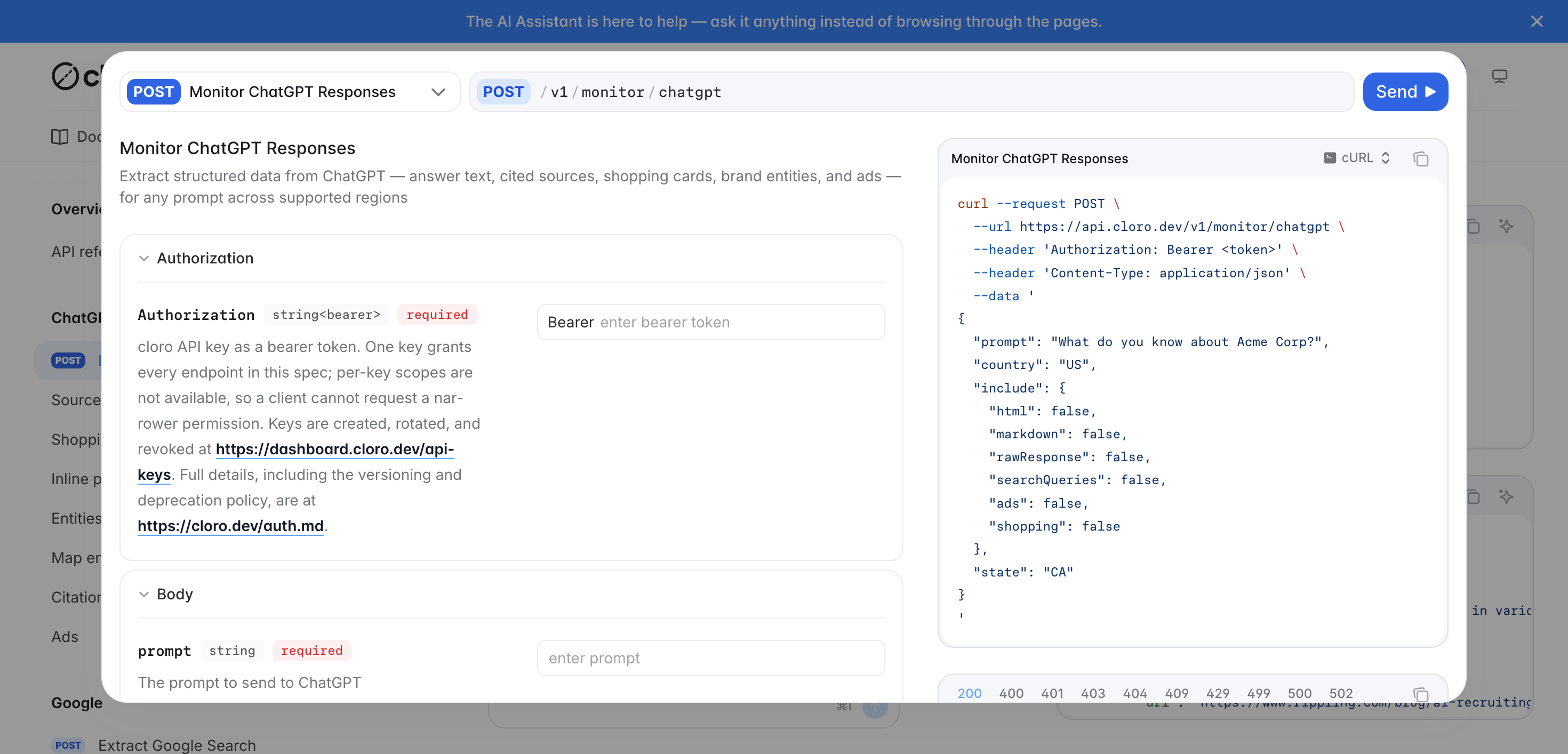
For example, a basic ChatGPT request could look like this:
curl -X POST https://api.cloro.dev/v1/monitor/chatgpt \
-H "Authorization: Bearer YOUR_API_KEY" \
-H "Content-Type: application/json" \
-d '{
"prompt": "What do you know about Acme Corp?",
"country": "US",
"include": {
"markdown": true
}
}'
The API returns structured JSON that can be processed by your application or stored in a database. For SEO teams, this data can help identify brand mentions, cited domains, source URLs, search queries, and other AI visibility signals.
Synchronous and Asynchronous Requests
Cloro supports both synchronous and asynchronous requests. Synchronous requests return the result directly through the API call, while asynchronous requests allow you to submit jobs and retrieve the results later through a webhook or by checking the task status.
Async processing is particularly useful for AI SEO campaigns that need to monitor hundreds or thousands of prompts across multiple platforms. It allows larger workloads to run without keeping individual API connections open for every request.
In short, Cloro works as a unified API layer for search and AI platforms. Your application sends a standardised request, Cloro handles the platform interaction and data collection, and the API returns structured information that can be analyzed, stored, or used in SEO dashboards.
Cloro.dev Pricing Plans
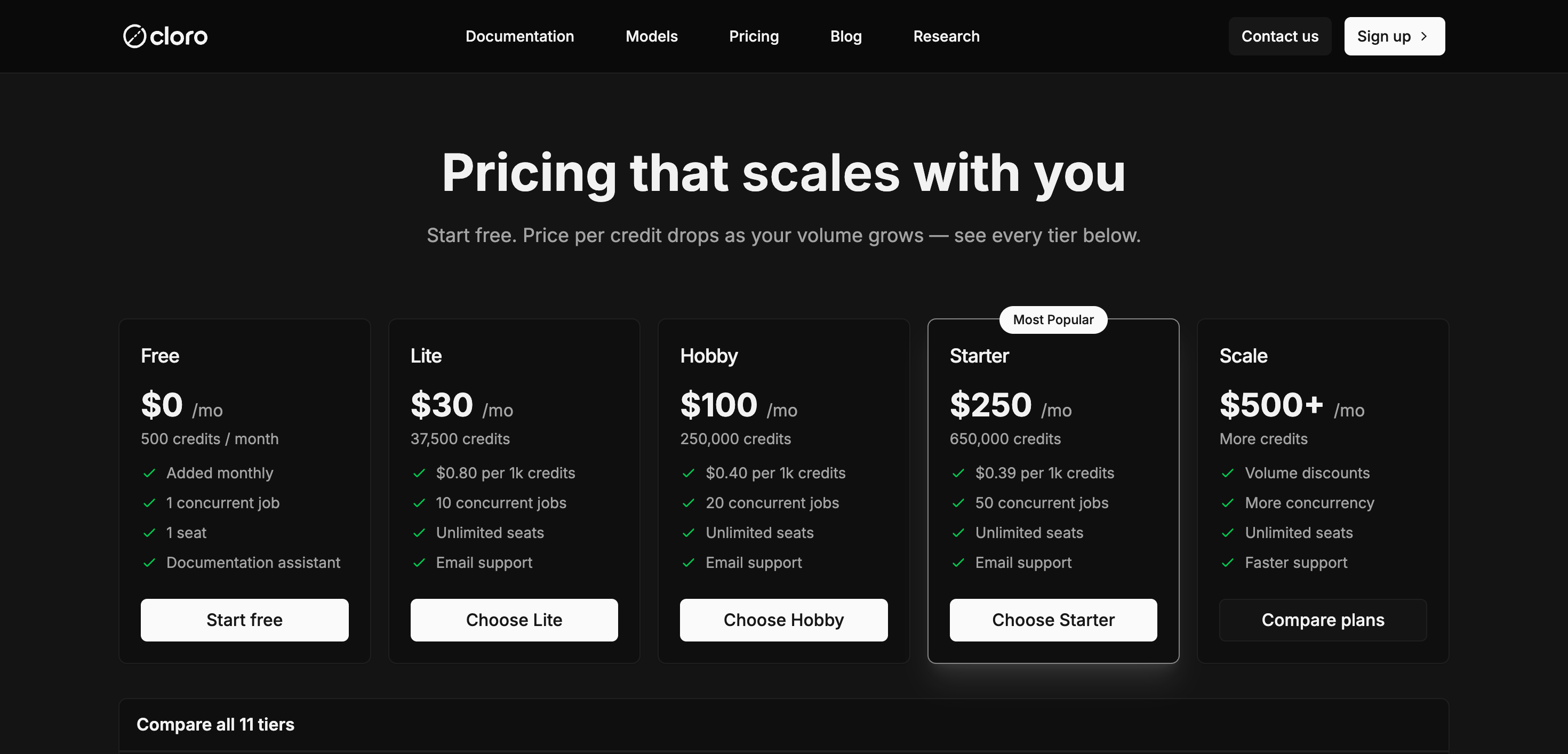
Cloro.dev uses a credit-based subscription model. Each plan includes a set number of monthly credits, and the number of credits used depends on the search engine or AI platform you query. Higher-tier plans offer more credits, greater concurrency, and a lower cost per 1,000 credits.
| Plan | Price/month | Credits/month | Cost per 1K credits | Concurrent jobs | Seats |
|---|---|---|---|---|---|
| Free | $0 | 500 | — | 1 | 1 |
| Lite | $30 | 37,500 | $0.80 | 10 | Unlimited |
| Hobby | $100 | 250,000 | $0.40 | 20 | Unlimited |
| Starter | $250 | 650,000 | $0.39 | 50 | Unlimited |
| Growth | $500 | 1,350,000 | $0.37 | 75 | Unlimited |
| Business | $1,000 | 2,800,000 | $0.36 | 100 | Unlimited |
| Enterprise 2K | $2,000 | 5,871,025 | $0.34 | 135 | Unlimited |
| Enterprise 3K | $3,000 | 9,306,606 | $0.32 | 175 | Unlimited |
| Enterprise 4K | $4,000 | 12,756,261 | $0.31 | 215 | Unlimited |
| Enterprise 5K | $5,000 | 16,391,783 | $0.31 | 255 | Unlimited |
| Enterprise | $5,000+ | Custom | Custom | Custom | Unlimited |
The Free plan is useful for testing Cloro.dev, with 500 credits refreshed each month. The Lite plan is the cheapest paid option at $30 per month, while the Hobby plan offers a much larger 250,000-credit allowance for $100 per month. Starter and higher plans are designed for teams running larger scraping and AI-search workloads.
Cloro charges different credit amounts depending on the provider. For example, a Google Search or Perplexity request costs 3 credits, Gemini, Grok, and AI Mode cost 4 credits, while a full ChatGPT response costs 7 credits. Sync requests also have a 2-credit surcharge.
One important limitation is that unused credits do not roll over to the next billing cycle. Credits are deducted only when Cloro successfully extracts and delivers the requested data.
Who Is Cloro Best For?
Cloro.dev is best suited to teams that need structured, programmatic access to Google search results and AI search responses rather than a traditional SEO dashboard. It is particularly useful when you want to monitor how brands appear across Google, ChatGPT, Perplexity, Gemini, Copilot, and other AI search surfaces through a single API.
1. AI SEO and GEO teams
This is probably Cloro’s strongest use case. If you’re measuring AI visibility, brand mentions, citations, or share of voice, Cloro can collect responses and cited sources from multiple AI engines in a consistent format. That makes it easier to see whether your brand is being mentioned and which websites are influencing AI-generated answers.
2. SEO agencies
Agencies can use Cloro to build their own AI visibility and SERP monitoring dashboards for clients.
3. Content and SEO teams
Cloro is useful for competitive research because it can show which pages and domains are being cited by AI engines for important queries. Content teams can use that information to identify competitors, understand what sources AI systems trust, and find opportunities to improve their own content.
4. Developers building AI products
If you’re building an AI agent, RAG application, search product, or another tool that needs live search data, Cloro provides structured JSON rather than making you scrape and parse search pages yourself. Its web search API can return Google’s ranked results, while the same API family can access several AI search engines.
5. Companies building rank-tracking or SEO software
Cloro can also be a good backend for products that need Google SERP data at scale. It returns organic results, ads, People Also Ask, related searches, and AI Overview data, along with options for geographic and device targeting.
6. Teams tracking local and international search visibility
Because Cloro supports country, state, and city-level targeting, it can be useful when rankings need to be measured from specific locations. This is particularly relevant for agencies and businesses monitoring local SEO across multiple markets.
Who probably shouldn’t use Cloro?
Cloro may be overkill if you simply want a ready-made SEO dashboard with keyword tracking, backlink reports, site audits, and content recommendations. Its core strength is providing search and AI-search data through an API, so it makes the most sense for teams that want to build their own monitoring, reporting, or SEO workflows on top of that data.
Cloro.dev Pros and Cons
Here’s an overview of what I think Cloro’s biggest strengths and weaknesses are after exploring the platform:
Pros
- One API for multiple search platforms: Cloro lets you collect data from Google Search, Google News, ChatGPT, Perplexity, Gemini, Copilot, Grok, AI Mode, and AI Overview through one API.
- Good for AI SEO: It can track how brands and competitors appear in AI search results and identify the sources being cited by AI platforms.
- Structured output: Results can be returned as structured JSON, with options for markdown, text, and HTML.
- Geographic targeting: Cloro supports country targeting and US state-level targeting for several AI platforms, which is useful for localized SEO monitoring.
- Free tier available: There is currently a free plan with 500 credits per month, so you can test the API before paying.
- Useful for automation: It supports async/batch requests and webhook delivery, which can be helpful when you’re processing a large number of keywords.
- Automatic retries: Failed requests can be retried automatically, with Cloro stating that requests can be retried up to 10 times and have a maximum duration of five minutes.
- Multiple integrations: Cloro supports tools and frameworks including n8n, Zapier, LangChain, MCP, Python, and JavaScript/TypeScript.
- Handles scraping infrastructure: Cloro manages browser automation, proxies, anti-bot handling, and parsing on the backend, so teams don’t have to build and maintain that infrastructure themselves.
Cons
- Response times are relatively slow: Cloro says responses take around 30–45 seconds on average, which can be a limitation for applications that need near-instant results.
- Paid plans start at $30/month: Although the free tier is useful for testing, serious usage requires a paid subscription, with higher-volume plans reaching hundreds or thousands of dollars per month.
- Not a traditional SEO platform: Cloro mainly provides data through an API. If you want a ready-made SEO dashboard with keyword tracking, reports, content recommendations, and other built-in SEO features, you may need another tool on top of it.
- Credits expire: Unused monthly credits do not roll over to the next billing cycle.
Frequently Asked Questions
What are the expected response times for data returned by Cloro?
Cloro typically takes 30–45 seconds to retrieve data for each request. Since the API uses real browser sessions to interact with each platform’s live interface, the results reflect what users actually see rather than relying on cached data. For high-volume workloads, Cloro’s async API with webhooks is a better option. It allows you to submit multiple jobs without keeping a connection open while each request is processed.
Which search platforms and AI models does Cloro support?
Cloro supports real-time extraction across major platforms, including ChatGPT (with web search), Google Gemini, Perplexity AI, Microsoft Copilot, Google AI Overviews, Google AI Mode, Grok, and standard Google Search/News.
How does Cloro handle geographic targeting?
Cloro supports global country-level targeting across search engines and state-level targeting within the US (e.g., California, Texas) for major AI platforms like ChatGPT, Gemini, and Perplexity by routing through local proxies.
Do unused credits roll over to the next month?
No. Cloro’s unused credits do not roll over to the next month. Credits are allocated for each billing cycle, and any remaining balance expires at the end of that cycle. For example, if you have a 37,500-credit Lite plan and use only 25,000 credits, the remaining 12,500 credits will not carry into the next month. Your new billing cycle starts with the plan’s regular 37,500-credit allocation. One exception is that unused credits from an old plan are preserved when you upgrade mid-cycle, but they still don’t carry over into a new billing cycle.
Will a failed request cost me credits?
No. Failed requests do not cost you credits on Cloro. Credits are deducted only when Cloro successfully extracts and delivers the AI response data. Failed extractions and system errors consume zero credits. Cloro also automatically retries transient failures, including timeouts, with up to 10 retries and a maximum five-minute duration per request. So, for example, if a Perplexity request normally costs 3 credits but fails completely, you won’t lose those 3 credits.
Can I test Cloro for free?
Yes. Cloro offers a free tier with 500 credits per month, so you can test the API before committing to a paid plan. The number of queries you can run depends on the provider. For example, Perplexity uses 3 credits per request, which means you can run roughly 166 Perplexity queries with the free allowance. ChatGPT web search costs 5 credits, while Gemini and Grok cost 4 credits each. The free credits are enough to test Cloro’s response quality, latency, provider coverage, and structured data before deciding whether you need a paid plan. Cloro’s free tier refreshes with 500 credits each month.
Is Cloro.dev Worth It for AI SEO Teams?
After testing, I believe that Cloro.dev is a strong option if you want to track how your brand and competitors appear across different AI search platforms. Its main advantage is that it brings ChatGPT, Perplexity, Gemini, Google AI Overviews, AI Mode, Copilot, Grok, and Google Search into one API. This makes it easier to collect and compare AI search data in one place.
Cloro is also useful if you need more than simple brand mentions. It can collect citations, source URLs, citation positions, and other response data. This helps you understand which websites AI platforms use as sources and which competitors are getting mentioned or cited.
Agencies and larger SEO teams can also use Cloro to create their own dashboards and reports. You can store the raw data in your own systems and use it to track metrics such as mention rate, citation rate, and share of voice.
The main things to think about are price and how much you plan to use it. Cloro offers 500 free credits each month, while paid plans start at $30 per month for 37,500 credits. Higher plans include more credits and support more searches at the same time. Your total cost will depend on which platforms you use and how many searches you run.
Overall, Cloro is a good choice for AI SEO teams that need to track search visibility at scale. If you only want to check a few searches occasionally, you probably don’t need a tool like this. But if you regularly track your brand, competitors, citations, and AI search results across multiple platforms, Cloro can save you a lot of time and make the data easier to manage.
So, are you ready to see whether Cloro is right for your team? Start with the free 500 monthly credits and test it for yourself.
Rating: 4.9 out of 5