Helium 10 is no longer just a keyword and product research tool.
In 2026, the platform uses AI across three areas that affect your Amazon business every day: product research and launch planning, listing creation (including images and Posts), and PPC management.
In this guide, you’ll see how Helium 10’s AI features actually work and what they cost. That way, you can decide whether upgrading for AI is worth it for your Amazon store.
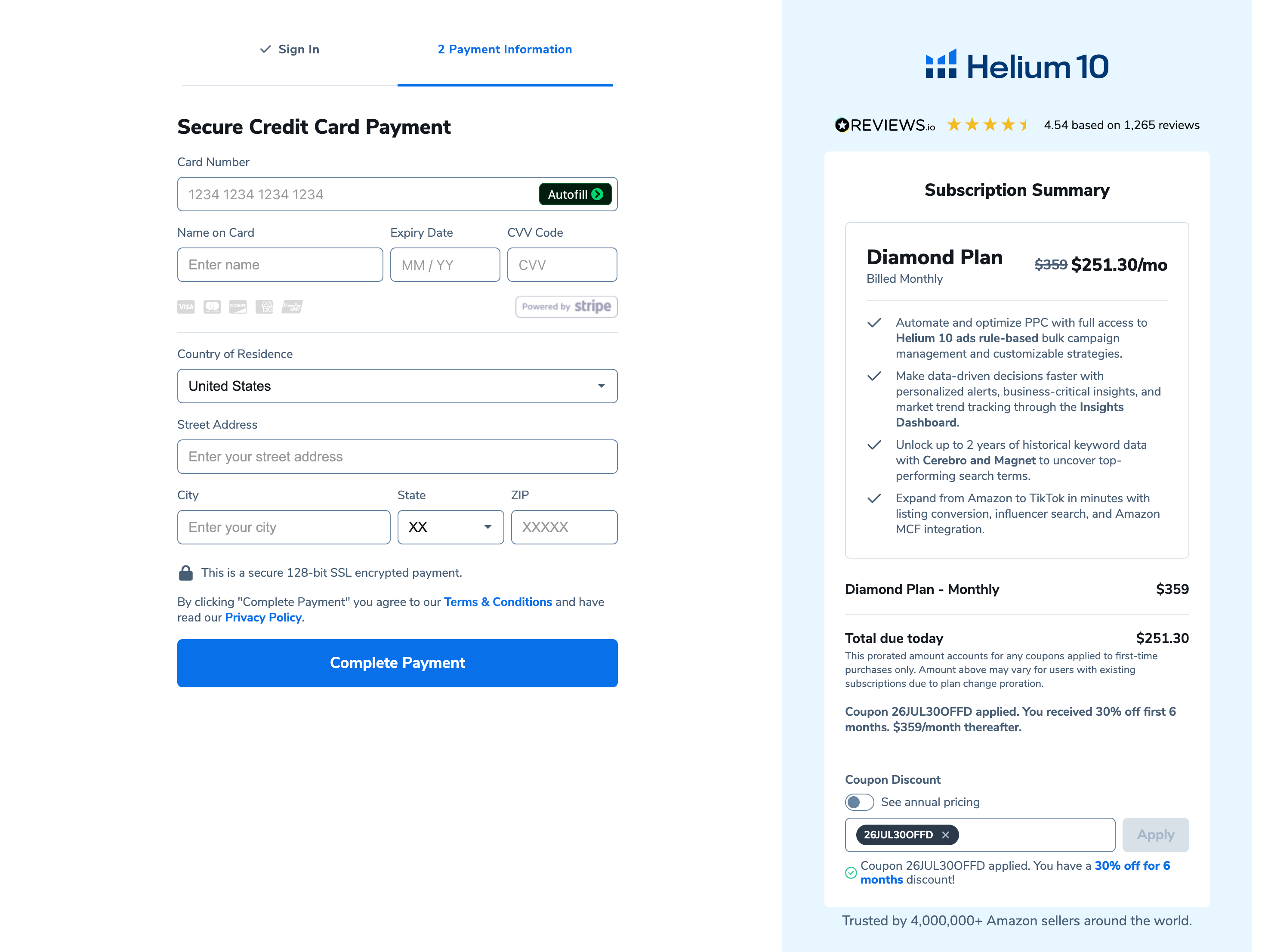
Helium 10 MCP is exclusive to the Diamond plan. For a limited time, you can get 30% OFF the Diamond Monthly Plan for the first 6 months, but this offer ends on 24 September 2026. Grab this offer.
Key Takeaways
- Helium 10 now uses AI for product launch planning, listing creation, and PPC management.
- These AI features help sellers launch products faster, improve weak listings, and manage campaigns with less manual effort.
- Access to Helium 10’s core AI tools begins with the Platinum plan.
What AI Tools Does Helium 10 Offer in 2026?
Helium 10 uses AI across complete workflows rather than limiting it to single tasks. You enter your product and keyword data, and the system uses marketplace insights to suggest listing content, ad bids, and visuals that can convert better.
Here are the main places where AI appears inside the platform.
Listing Builder AI
Listing Builder AI acts as your central workspace for writing an Amazon listing. You enter your keywords and product details, and the tool helps produce listing copy while also generating AI images from the same interface.
Here’s the typical process:
- Add your main keywords – Most sellers pull these from tools like Black Box, Cerebro, or Magnet to target relevant search terms.
- Enter product details and benefits – Include features, use cases, target audience, and what makes the product different.
- Generate the listing content – The AI produces a title, bullet points, description, and backend search terms that you can review and edit.
- Check keyword coverage – The tool shows whether important keywords are missing, including those relevant for other Amazon marketplaces.
- Create AI images (optional) – Use the “Generate AI Images” option to produce product and lifestyle visuals for listings or Amazon Posts.
The main result is simple: you manage listing text, keywords, and visuals in one place rather than switching between multiple tools or waiting for a copywriter and designer.
This matters in 2026 because Amazon still rewards strong listings with better keyword rankings, stronger conversion rates, and stronger PPC performance. With Listing Builder AI, sellers can:
- Launch new ASINs faster
- Update weak or outdated listings
- Localise listings for other marketplaces without hiring a translator
Listing Builder also supports Amazon Posts. The AI can:
- Write captions using your product details and keywords
- Generate images that match the captions
That helps sellers maintain a consistent posting schedule without starting from scratch every time.
Helium 10 Ads (AI Advertising)
Helium 10 Ads helps sellers manage advertising without monitoring campaigns all day. You choose the products and goals, and the system handles daily bid and keyword activity.
Here’s how the process works:
- Select the products to advertise – Choose the ASINs and marketplaces you want to promote.
- Define performance targets – Set a target ACoS or TACoS so the system understands your profitability goals.
- Create campaigns with suggestions – Use recommended campaign structures and keyword ideas.
- Let AI manage bids and search terms – The system updates bids, finds converting keywords, and highlights wasted ad spend.
- Apply automation rules – Use rules to increase budget for winning campaigns and pause poor performers.
You still control the overall strategy and budget, but you avoid daily manual bidding work.
This matters in 2026 because advertising costs continue to rise while competition increases. With Helium 10 Ads running in the background, sellers can maintain profitable campaigns, scale spending when results improve, and prevent wasted ad budgets.
Product Launchpad
Helium 10 Product Launchpad helps sellers evaluate product ideas before investing money in inventory. You enter the concept, and the platform combines data and AI insights to evaluate the opportunity.
Here’s how it works:
- Enter your product idea – Add primary keywords, niche information, and a short description of the product.
- Review an opportunity overview – The system analyzes demand, competition, pricing trends, and market difficulty.
- Check profitability and logistics – Built-in tools estimate margins, Amazon fees, and shipping impact.
- Identify keyword and positioning angles – The system highlights important keywords and listing angles for launch.
- Read the AI summary – The final summary helps you decide whether the product idea is worth pursuing.
Instead of relying on guesswork or random advice online, sellers can evaluate product ideas using marketplace data. That matters even more in 2026, when poor product choices often lead to expensive mistakes. Product Launchpad helps sellers filter weak ideas earlier and focus on stronger opportunities.
Which Helium 10 Pricing Plans Include AI Features?
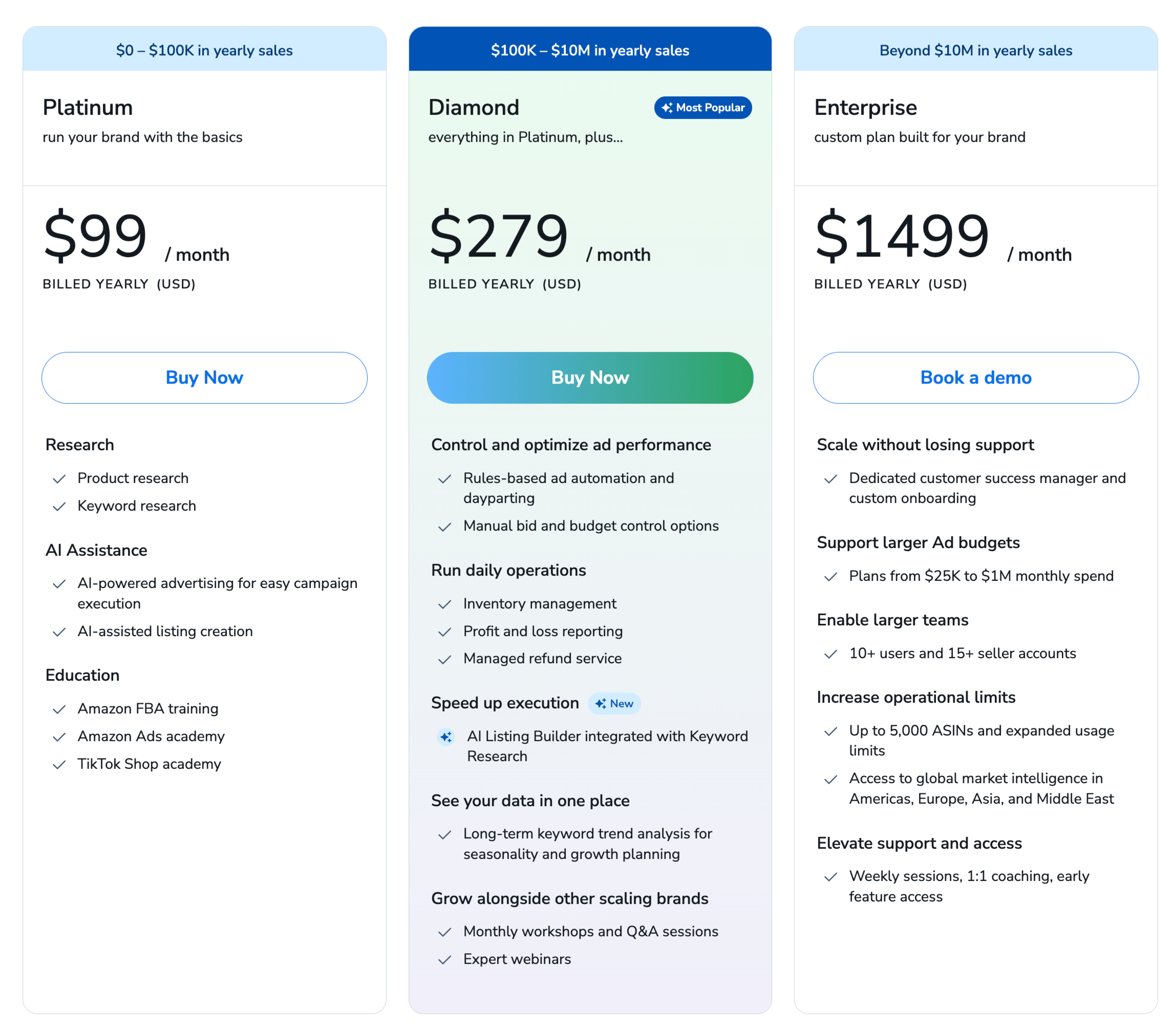
Access to Helium 10’s AI tools begins with the Platinum plan.
- Free Plan – Useful for testing, but limited for regular AI use.
- Platinum – The main starting point for AI features such as Listing Builder AI, Helium 10 Ads, and Product Launchpad.
- Diamond – Includes the same AI tools with higher usage limits, suitable for sellers with multiple brands or higher ad spending.
- Enterprise – Custom solutions for large teams or agencies.
For a detailed comparison of features and limits, you can check the full Helium 10 pricing plans.
Ready to Use Helium 10’s AI?
If writing listings, managing PPC campaigns, and evaluating product ideas take too much time, Helium 10’s AI features can handle a large part of that work.
If you decide to try it, you can save up to 20% on your Helium 10 subscription by signing up through a Helium 10 discount link. This works well if you plan to start with the Platinum plan or upgrade to Diamond.
If Helium 10 does not match what you need, you can also explore other AI tools for Amazon sellers that help with product research, listing content, and advertising management.
You might also like…