Welcome to my Circle review.
A couple of years ago, Circle didn’t even offer a complete email marketing feature.
Now, it positions itself as an all-in-one platform where creators, coaches, educators, and digital entrepreneurs can run their communities, courses, events, and memberships from one place.
So, is Circle actually worth paying for in 2026? Or is it just another community platform that looks impressive on the surface but comes with hidden costs and a few frustrating limitations?
I’ve spent the last three years using Circle and watching it grow, including the release of Circle Eclipse. During that time, I’ve explored its community features, course builder, automations, events, and many of its latest AI tools.
In this hands-on Circle.so review, I’ll show you what Circle does well, where it still has room to improve, and what you should know before signing up. I’ll also explain how Circle’s pricing works, including a few details that are easy to miss when you’re comparing plans.
If you want to try the platform right away, click the link below to start your free trial. You don’t need to enter your credit card details.
🔗 Click here to sign up for a free 14-day trial of Circle 👀
<- Plus 2500 bonus AI credits ->
One quick note before we begin: this is a detailed review based on my personal experience with Circle. You don’t have to read every section from start to finish. Feel free to jump to the parts that matter most to you. But if you’re seriously thinking about using Circle, I recommend reading several sections because many of its features work together, and that affects your overall experience with the platform.
Let’s go.
Table of Contents:
What is Circle?
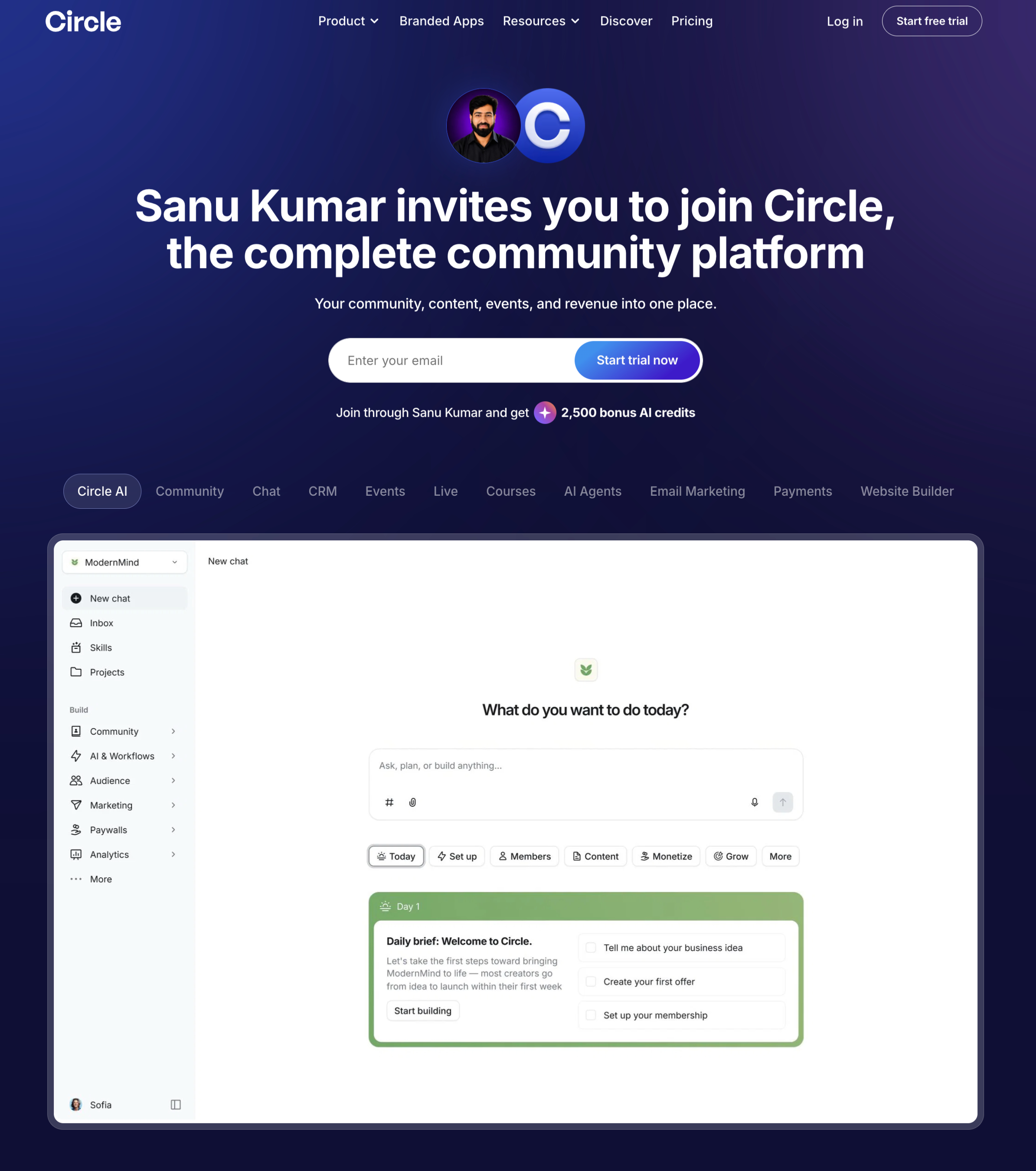
Circle.so (usually just called Circle) is an all-in-one community platform that helps creators, coaches, educators, businesses, and membership site owners build and manage online communities from a single dashboard. Rather than relying on separate tools for discussions, courses, events, memberships, live streams, and email, Circle brings everything together in one place.
The company was founded in 2019 by Sid Yadav and Rudy Santino. Before launching Circle, the founders worked on products that helped online businesses grow and noticed that many community platforms felt outdated and disconnected. Their goal was to create a modern platform where businesses could build active communities without having to stitch together multiple apps.
Since its launch, Circle has grown from a simple community platform into a complete community business platform. What started with discussion spaces now includes online courses, paid memberships, live events, workflows, email marketing, analytics, and AI-powered tools.
In June 2026, the company introduced Circle AI, a major update that helps creators build courses, write content, answer member questions, automate repetitive work, and manage communities with the help of AI.

Today, Circle is used by thousands of creators, coaches, online educators, startups, and established companies that want to build membership communities or customer communities.
It supports both free and paid communities, which makes it suitable for everything from small creator groups to large businesses with thousands of members.
One of Circle’s biggest strengths is that it keeps your entire business under one roof. Members can join discussions, attend live events, complete courses, read newsletters, and manage their memberships without leaving the platform. This creates a more consistent experience for both community owners and members while reducing the need for multiple third-party tools.
If you’re looking for a platform to grow a membership business, sell courses, host events, and build an engaged community, Circle has become one of the strongest all-in-one solutions available in 2026.
🔗 Click here to sign up for a free 14-day trial of Circle 👀
<- Plus 2500 bonus AI credits ->
Circle.so Pros and Cons
Pros:
- Easy-to-use interface: If you’ve used Slack or Discord before, you’ll feel comfortable with Circle. The layout feels familiar, but it organizes communities, courses, and discussions much better.
- Community and courses together: You can build your community and sell courses from the same platform. That means you don’t have to pay for separate tools.
- Useful moderation tools: Circle helps you manage your community with keyword blocklists, spam detection, and content flagging for self-promotion or low-quality posts.
- Great mobile apps: Members can join discussions, watch courses, attend events, and manage memberships from the iOS and Android apps.
- Built-in live streaming: You can host live sessions for your entire community or limit them to selected member groups.
- Automation workflows: You can automate repetitive tasks, trigger actions when members complete certain activities, and manage your community with less manual work. This saves time as your community grows.
- Built-in email marketing: Circle lets you send emails to your members without relying on another platform for basic email campaigns.
Cons:
- Transaction fees add up: The monthly subscription isn’t your only expense. Transaction fees can increase your total cost, especially if you sell courses or memberships.
- Advanced automations require the Business plan: Many automation features are only available on the Business plan, which starts at $199 per month.
- Email marketing costs extra: Circle’s Email Hub isn’t included in the regular plans, so you’ll need to pay more if you want to use it.
- Course features have limits: If you need advanced quizzes, completion certificates, or academic-style learning tools, platforms like LearnWorlds offer more.
- Limited native email integrations: I found this to be one of Circle’s weaker areas. If you already use another email marketing platform, you may need to rely on Zapier or pay for Circle’s Email Hub.
Is Circle Worth It In 2026?
Yes, I think Circle is worth it if your goal is to build an active community and sell digital products from one platform. It brings together communities, courses, events, memberships, automations, and mobile apps, so you don’t have to manage several separate tools.
Still, it’s important to look beyond the monthly subscription. Circle charges transaction fees on paid sales, including 2% on the Professional plan. Advanced automations and workflows are available only on the Business plan, and Email Hub comes as a separate paid add-on. If you need all of these features, your total monthly cost can get close to platforms like Kajabi, which includes more marketing features in its standard plans.
For creators, coaches, educators, and membership businesses that plan to build an active community and make full use of Circle’s features, I think the platform offers excellent value. If your needs are limited to course hosting or email marketing, you may find a lower-cost option that fits your budget better.
The good news is that Circle offers a 14-day free trial, so you can explore the platform, create a community, build a course, test its features, and decide if it fits your business before you spend any money.
🔗 Click here to sign up for a free 14-day trial of Circle 👀
<- Plus 2500 bonus AI credits ->
Circle AI: The Biggest New Feature in Circle
On June 16, 2026, Circle introduced Circle AI, its built-in AI assistant for creators, coaches, educators, and businesses. Instead of acting like a generic chatbot, Circle AI works inside your Circle workspace and understands your community, courses, member conversations, events, and other content.
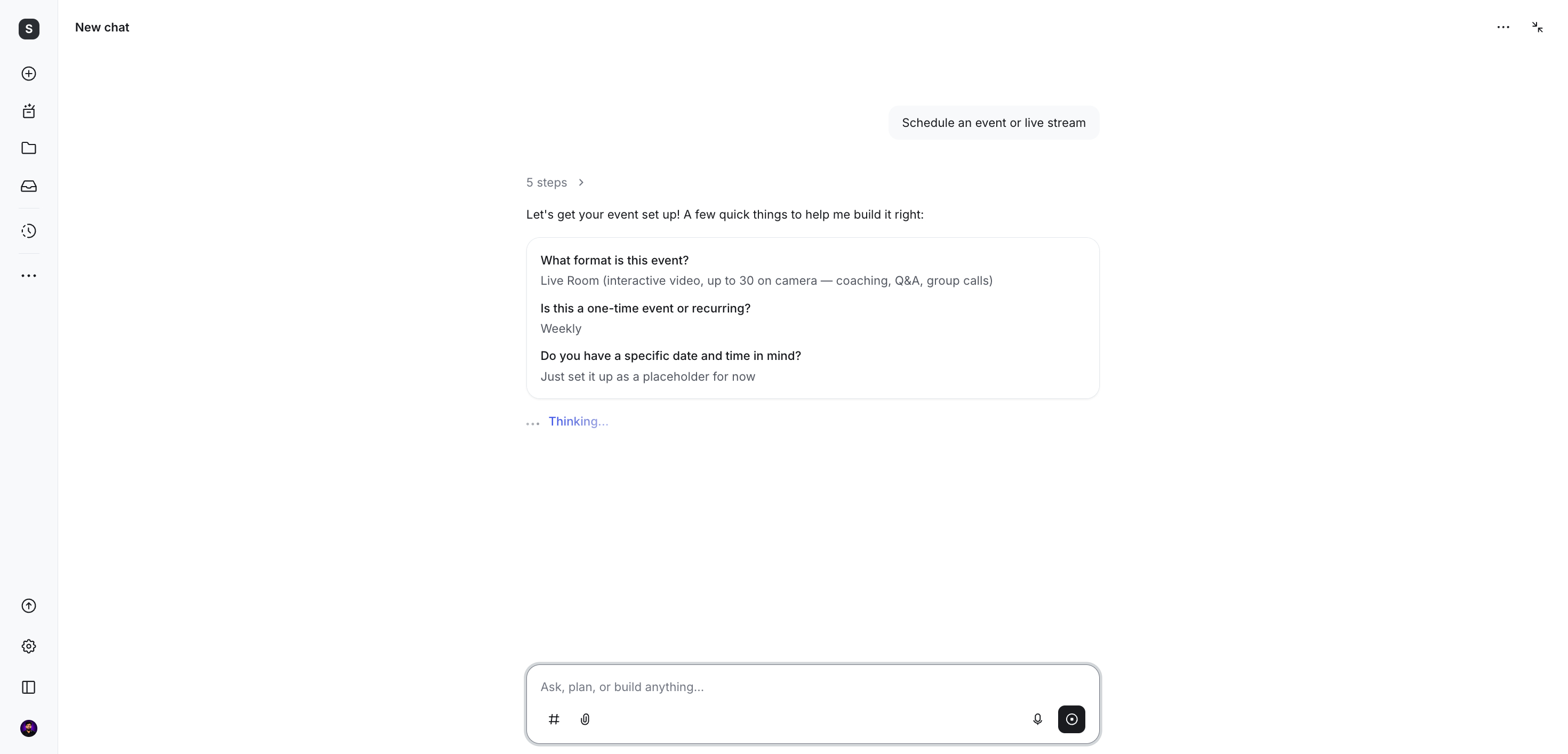
The goal is simple: help you spend less time on repetitive work and more time helping your members.
If you’ve ever managed an online community, you already know that creating great content is only part of the job. Every day, you also need to answer messages, moderate discussions, create courses, monitor member activity, review analytics, and prepare launch emails. As your community grows, these tasks can easily take up more time than actually engaging with your members.
Circle AI was built to handle much of that operational work.
Build Courses in Minutes
Creating an online course usually requires hours of planning before you can even start writing lessons.
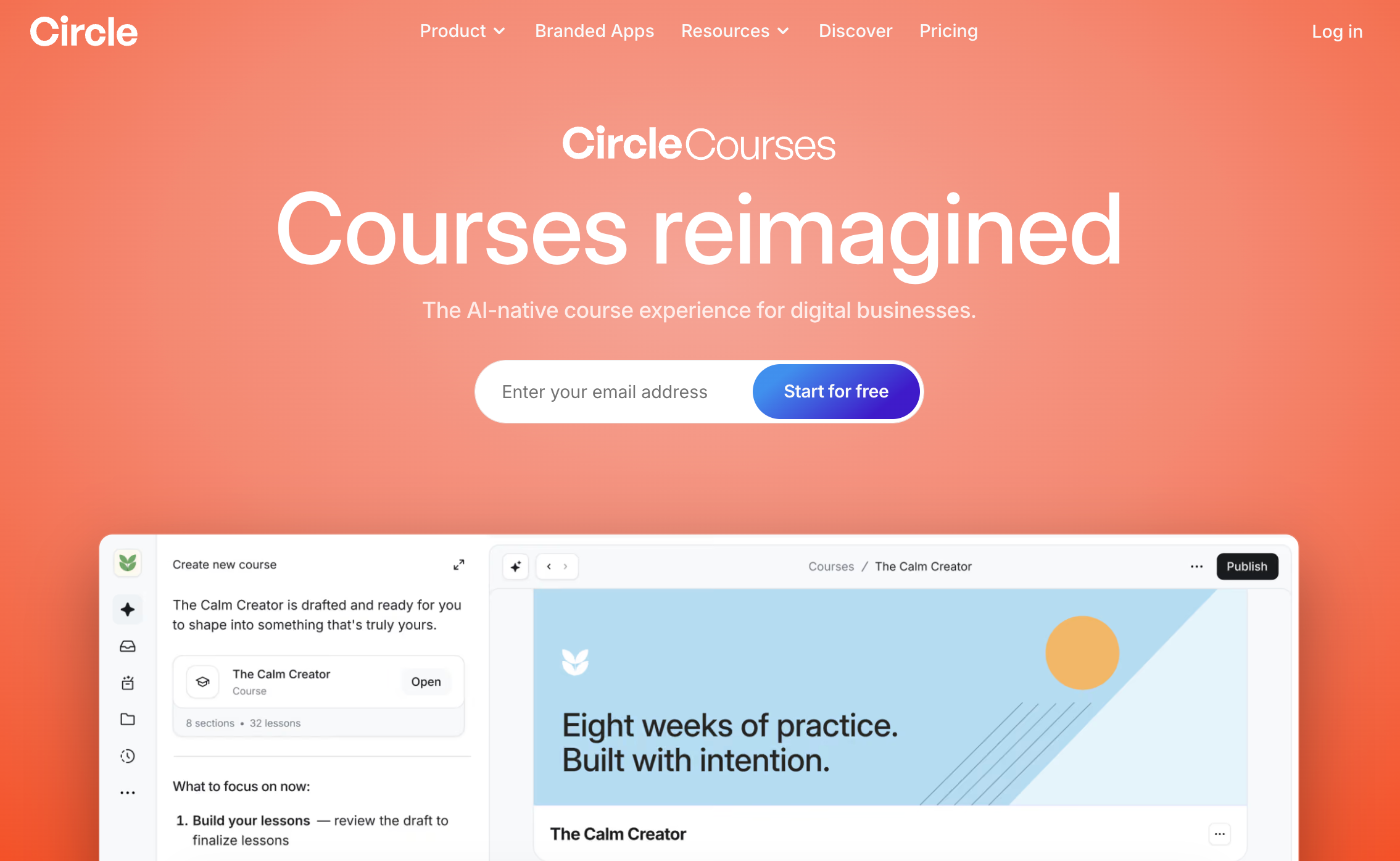
With Circle AI, you simply describe your course idea in a sentence. It can then generate a complete course structure, including modules, lesson content, quizzes, thumbnails, and even an email sequence for your course launch.
You can edit everything before publishing, so you stay in complete control while saving a significant amount of time.
Get Help Managing Your Community
Replying to member questions can become overwhelming as your community grows.
Circle AI helps manage conversations across your workspace. It can respond to routine questions, assist with discussions, and pause whenever a conversation needs your personal attention. After you’ve replied, it can continue helping with the conversation where appropriate.
It also keeps direct messages, course comments, moderation tasks, and AI-assisted discussions together, so you don’t have to jump between different areas of your community.
Ask Questions About Your Community
Finding useful insights shouldn’t require digging through multiple reports.
Circle AI lets you ask questions in plain English, such as:
- Which members are becoming inactive?
- Where are learners dropping out of my course?
- Which posts receive the most engagement?
- What content performs best?
Since Circle AI understands your community data, it can provide useful answers without requiring you to manually analyze reports.
My Thoughts on Circle AI
What I like most about Circle AI is that it isn’t trying to replace community owners. Instead, it removes many of the repetitive tasks that come with running a digital business.
Building relationships, helping members succeed, and creating valuable experiences will always depend on you. Circle AI simply helps with the work happening behind the scenes, allowing you to spend more time doing what only you can do.
If Circle continues expanding these AI capabilities, I believe Circle AI could become one of the platform’s most valuable features for creators and businesses running paid communities.
Circle AI Walkthrough
Want to see Circle AI in action?
You can try Circle with a 14-day free trial + 2500 bonus AI credits and explore its AI features, community tools, courses, events, and automations before choosing a paid plan.
Circle User Interface
You should always look for a community platform that is easy to use, especially if you are new to it.
The good news is that Circle is one of the easiest out of all the top community builders I’ve tested, and you don’t need any technical skills to use it.
Now, let’s jump in and see how easy it is for you to use their interface.
When you log in as an admin, everything is organized neatly on the screen. On the left side, you’ll see a list of all your spaces, and you can easily create a new one. From there, you can go to space, join discussions, and adjust settings.
If you want to publish a new post or do a live stream, both options are positioned in such a way that you can easily find them without looking here and there.
All the tools and features of Circle are organized into different categories, like Courses, Members, Paywalls, Direct Messages, etc., so you won’t have to search a lot to find what you need.
For the people using your community (the members), the interface they see looks similar to what you see, but without the admin settings. It’s quite simple and easy to understand. They can find important links from the left sidebar and use the search bar to find specific posts, comments, groups, and more.
Moreover, the dashboard has a helpful “Getting Started” setup checklist. If you’re new to Circle, this checklist will help you set up your community correctly. It’s kind of like a to-do list that tells you what steps to follow.
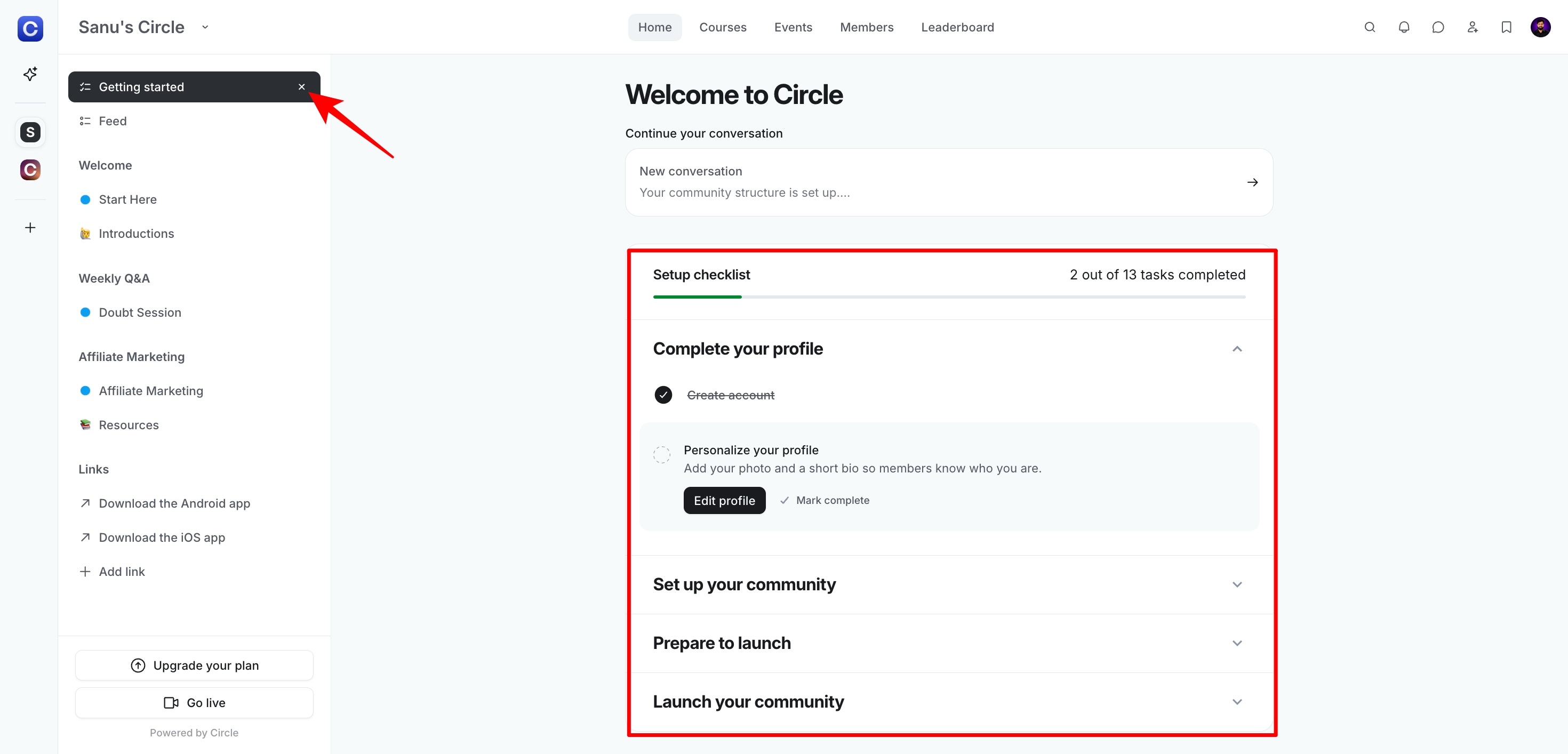
If you know how to set it up and the checklist bothers you, just click on the “X” icon next to the “Getting Started” option on the left side of the screen to remove it. But remember, once you delete the setup checklist, you can’t bring it back. So it’s best to delete it only after you’ve finished all the necessary steps.
Overall, Circle is user-friendly and simple to manage.
You can start your community in just a few minutes, and everyone (including your community members) will have a great experience using the application.
🔗 Click here to sign up for a free 14-day trial of Circle 👀
<- Plus 2500 bonus AI credits ->
Circle Communities
Community building is where Circle performs best. From the moment you sign in, the platform walks you through the setup, so creating your first community doesn’t feel overwhelming.
One thing I like is the variety of Space types you can create. You can build spaces for discussions, events, courses, chats, member directories, and more.
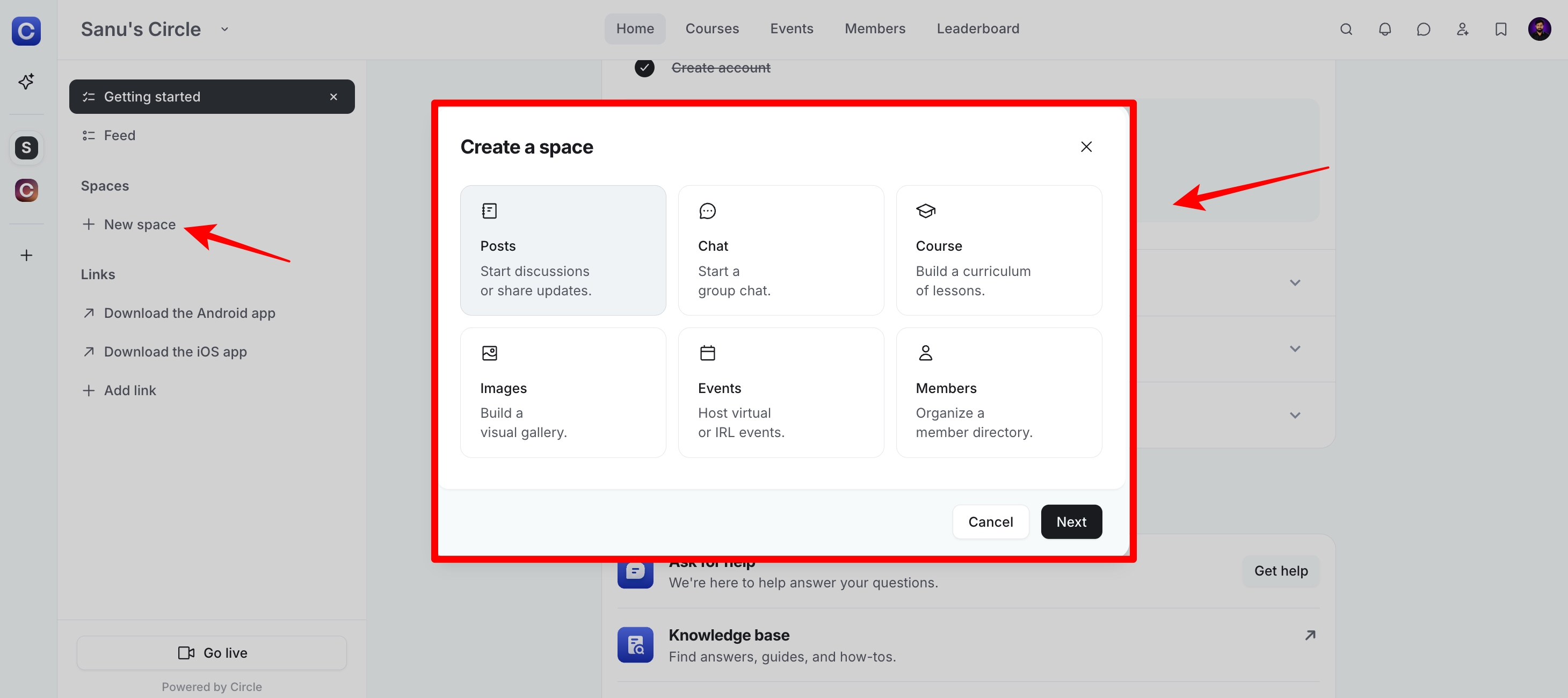
Circle Spaces work much like Slack channels or WhatsApp groups, but they offer more structure for community discussions.
I use Spaces to keep conversations organized by topic. Every discussion has its own place, so members don’t have to scroll through one long feed to find what they’re looking for.
As your community grows, this structure makes it much easier for members to find the right space from day one without asking where everything belongs.
Once your Spaces are ready, creating content is just as simple. Circle includes a rich content editor with support for slash (/) commands, which makes it easy to add different content blocks while writing.
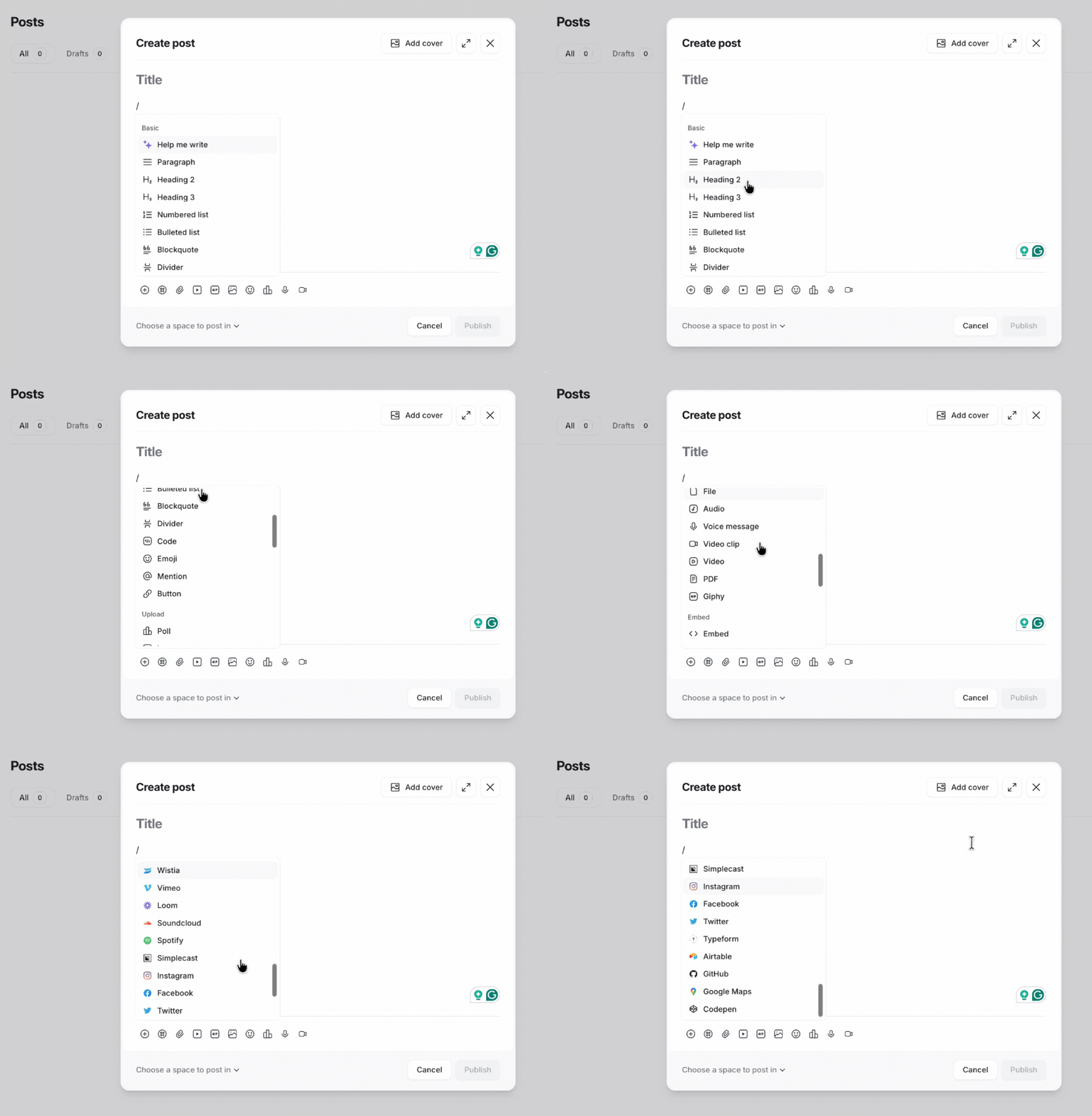
You can also record voice notes and videos directly inside the editor without using another app.
The editor reminds me of Notion. It includes all the formatting options you’re likely to need without feeling complicated. After using it for a while, I found it more intuitive than the editors in Mighty Networks and Skool.
Pro tip: If you’re creating training content, use the card view layout in Spaces. It works great for organizing lessons, and in many cases, you may not need to upgrade to a higher plan just to use the course feature.
Circle also lets you choose who can access each Space. You can mark a Space as public, private, or secret, depending on your community setup.

If you plan to monetize your community, you can lock individual Spaces behind a paid membership. This lets you run both free and paid communities under the same account.
For example, you can reserve premium Spaces for your Pro members while keeping general discussion areas open to everyone.
🔗 Click here to sign up for a free 14-day trial of Circle 👀
<- Plus 2500 bonus AI credits ->
Circle Makes Onboarding Easy for New Members
The first few minutes after someone joins your community can influence how active they become later. If they know where to start, they’re much more likely to participate.
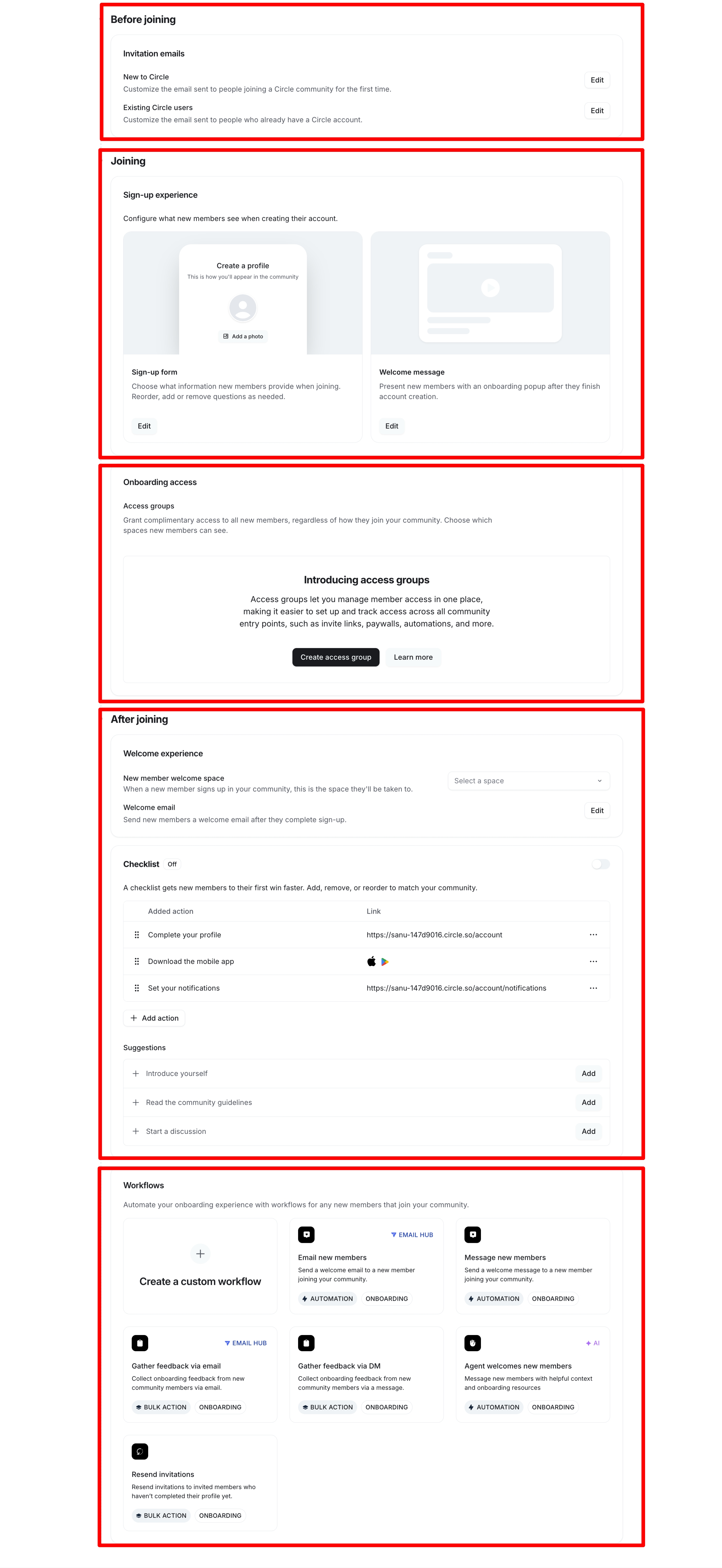
Circle helps with that by letting you build a welcoming onboarding experience. You can send a welcome email, introduce your community, and direct new members to the right place as soon as they join.
You can also decide where members land after they log in.
For example, first-time members can land on a Start Here page that includes welcome videos, FAQs, community guidelines, and prompts to introduce themselves. Returning members can skip the introduction and go straight to the home feed, where they see recent activity and continue from where they left off.
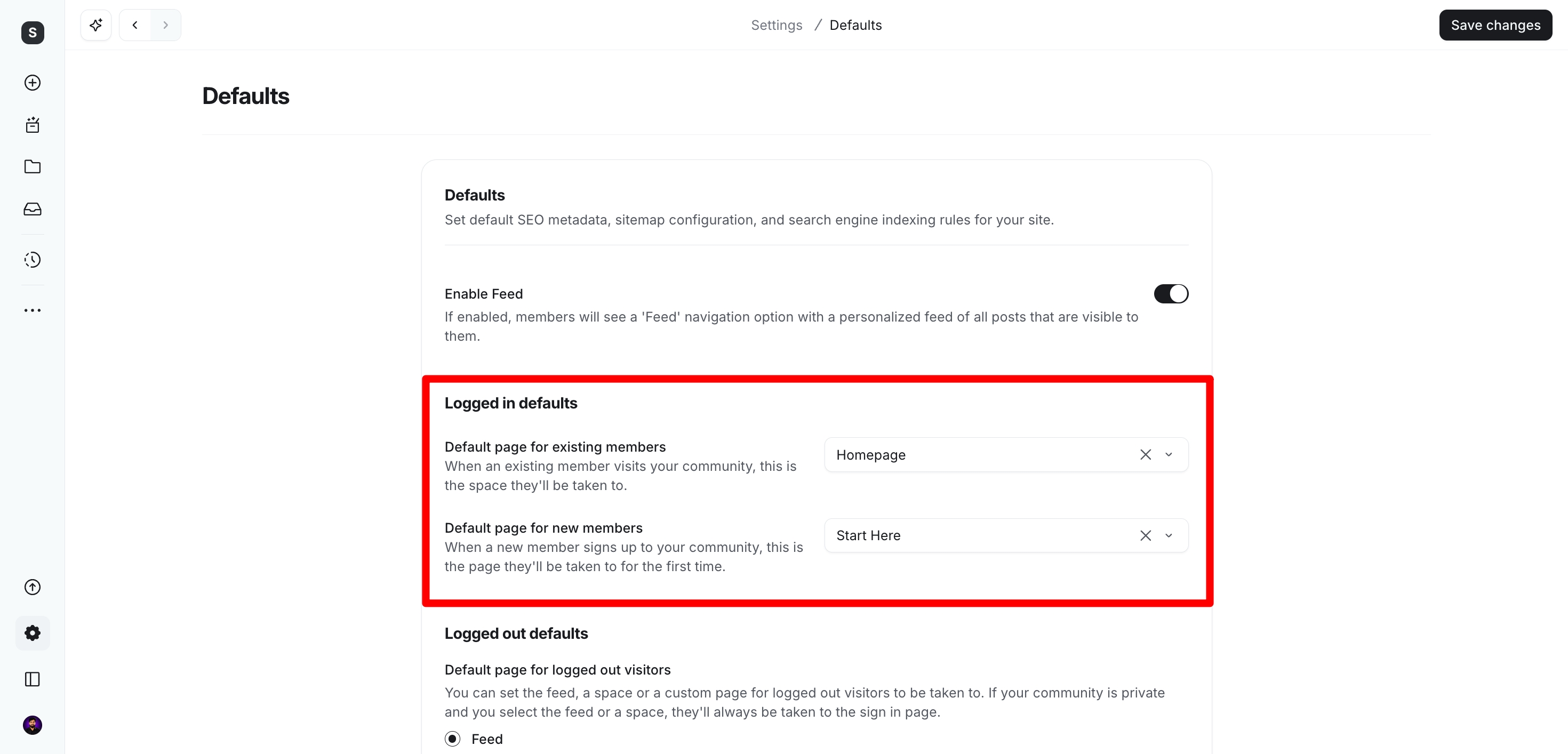
I like this approach because it removes the confusion that many online communities create. New members don’t have to wonder what to do next. They see the most important information first, while returning members can jump back into ongoing conversations.
Circle also does a good job with member profiles and the community directory.
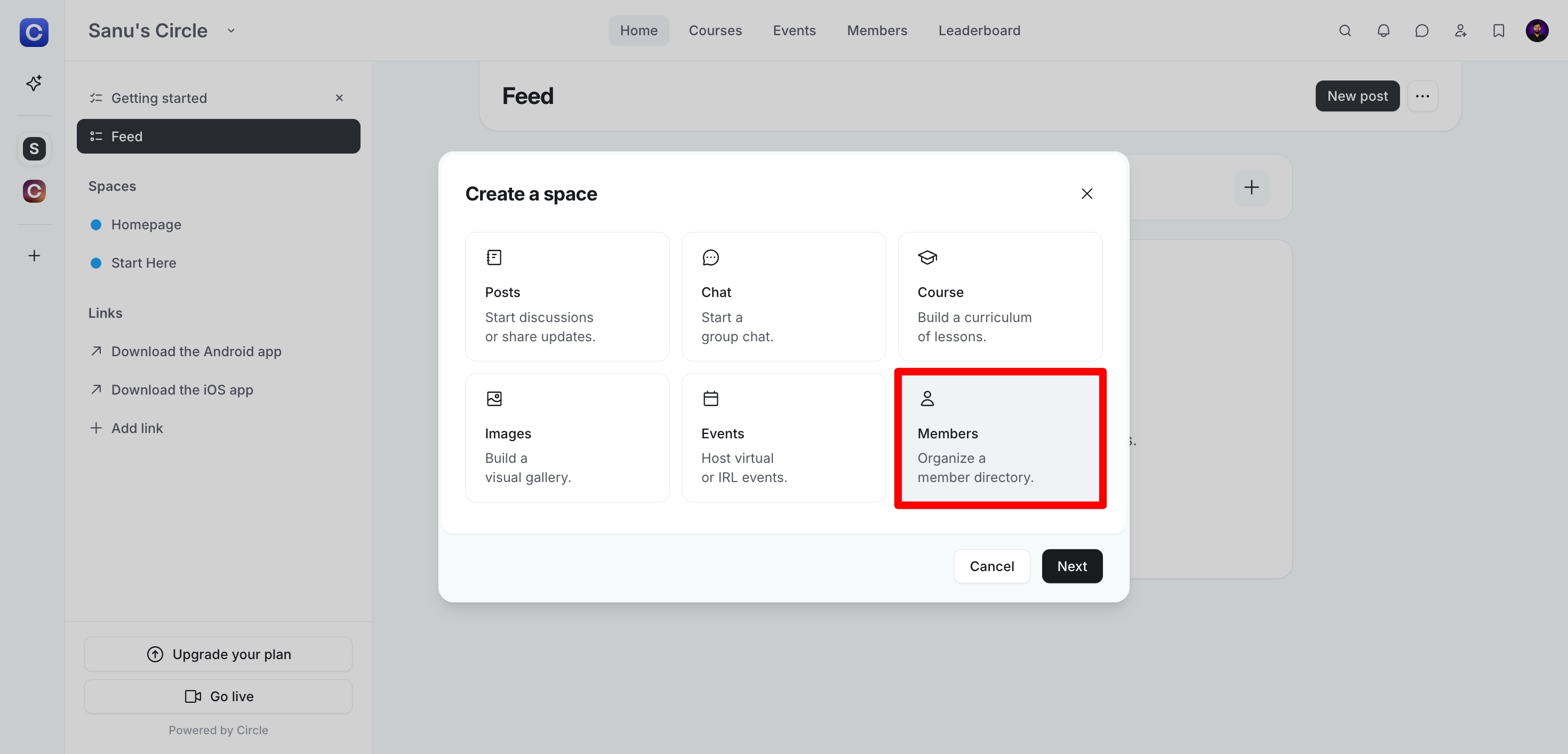
Your members can browse the directory, learn about other people in the community, and start conversations outside the main discussion spaces. As your community grows, this makes it much easier for members to discover people with similar interests.
On top of that, Circle includes comments, reactions, mentions, notifications, direct messages, and moderation tools. These features work together to keep conversations active without making the community feel cluttered.
One thing I wasn’t happy to see is that Circle lets community owners stop members from leaving on their own. In those communities, members have to contact an admin to remove their account. If the admin doesn’t respond, members have no simple way to leave, which isn’t a great experience. I’d like to see Circle make this process easier for members in the future.
Community Gamification
One thing I noticed after spending time inside Circle is that its gamification system has improved a lot. It may not be the first feature people talk about, but it does a good job of encouraging members to stay active without making the community feel like a game.

Whenever someone creates a post, leaves a thoughtful comment, or reacts to another member’s content, Circle rewards that activity with points. As members continue participating, they move up through different levels, making their progress visible to everyone in the community.
I also like that you are not locked into Circle’s default setup. You can decide which actions earn points, change how many points each action is worth, and create your own level names that match your brand. That gives you much more control over the experience.
For communities that offer memberships or courses, this works surprisingly well. New members have a reason to participate from day one, while regular members stay active because they can see their progress and recognition growing over time.
Another feature I found useful is the leaderboard. It highlights the most active members in the community, which creates a bit of friendly competition without feeling overwhelming. It’s a simple way to recognize your biggest contributors and encourage others to join the conversation.
Bottom line
Circle’s gamification isn’t as extensive as platforms that focus almost entirely on points and leaderboards, but it strikes a good balance. It rewards meaningful participation, keeps members engaged, and helps build a more active community without requiring much setup from the community owner.
🔗 Click here to sign up for a free 14-day trial of Circle 👀
<- Plus 2500 bonus AI credits ->
Sell Online Courses
Once your Circle community becomes active, creating a course feels like the next logical step. You already have an audience that trusts your content, so turning that knowledge into a structured course takes only a few extra steps.
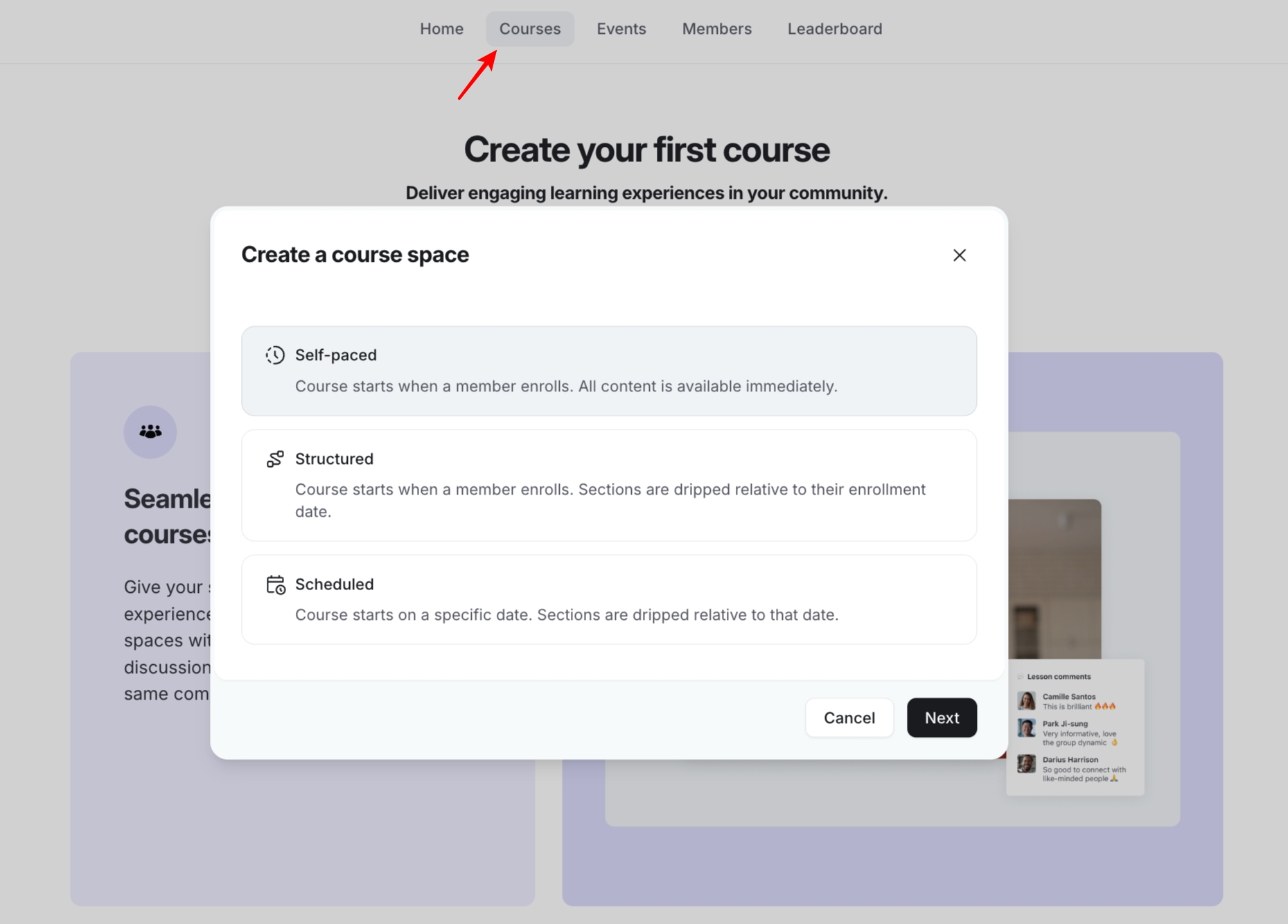
The first thing Circle asks is how you want to deliver your course. You can choose from three course formats:
- Self-paced courses unlock every lesson as soon as a student enrols.
- Structured courses release lessons over time based on each student’s enrollment date.
- Scheduled courses publish lessons on fixed dates for everyone taking the course.
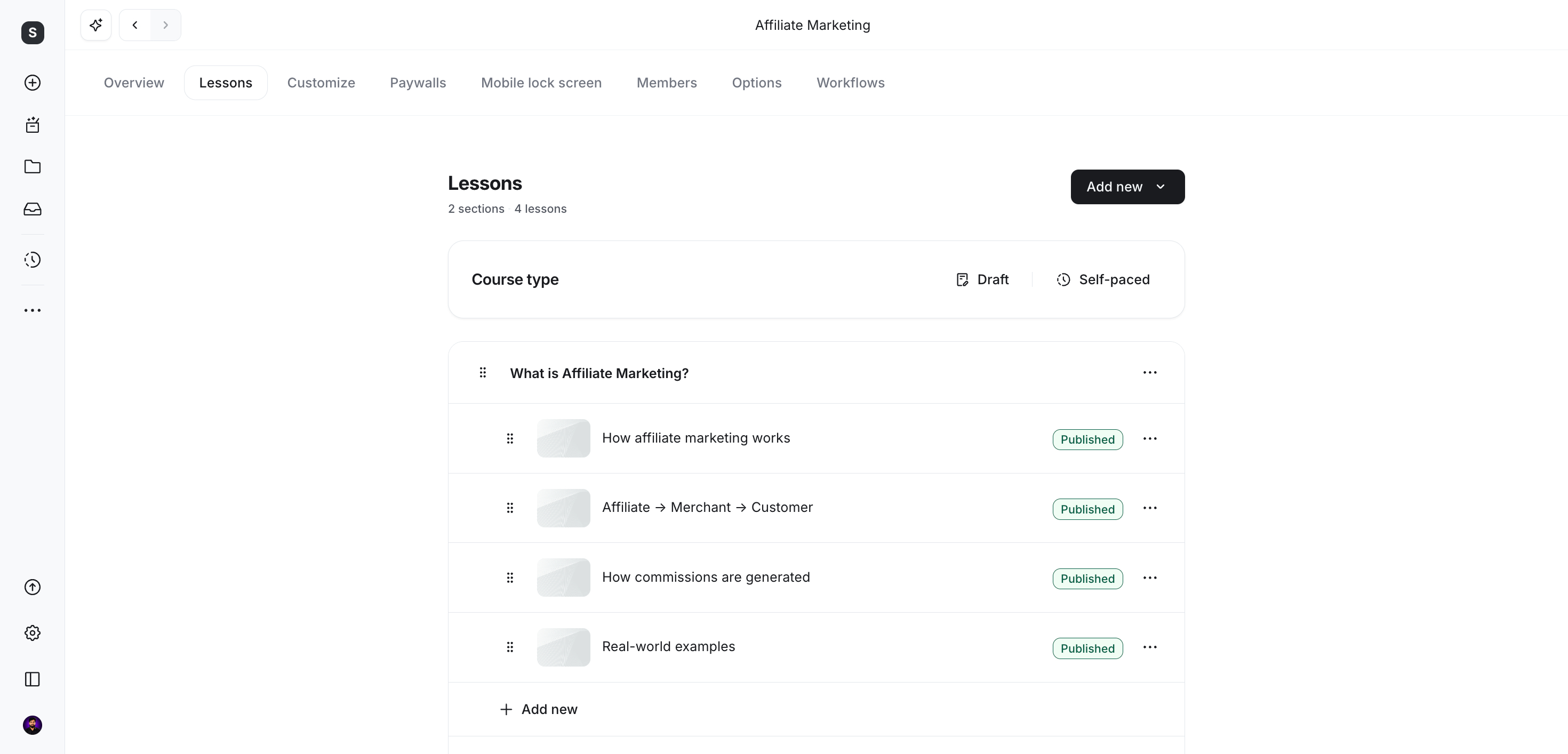
After that, you can organize your curriculum into sections and lessons that match your teaching style.
I also like that Circle lets you drip lessons over time. I use this option when I want students to focus on one lesson before moving to the next. It keeps people engaged and encourages them to complete the course at a steady pace.
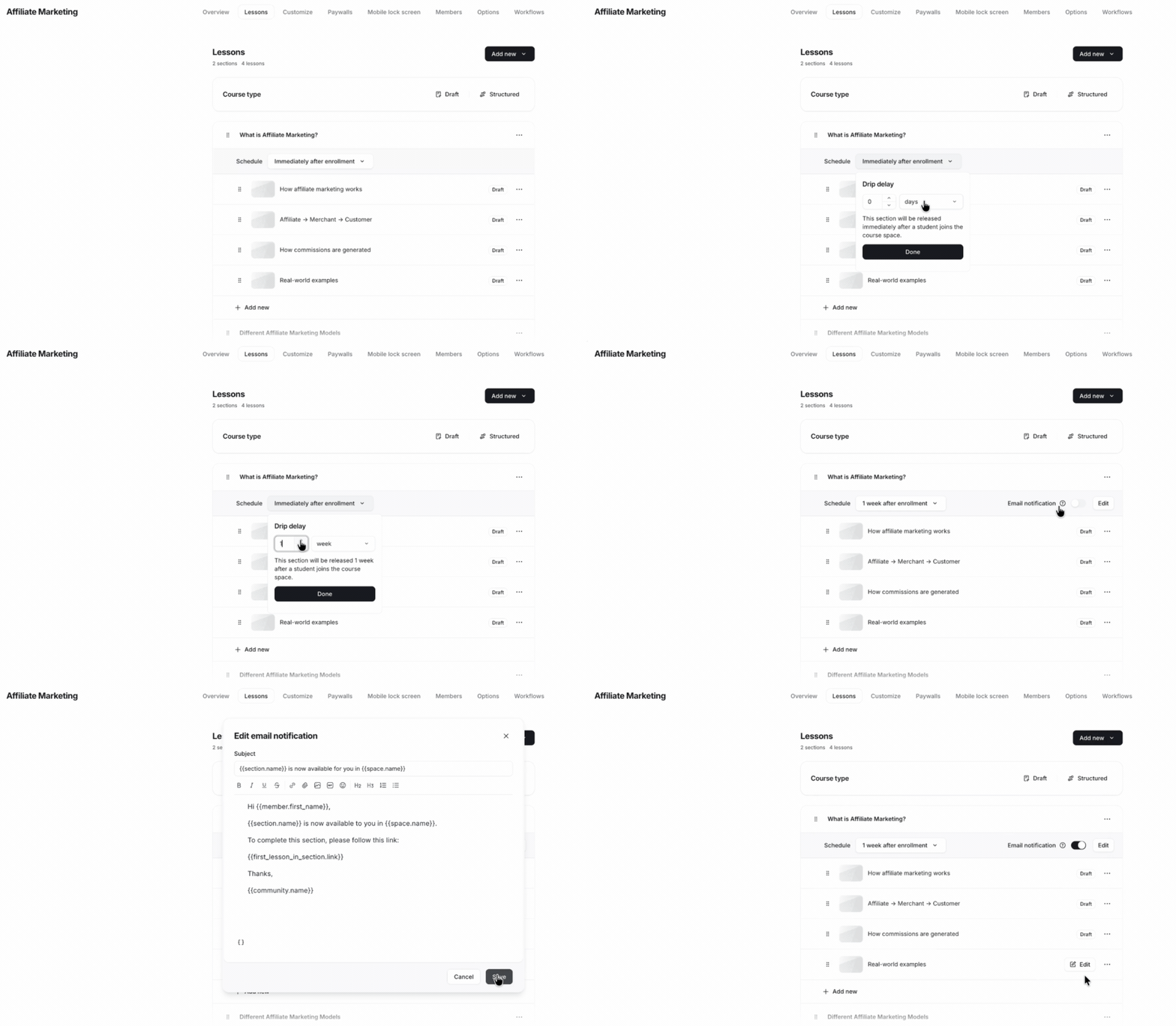
Building lessons is also simple. Circle includes a drag-and-drop course builder, but you can also create lessons with content blocks that feel similar to Notion.
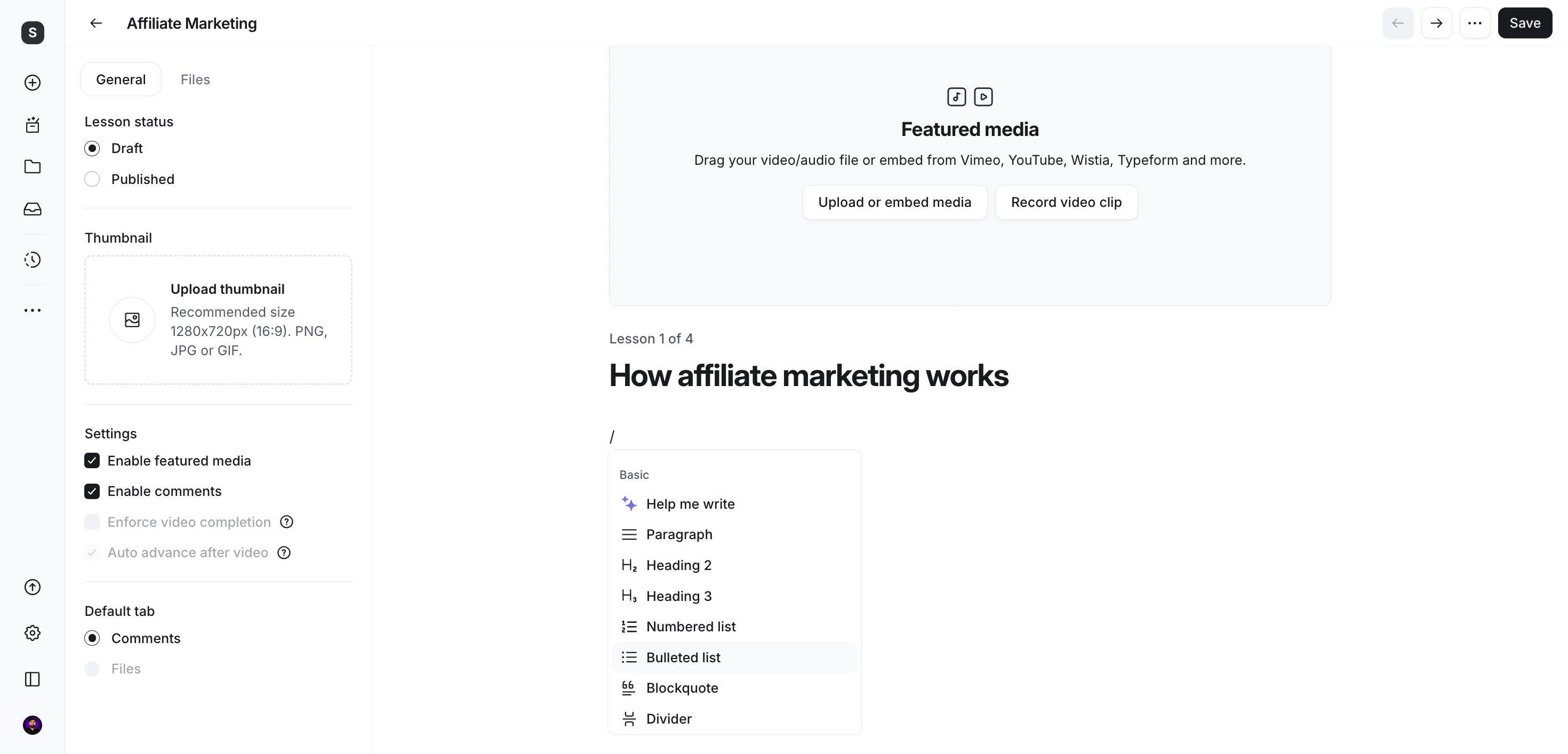
You can add text, images, audio, videos up to 4K resolution, embedded content, PDFs, ZIP files, and other downloadable resources. I had no trouble putting everything together in one lesson.
One feature I really appreciate is the built-in course comments. Students can leave questions or share feedback directly below each lesson without opening a separate discussion area. That makes it easy to see where learners need more explanation or which topics create the most discussion.
Circle has also added AI features for courses. You can train an AI assistant on your course material so students can ask questions at any time. During my testing, it answered questions using the course content, much like ChatGPT.

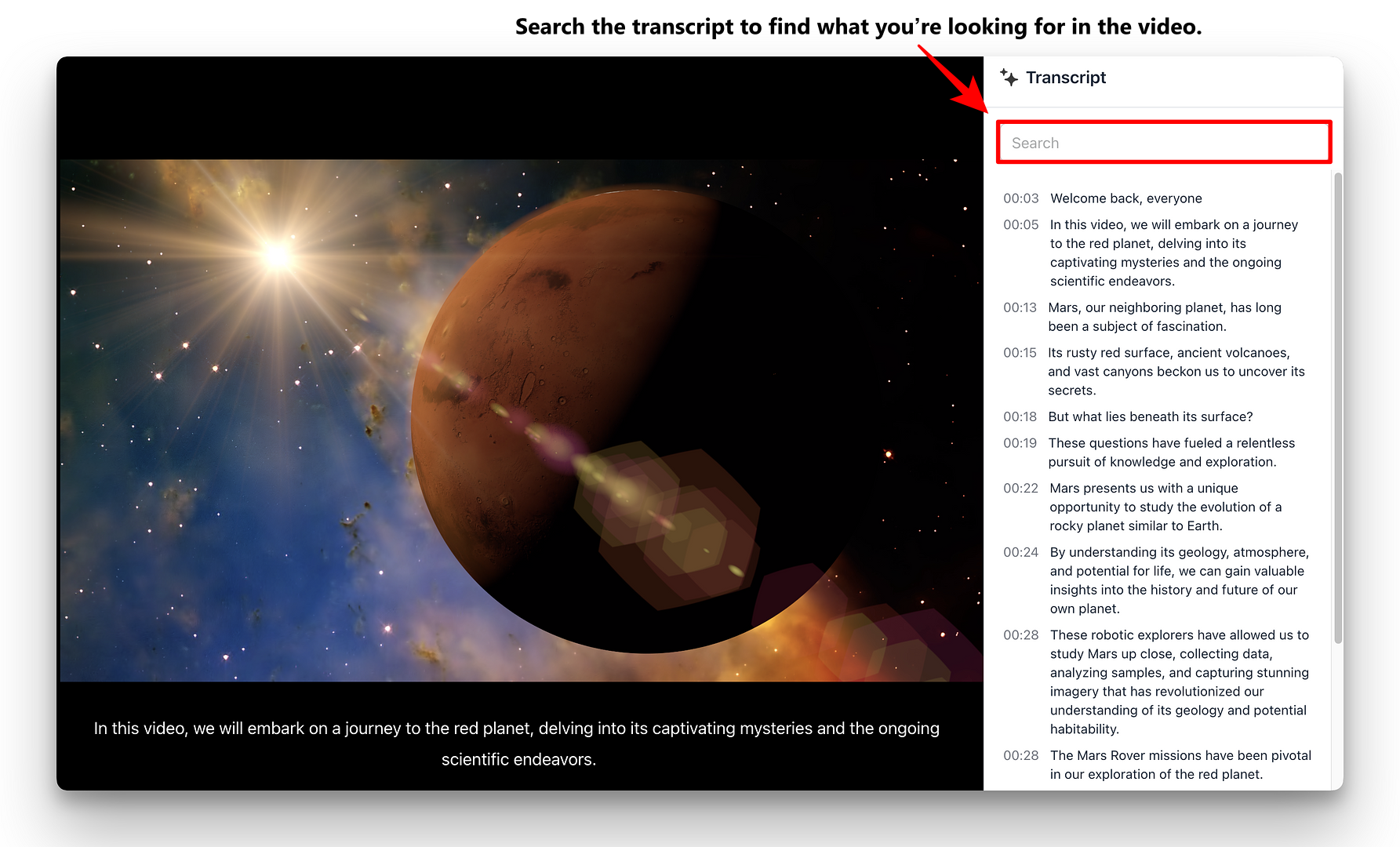
Another useful feature is automatic video transcription. Every uploaded lesson receives a transcript that students can search. If they want to revisit a specific explanation, they can jump directly to that section of the video without watching the entire lesson again.
Circle also tracks each student’s progress through the course. You can see who has completed the most lessons, who has been inactive, and when each student last logged in.
From the same dashboard, you can send direct messages to encourage inactive learners or congratulate students who are making good progress. You can even create an AI agent that sends those follow-up messages automatically.
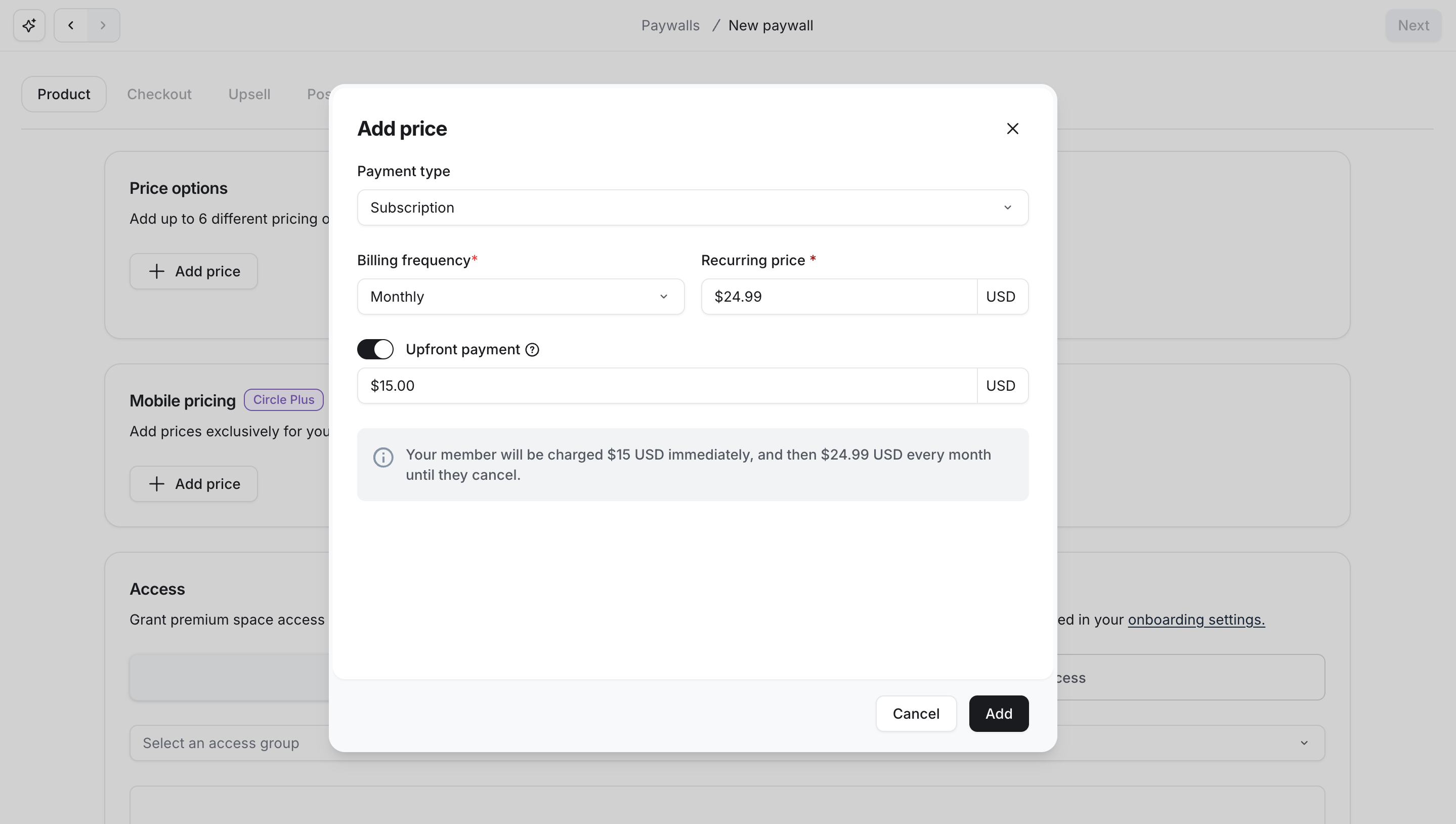
If you want to sell courses, Circle already includes most of the tools you need. You can create paywalls, accept one-time or recurring payments with Stripe, sell memberships, run promotions, and support referral programs without adding another platform.
That said, I still found one important limitation. Circle now lets you require students to complete lessons in order, but I couldn’t require them to pass a quiz or finish an assessment before unlocking the next lesson. If your courses depend heavily on graded assessments, platforms like Kajabi still offer stronger learning management features.
Note: Circle introduced Circle AI in 2026 to make course creation take far less time. You only need to describe your course idea in a single sentence, and it creates a complete course structure with modules, lessons, quizzes, thumbnail images, and even an email sequence for your launch. You can review everything before publishing and make any changes you want, so the AI helps you build the first draft while you stay in control of the final course.
Bottom Line
After using Circle’s course tools, I think they’re a strong fit for creators who want to combine courses with an active community. You can build lessons, host discussions, accept payments, track student progress, and use AI without leaving the platform. I only wish Circle included more advanced assessment features for creators who teach structured certification or exam-based programs.
🔗 Click here to sign up for a free 14-day trial of Circle 👀
<- Plus 2500 bonus AI credits ->
Events and Live Streaming
If you run coaching programs or online workshops, Circle includes the tools you need. You can host one-on-one coaching sessions through live video rooms or organize live events for your community without relying on another platform.
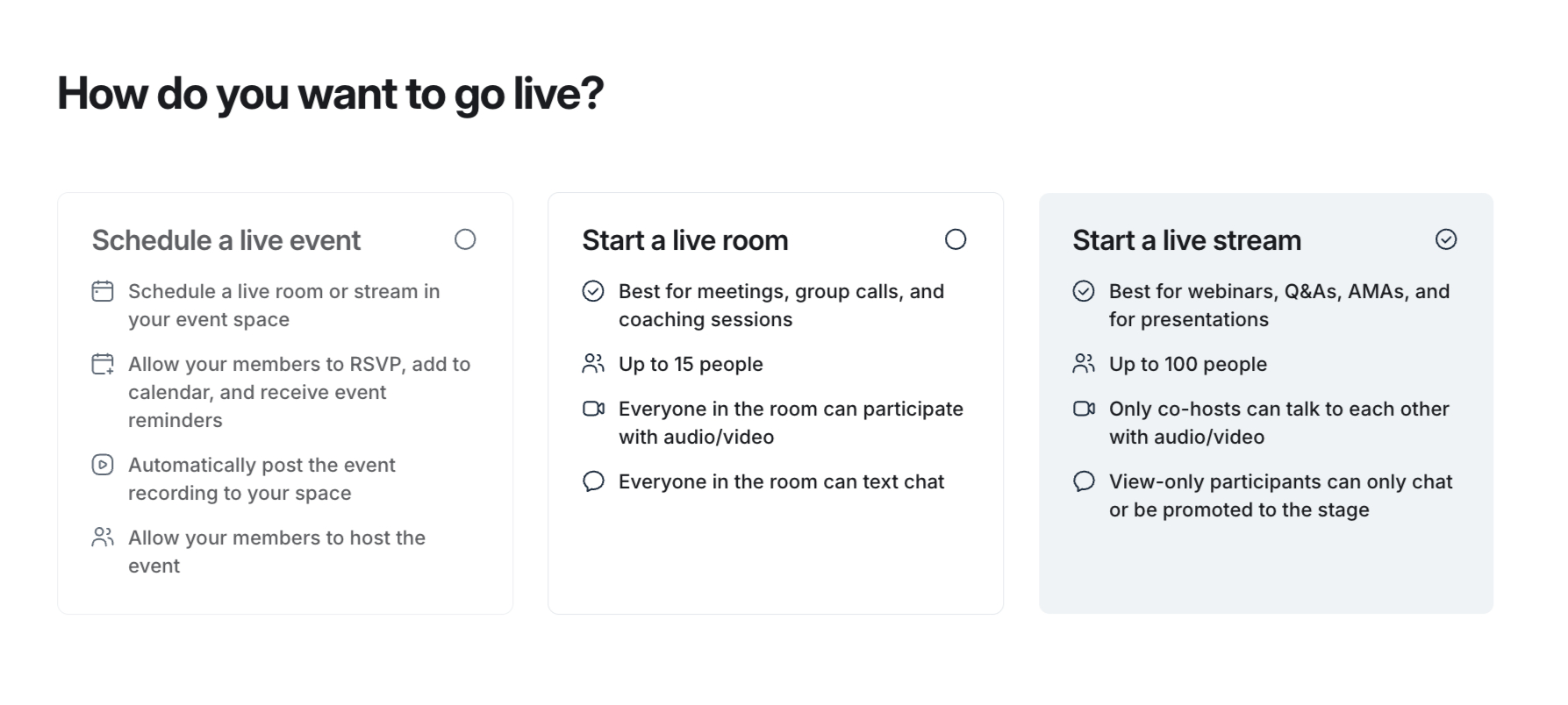
Circle includes built-in livestreaming for smaller sessions. You can host up to 30 people in an interactive call, while larger events can reach up to 1,000 attendees. If you already use Zoom or Google Meet, Circle also lets you connect those services and host your sessions there.
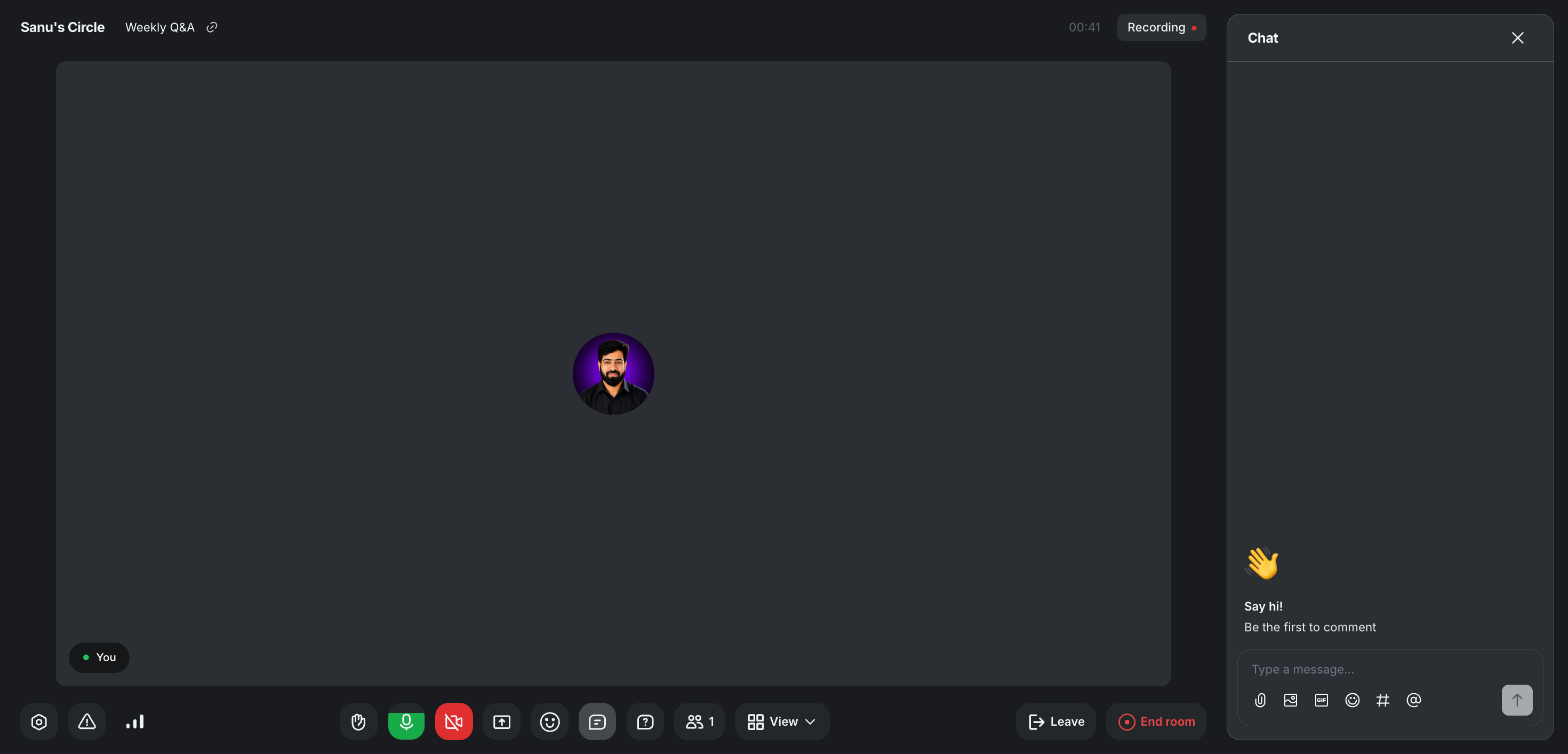
One thing I liked during testing was how easy it was for members to stay informed. They could see upcoming sessions, join live events, and keep track of updates without scrolling through endless posts.
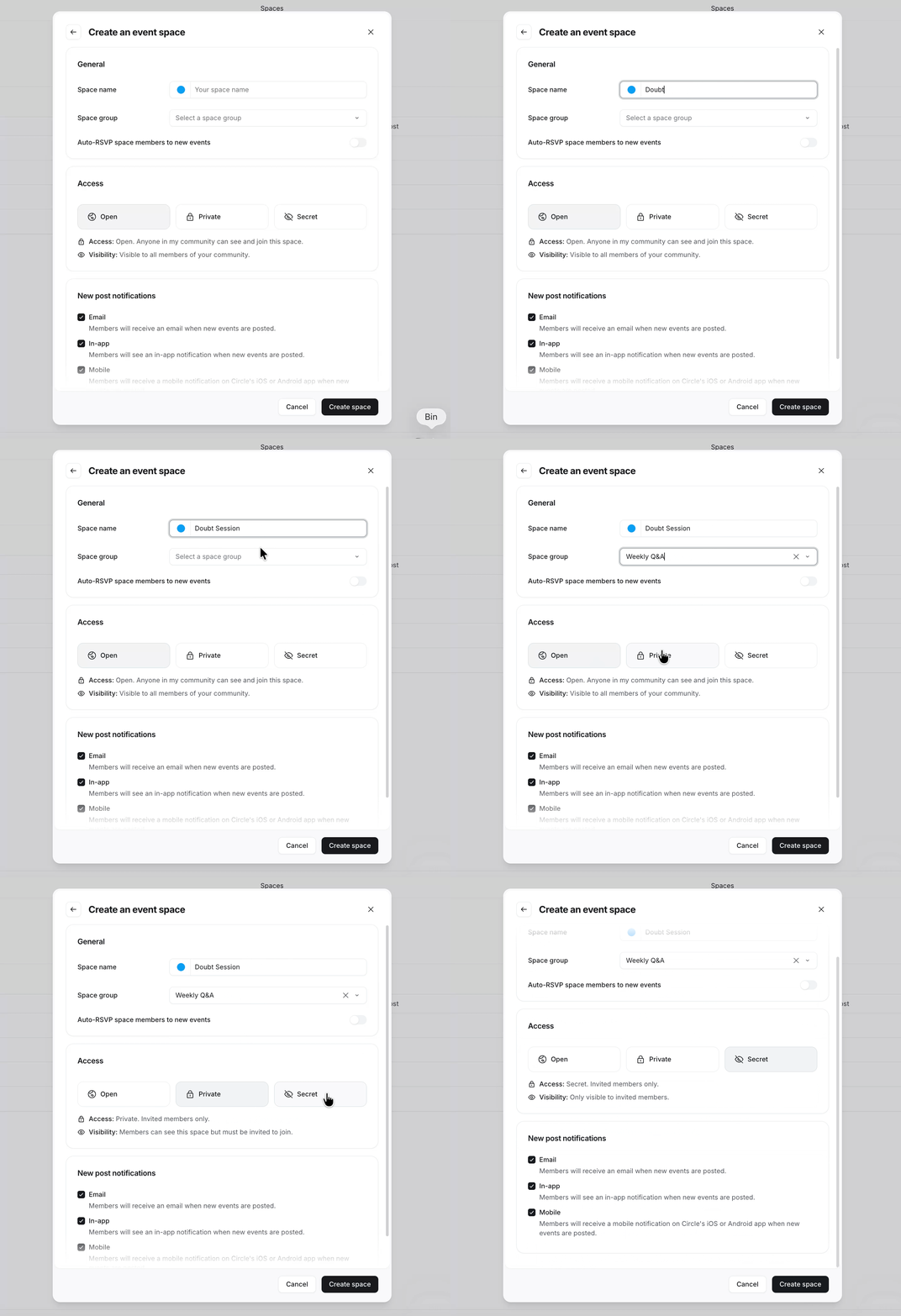
I also liked the way Circle organizes events. You can create a dedicated Event Space and schedule multiple events from one place.
For every event, you can set the date, start time, duration, and recurring schedule. For example, if you host a workshop every Wednesday, you only need to set it up once.
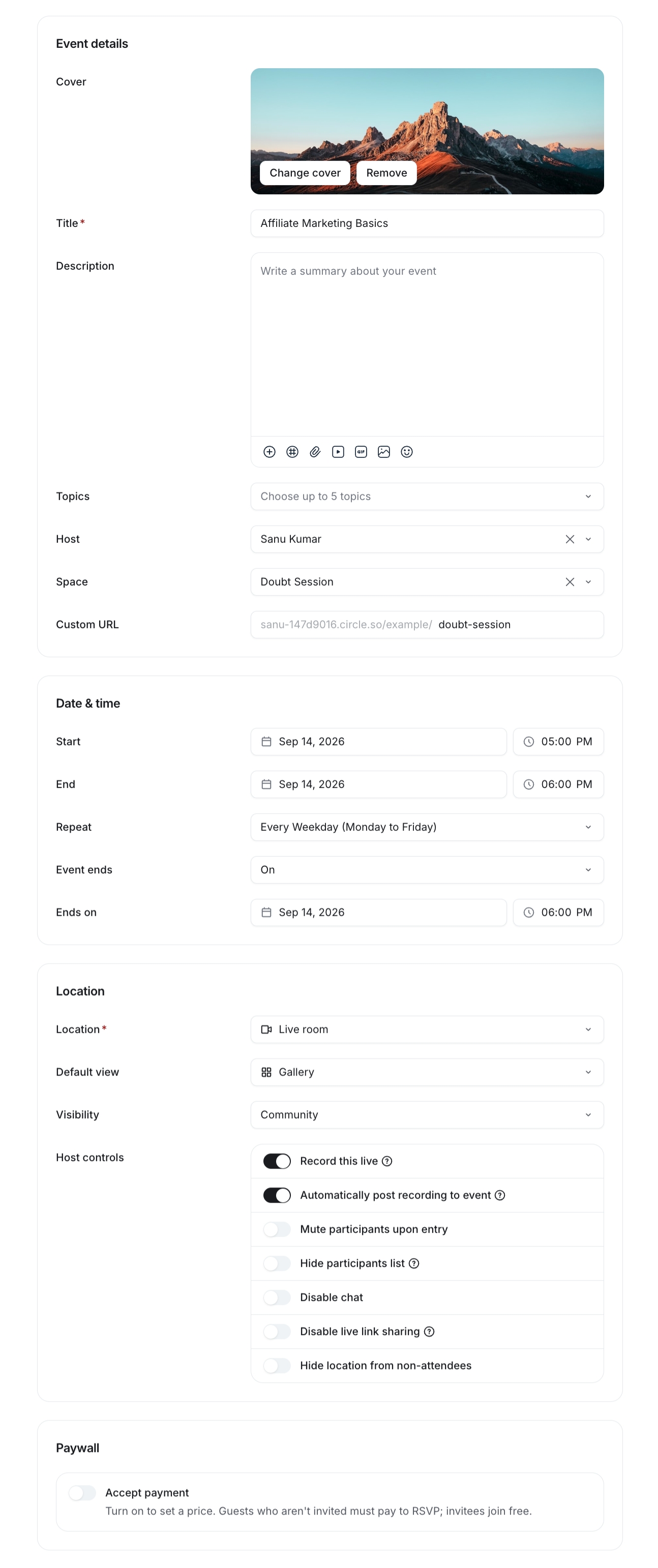
Circle also lets you create custom invitation links, which makes it easier to invite guests or share registration links outside your community.
Another useful addition is public webinars. People do not need a Circle account to attend. They simply enter their name and email address before joining the event.
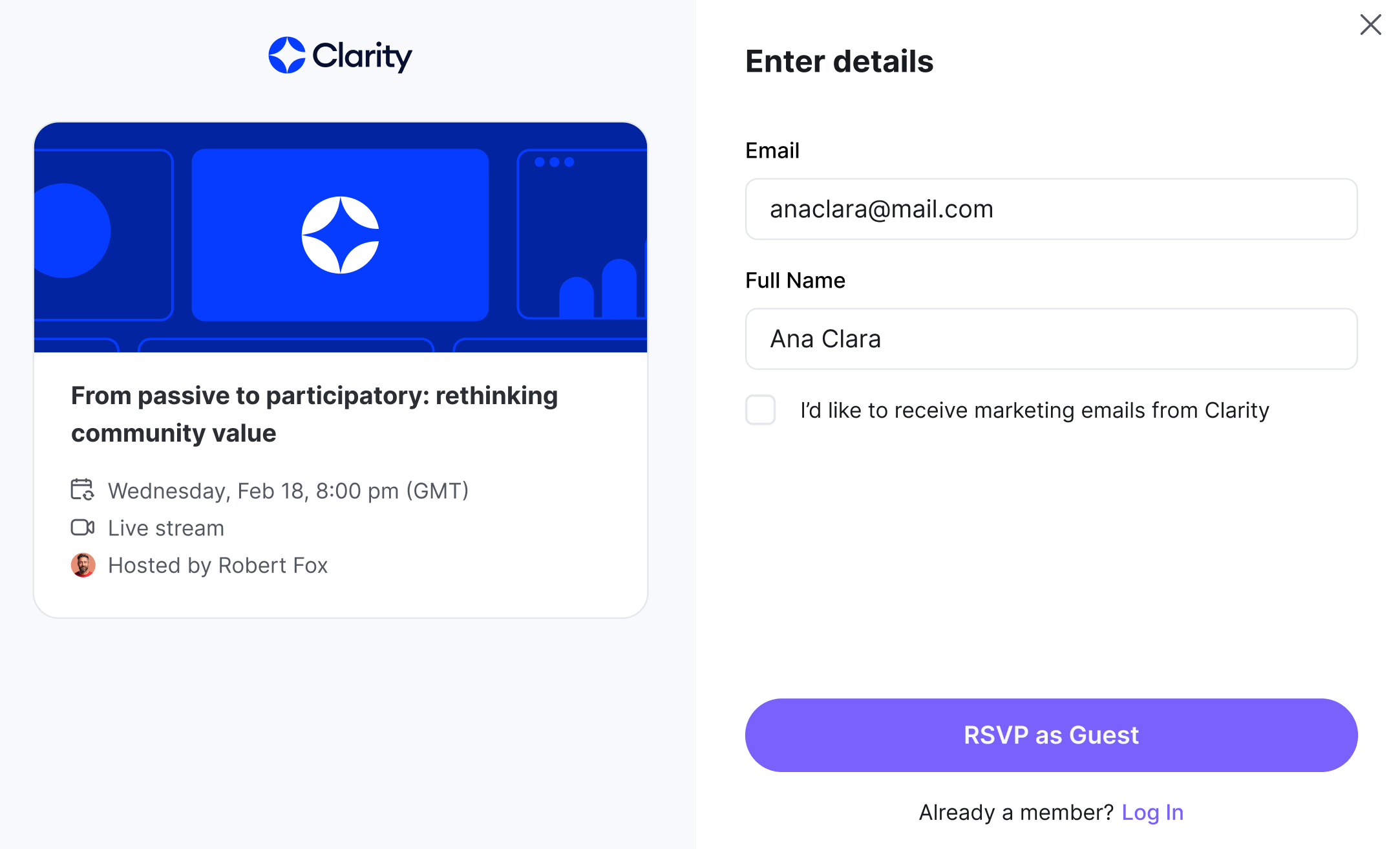
After someone registers, Circle adds them to your audience list. From there, you can review attendees, filter profiles that are still incomplete, and follow up with new leads through your own email marketing process.
This feature reminded me a little of Skool’s discovery tools, but Circle focuses more on collecting leads through webinars and events.
During my testing, I noticed one drawback. Communities that host lots of live sessions or upload many videos may occasionally experience streaming delays. It did not happen all the time, but it is something to keep in mind if you regularly host coaching calls, workshops, or cohort-based courses.
Bottom line
Circle does an excellent job with coaching, live events, and webinar management. I would still keep Zoom or Google Meet available as a backup for important sessions. Also, Circle still does not let you livestream directly to YouTube, LinkedIn, or Facebook, which may matter if you want to reach a wider audience across multiple platforms at the same time.
AI and Workflow Automation
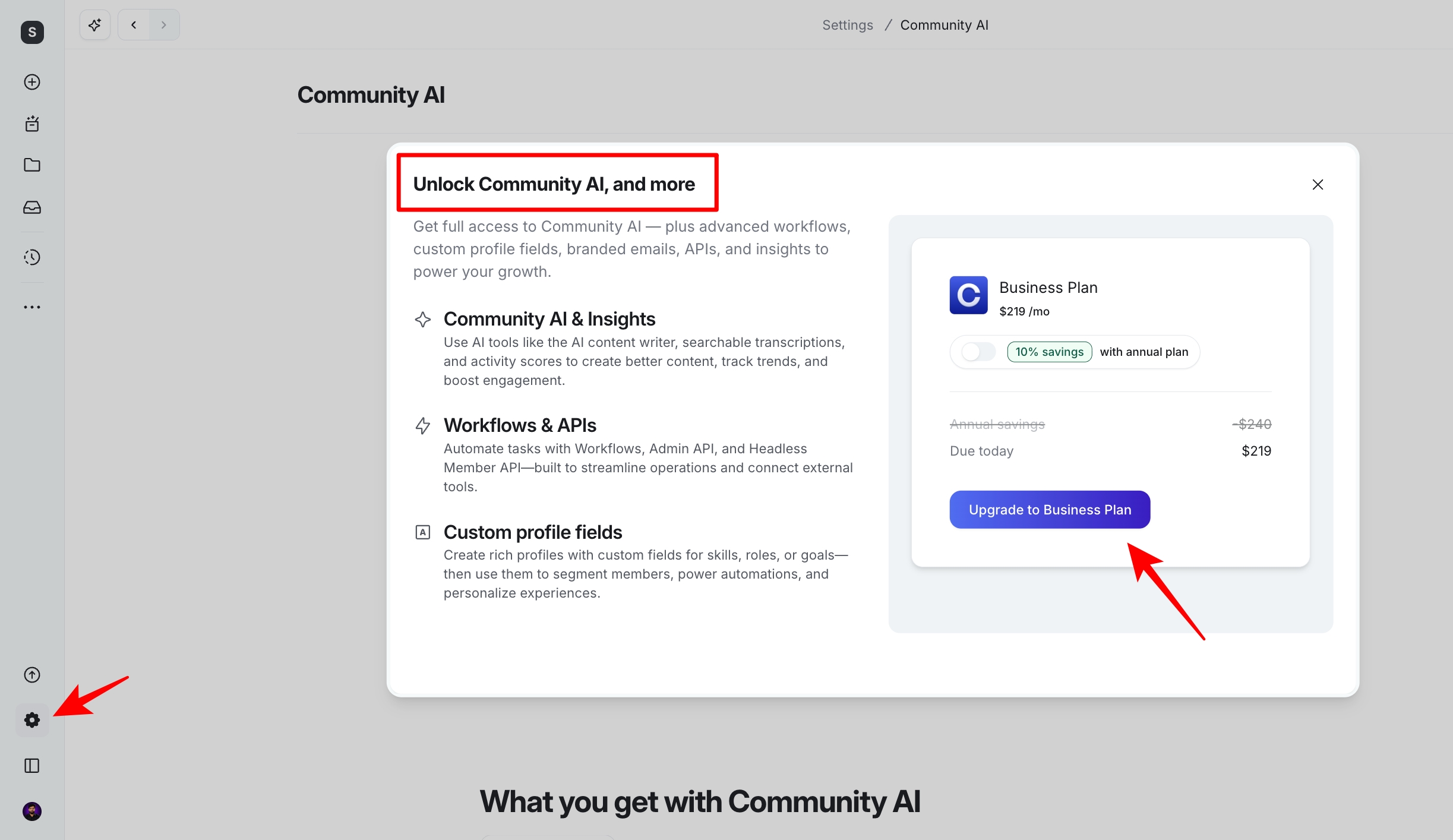
Circle has added a lot of AI features over the past year. There are enough tools to cover an entire guide, so I’ll focus on the ones I found most useful while testing the platform.
🔗 Click here to sign up for a free 14-day trial of Circle 👀
<- Plus 2500 bonus AI credits ->
Community AI
Community AI helps you manage conversations, keep members engaged, and automate repetitive tasks.

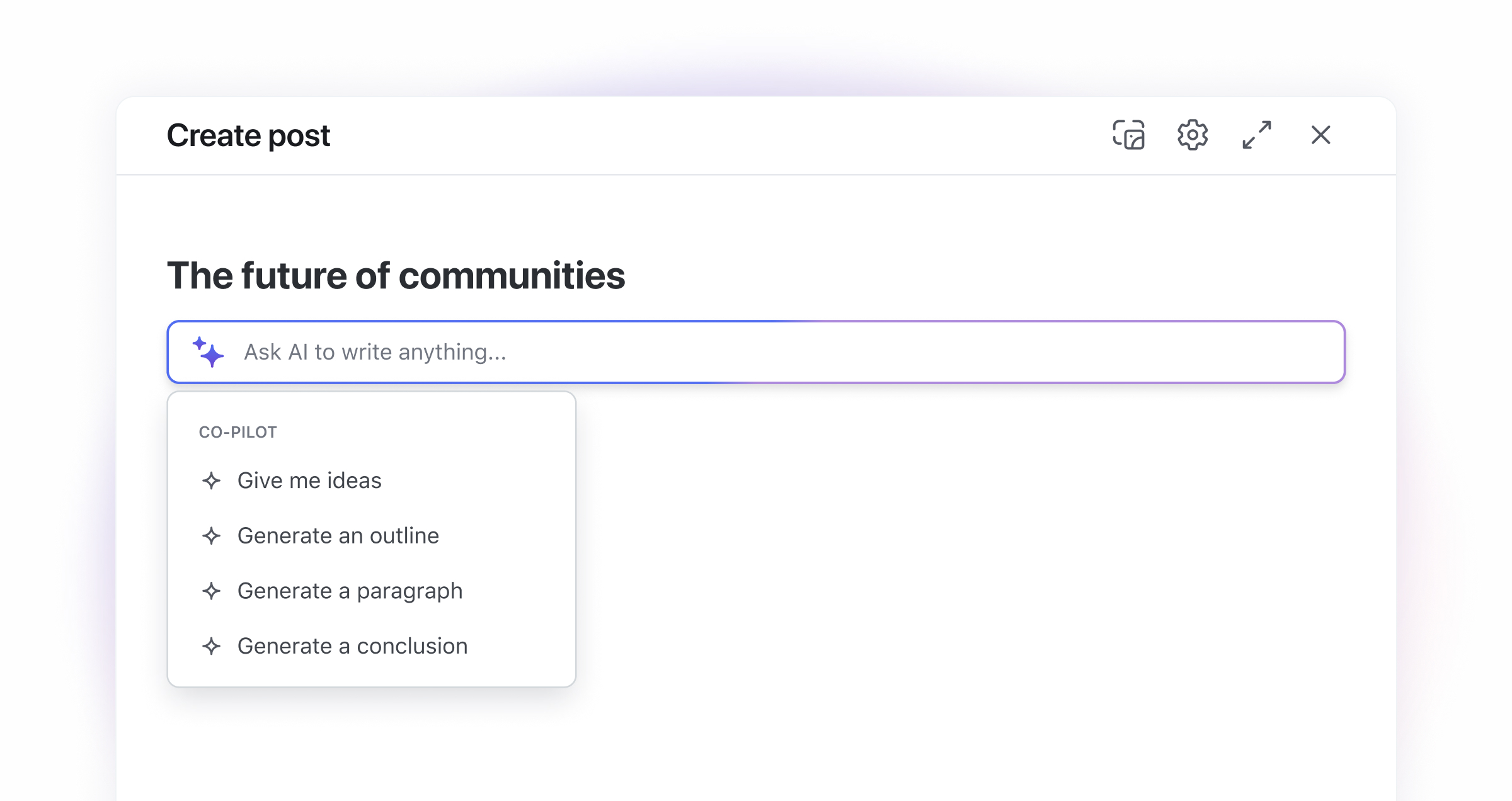
The feature I used the most was Circle’s AI content writer. It can generate discussion prompts, summarise lessons, rewrite existing posts, and help you draft new content. If you’ve already used ChatGPT or Claude, you’ll know what to expect.
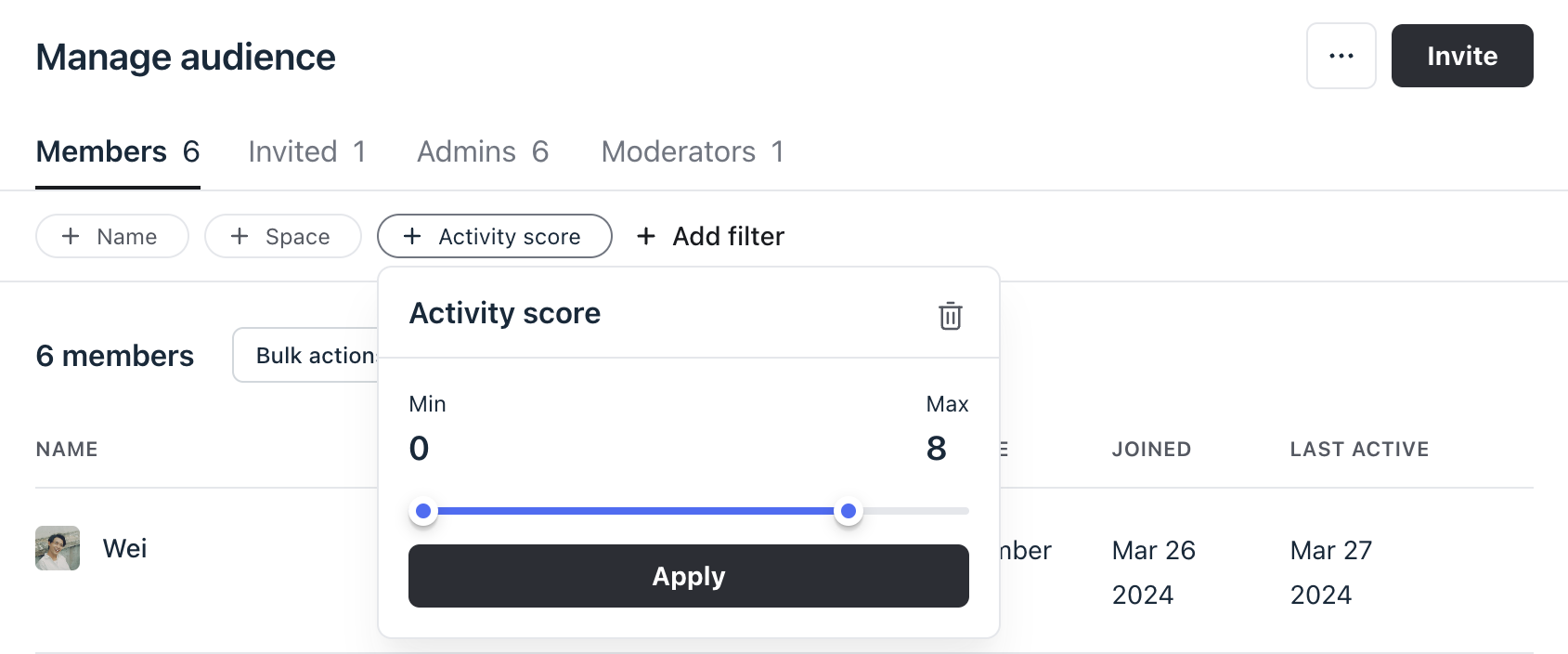
One more feature worth mentioning is Activity Scores. This feature shows who actively participates, who hasn’t visited in a while, and how members respond to posts, events, and announcements. After reviewing these reports, I had a much clearer idea of which members needed a little encouragement to return.
Workflow Automation
Beyond AI, Circle also includes its own workflow builder.
I like that I don’t need another automation platform just to handle simple tasks. Everything lives inside Circle, which makes daily management much easier.
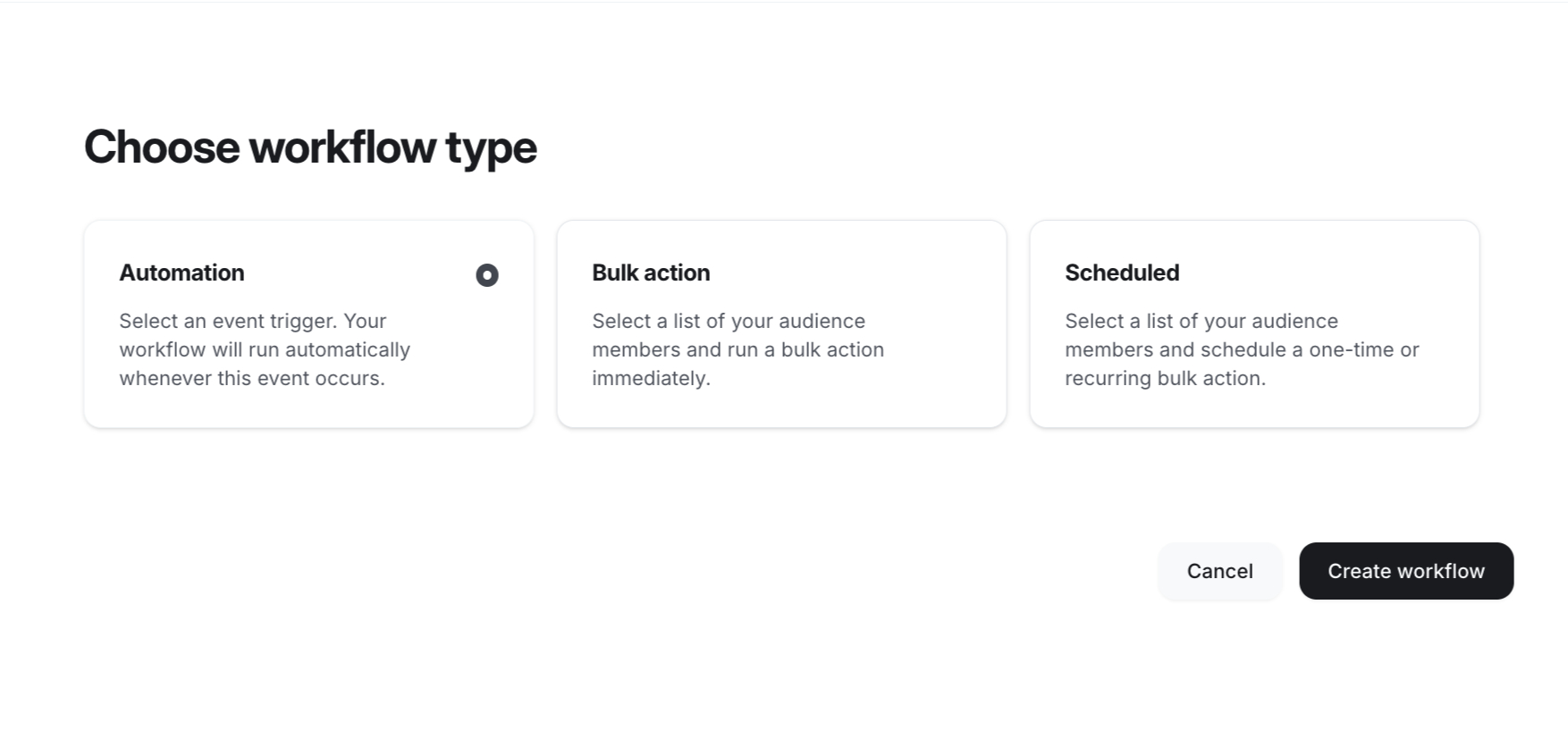
There are three workflow types:
- Automation workflows run when members perform specific actions or meet certain conditions.
- Bulk action workflows let you apply the same action to multiple members at once.
- Scheduled workflows run selected actions automatically on a recurring schedule.
Circle also includes several workflow templates, so you can start with an existing setup instead of creating every workflow yourself.
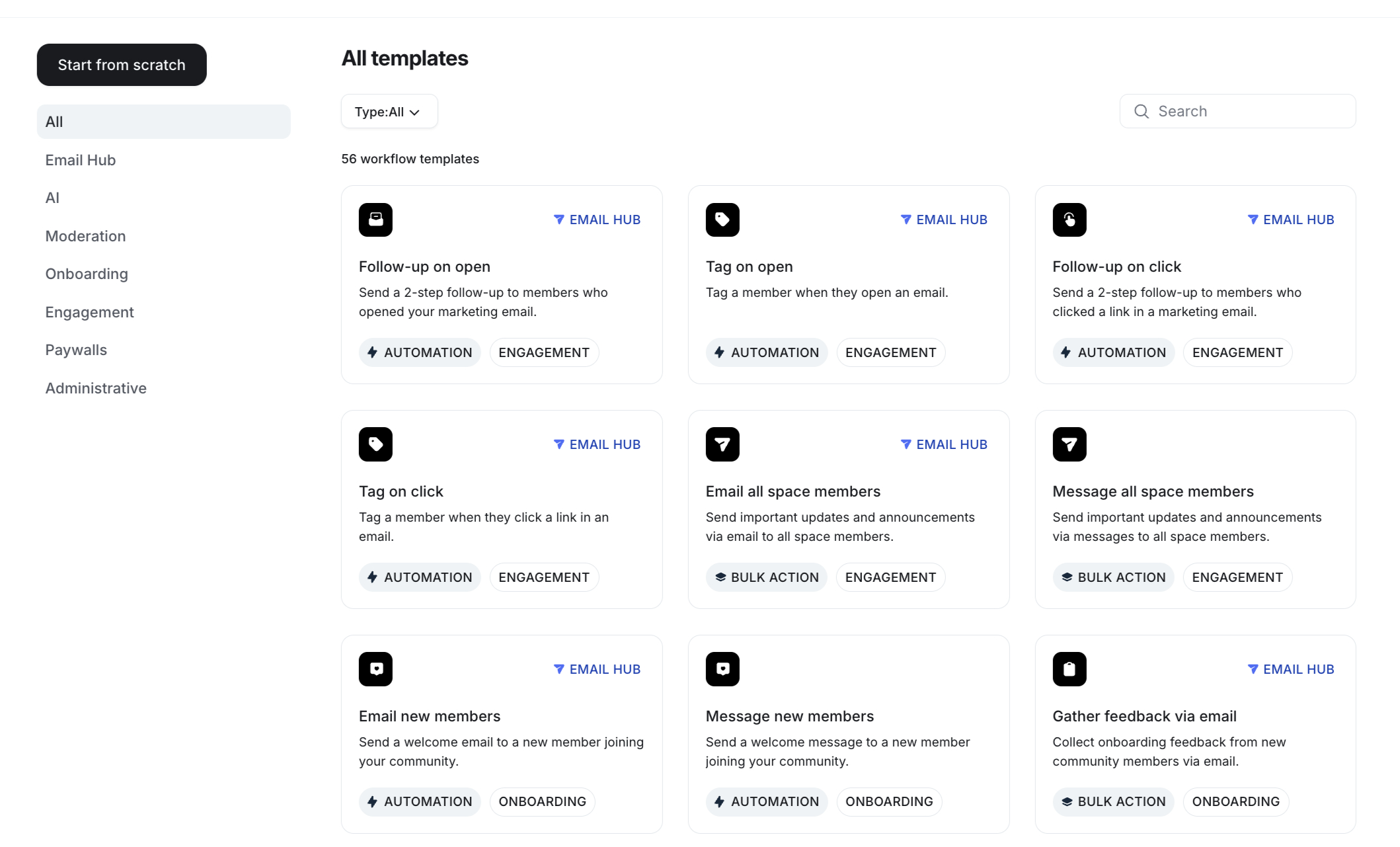
Here are a few examples:
- Email a member when they create a post in a space.
- Send a reminder email to members when an event is about to start.
- Add members to courses, private groups, or spaces automatically based on their tags.
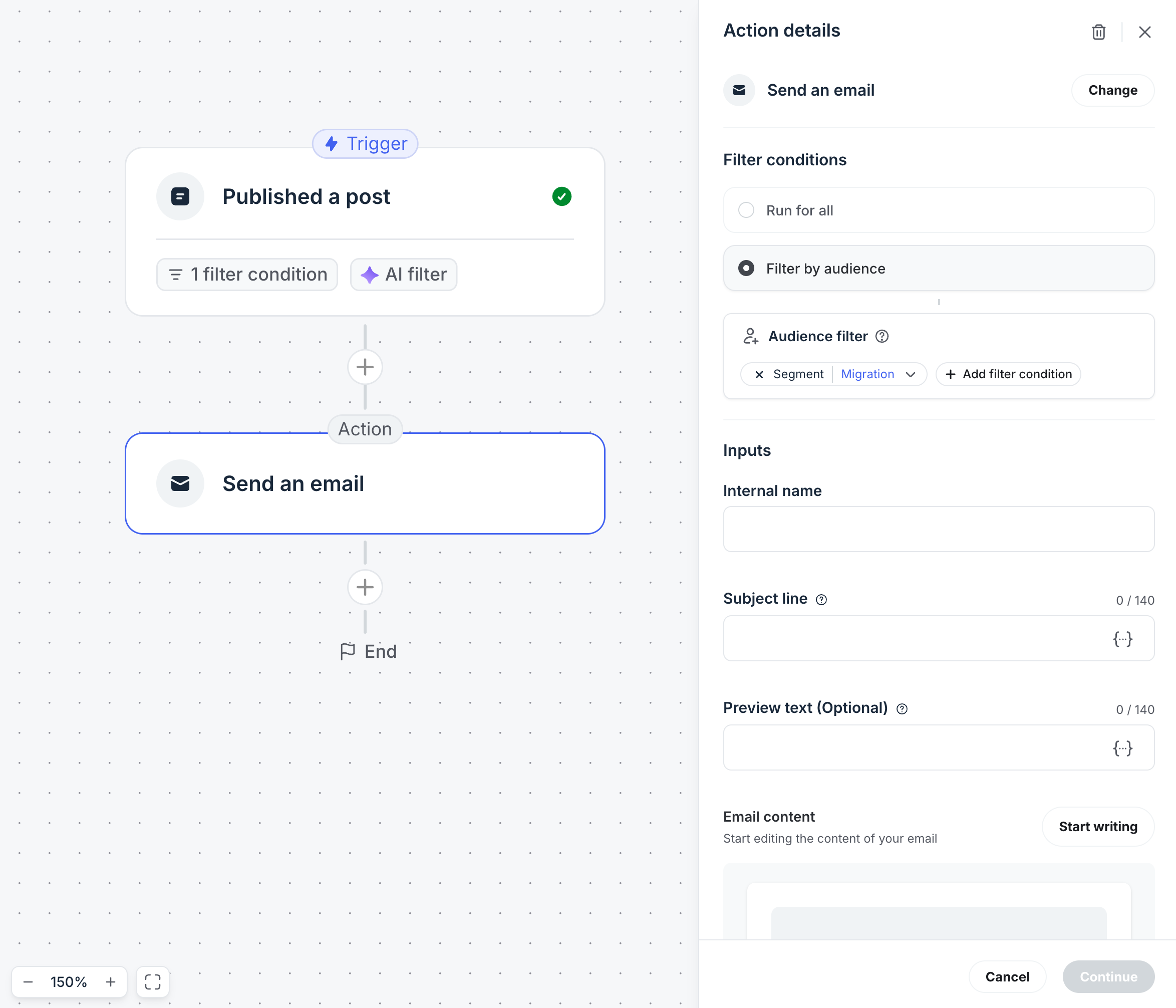
Member Segmentation
Circle also makes it easy to organize your members.
I can tag people based on their activity or interests and then perform bulk actions for that group.
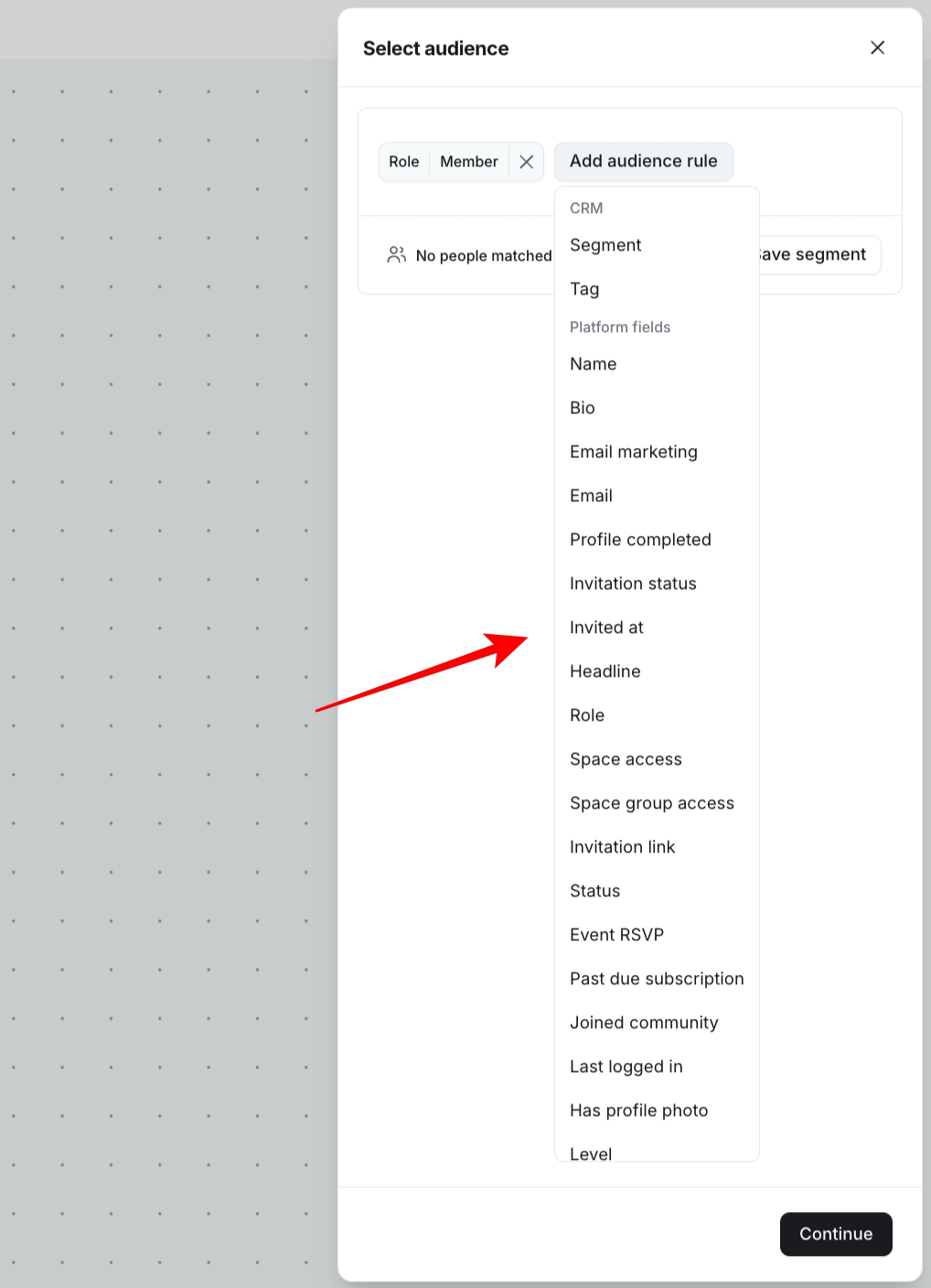
For example, I can tag everyone who finishes my Affiliate Marketing for Beginners course, send a message to inactive members inside a specific space, or group members with similar interests together.
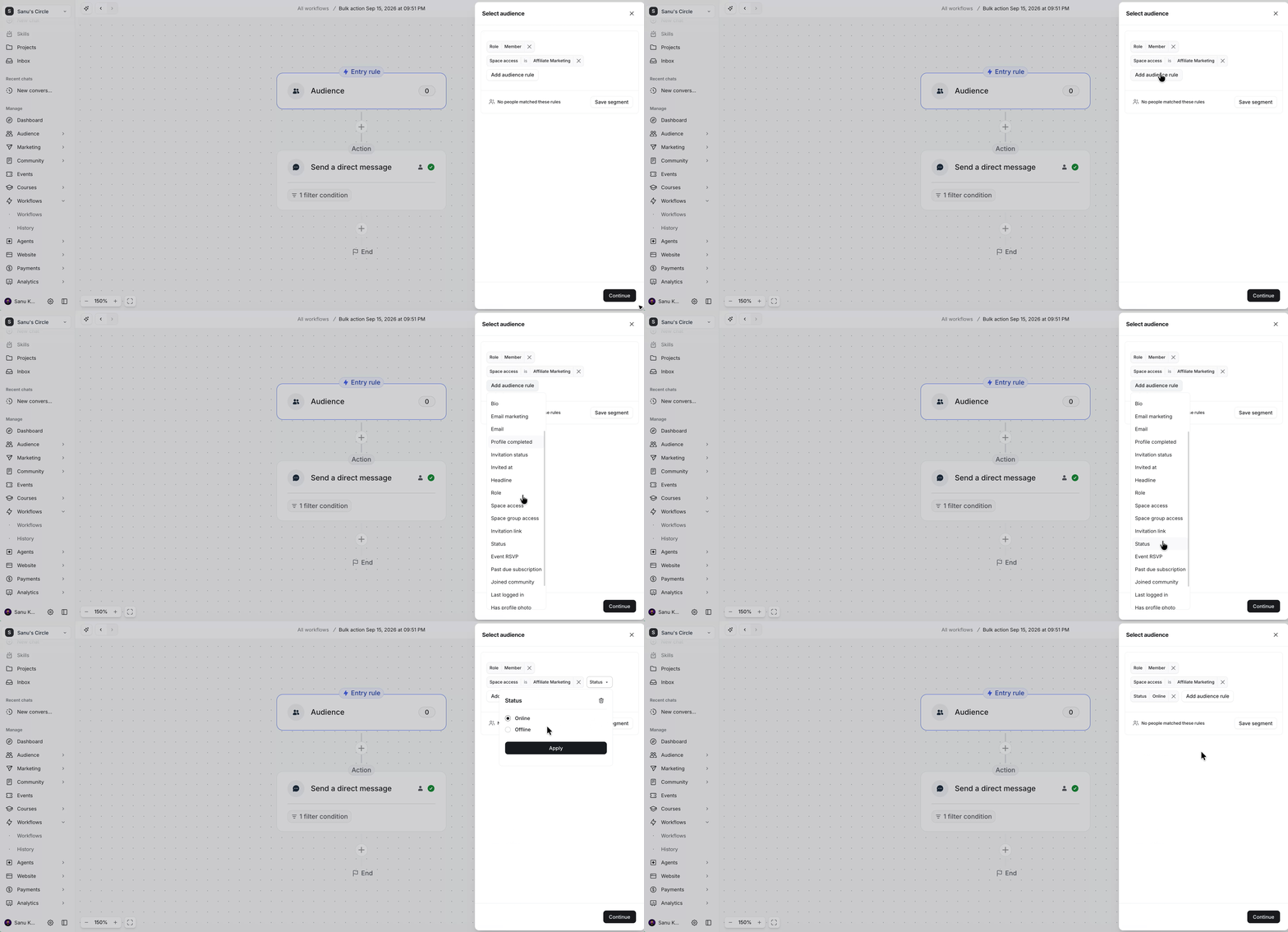
The filtering options are also excellent. I can filter members by tags, profile fields, enrolled spaces, location, RSVP status, last login date, and several other conditions before taking action.
Bottom Line
After spending time with these features, Circle felt like much more than a community platform. The AI tools help with writing and answering questions, while the automation features reduce repetitive work that normally takes time every week.
If you plan to build a serious membership business, these tools can save a surprising amount of effort. Just remember that most of the advanced AI and automation features are available only on the Business plan and higher.
🔗 Click here to sign up for a free 14-day trial of Circle 👀
<- Plus 2500 bonus AI credits ->
Landing Pages and Website Builder

With the latest Circle AI update, you can build websites and landing pages right inside Circle. Just describe the page you want, such as a homepage, sales page for a new offer, or event page, and Circle AI will create it based on your existing brand style.
You don’t have to start from a blank page, either. Circle comes with several ready-made templates that you can choose from and then edit to match your needs.
When I first used Circle, the templates came with more colours and styling by default.

Now, they look much simpler.

That said, this isn’t a problem because you can edit every section to match your brand or the purpose of the page. You can change layouts, text, images, buttons, colours, and other elements without writing code.

Circle also includes several page sections that you can mix and match while building your site. This makes it easy to create landing pages, sales pages, about pages, or other website pages without starting from scratch.
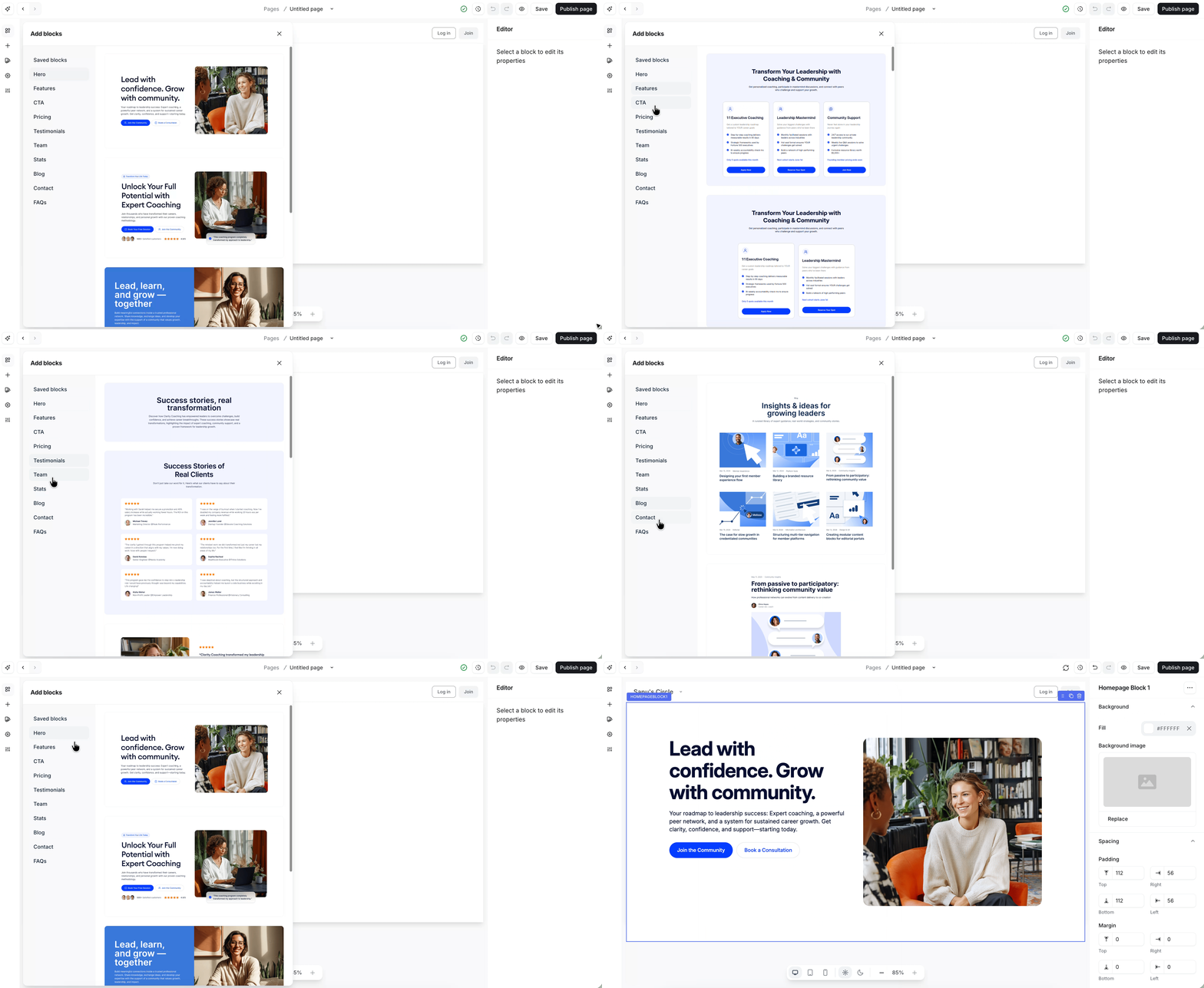
I still prefer WordPress with Elementor for most of my projects because it offers more creative freedom. However, if you have never used WordPress before, you’ll probably find Circle’s page builder easy to understand. You can build pages by dragging elements into place, and you don’t need any coding knowledge.
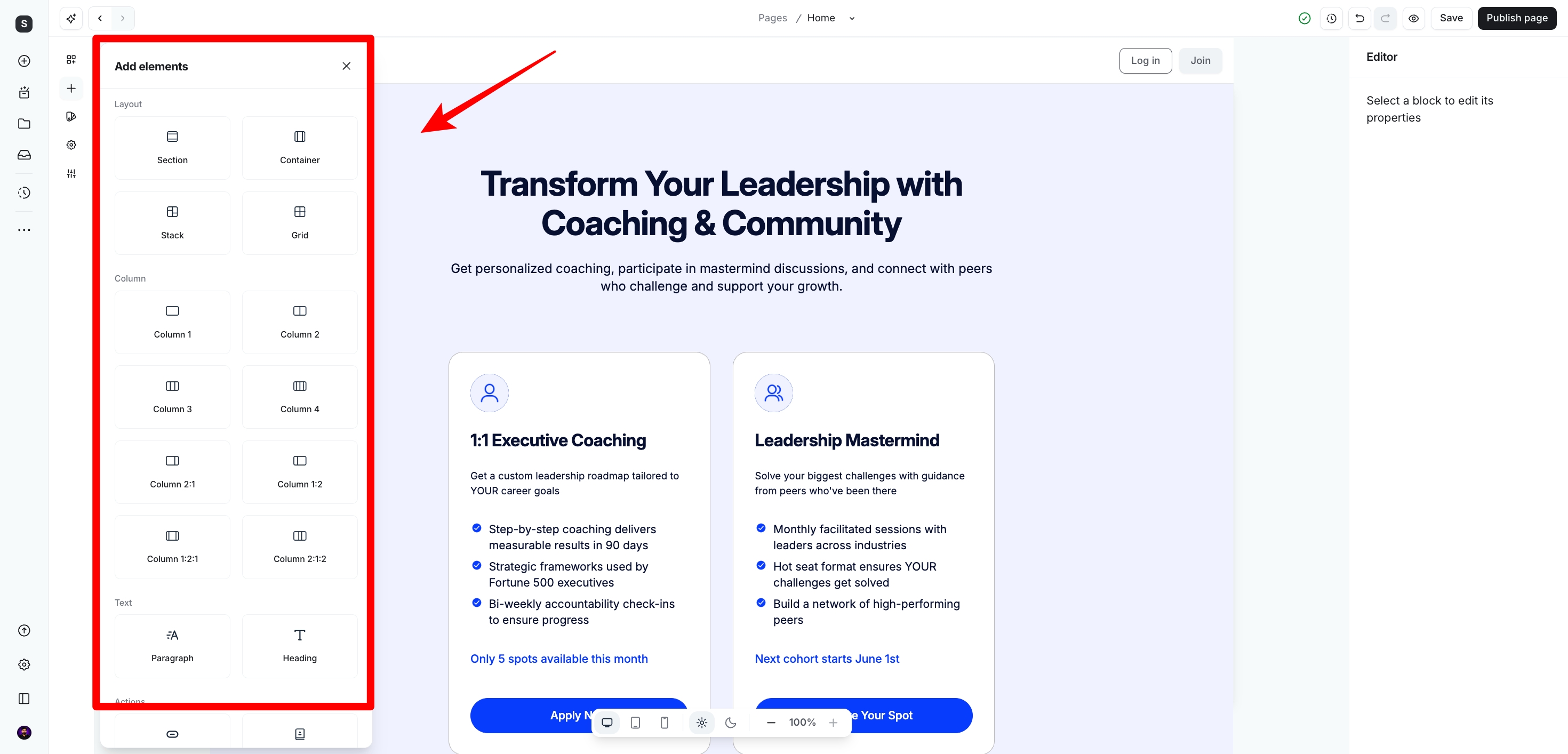
One feature I really like is the Code/Custom HTML element.
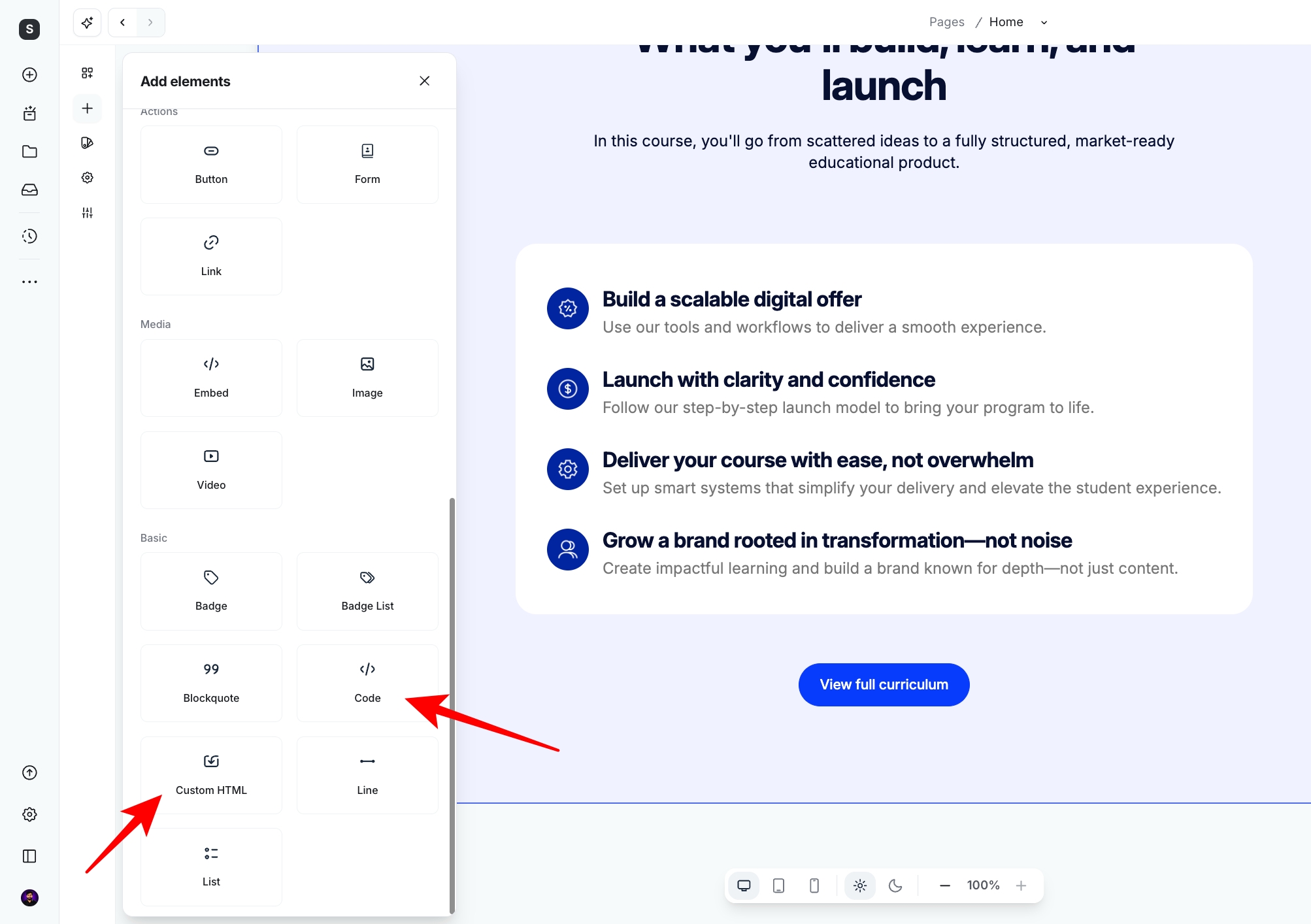
It lets you add your own HTML or embed tools from other platforms. For example, you can insert email opt-in forms from services like OptinMonster or ConvertBox without creating the form again inside Circle.
Bottom line
Circle’s page builder works great for creating a simple website or landing page with either a custom domain or a Circle subdomain. If you want advanced layouts, animations, parallax effects, detailed styling options, or the same level of creative control that WordPress and Elementor offer, you’ll still find more possibilities there. Circle continues to improve, but it hasn’t reached that level yet.
🔗 Click here to sign up for a free 14-day trial of Circle 👀
<- Plus 2500 bonus AI credits ->
Circle Email Hub
One feature that surprised me was Circle’s Email Hub.

A while ago, Circle didn’t have much to offer when it came to email marketing. You had to rely on another platform for newsletters and automated emails. That’s no longer the case.
Circle has invested heavily in this area, and today, you can manage a good portion of your email marketing without leaving the platform.
What I like most is that everything lives in one place. I can manage my community, publish events, sell courses, and send emails from the same dashboard. That saves me from opening another tool every time I want to contact my members.
With Email Hub, you can send several types of emails:
- Email broadcasts for one-time announcements to everyone or selected member groups.
- Segmented emails based on member tags, spaces they’ve joined, or actions they’ve taken.
- Email sequences for welcome emails, onboarding, course lessons, follow-ups, or event reminders.
- Performance reports that show open rates, click rates, and engagement so you can see which emails people actually read.
Before writing an email, you first need to choose your preferred email builder, either visual or text. Once you’ve made your choice, you can start creating your email.

I also spent some time using the email editor, and I liked how straightforward it felt. I didn’t have to spend time figuring out where everything was.
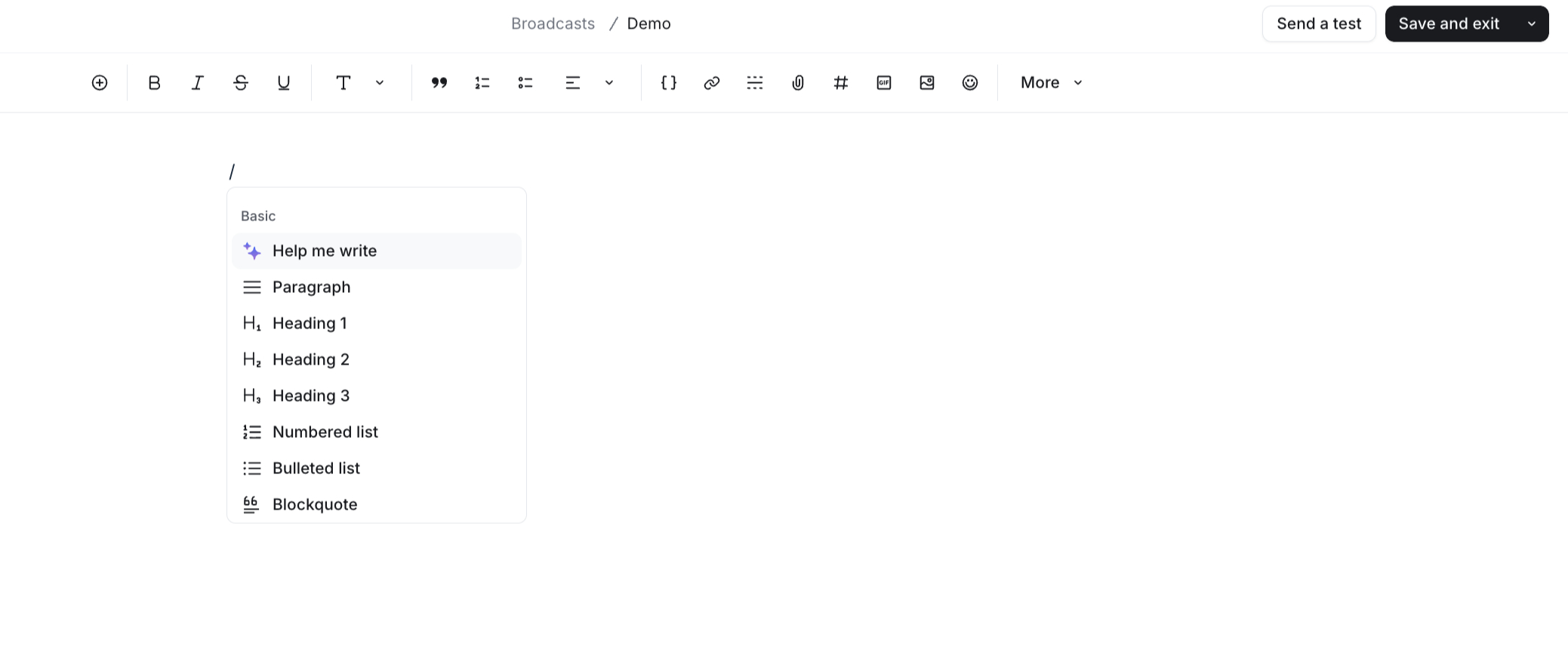
If your goal is to send newsletters, community announcements, event reminders, or onboarding emails, the editor does the job well.
Circle also includes more than 55 ready-made email workflows. You can start with one of these templates and customize it for your own community.
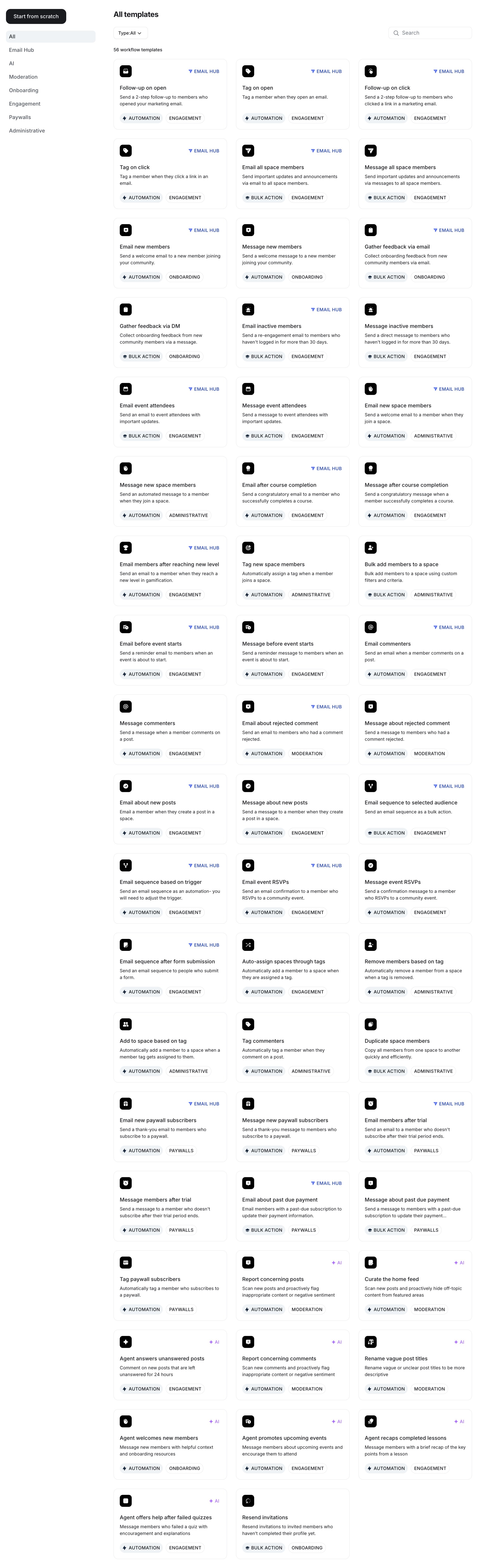
Another feature I found useful is the visual email funnel builder. You can create multiple email steps that run automatically after someone joins your community, buys a course, or signs up for an event.
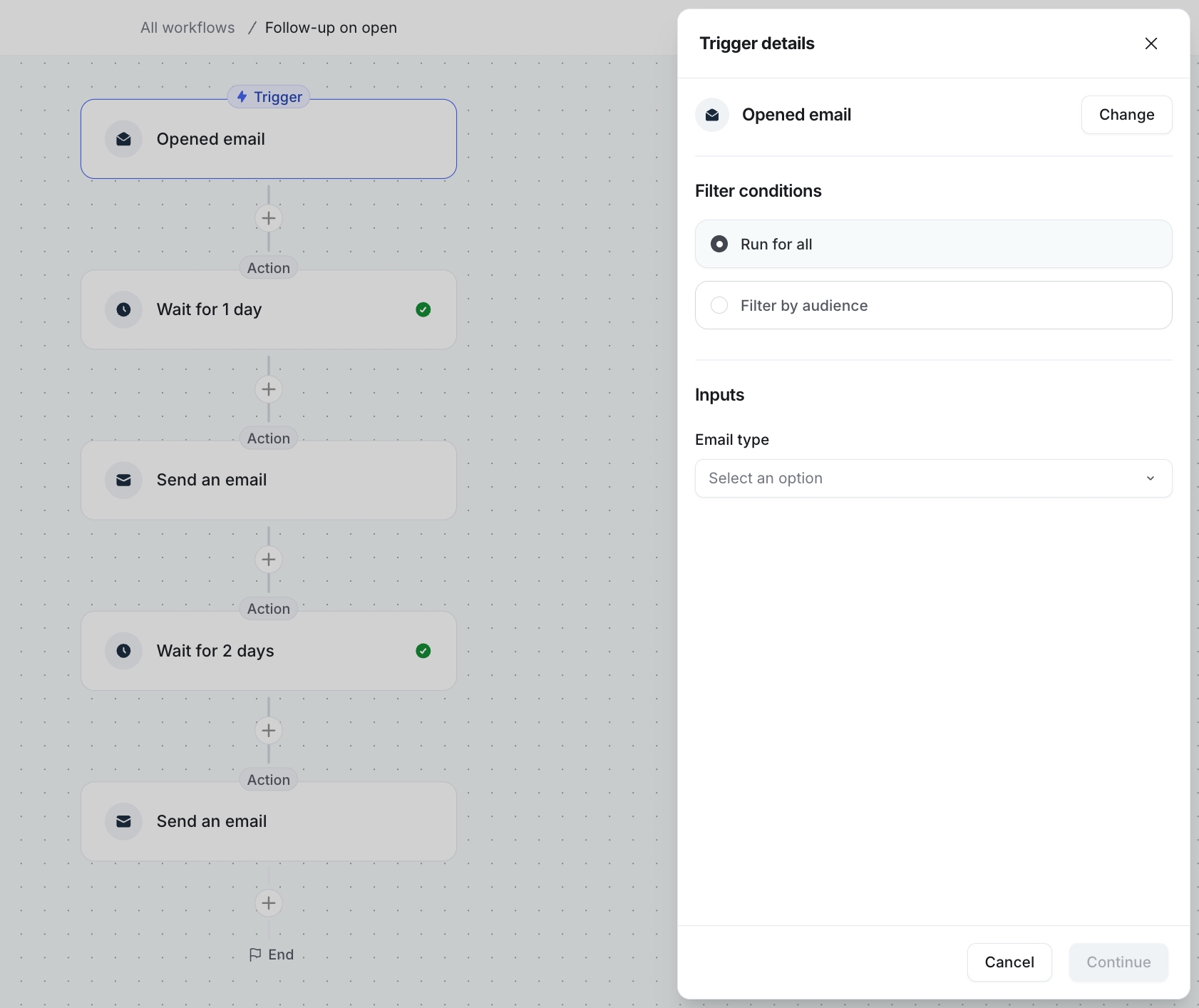
For example, you could welcome a new member on day one, share helpful resources two days later, invite them to an event a few days after that, and then ask for feedback a week later. Once you publish the workflow, Circle sends those emails automatically.
That said, I don’t think Email Hub replaces dedicated email marketing software for everyone.
If you’ve been using ConvertKit, ActiveCampaign, or Mailchimp for years, you’ll probably notice that those platforms still offer more advanced automation, reporting, and marketing features.
On the other hand, most Circle users already have an engaged audience. You’re sending emails to people who have joined your community, enrolled in your course, or purchased a membership. In many cases, you don’t need complex marketing automation for that type of audience.
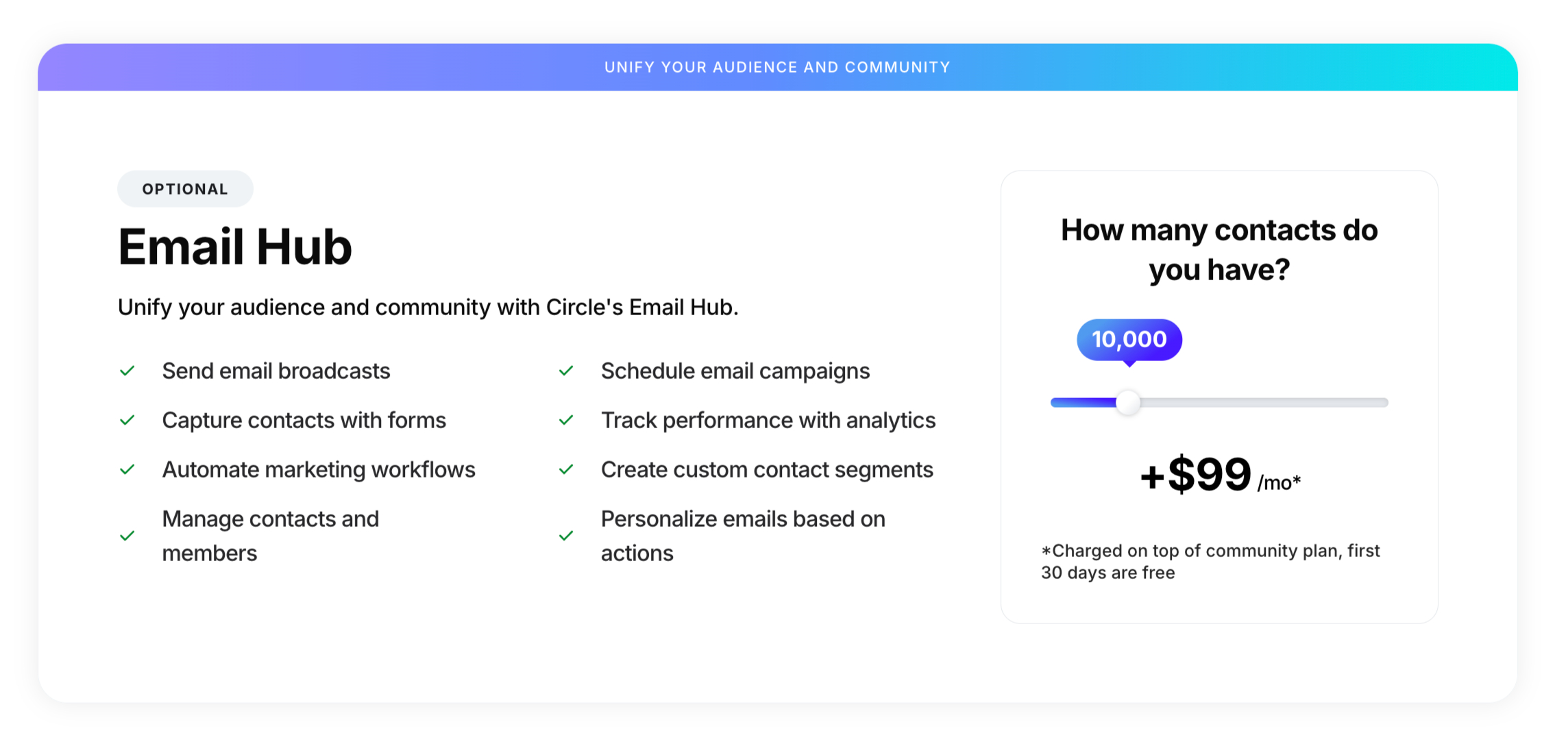
One thing you should know before signing up is that Email Hub isn’t completely free.
Once your email list grows beyond 100 subscribers, Circle charges an additional monthly fee.
For example:
- 1,000 subscribers: $19/month
- 10,000 subscribers: $99/month
This pricing is worth considering because it increases your monthly cost.
Let’s say you’re already paying for Circle’s Professional plan. Once you add Email Hub, your monthly expense starts getting much closer to Kajabi’s pricing.
That’s where the comparison becomes more interesting. You’re no longer asking if Circle includes email marketing. You’re asking if Circle’s email tools offer enough value compared to platforms like Kajabi that already include email marketing.
If you’re comparing both platforms, I recommend reading my full Kajabi vs Circle comparison before making a decision.
When I compare Circle with Skool and Mighty Networks, Circle wins comfortably in this area.
Neither platform offers an email system that feels as complete as Circle’s Email Hub.
So, after spending time with Email Hub, I think Circle has done a good job.
It covers the email features that most community owners actually use, such as newsletters, onboarding sequences, member updates, and event reminders. Having everything inside the same platform also makes day-to-day management much easier.
That said, I wouldn’t switch if I already had a mature email marketing setup in ConvertKit, ActiveCampaign, or Mailchimp. Those platforms still offer more marketing capabilities.
For everyone else, especially creators who want to manage their community and email from one place, Circle’s Email Hub is a strong addition that makes the platform much more complete than it was a year ago.
Circle’s Checkout Experience
Circle includes everything you need to sell memberships without relying on extra checkout tools. Its Paywall feature lets you create offers, manage subscriptions, track payments, and generate coupon codes from one place.
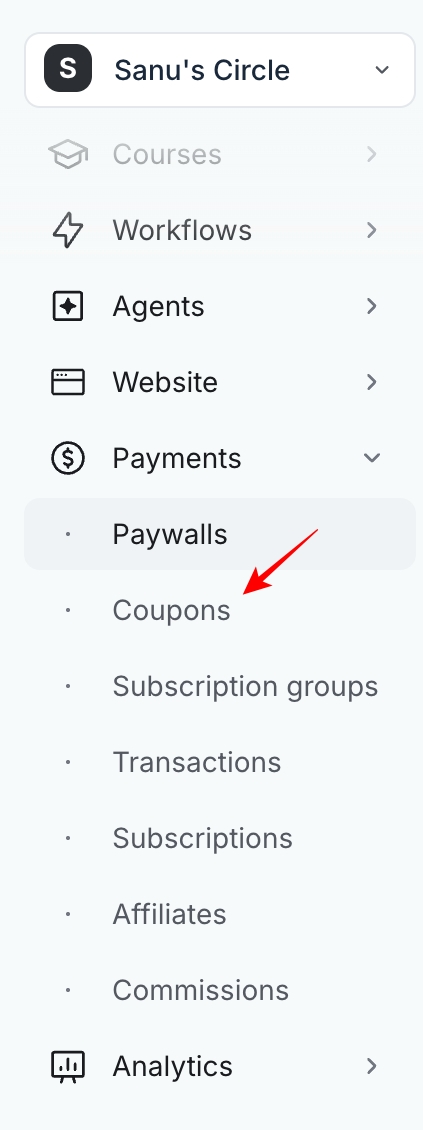
You can also create upgrade paths, offer discounts, run free trials, and control which members can access each space after they purchase.
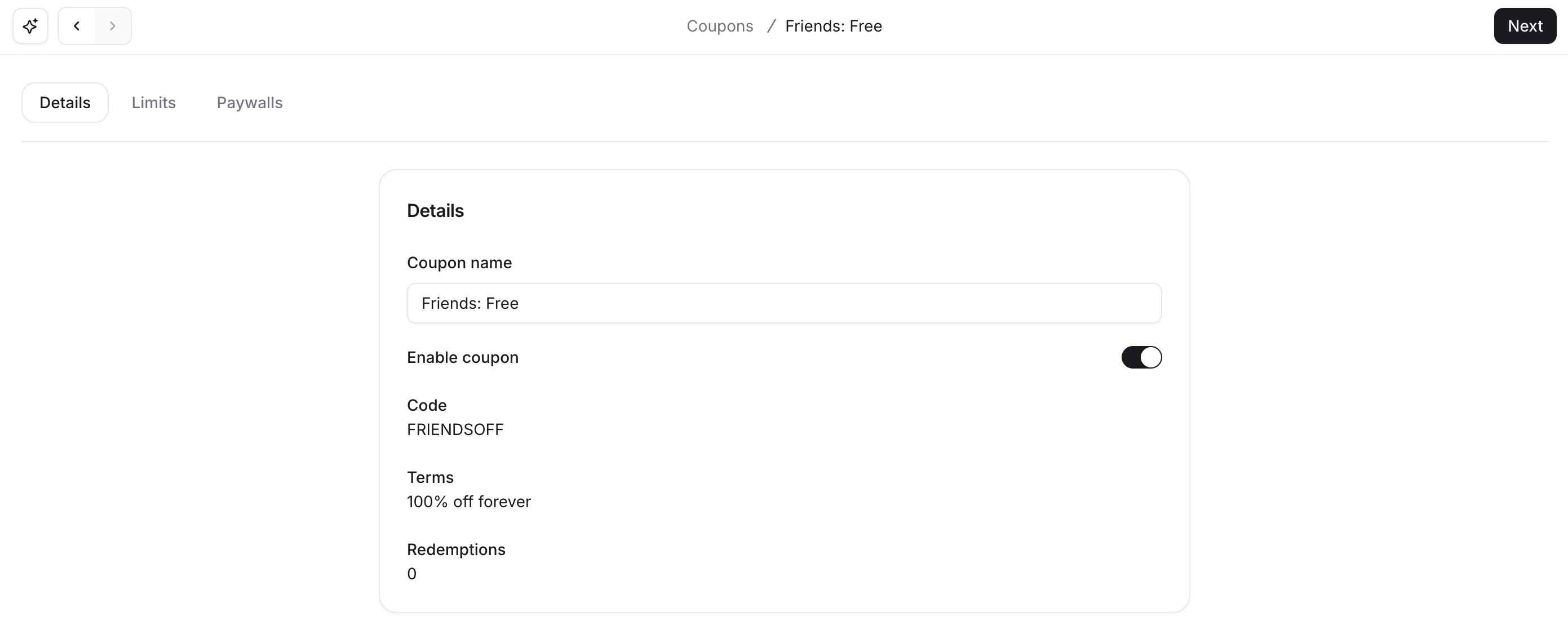
Circle uses Stripe to process payments, so you’ll receive payouts through your Stripe account. Although it doesn’t support PayPal, your members can still pay with credit and debit cards, Apple Pay, Google Pay, Pix, iDEAL, Bancontact, SEPA Direct Debit, and Buy Now, Pay Later payment methods.
One feature I really like is the ability to customize each checkout page. You can upload a cover image, highlight membership benefits, add trust badges, and display testimonials on the same page. It helps visitors understand what they’re buying before they complete the purchase.
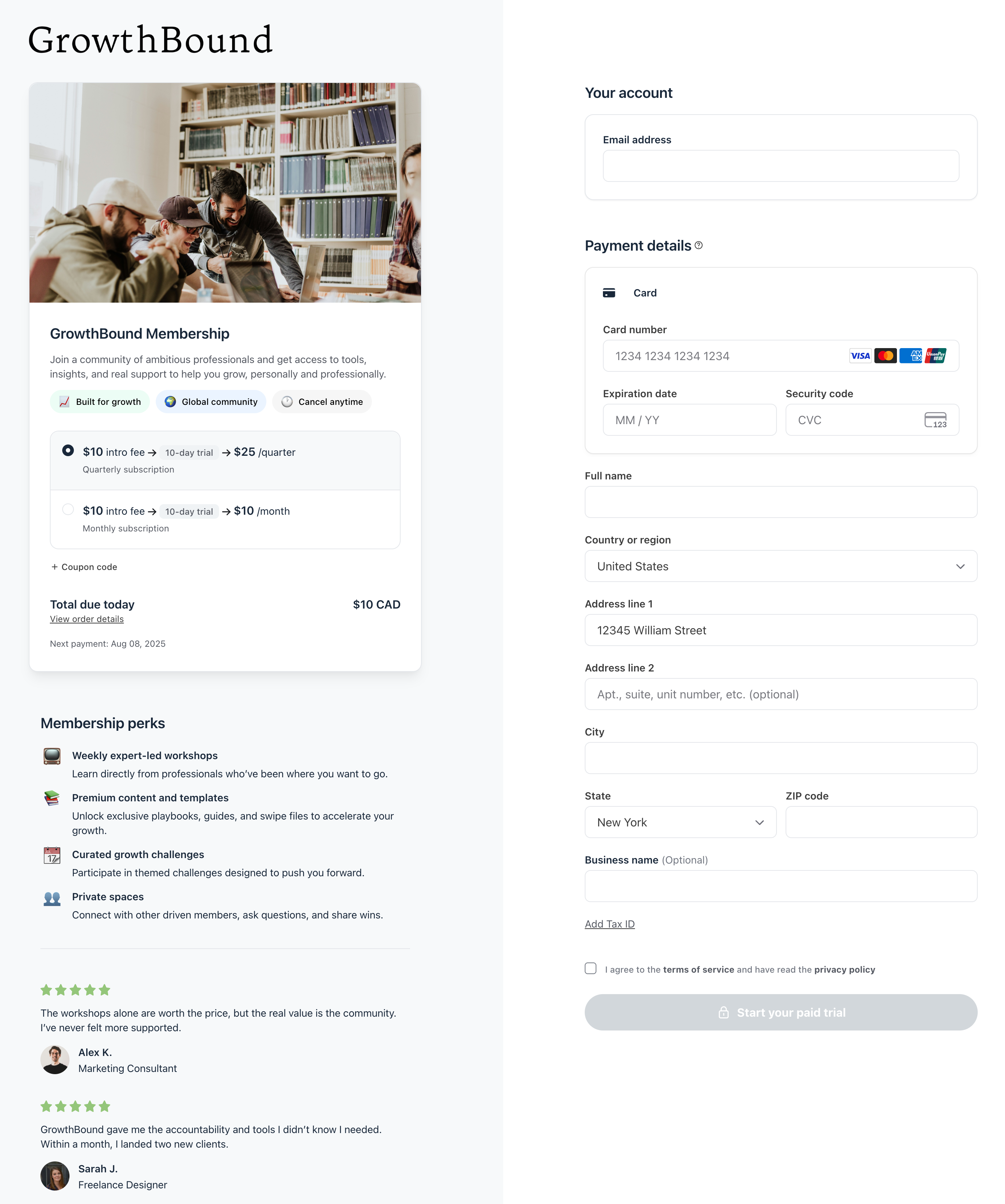
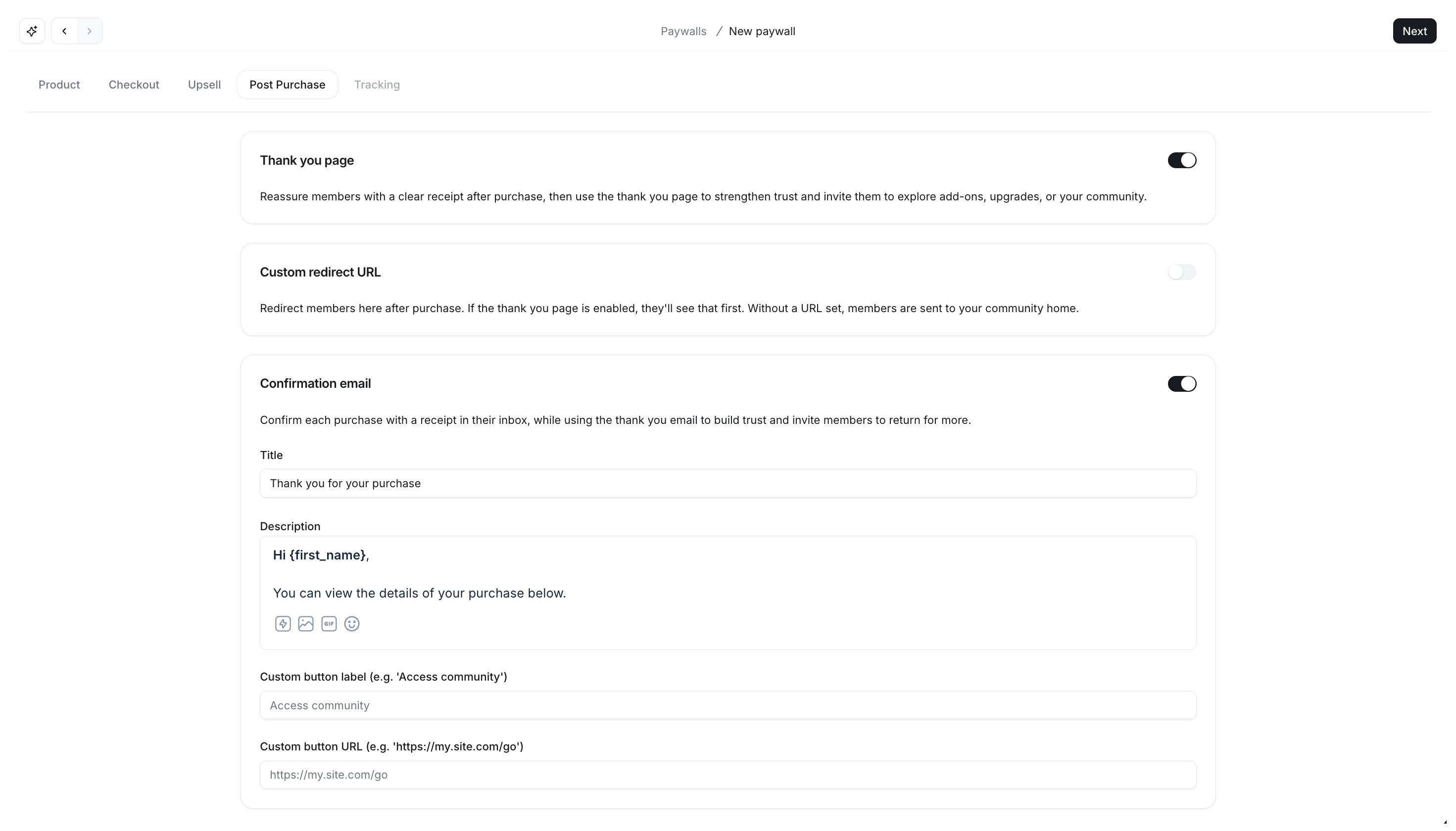
Circle also lets you add a countdown timer, offer coupon codes, and create upsell offers. After someone completes a purchase, you can display a custom thank-you message or send them to another page. These post-purchase actions work well when you want to welcome new members or promote another offer.
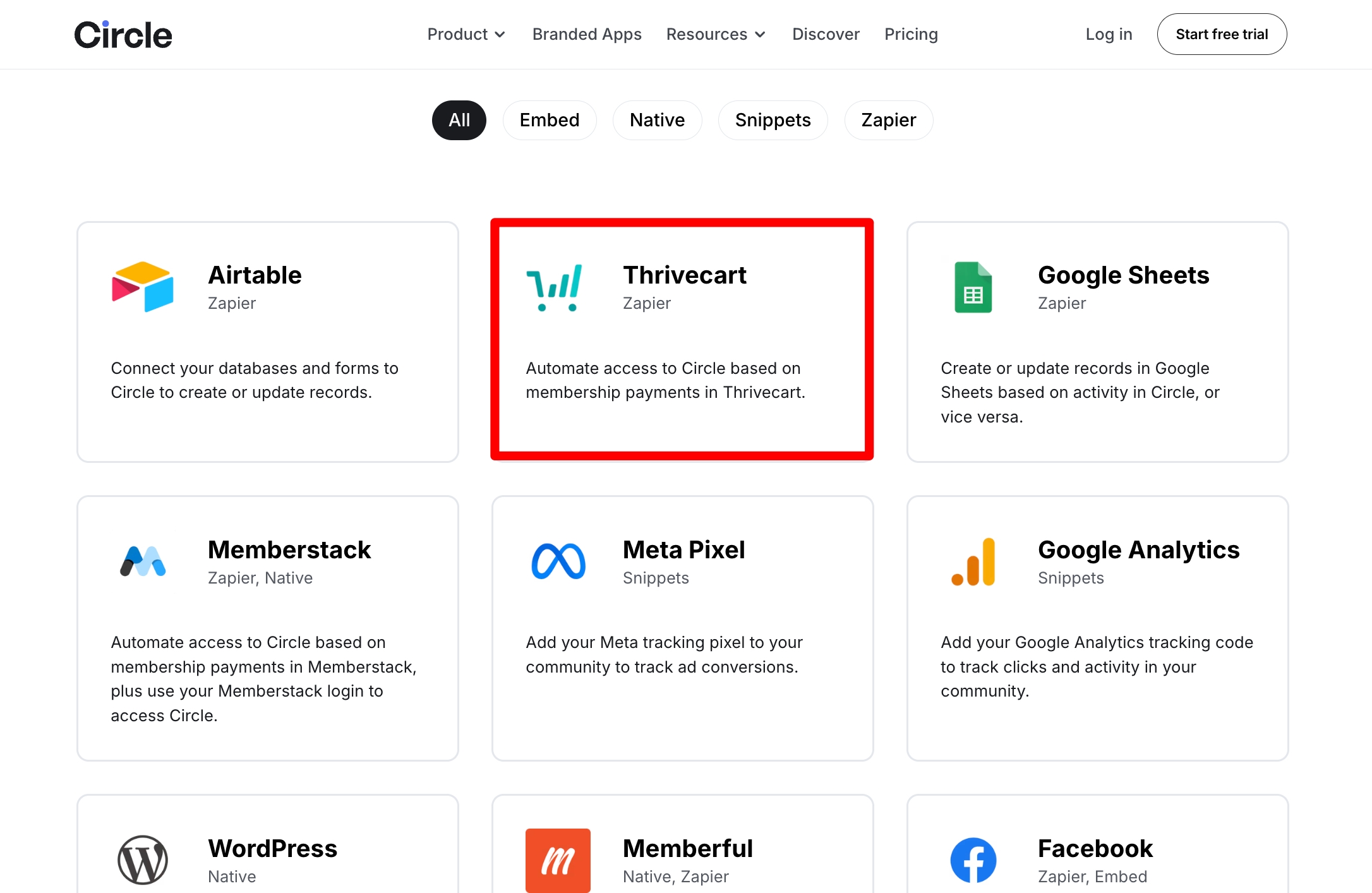
The only major feature I still miss is native order bumps. If you want to offer one-click order bumps, you’ll need to use ThriveCart with Circle through Zapier or webhooks. Based on what I’ve seen, many Circle users want this setup. In fact, the ThriveCart integration is one of the most popular Circle automations on Zapier.
Bottom line
Circle’s built-in checkout covers almost everything most creators and businesses need. Unless your sales process depends on advanced checkout features like order bumps, you’ll probably find the default checkout more than enough.
🔗 Click here to sign up for a free 14-day trial of Circle 👀
<- Plus 2500 bonus AI credits ->
Circle’s Mobile Apps Keep Members Engaged Wherever They Are
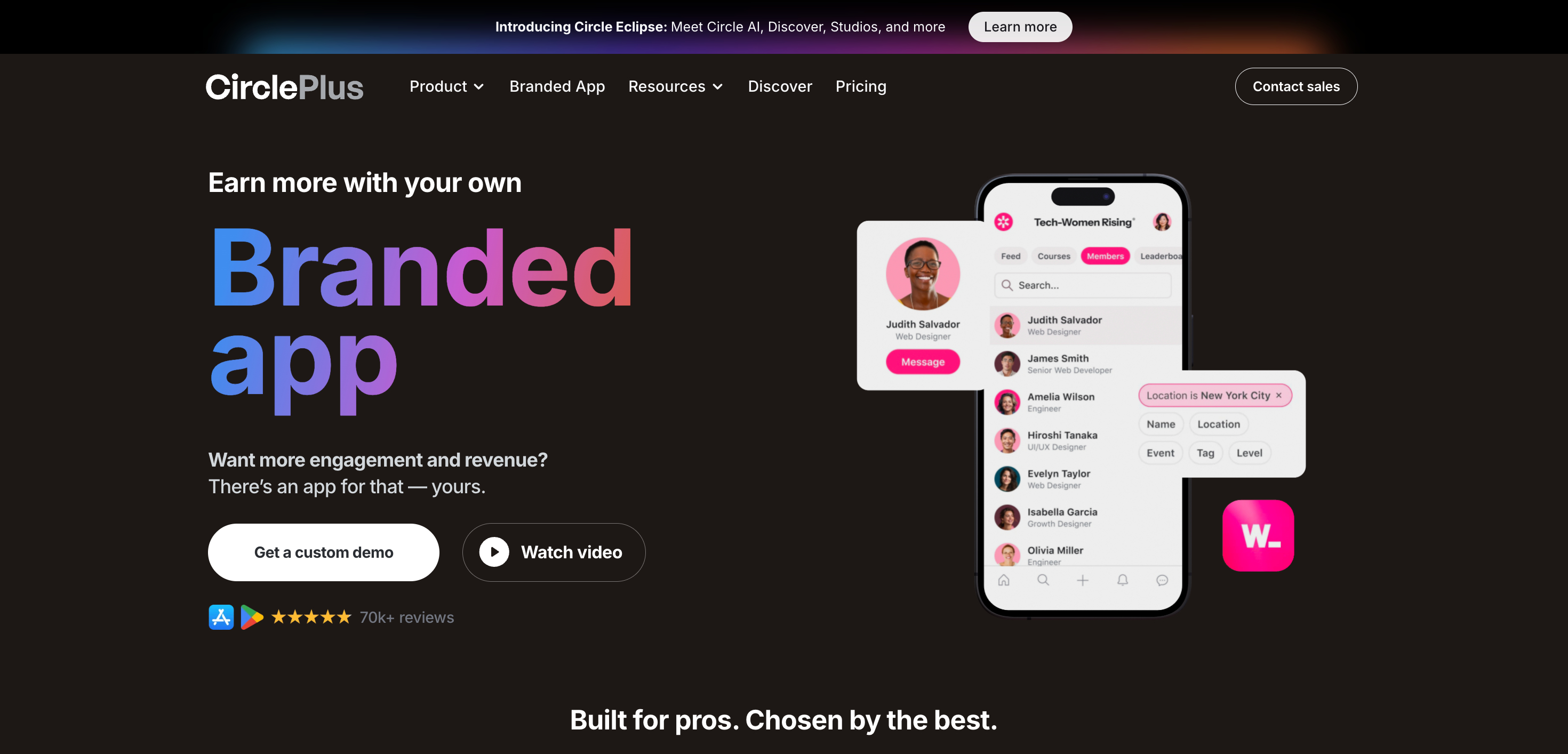
After using Circle for a while, I realized the mobile app is one of its biggest strengths. It offers apps for both iOS and Android, so your members don’t have to wait until they’re at their computer to check the community. They can open the app and read posts, join discussions, watch courses, attend events, or send messages from their phone.
The mobile app also supports in-app purchases and branded push notifications. Since most people check their phones throughout the day, your community stays within easy reach.
The feature that impressed me the most is live streaming. You can start a live session directly from the Circle app, and your members receive a push notification right away. It’s similar to the notification you get when a creator you follow starts a live video on social media.
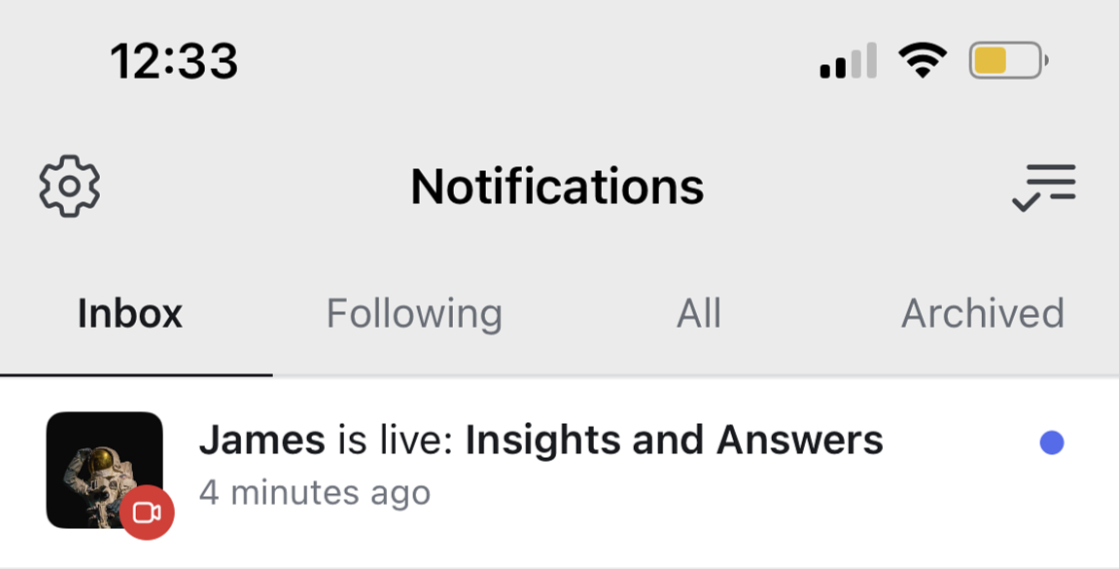
I think this works much better than creating an event and hoping everyone remembers to join. Your members see the notification as soon as you go live, so more people are likely to join while the session is happening.
Another thing I appreciate is that Circle doesn’t force the same notification settings on everyone. Your members can choose email notifications, in-app notifications, or both. They can also set different notification preferences for each space, so they only receive updates that matter to them.
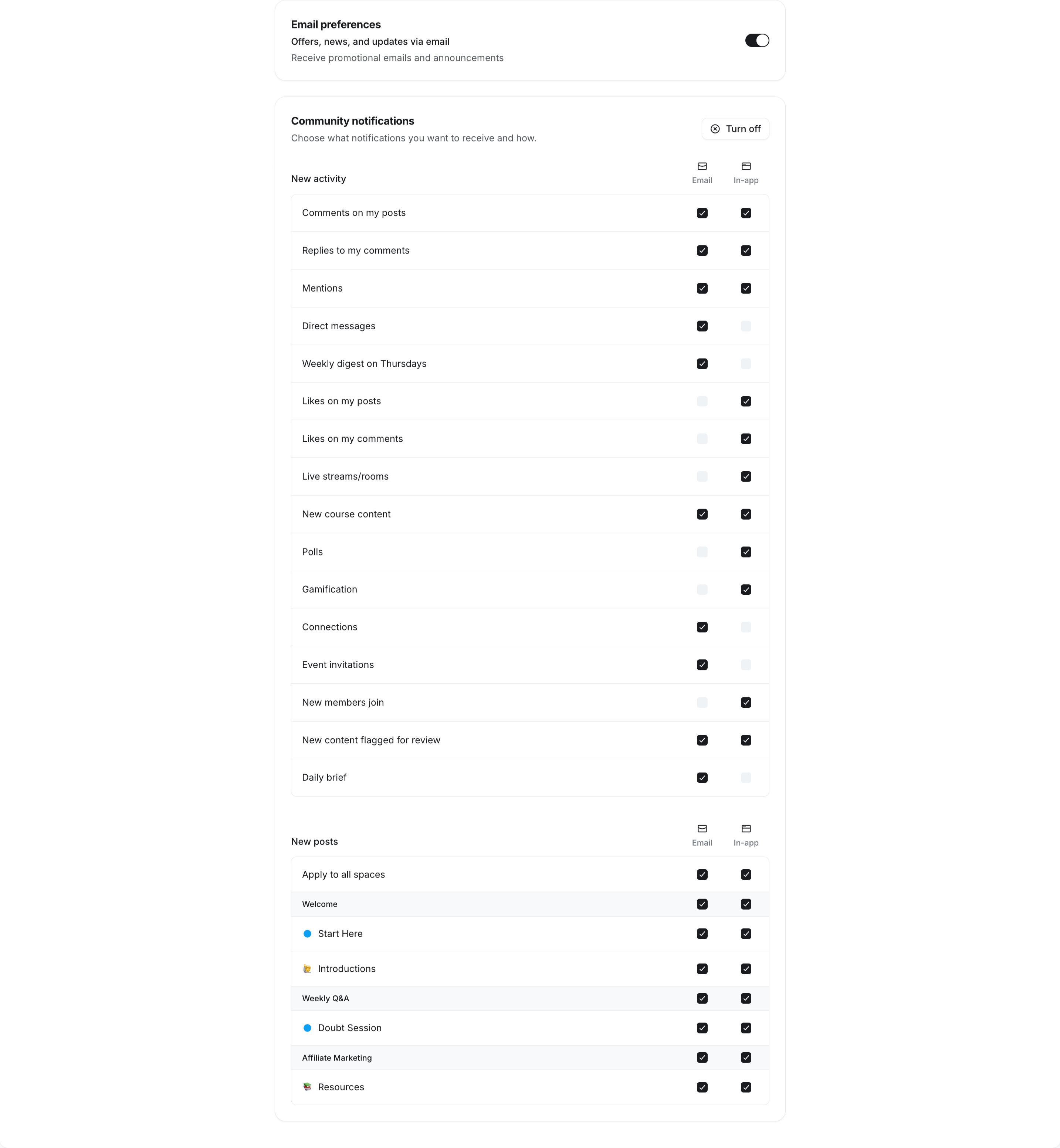
Circle also sends event reminders at the right time, so your members don’t miss important sessions. It notifies them when you publish a new event, after they RSVP, and once more before the event begins. I like this feature because many people forget about events when they have a busy schedule, and these reminders help keep them on track.
Your members can now record and share videos directly from their phone’s camera in posts.

You can encourage new members to introduce themselves with a quick video in your welcome space or use video replies to make your community challenges more engaging.
Bottom line
I think Circle’s mobile apps do a great job of keeping members involved without asking them to sit in front of a computer. If you want your own branded app, Circle also offers a white-label mobile app as an upgrade.
Circle Integrations
🔗 Click here to sign up for a free 14-day trial of Circle 👀
<- Plus 2500 bonus AI credits ->
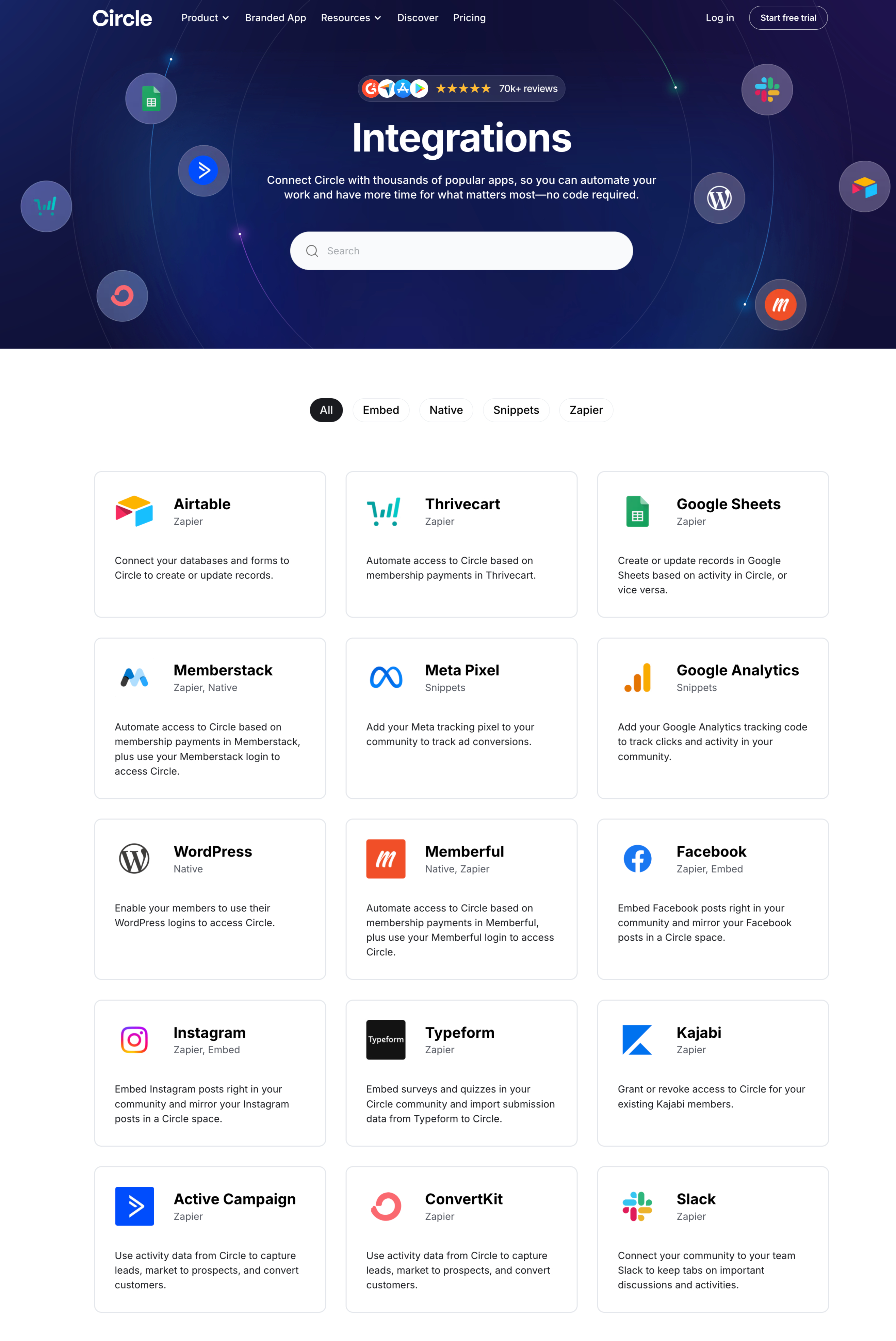
One thing I really liked while testing Circle was how easy it is to connect it with the rest of your business. A community platform should never work in isolation. It needs to communicate with your email marketing tool, CRM, payment platform, calendar, automation software, and analytics tools. Circle does a great job here.
Circle offers native integrations, embeds, APIs, webhooks, and no-code automation through platforms like Zapier and Make. In other words, you can connect Circle with thousands of apps without writing code.
Native Integrations
If you prefer a plug-and-play setup, Circle includes native integrations with several popular tools. These work without relying on third-party automation platforms and usually take just a few minutes to connect.
Some of the native integrations include:
- Stripe for paid memberships and subscriptions
- Slack for team communication
- Google Analytics for tracking visitor activity
- Meta Pixel for conversion tracking
- OpenAI for AI-powered workflows
- SAML SSO providers for enterprise authentication
- Custom API access and webhooks for developers
I found the native integrations easy to configure from the admin dashboard. Once connected, they work quietly in the background, so there is very little maintenance required.
Connect Circle With Thousands of Apps
The real strength of Circle comes from its automation options.
Circle connects with automation platforms like Zapier and Make, which means you can build workflows with thousands of applications. This is especially useful if your business already relies on multiple software tools.
For example, you can create automations like:
- Invite new members automatically after they purchase a course.
- Add paying customers to private spaces.
- Remove members when a subscription expires.
- Send a welcome email through your email marketing platform.
- Create CRM contacts whenever someone joins your community.
- Notify your team in Slack whenever someone upgrades to a premium membership.
- Register members for Zoom events automatically.
- Schedule onboarding calls after someone joins your paid community.
Once I started thinking in terms of workflows instead of individual tasks, I realized how much manual work these automations can eliminate.
API and Webhooks for Advanced Users
If you have a developer or use custom software, Circle also provides API access and webhooks.
This opens the door to much more advanced workflows. For example, you can build a custom onboarding system, sync member data with your own application, create custom dashboards, or trigger actions whenever members join, leave, complete a course, or purchase a product.
I like that Circle doesn’t force you into a closed ecosystem. As your business grows, you can build custom integrations without moving to another platform.
Bottom Line
The integrations are one of Circle’s biggest strengths. Many community platforms focus only on discussions, but Circle fits into the rest of your business instead of forcing you to change your existing tools.
If you’re running an online course, membership site, coaching business, or paid community, there’s a good chance your CRM, email platform, calendar, payment system, and meeting software can all work together with Circle. That means less manual work, fewer mistakes, and a much better experience for both you and your members.
Circle’s integration ecosystem is excellent. The combination of native integrations and Zapier support makes it easy to connect your community with the rest of your business, even if you don’t have any technical experience.
How Much Does Circle Cost in 2026?
🔗 Click here to sign up for a free 14-day trial of Circle 👀
<- Plus 2500 bonus AI credits ->
Now you might be wondering, “How much does it cost to get all the fantastic features that Circle offers?”
Well, let’s dive into their pricing plans and see what options are available for you.
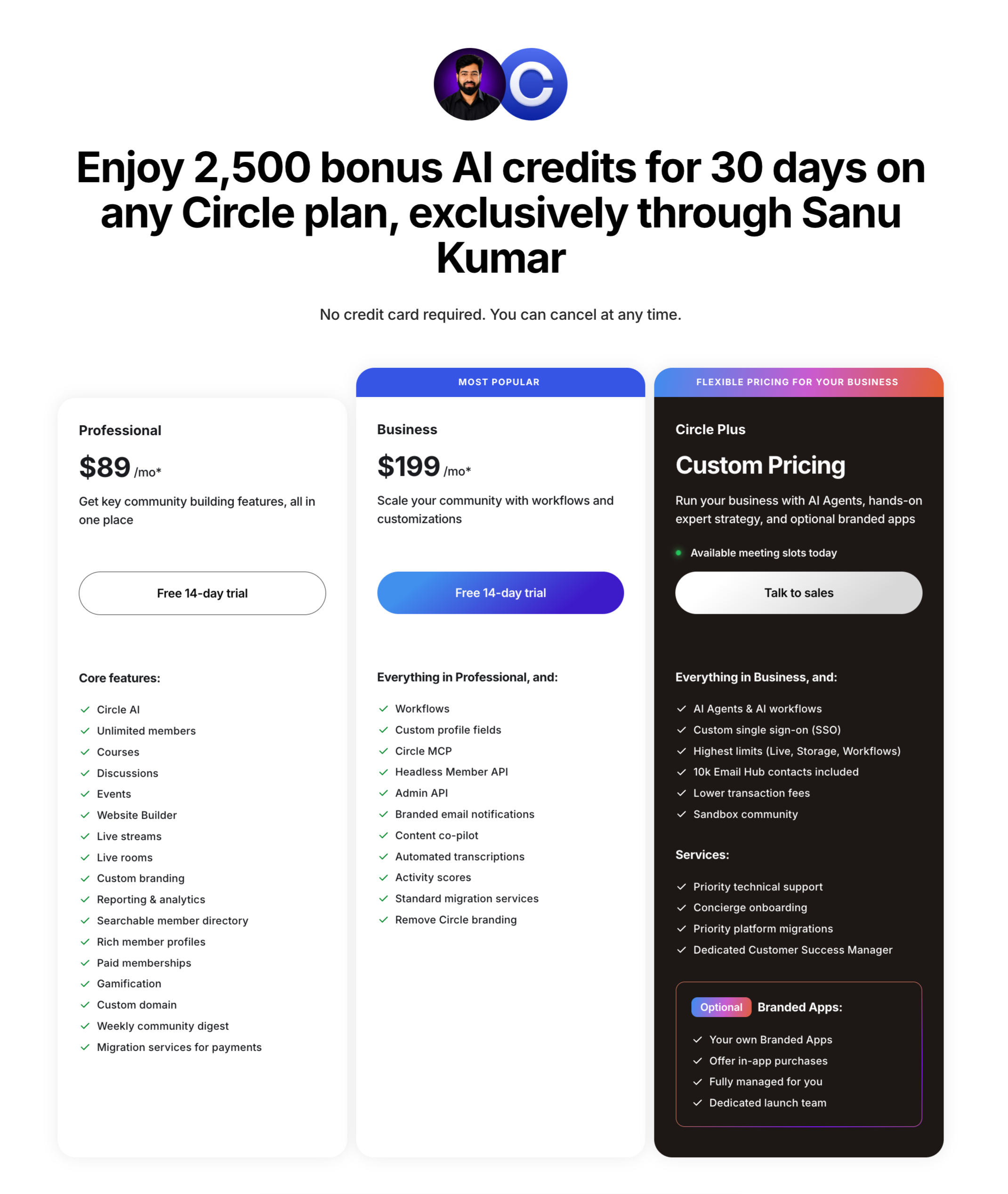
According to the latest official pricing, Circle now offers three plans: Professional, Business, and Circle Plus. All plans include unlimited members, and you can start with a 14-day free trial.
Here is the breakdown of the plans and their monthly costs:
| Plan | Cost (Billed Annually) | Key Highlights |
| Professional | $89 / mo | Circle AI, Unlimited members, 3 admins, 10 moderators, 20 spaces, 200GB storage, 2% transaction fees, and 2,500 AI credits/mo. |
| Business | $199 / mo | 5 admins, 15 moderators, 30 spaces, 500GB storage, 1% transaction fees, automated transcriptions, and advanced APIs/workflows. |
| Circle Plus | Custom Pricing | Unlimited admins/moderators, priority support, flexible spaces, 1TB storage, 0.5% transaction fees, white-labeled community, and a custom-branded iOS/Android app. |
The Professional plan starts at $89/month when you pay annually. It works well for solo creators, coaches, and small communities. You get the main community features, including courses, rich member profiles, livestreams, and paywalls.
If you need more advanced tools to grow your community, you can move to the Business plan, which starts at $199/month when billed annually.
The Business plan includes workflows, custom profile fields, branded notifications, and more tools to manage a growing community.
If your business needs priority support, full API access, AI agents, single sign-on (SSO), and advanced analytics, you’ll need the Circle Plus plan. Circle offers this plan with custom pricing, so you’ll need to contact its sales team for a quote.
Popular Add-Ons and Extras
If you need to scale beyond the standard plan limits, Circle charges the following monthly add-on rates:
- Email Hub: Starts at +$99/mo for 10,000 contacts (to run marketing workflows, forms, and email broadcasts directly inside the platform).
- Extra Admins: $10/mo per admin.
- Extra Spaces: $20/mo per 10 spaces.
- Extra AI Credits: $10 per 1,000 credits.
- Custom Profile Fields / Brand Email Notifications: Included in Business, but available for $49/mo and $40/mo, respectively, on the Professional tier.
Circle also offers a 30-day, 100% money-back guarantee on all paid plans. If you’re not happy with the platform, you can request a full refund within 30 days.
This makes it easier to try Circle after the free trial without taking much risk.
- AI website builder – Describe the page you want (homepage, sales page, or event page), and Circle AI plans and builds it with you.
- Live reactions – Chat messages in live rooms and streams now get the full emoji picker.
- Get Started checklist – New members get a persistent checklist guiding them to their first win.
- Customize member directory + member spaces filters – Admins can now choose which filters show by default in the member directory or member spaces.
- Native video recording, now on mobile – Members can record video directly from the native camera and attach it to a post.
Circle Reviews and Ratings on Different Platforms
When you’re investing in a community platform, it’s always a good idea to see what existing customers have to say. Product demos and feature lists only tell part of the story. User reviews can help you understand what it’s actually like to use the platform every day.
Circle has earned a strong reputation over the years and consistently receives positive feedback from creators, coaches, businesses, and online educators.
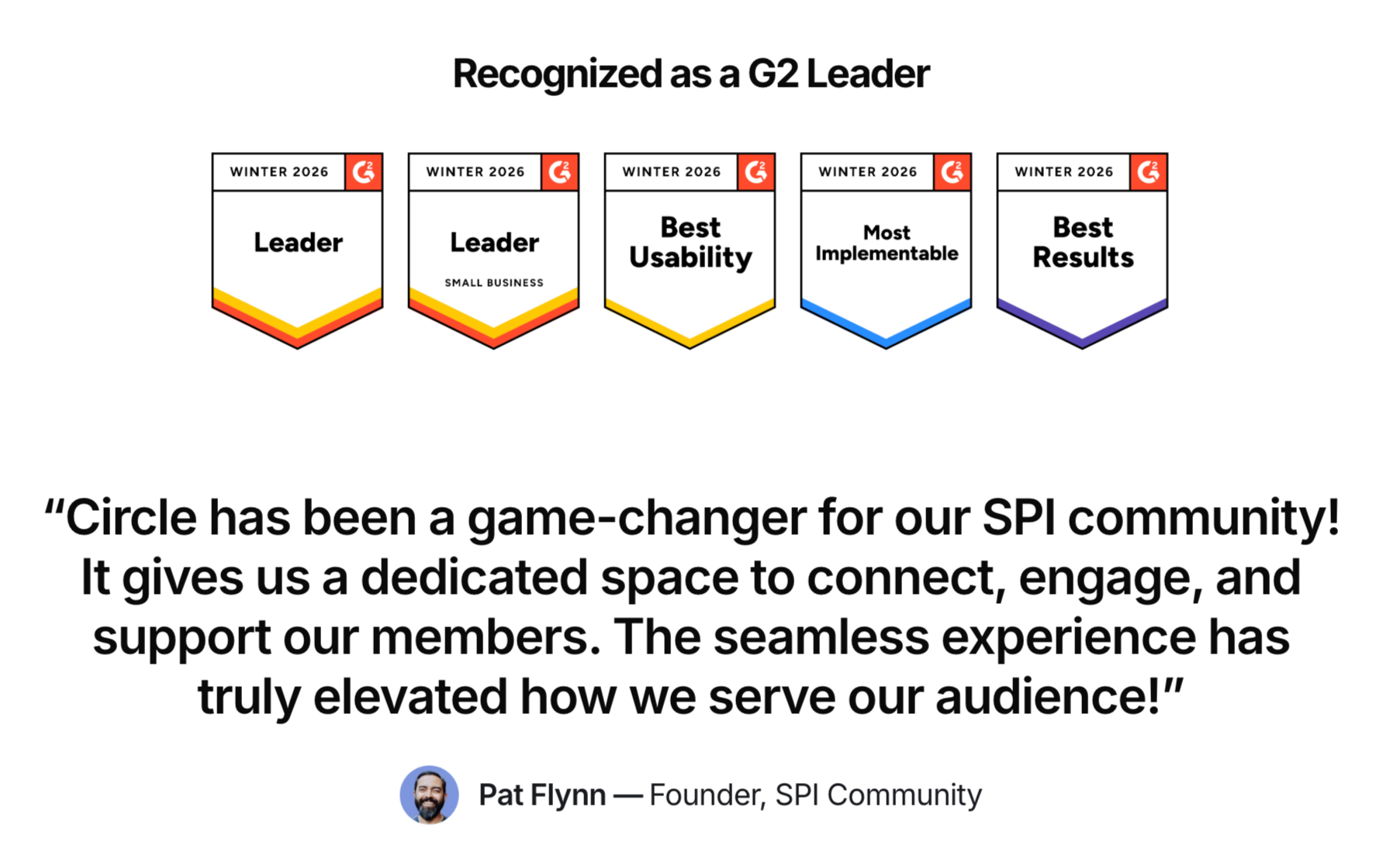
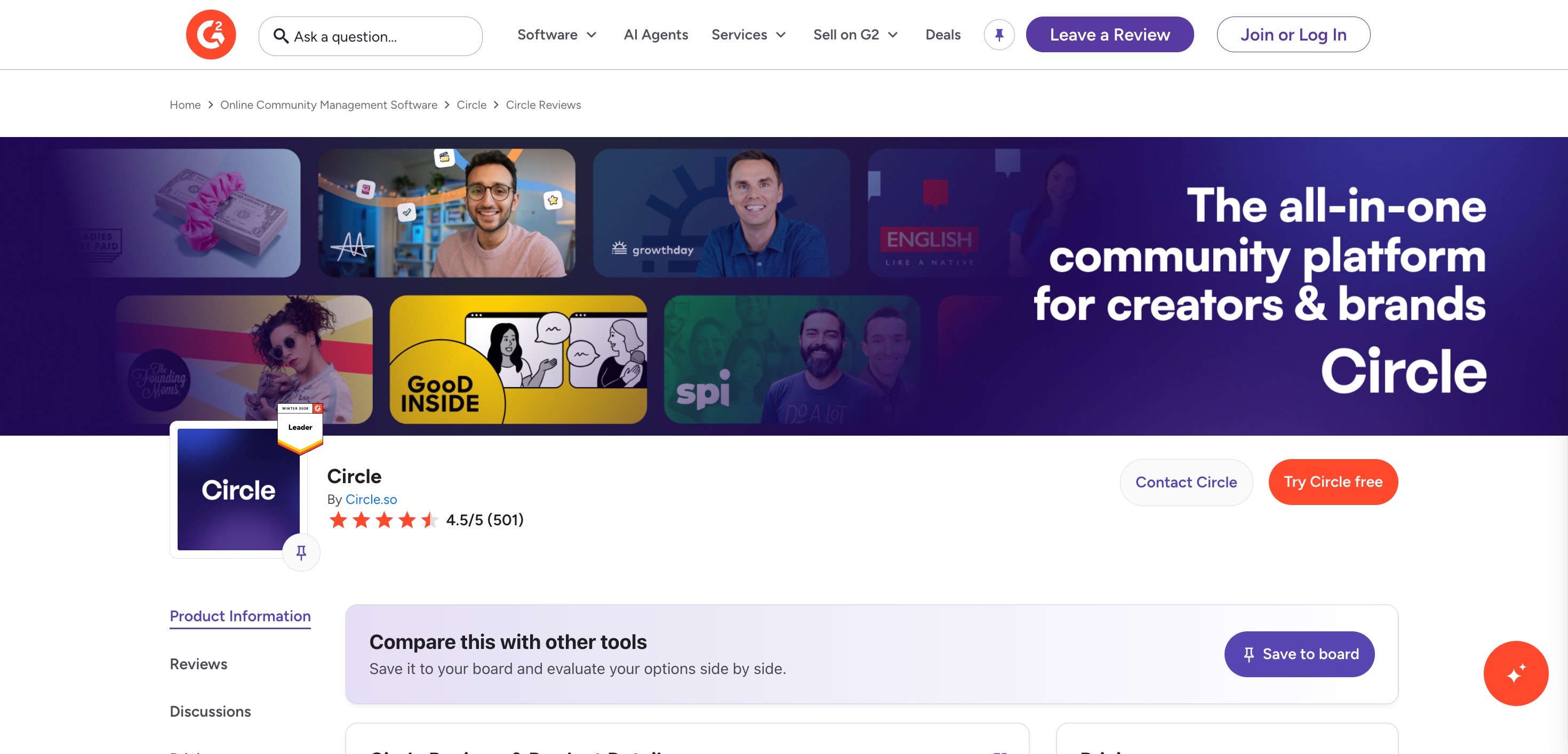
Circle has a 4.5 out of 5-star rating on G2, based on 500+ verified reviews, which is an impressive score for a community platform.
🔗 Click here to sign up for a free 14-day trial of Circle 👀
<- Plus 2500 bonus AI credits ->
Many users praise Circle for its modern interface, ease of use, and the ability to manage communities, courses, events, and memberships from one place. Another point that comes up often is how frequently the Circle team ships new features and improvements.
Of course, no platform is perfect. Some reviewers mention that the pricing can feel expensive as your community grows, especially if you need advanced features available in higher-tier plans. Others say it takes a little time to learn everything the platform offers because it includes so many features.
Circle is also a popular topic in creator communities on Facebook and Reddit. If you browse discussions comparing Circle with platforms like Mighty Networks, Skool, or Kajabi, you’ll notice that many users recommend Circle for its modern interface and member experience.
People often mention that the platform feels polished, customer support is responsive, and the development team regularly releases updates based on user feedback. Community managers also appreciate that they can run discussions, courses, events, and paid memberships without relying on several different tools.
The most common complaints are similar to those on review sites. Some users would like more customization options, while others feel the higher-priced plans are necessary to unlock some of the platform’s best features.
One of the best ways to judge any platform is to see how real businesses are using it. Circle features dozens of customer success stories from creators, coaches, educators, nonprofits, and growing businesses that have built thriving online communities on the platform.
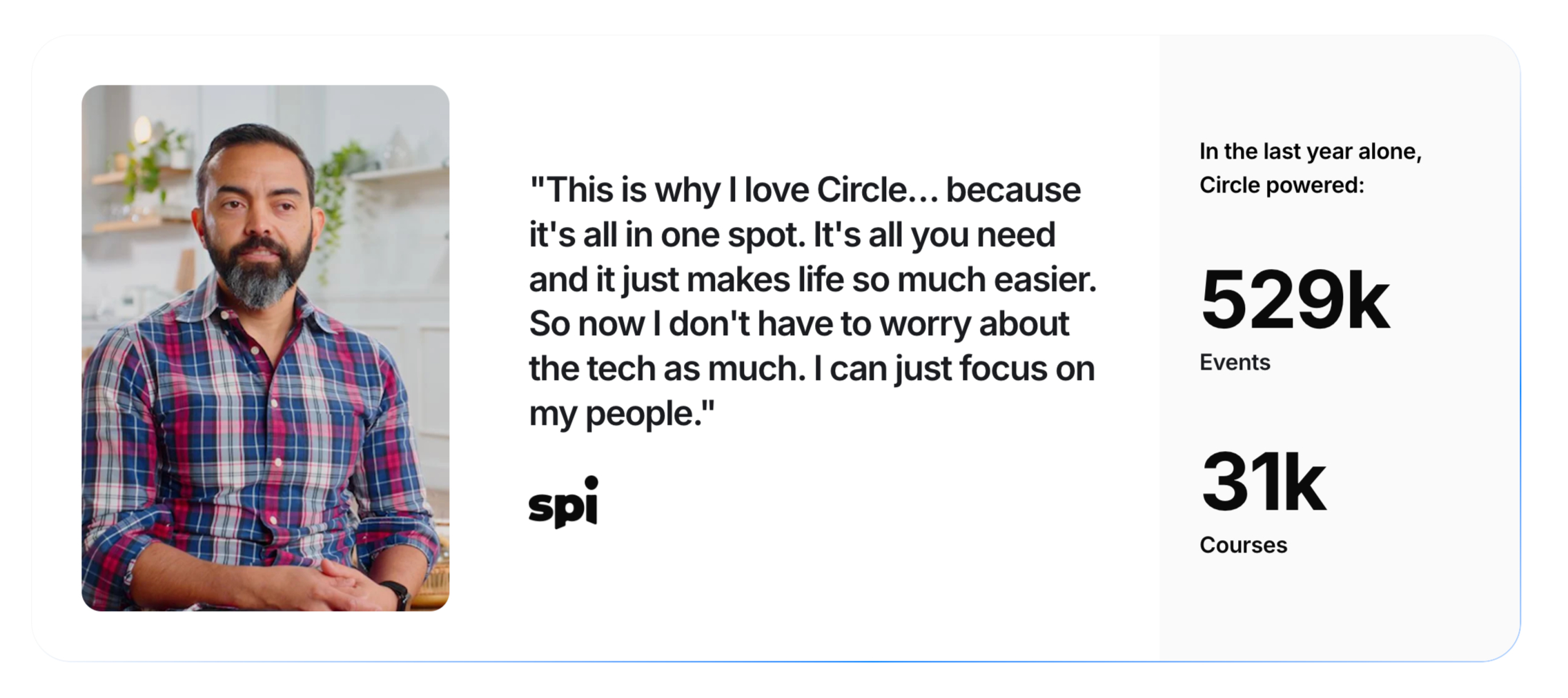
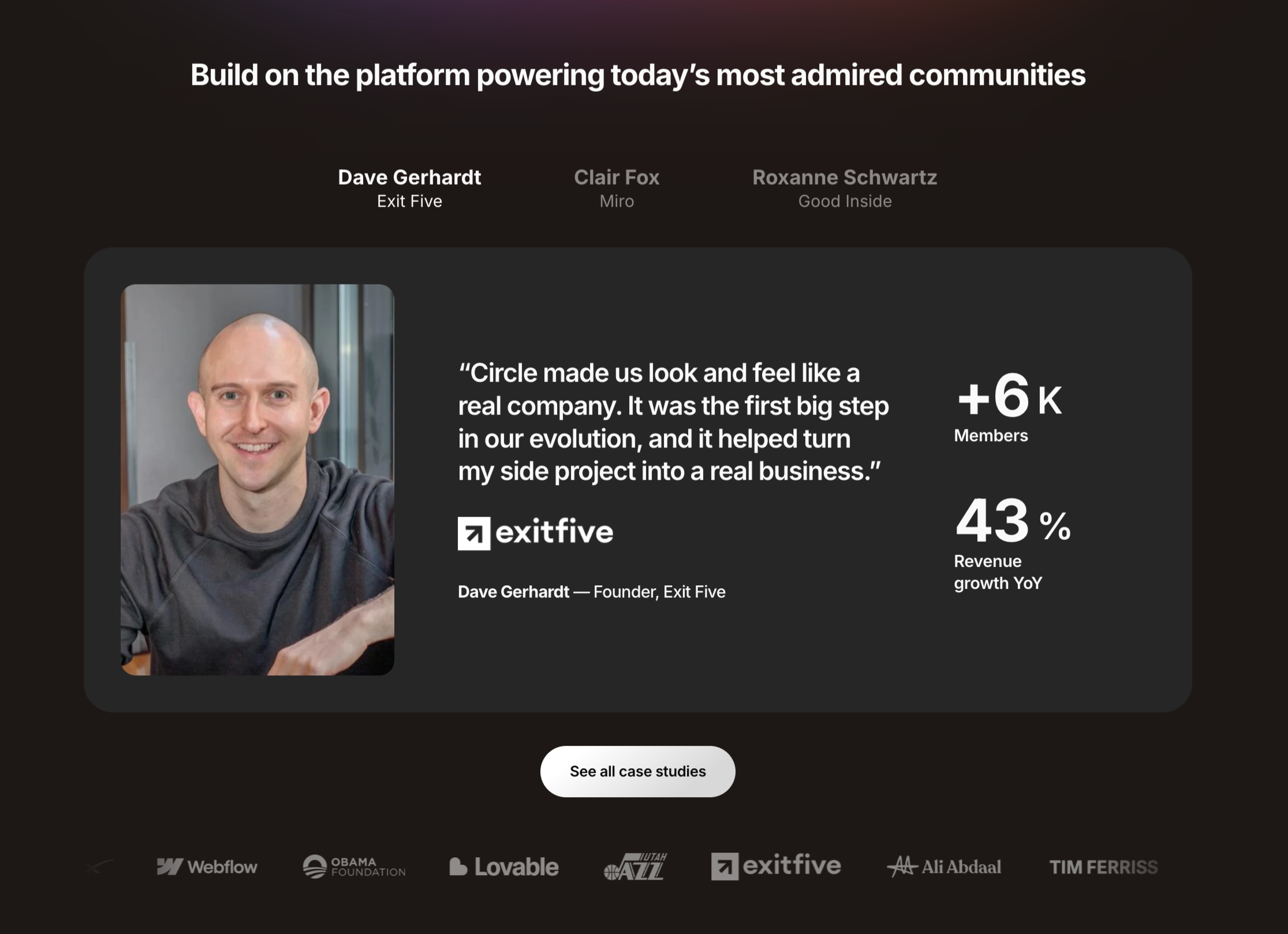
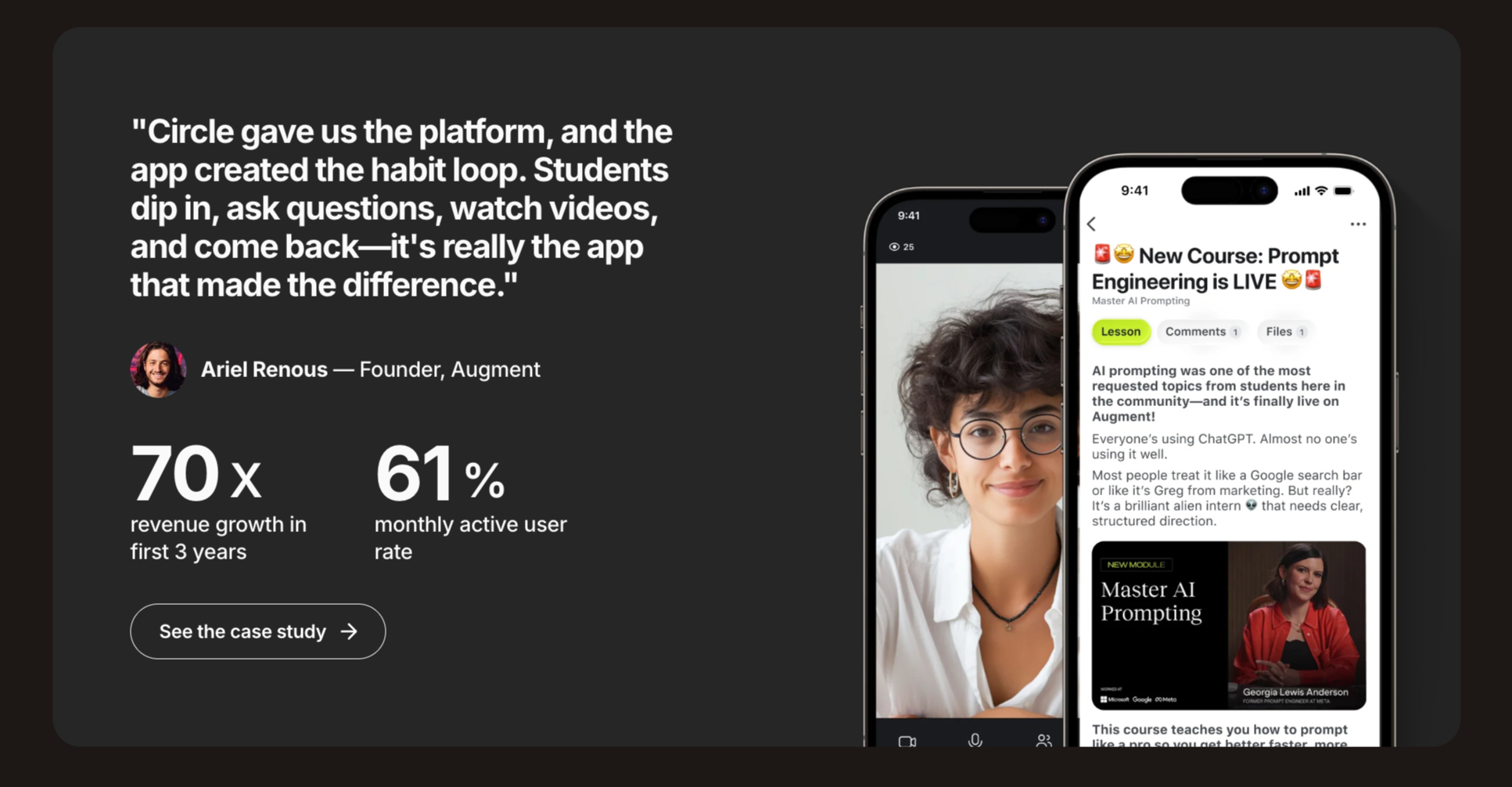
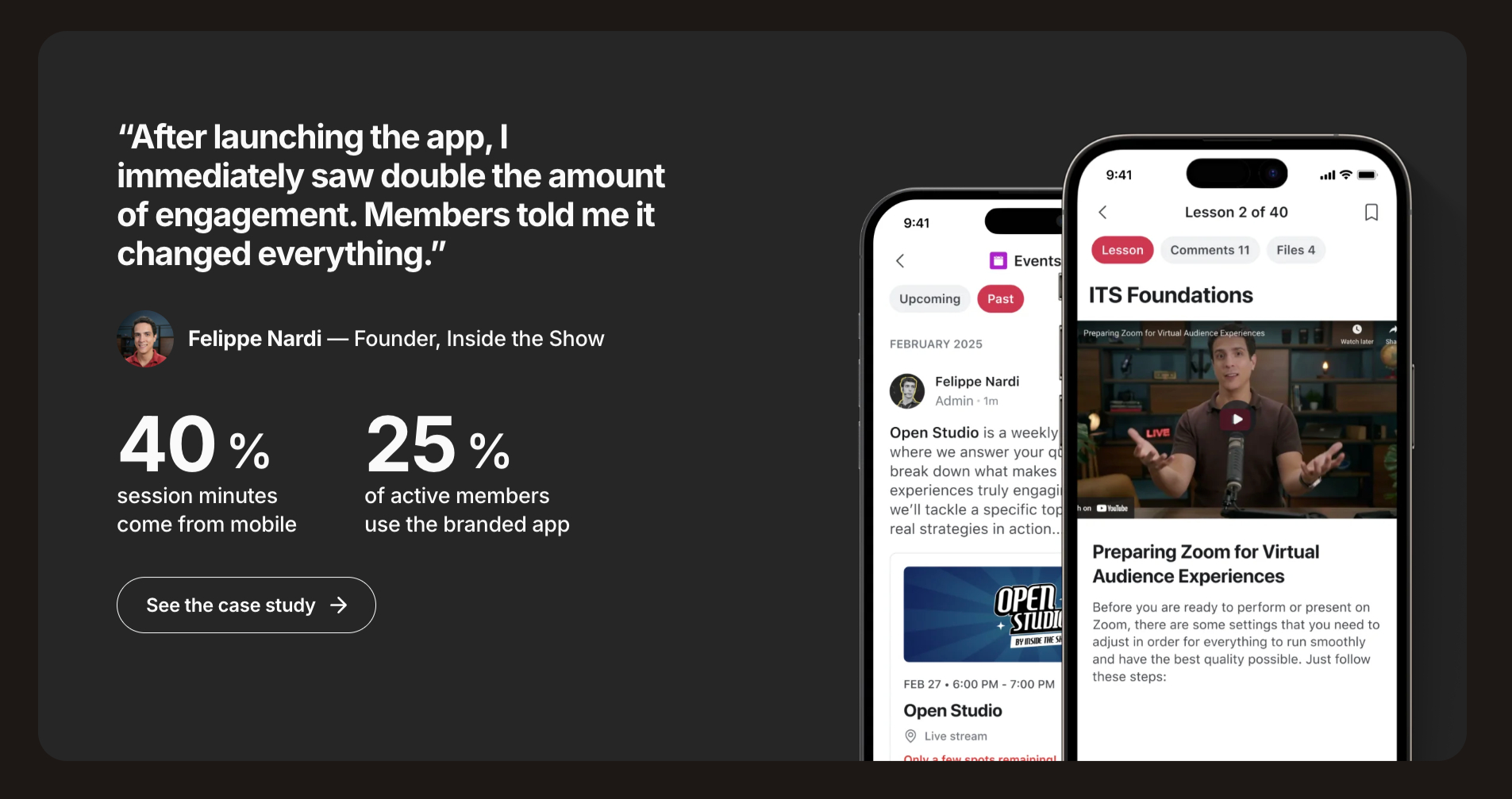
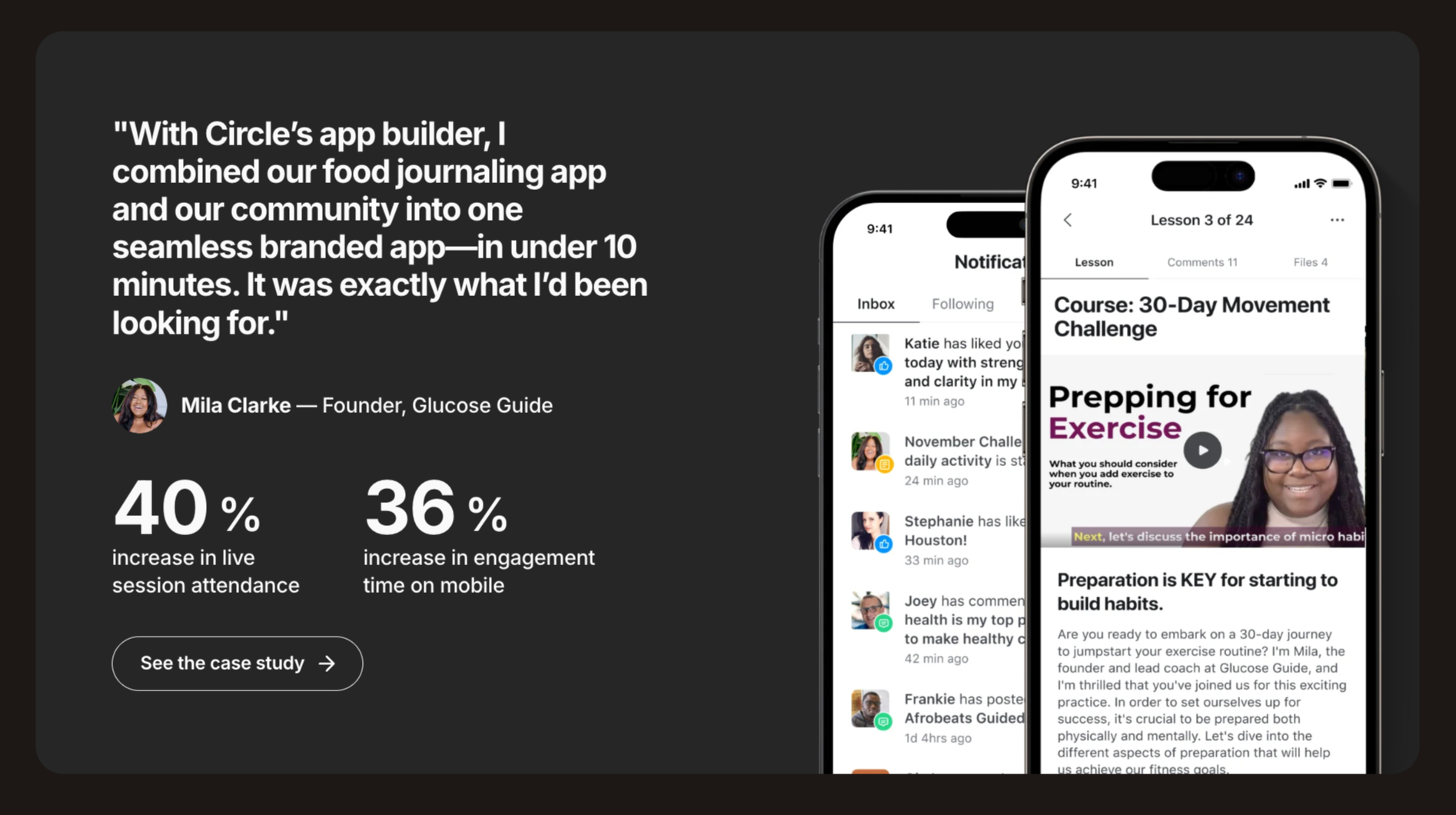
These stories show how people use Circle to launch paid memberships, sell courses, host live events, and build engaged communities. Some have grown from small groups into communities with thousands of active members, all managed from a single dashboard.
Overall, if you’re looking for a platform that lets you build a professional community, sell courses, host events, and manage memberships from one place, the feedback from existing customers is overwhelmingly positive.
If you’re still unsure, the easiest way to evaluate it is by starting the 14-day free trial. You can explore the platform, test its features, and decide whether it’s the right fit before purchasing a paid plan.
🔗 Click here to sign up for a free 14-day trial of Circle 👀
<- Plus 2500 bonus AI credits ->

Circle.so Frequently Asked Questions
Is Circle better than Skool?
Circle is a better choice if you want an organized community with custom branding, automation, AI features, and multiple space types. Skool focuses on simplicity and offers a more casual community experience.
Is Circle better than Kajabi?
Circle is a better fit for community-first businesses. Kajabi works better for creators and businesses that want built-in email marketing, sales funnels, and other marketing tools in the same platform.
Is Circle worth the price in 2026?
Yes. If you plan to build a paid community, sell online courses, host events, and manage memberships from one platform, Circle can replace several separate tools. While it costs more than many entry-level community platforms, its built-in AI, website builder, email marketing, automation, and payment features can reduce the need for multiple subscriptions.
Can I sell courses on Circle?
Yes. Circle lets you create course spaces, organize lessons into sections, release content over time, and sell access through one-time purchases, subscriptions, or memberships.
Does Circle offer course completion certificates?
No. Circle does not include course completion certificates. If you need them, you can connect a service like Accredible through Zapier.
Does Circle charge transaction fees?
Yes, Circle takes a cut of your sales before Stripe takes its processing fee. The Professional plan takes 2%, the Business plan takes 1%, and the Circle Plus plan takes 0.5%.
Does Circle offer email marketing?
Yes. Circle includes Email Hub, which supports email broadcasts, automated sequences, audience segmentation, and email analytics. You can use it for community updates, event reminders, onboarding emails, and course follow-ups. Email Hub is available as a paid add-on.
Can I build a website with Circle?
Yes. Circle lets you create simple websites and landing pages. It also includes ready-made templates, so you can publish pages without using another website builder.
Does Circle have a mobile app?
Yes, Circle provides iOS and Android apps so members can read posts, watch courses, chat, and join live streams on the move. If you upgrade to Circle Plus, they will build a custom app under your own brand name.
Is Circle good for beginners?
Yes. Circle is beginner-friendly. You can launch and manage a community without advanced technical knowledge.
What is the biggest downside of Circle.so?
The biggest downside is the additional cost of optional features. Transaction fees, Email Hub, and AI features can increase your monthly bill if you decide to use them.
Does Circle offer a money-back guarantee? (Yes)
Circle always offer a 30-day, 100% money-back guarantee. If for any reason, you decide that Circle isn’t the right fit for your community, just let them know. They’ll get you a full refund, no questions asked.
What are the best Circle.so alternatives?
The best Circle.so alternatives include Kajabi, Skool, Mighty Networks, and LearnWorlds. Kajabi offers strong marketing tools, Skool keeps community management simple, Mighty Networks combines courses with community features, and LearnWorlds focuses on online course creation.
Circle Review – Final Thoughts
So, after spending time with Circle, do I think it’s worth the money?
Yes, I do.
After spending time with the platform, I can see why so many creators, coaches, and businesses use it to run their communities. It brings discussions, courses, events, memberships, and AI features together in one place, so you don’t have to manage several different tools.
That doesn’t mean Circle is the right choice for everyone. If you’re only looking for a basic discussion forum or you have a very limited budget, you may want to compare a few alternatives before making a decision.
But if you want to build a professional community that can grow with your business, Circle is one of the best platforms I’ve used.
Since most paid plans require annual billing, I recommend starting with the 14-day free trial.
Build a sample community, test the features you care about, invite a few people if you can, and see if Circle feels like the right fit before you subscribe.

Unlock Hidden Revenue in Your Community:
Your business could be generating more revenue from its community.
With Circle Plus, you’ll see a:
- 🤑 146% increase in membership sales at higher prices
- 📱 721% boost in mobile adoption rates
- 📈 New customer acquisition channels via the Apple App Store & Google Play stores
Plus, experience a noticeable activity surge: almost 330% more comments and 600% more post engagement. Explore now 👇